Desertcart purchases this item on your behalf and handles shipping, customs, and support to Croatia.
๐ See the difference, feel the comfort โ your ultimate eye care monitor awaits!
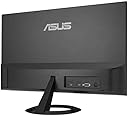
The ASUS VP227HF is a 22-inch Full HD frameless monitor designed for professionals seeking sharp visuals and smooth performance. Featuring a 100Hz refresh rate, 1ms response time, and Adaptive-Sync technology, it delivers tear-free, fluid images ideal for multitasking and light gaming. TรV Rheinland-certified Flicker-Free and Low Blue Light technologies ensure prolonged eye comfort, while its sleek design with VESA mount support maximizes desk space. Included ASUS DisplayWidget software simplifies display customization, making it a perfect addition to any modern workspace.


| ASIN | B0F235CC9Z |
| Adaptive Sync | FreeSync |
| Additional Features | 100Hz, 1ms response time, Adaptive Sync, Blue Light Filter, Eye Care, Flicker-Free, Frameless, Full HD, 99% sRGB, Tilt Adjustment, VESA Wall Mountable |
| Aspect Ratio | 16:9 |
| Best Sellers Rank | #3,219 in Electronics ( See Top 100 in Electronics ) #125 in Computer Monitors |
| Brand | ASUS |
| Brightness | 856.5 lm |
| Color | BLACK |
| Color Gamut | 99 |
| Compatible Devices | Desktop, Laptop |
| Connectivity Technology | HDMI, VGA |
| Contrast Ratio | 4000:1 |
| Customer Reviews | 4.2 out of 5 stars 38 Reviews |
| Display Resolution Maximum | 1920 x 1080 |
| Display Technology | LCD, LED |
| Display Type | LED |
| Hardware Connectivity | HDMI, VGA |
| Image Contrast Ratio | 4000:1 |
| Included Components | HDMI cable, Power cord, Quick start guide, VP227HF, Warranty Card |
| Item Dimensions D x W x H | 8.1"D x 19.4"W x 14.3"H |
| Item Weight | 5.7 pounds |
| Manufacturer | ASUS |
| Model Name | VP227HF |
| Model Number | VP227HF |
| Mounting Type | Wall Mount |
| Native Resolution | 1920x1080 |
| Number of Component Outputs | 1 |
| Picture Quality Enhancement Technology | 99% sRGB, Adaptive-Sync, 1ms response time, Flicker-Free, Low Blue Light, ASUS Eye Care |
| Pixel Pitch | 0.25 |
| Refresh Rate | 100 hertz |
| Resolution | FHD 1080p |
| Response Time | 1 milliseconds |
| Screen Finish | Matte |
| Screen Size | 22 inches |
| Screen Surface Description | Matte |
| Shape | Flat |
| Specific Uses For Product | Business, Gaming, Photo Video Editing |
| Total Number of HDMI Ports | 1 |
| UPC | 197105948600 |
| Unit Count | 1 Count |
| Viewing Angle | 178 degrees |
| Warranty Description | 3 years |
| Warranty Type | Manufacturer |
G**R
ASUS 22" 1080P Monitor โ A Perfect Secondary Display for Your Work From Home Setup
I picked up this ASUS 22" 1080P monitor on Amazon to serve as a second screen alongside my larger primary monitor for my work from home setup, and it has been a fantastic addition. Right out of the box, I was impressed by how sleek and minimal it looked โ the small bezel gives it a clean, modern appearance, and it's surprisingly lightweight. Best of all, it was essentially plug and play, so there was zero frustration getting started. Setup was a breeze. I opted to skip the included stand and mount it on a monitor arm using the VESA mount, which worked perfectly. The simple on-screen controls made dialing in the display settings quick and painless, and I had it looking just right in no time. For a secondary monitor, that kind of simplicity is exactly what you want. In day-to-day use, this monitor handles everything I throw at it without a hiccup. Whether it's reference documents, emails, or keeping an eye on a second application, it performs reliably and consistently. The 1080P resolution is crisp and clear for work tasks, and the 22" size strikes a nice balance โ large enough to be useful without overwhelming a desk alongside a bigger primary screen. The price point is where this monitor really shines. The value here is exceptional, and I was so satisfied that I'm already planning to buy a second one for another computer setup. If you're looking for a dependable, affordable monitor โ whether as your first screen or to round out a dual-monitor workspace โ this ASUS is an easy recommendation. Highly suggested for home office users of all kinds.
E**T
Great screen, especially at this price point
A great screen! It's nothing flashy, not a gamer screen or a high-resolution video editing screen, but it is a wonderfully good and simple office work type screen. It's a good size, good brightness, good resolution, it has the eye care mode, and it just works. It's got a good selection of input ports and an audio out as well. We got 22 of these for the office and they've been amazing, especially since the price is $79.99 each! Amazing deal!
N**M
For the price, it's pretty good.
Needed a small footprint monitor that met basic specs, and the 22 was the smallest I could find. Best of all was the potential for lower power use and heat generation. - It has a standard power plug, HDMI port, 15 pin VGA port, and audio output in the back. - Has no speakers but uses a standard audio out connector to run an audio cable to something else. - Controlled by (?optional?) software or wiggling the single button which goes Up/Down/Left/Right | Press-In. - Need a screwdriver to attach the base. - Comes with an HDMI cable, 15 pin VGA cable not included. - Standard PC power cable included, male-male audio cable not included. - Can download a 31 page User Guide from Asus (March 2025) - Can also download a 9 page Service Manual (June 2025) but not required. - Can download Windows drivers from Asus. - MS or Asus tries to ?? auto-install a "DisplayWidgetCenterDownloader" when the monitor is detected. - Driver file contains two Widget files - "DisplayWidgetCenterInstallHelper" and "DisplayWidgetCenterInstallService". - Looks like the driver installed by default is the same one - February 2025. - Driver installation appears to "ask" to install the Widget stuff. Apparently you can decline. - - Although the two files are copied to DriverStore \ FileRepository regardless. - - But looks like the values are "0" so possibly installed-but-disabled? - And did find references to those two files in the registry... So far as actual use goes, it seemed to be restrictive on changing modes/settings. Selecting other configurations would disable Deep Power Management. However you could leave it at the default configuration and manual adjust it to lower the brightness, etc. The wiggling button allows for two shortcuts, but only a few selections can be assigned as a shortcut. Additional Trivia: Had a great deal of fun trying to use the VP227HF to view Prime Video content in HD from my Windows PC as was constantly receiving SD ONLY - NOT HDCP COMPLIANT - GOOD LUCK! error messages. Turns out playback was crashing since I had a dual SECONDARY monitor connected. Could only bypass the flawed HDCP check by un-extending / not-using the other monitor. Merely powering the 2nd monitor off was insufficient. Seems it didn't like that the 2nd monitor was connected via 15 pin VGA. Switched the 2nd monitor's cable from 15 pin VGA to DVI (same monitor) and no more SD ONLY - NOT HDCP COMPLIANT errors. Also seems changing other display settings without rebooting could also cause Prime Video to sulk and drop back to SD. This monitor definitely supports streaming HD, but the host site might not be able to see the forest for the trees.
W**.
Good price and product
I cancelled this order due to shipping availability. That being said, I have ordered the same product before and it works well. The reason I cancelled this order is that Asus takes several days to ship and I didn't have the time to spare. The other reason is you must be careful of the mounting options. I needed a stand, and they don't all come with them.
E**D
Good so far.
Plugs are in a stupid piss poor designed spot. But it displays great. Time will tell.
E**.
Poor quality control
Have bought this monitor for two different jobs. First time the monitor was fine but the power cord was defective. A little tinkers to diagnose this and a spare power cable and I chalked it up to poor luck. Second time around, monitor is just dead. Normally a fan of Asus but really quite disappointing. Will not be purchasing again and would advise to look elsewhere.
C**M
Works well
My monitor dies after many years. This one works well. I am happy with it.
M**B
Sleep mode is very flawed
Good Monitor, BUT you need to turn it on every time you wake up the computer. VERY ANNOYING
J**S
Pleased with the product
Very good monitor for the price. Easy to install the stand, and decent quality. If youโre looking for a budget monitor or even just a second screen for discord this is an easy choice.
A**N
Good monitor
Good monitor for the price
D**R
May die on you
Died within 33 days. It had good colors etc.
Trustpilot
1 month ago
2 months ago