Desertcart purchases this item on your behalf and handles shipping, customs, and support to Croatia.
🎯 Level up your PC gaming with wireless freedom and pro-grade reliability!
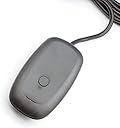
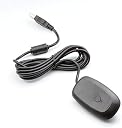
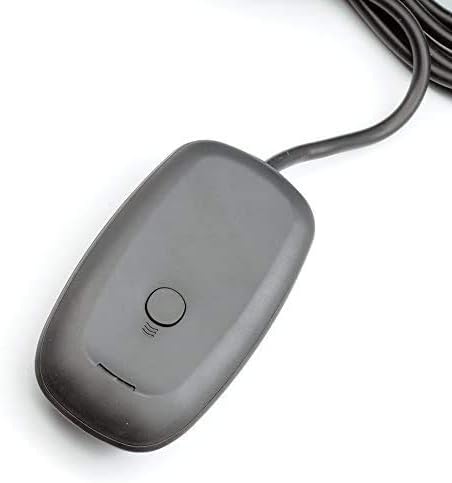
The QUMOX Wireless Gaming Receiver enables seamless wireless connection of Xbox 360 controllers to Windows PCs, featuring dual USB ports for multiple device support, durable ABS construction for longevity, and easy plug-and-play setup optimized for Windows 10. Perfect for gamers seeking a cable-free, professional-grade gaming experience.
| Asin | B00LUJTK3I |
| Brand | QUMOX |
| Color | grey |
| Compatible Devices | Headphone, Laptop, PC |
| Connector Type | Micro USB, USB Type B |
| Customer Reviews | 4.0 4.0 out of 5 stars (1,131) 4.0 out of 5 stars |
| Finish | Abs |
| Global Trade Identification Number | 04895187120551 |
| Item Weight | 0.09 kg |
| Manufacturer | QUMOX |
| Mfr Part Number | L106U |
| Model Number | L106U_SML |
| Number Of Items | 1 |
| Number Of Ports | 2 |
| Package Quantity | 1 |
| Power Plug Type | No Plug |
| Unit Count | 1 Count |
User
Works perfectly with windows 10, Xbox 360 wireless steering wheel
I got this to work with the Xbox 360 wireless steering wheel. I followed the YouTube video for installing the drivers. Windows 10 device manager. Properties. Update driver. Choose the one that’s selecting manually. It took you to a screen that’s a little different now than what you see in the YouTube video but you will be presented with a list of something like Xbox 360 peripherals. The driver is as of March 2019 this year. It plugs in and pairs instantly. I haven’t tried it with a 360 regular controller yet but it connects the racing wheel perfectly. It’s just unfortunate certain games don’t support it like forza. But dirt rally works perfectlyUpdate : feb 2010I have since used this with the 360 wireless. I have been using a dell optiplex 7010 gaming system with a 4k 60hz tv to play rocket league and it works great. The only complaint I have and it’s most likely with my computers barely functioning USB ports is whenever I plug the adapter back in, I have to goto device manager and manually update the driver each time. It isn’t a big deal because I’ve gotten good at remembering how to do that. If your not experienced with working on computers and trouble shooting them I won’t recommend this route to you, you would probably give this a 1 star rating. But if you can remember those few extra steps it works great and haven’t had a problem. It’s only when I skip those steps is when I have a problem with it.
User
It works, guide below.
The receiver works just like it should. I haven't noticed a difference between the original receiver and this receiver at all besides the color but that doesn't effect the use of it. It does support up to 4 controller per receiver. Now, to get the drivers installed follow the simple guide from below step by step.Guide for Windows 10 only -1. Plug in the receiver in any USB 2.0 or USB 3.0 port (gray/black or blue/red respectively)2. You'll hear a notification sound on your computer once plugged in, this means that the computer recognized something being plugged in.3. The light on the receiver will turn on, but this doesn't mean anything because it's not functional yet.4. Right click on the start menu and open "Device Manager", should be the 5th option for Windows 1909.5. If you scroll down through all the different devices and past the drop down menus, you'll see a device named "Unknown Device"6. Right click on it and select "update drivers".7. Now select "Browse my computer for driver software"8. Now select "Let me pick from a list of available drivers on my computer"9. A window with a bunch of different devices will pop-up but we'll scroll all the way down to "Xbox 360 Peripherals"10. Double click on it and select "Xbox 360 Wireless Receiver for Windows"11. You'll get a pop-up stating that installing drivers manually might break you're device, trust me, it this won't break it because I've done this a multiple times and if it does, just return the receiver or exchange.12. It should say that the drivers successfully installed, now reboot the computer, and DO NOT connect the controller(s) yet, only try so after rebooting. I say this because if you do so before, the receiver might also assign a controller profile to itself and make itself player 1 which will limit you to only 3 controllers.You will have to follow these steps each time you connect it to a different computer or even a different USB port on the same computer.If you need a visual, look up a video and if it's too old of a video then just try to combine these steps with the video.
User
great product. would recommend.
great value for the money. name brand ones are very expensive for how old they are and in my opinion just not worth it. a couple extra steps to get this one working and I saved a bunch of money. however, the first unit I ordered was defective. I installed everything correctly and it just wouldn't work. only powered on about half the time, and even then it wouldn't connect. I checked my order status and there was an option to request a replacement, and was sent a replacement free of charge and beings that I had already installed the old one correctly it was plug and play.pros-cheaper than original-works wonderfully-syncs easily and with no issues-little to no latencycons-extra setup than original-chance of defective
User
Works for a few days and then doesn't
Stay far away from this thing. Just like the other reviews, it works when you first get it and then all of sudden you can no longer connect your controllers to it and windows sees it as an unknown device. I've tried everything I can think of to get it work and I've had no luck. I wish I could get a refund or a functional one sent to me.DO NOT BUY!
User
3090
Still using it on my computer.Windows 11 with 3090 fw3 and 64gb DDR4 4000 ram
User
Works surprisingly well
I didn't have a ton of expectations at this price point, but this thing works and works well. I've had 4 controllers linked to it without lag. I had a little issue where it connected controllers in order 2, 3, 4, then 1. And it's a bit difficult to find the drivers, but once you find the right Youtube video (you can use the same drivers as the brand-name device) you should be able to connect the same way you connect to an Xbox. All in all, very happy with the purchase.
User
Works perfectly with Xbox 360 controllers
I purchased this to use my existing Xbox 360 controllers to play Mortal Kombat 1 on the PC. Driver installation was a breeze using instructions shared in other reviews here. Latency is good, no problem connecting two controllers. Perfect for this application.
User
No longer works without major effort on Win10 (Nov 2020). Instructions below.
So this product requires you to basically modify the microsoft driver and turn off driver signing to get it to work. I suspect that the latest Win10 update broke the functionality of this device since it's 3rd party. That's enough hoop jumping for me to consider this product not actually functional. I actually submitted a return and then realized that all other 3rd party xbox 360 wireless receivers probably suffer from the same issue and cancelled the return because i did actually get it to work and it does work pretty well once it's set up. So if you're tech savvy and understand what turning off driver signing means here's the steps that worked for me but proceed at your own risk.1. Open device manager find your receiver that's probably listed as "unknown device", open the properties and under details select hardware ID. Note the last 4 digits of the ID (something like USB\VID_045E&PID_02A9)2. Download the old Win7 Xbox 360 drivers from microsoft.com and run the installer3. Navigate to C:\Program Files\Microsoft Xbox 360 Accessories and copy Xusb21.inf to the desktop.4. Open Xusb21.inf with notepad and note the line that shows similar to the thing you copied from the device manager but likely has a different last 4 digits (something like USB\VID_045E&PID_0719). You want to find/replace all the "0719" with the last 4 digits of the hardware ID of your actual receiver.5. Save the file and copy it back into the Microsoft Xbox 360 Accessories folder overwriting the old one6. Now to turn off driver signing you open the start menu and type in "startup" and then select "Change advanced start up options"7.Select "Restart Now" under Advanced Startup and your computer should restart and boot to a screen with a few different options. Using keyboard select "Troubleshoot" then "Advanced Options" then "Start Up Options". Your computer will continue to boot and provide a list of options. I believe you want option 7 which is disable driver signing.8. Once your computer boots open device manager, find your unknown device and select update driver. Navigate to C:\Program Files\Microsoft Xbox 360 Accessories folder and select the driver. I think there was a 2009 one that worked for me and a 2015 one that didn't. If one doesn't work try the other.After doing this my controllers connected immediately to my receiver and I've successfully paired two different controllers at the same time (haven't tried more). Hope it works for you!
User
Funcional, usuarios avanzados!
Excelente aparato receptor, para Windows 10 se ha de instalar manualmente el Dirver.1.- Copia el contenido del cd al escritorio.2.- busca el dispositivo en administrador de dispositivos, saldrá como desconocido.3.- Clic derecho y elige actualizar, buscar controladores en el equipo y marca la ruta a la carpeta del escritorio y selecciona elegir controlador de una lista.4.- En la lista buscar xbox360 controller.5.- Elige el controlador para xbox360 y listo, a disfrutar!
User
Günstige Alternative
Funktioniert einwandfrei über mehrere Meter und auch wenn etwas im Weg ist und hat keinerlei Verzögerung oder Ausfälle bei den inputs. Auch ist die Verarbeitung überraschend gut und das Kabel sehr lang und dick genug; Ich hatte bei dem günstigen Preis mit deutlich schlechterer Qualität gerechnet.Die Installation ist etwas komplizierter, als man es heutzutage gewohnt ist. In vielen anderen Bewertungen auf dieser Seite ist die Installation jedoch sehr schön schrittweise beschrieben. Einmal installiert, funktioniert der Receiver auch sehr gut und erfüllt seinen Zweck. PC Spiele mit 360 Controller Support erkennen den Controller dann auch direkt als solchen - Erfolgreich getestet mit Skyrim, Euro Truck Sim, Mortal Kombat 9 und einigen Emulatoren.Als Alternative für den offiziellen Xbox Wireless Receiver von Microsoft würde ich persönlich diese günstige Variante vorziehen. Einfach, weil dieser Receiver exakt die gleiche Funktion erfüllt und ich mir nichts vorstellen kann, was das Microsoft Pendant besser machen könnte. Laut anderen Rezensionen hat diese günstige Variante sogar eine längere Lebensdauer.Also abschließend: 5 Sterne weil der Receiver einwandfrei seinen Zweck erfüllt und einen Vergleich mit dem überteuertem Microsoft Produkt nicht scheuen braucht. Die Installation ist in anderen Rezensionen einfach erklärt und kann sogar ein Nostalgie-Trip sein für Anwender, die sich an Windows 95 Soundkarten- oder Modeminstallationen erinnern. ;)
User
Works fine with Windows 10
Just got this today so this isn't a long-term experience review. I just thought it would be worth adding a counterpoint to the "it doesn't work" reviews.I plugged it in, went to device manager, right-clicked on the unknown device and selected update drivers, chose "Browse Computer" then "Let Me Pick From Available Driver", found the XBox360 Wireless driver and installed it -- OKing past the warning. My controller connected to it just fine and it all worked for a 30 minute play session.Either the people saying it doesn't work have had a duff unit or they've forgotten that they need to press the little wireless sync button on the back of their controller to pair with a new receiver.
User
Product works great
Solid product, needs a driver update from the control panel (youtube videos are great for instructions) and just tap the button on the receiver once to connect and hold the bluetooth connection button down. Connected super quickly.
User
Perfetto
Costo è di gran lunga inferiore all'originale, ma svolge egregiamente il suo compito. Si configura automaticamente al PC.Per chi usa windows 7 e 8 vi consiglio di utilizzare il software dedicato e di modificare alcuni parametri.WINDOWS 8Fare come segue:non usare il cd in dotazionecollegare il dispositivo ad una porta USB 2, apparirà in Gestione dispositivi come periferica sconosciutainstallare il driver ufficiale micro_soft per windows 7 64 bit "Xbox360_64Ita.exe"andare in Gestione dispositivi e aggiornare da qui manualmenteselezionare ''aggiornare manualmente da un elenco di driver'' - > avanti -> disco driver -> andare nella cartella "C:\Program Files\Microsoft Xbox 360 Accessories" e selezionare "Xusb21"quindi scegliere "Xbox 360 Wireless Receiver for Windows"Ok, Driver del ricevitore installatoAssicurarsi che il controller sia BEN CARICOAdesso per sincronizzate il controller NON PREMERE LA CROCE MICRO_SOFT ben visibile che si trova sopra il controller ma PREMERE IL PICCOLO TASTO DI SINCRONIZZAZIONE che si trova davanti al controller, dove c'è il grilletto "LB"premere il pulsante di sincronizzazione del ricevitorepremere la croce micro_softla luce verde del controller lampeggia, una volta connesso la luce rimane fissa sulla "posizione" uno ( controller collegato come "1" )WINDOWS 7Scaricare i driver più recenti dal sito Microsoft (Xbox360_64Ita.exe) e seguire i pochi passi necessari:Eseguire il setup prelevato da Microsoftconnettere il device, click dx su Computer, click su Proprietà, click su Gestione Dispositivi, click su Dispositivo sconosciuto, click ancora su Proprietà, poi sul Tab dei Driver, scegliere Aggiornamento Driver, scegliere di cercare il driver nel proprio computer e successivamente di cercarlo in una lista sul proprio PC, selezionare la voce "Windows Common Controller for Window Class" e poi scegliere "Xbox 360 Wireless Receiver for Windows", rispondere Si all'avviso che i driver non sono certificatiPS: se ti è stata utile questa recensione, per favore, fammelo sapere con un "voto utile", grazie!
Trustpilot
1 day ago
3 weeks ago