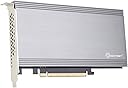
🚀 Unlock next-level storage speed and capacity—because your workstation deserves the best!
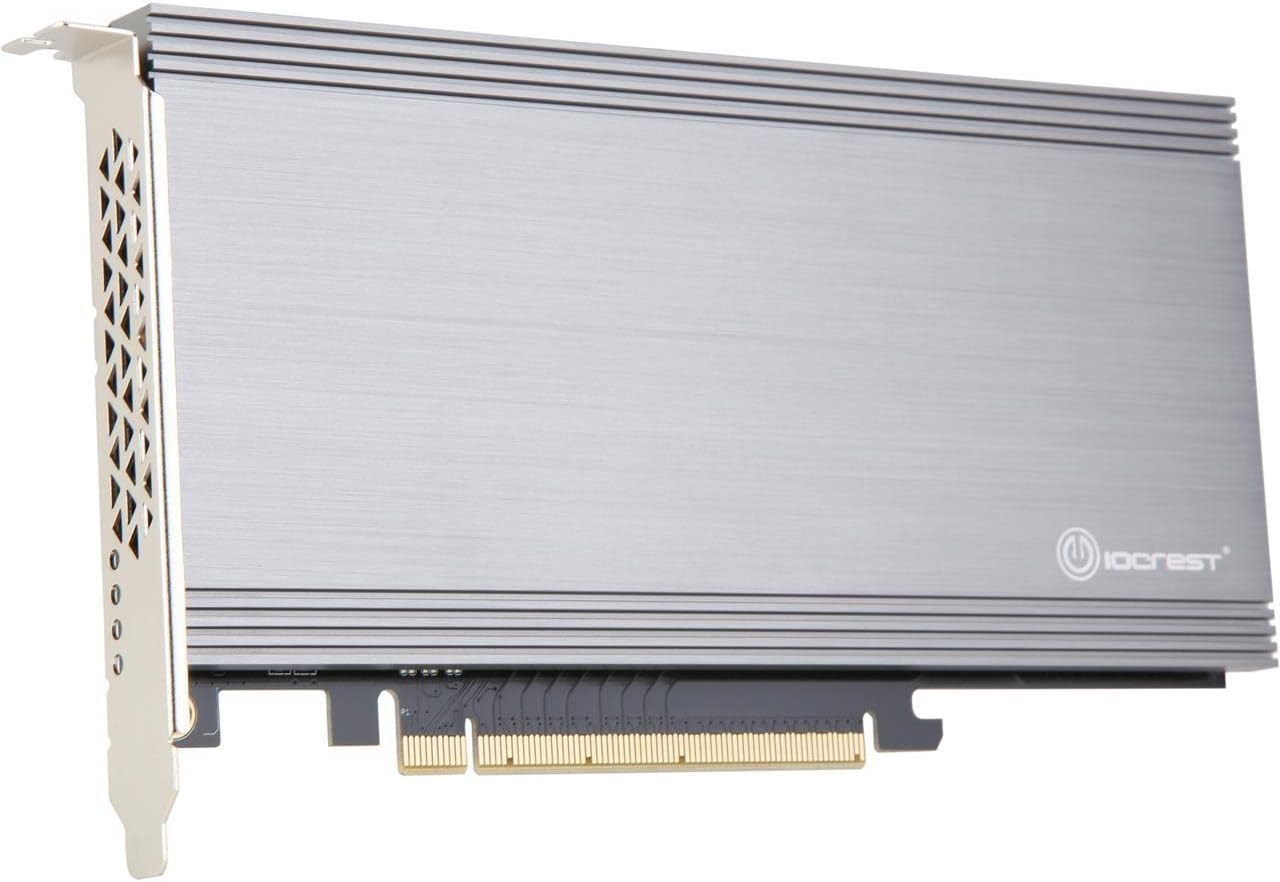
The I/O CREST SI-PEX40129 is a high-performance PCIe 3.0 x16 riser card featuring dual M.2 NVMe ports powered by ASM2824 switches. It delivers dedicated PCIe 3.0 x4 lanes per SSD without relying on CPU or chipset bifurcation, enabling transfer speeds up to 6500 MB/s—20 times faster than SATA SSDs. Compatible with non-bifurcation motherboards and supporting NVMe RAID, it’s the ultimate upgrade for professionals demanding accelerated secondary storage.


| ASIN | B07HYZY7P2 |
| Best Sellers Rank | 326,198 in Computers & Accessories ( See Top 100 in Computers & Accessories ) 3,534 in Motherboards |
| Box Contents | (1) Dual M.2 to BiFurcation PCIe x16 Adapter, (1) M.2 Mounting Screws, (1) Screw Driver |
| Brand | Syba |
| Brand Name | Syba |
| Compatible Devices | Personal Computer |
| Compatible devices | Personal Computer |
| Customer Reviews | 4.0 out of 5 stars 104 Reviews |
| Global Trade Identification Number | 00857426008017 |
| Hardware Interface | PCI, PCIE x 4 |
| Hardware interface | PCI, PCIE x 4 |
| Item Type Name | Dual M.2 NVMe Ports to PCIe 3.0 x16 Bifurcation Riser Controller - Support Non-Bifurcation Motherboard |
| Item Weight | 0.9 Pounds |
| Item weight | 0.9 Pounds |
| Manufacturer | SYBA Multimedia, Inc. |
| Manufacturer Part Number | SI-PEX40129 |
| Model Number | SI-PEX40129 |
| Operating System | Windows, Linux |
| Product Warranty | 3 Year Warranty |
| Style | Traditional |
| Style Name | Traditional |
| UPC | 857426008017 |
R**K
works on my macpro 5,1
easy install and can now boot from NVMe on my MacPro 5,1.
N**Y
It works well
I have 2 firecuda 2tb 520 SSDs connected to this and the speed is excellent. There was some high pitched whine from the fan but I just tighten the screws and it seemed to cure the problem a bit. It has a controller chip on it for bifurcation ideal for motherboard with only one slot that has it, that is usually the GPU slot.
A**R
Unstable
I own several similar cards by StarTech which are far more stable and give better performance over My recent gift by iocrest, at first glance the iocrest looks great but that's smoke and mirrors as when close inspected you will see poor finish and fit, bad soldering and poor parts especially the nvme mounting and PCIe cinnector. It installed OK but I have trouble with my computer always seeing the 2 drives installed. Often I simple just loose the drives especially when transferring data. It constantly connects and disconnected during data access.. It's become impossible to use. I have checked everything from bios settings to drivers and pc settings yet find zero faults or conflicts... As such I have replaced it with another StarTech without issue... Yes the StarTech looks basic but it works great and reliable to 100%... The only plus for the iocrest is the fact it looks good... With the StarTech I fitted 2 aftermarket cooling and it was great. The fact is my StarTech version is reliable and cheaper by 50 pounds so it's a no brainer... I did return my iocrest and I have no regrets... As such I do not reconmend the iocrest... Avoid as its far too unstable.. PS I tested this on Windows 7,8,and 10 and funny enough the very old win 7 worked the most stable performance with some tweaking and persistence BUT Windows 10 21h2 was the most unstable which is very disappointing, I did also test on a beta win 11 and had nothing but trouble.... It is not possible that the card is faulty as it worked flawlessly on windows 7 my old test rig dating back a good 10 years.
A**0
what a surprise
Works like a charm on my Mac Pro 5,1. In fact it's so good I've purchased another one from Amazon for my other Mac Pro 5,1.
A**R
MAC PRO / CMP 4.1 ---> 5.1 NvME Solution - Blazing fast speed and running cool on a 12 Core Mac Pro
Just upgrade my machine from a single Qaud processor to a dual 12 Core 3.46 and ordered this and 2 x 1 TB Samsung EVO 970 Plus on Friday and got it Saturday afternoon so shipping was fast and snappy. Packaging was good and documentation was sparse but I get that. Shiny brochure instructions mean additional costs. The only thing that let this products down is the screw removal process to separate the heatsink from the board. Approach removing the screws with caution as to avoid a stressful upgrade session! The screws are so small and really not that deep to get a screwdriver into and for them all out except for two which due to the weak format of the screws stripped. Really annoyed at prospect of having a bit of kit that I was not going to be able to ultimately use as i couldn't open the thing and at the same cursing the way the screws were inserted at source / designed to strip if you use a normal amount of force to untighten. 1 of the stripped screws somehow managed to swivel out and eventually came free, however one of them was just too stripped to have anything fit and be removed and this 1 decided to try and thwart the plan .... however the design of the card meant that I could swivel it in a way that got everything out into the open and i was able to install the blades and remove the sticky blue tape coverlid the heat absorption material that looks like chewing gum ( I am making a conscious effort to not leave a super technical review so even a layman can understand ). Important to note that if your a first timer tinkering with this type of things, the slightly bigger gold screws in the bag are like mounting pillars to get your NvME put to eh same level as the connector that its plugs into, so you put one of them under the blade and then screw into it from the other side so its firmly and securely held into place. Before I install the device, I went through the process of updating my 2009 CMP to the Move firmware. This is different form flashing a 4.1 to a 5.1 and involves you downloading the Mojave installer and then updating firmware by following the instructions. If you are NOT wanting to install Mojave when your computer restarts then click cancel when your machine reboots and it enters into the Mojave installation dialog. Once I confirmed that my firmware was updated, I then installed the card into the second x16 slot as my graphics card was larger and occupied the bottom space and once everything was seated and secured correclty, I rebooted the machine and was happy to see that the disk were both recognised and I erase/ formatted them and ran a speed test using Blackmagicdesign Speedtest and the result for an 11 year old Classic Mac Pro are nothing short of fantastic and for me personally, I feel it solidifies the Classic Mac Pro as the greatest desktop Apple ever built as the scope for upgrade through this lovely bit of kit is nothing short of amazing. Enjoy !
R**Y
this works
this is the third of this type i have bought yes its a bit expensive but it works good build quality well worth the money
A**A
if you are looking for the maximum performance out of your PCIe 3.0 M.2's this is THE card for you.
I purchased two of these boards. Each board has the option for two M.2 drives. They provide amazing performance on my older i7 board which only has PCIe 2.0a support. My previous M.2 board did not have the onboard chip which is apparently a PCIe lane "switch" which basically allows more use of the slot bus. The M.2 cards I installed are PCIe 3.0 x4 cards so on my old card this would translate to PCIe 2.0 x4 since the motherboard did not support PCIe 3.0. Due to the fact that each PCIe 3.0 "lane" is twice the speed of a PCIe 2.0 lane I would not get half the performance. The onboard "switch" processor allows use of more lanes and allows near PCIe 3.0 performance. Keep in mind that having two M.2's on one card mean they still share the slot bandwidth. Windows does not support booting from software created striped volumes and the cards don't have a RAID chip on them to create hardware RAID. Actually, I wish this card did support hardware RAID such as striped volumes, it would be a great feature. What I did is purchase two cards and placed four M.2's on them. I placed my C drive on one (Windows). Then I placed a smaller cheaper M.2 on the second card as extra storage because due to the PCIe "lane switching" placing only one M.2 on the card will cause lockups and system freezes. In slot two on both cards I place high speed 1TB M.2's and created a striped volume. Placing them on separate cards allow them to utilize separate "switch" processors to ensure maximum performance. Then I reinstalled Windows and interrupted the installation to set the Users and Program folders to my striped volume. Then on my first login, I moved the page file to my striped volume. Now I have maximum performance out of my two M.2's with a total 2 TB on the striped volume. Thus far the setup works great HDD access is amazingly fast and probably faster than anything the creators of this motherboard expected. Also, I created a large 50-100 GB swap file because the drive is really fast so paging does not provide a noticeable slow down and effectively gives me all the memory space I need. I typically just leave everything open and running allowing me to quickly return to things. Overall, if you are looking for the maximum performance out of your PCIe 3.0 M.2's this is THE card for you. Pros: - On a PCIe 2.0 system this is likely the fastest way to add an M.2 HDD - Allows extreme performance even on a PCIe 3.0 slot. - PCIe lane Switch processor allows nearly full use of the slot - M.2 Cooling features like thermal pads heat spreader and fan. - Allows two (or more) M.2's in one slot (a lot of other cheaper cards have one M.2 one slot) Cons: - Does not have hardware RAID, I realize this may require a different processor, but it is a big feature. - Requires both M.2 slots to be populated due the PCIe lane switching. - While the SATA hard drive interface comes on the motherboard this requires the purchase of a 200 dollar card.
I**H
It was working as expected on my Mac pro mid 2010
It's worth and I was lucky because I bought it for cheap when price was down speed was from (1500MB on x4) slots until (2700MB on x16)
T**E
Works great on a Mac Pro 5,1
Works great on a Mac Pro 5,1 with Firmware 144.0.0.0. I added two addlink S70 NVMe SSD, 1 x 1TB for bootdrive and the other 2TB for data. Speed is good for video editing. Screws and small screwdriver provided underneath the box for securing the SSD. Reason for 4 star because the metal back piece that secure the card in a slot at the back of the card was bend deal to knocks during transportation. Should have better packaging.
F**O
ECCEZIONALE!!! Mac Pro 5,1 con velocità disco stratosferica
Utilizzo un Mac Pro 5,1 esclusivamente per fotografia con software di settore (Lightroom, Photoshop, Bridge, ecc...). Ho montato 2 Samsung 970 Evo all'interno di questa scheda ed inserita nel Mac. Su di un nvme ho installato il sistema OS Mojave utilizzandolo come disco di avvio, mentre l'altro lo utilizzo come disco dati. Entrambi gli nvme hanno velocità in scrittura di circa 2500 MB/sec e in lettura di circa 2850 MB/sec. Ho fatto solo una piccola modifica alla ventola in quanto troppo rumorosa. Ho ridotto la sua velocità tramite una resistenza (2pin to 2pin M/F Noise Speed RPM Reduction GPU VGA Fan Resistor Extension Cable). Sono davvero molto soddisfatto. 👍🏻
J**7
Intéressant sur vieux Mac Pro
J’obtiens des valeurs autour de 2500 mb/s en écriture et en lecture avec 2 Sabrent Rocket de 1 Tb sur un Mac Pro 4.1 de 2009 « transformé » en 5.1. Pour la chaleur je ne sais pas, je n’ai pas eu le temps de regarder mais il est vrai que cette carte et un peu bruyante en effet, c’est le seul point négatif que j’ai rencontré jusqu’ici.
Trustpilot
1 month ago
1 month ago