Desertcart purchases this item on your behalf and handles shipping, customs, and support to Croatia.
🚀 Power meets portability — your ultimate productivity sidekick!
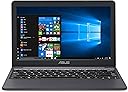
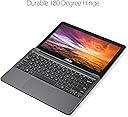
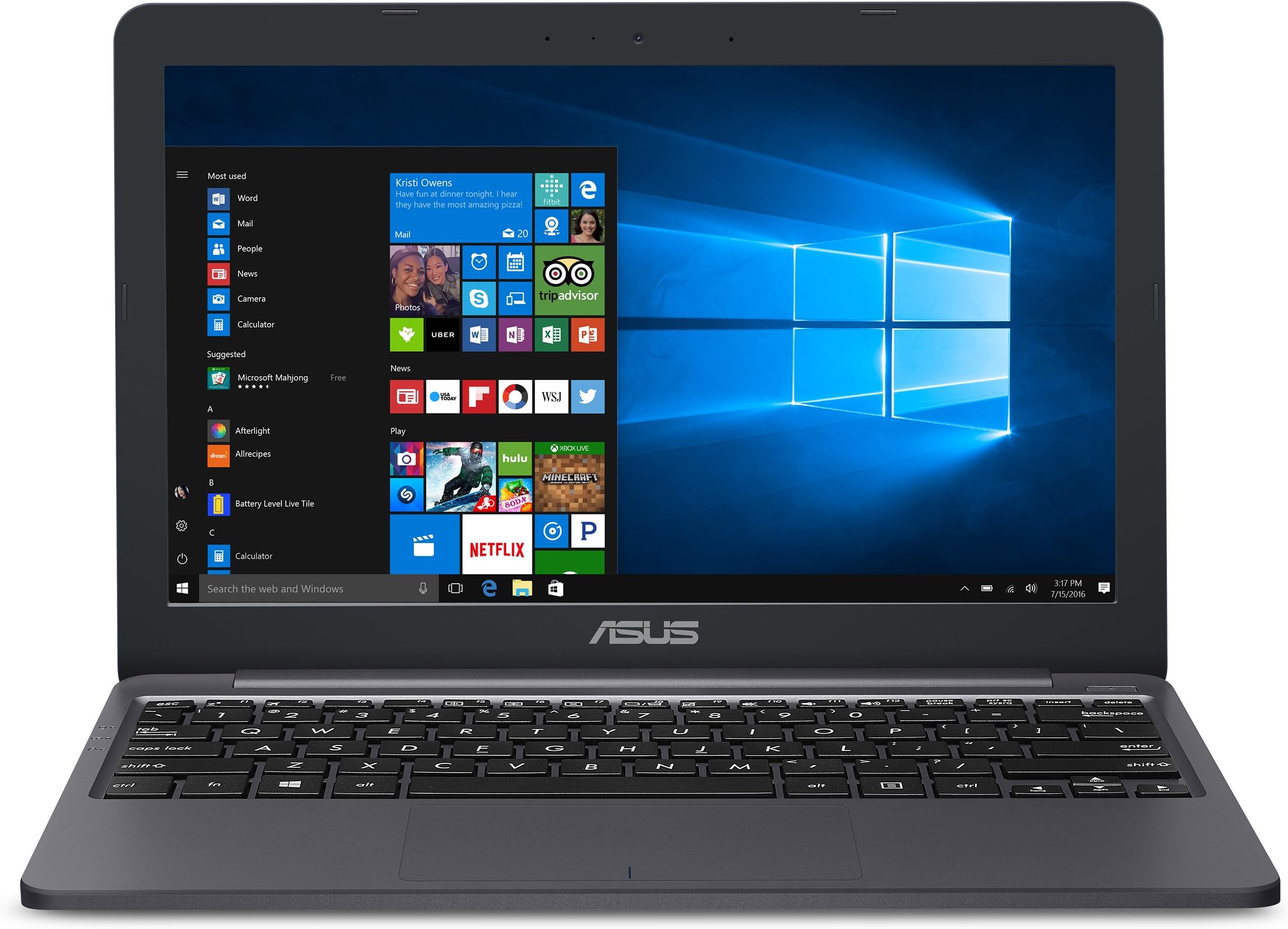
The ASUS L203MA VivoBook is a lightweight 11.6-inch laptop powered by an Intel Celeron N4000 dual-core processor, 4GB DDR4 RAM, and 64GB eMMC storage. It features an HD LED display, USB-C connectivity, and up to 10 hours of battery life. Preloaded with Windows 10 S and includes one year of Microsoft 365, making it an ideal budget-friendly device for professionals seeking reliable, all-day productivity on the go.


| ASIN | B07N6S4SY1 |
| Audio Output Type | Headphone/Microphone Combo Jack |
| Automatic Backup Software Included | Microsoft Office 365, Webcam |
| Battery Average Life Standby | 1 thirty_seconds_inches |
| Battery Cell Type | Lithium Polymer |
| Battery Life | 10 hours |
| Best Sellers Rank | #20,675 in Computers & Accessories ( See Top 100 in Computers & Accessories ) #2,981 in Traditional Laptop Computers |
| Bluetooth Version | 4.1 |
| Brand | ASUS |
| Built-In Media | L203MA-DS04 VivoBook Laptop, Power Adapter & Cord, User Guide, Warranty Card |
| CPU Model | Celeron N4000 |
| CPU Model Number | N4000 |
| CPU Model Speed Maximum | 2.6 GHz |
| Cache Memory Installed Size | 4 |
| Camera Description | Front |
| Cellular Technology | WiFi |
| Color | Black, Star Gray |
| Connectivity Technology | USB, Wi-Fi |
| Control Method | Touch |
| Customer Reviews | 4.2 out of 5 stars 6,361 Reviews |
| Display Maximum Resolution | 1366 x 768 |
| Display Resolution Maximum | 1366x768 |
| Display Technology | LED |
| Display Type | LED |
| Form Factor | Ultrabook |
| Global Trade Identification Number | 00192876209080 |
| Graphics Card Ram | 4 GB |
| Graphics Coprocessor | Intel UHD Graphics 600 |
| Graphics Description | Integrated |
| Graphics Ram Type | Shared |
| Hard Disk Description | Embedded MultiMediaCard |
| Hard Disk Interface | Solid State |
| Hard Disk Rotational Speed | 10000 rpm |
| Hard Disk Size | 64 GB |
| Hard-Drive Size | 64 GB |
| Hardware Interface | HDMI, USB, USB Type C |
| Human-Interface Input | Touchscreen |
| Item Dimensions L x W x Thickness | 7.6"L x 11.3"W x 0.7"Th |
| Item Type Name | Laptop |
| Item Weight | 2.3 pounds |
| Keyboard Description | Backlit |
| Keyboard Layout | QWERTY |
| Lithium-Battery Energy Content | 38 watt-hours |
| Manufacturer | Asus |
| Manufacturer Contact Information | ASUS |
| Memory Clock Speed | 2.6 GHz |
| Memory Storage Capacity | 4 GB |
| Mfr Part Number | L203MA-DS04 |
| Model Name | ASUS VivoBook L203 |
| Model Number | 90NB0J02M03630 |
| Model Series | VivoBook |
| Model Year | 2019 |
| Native Resolution | 1366 x 768 pixels |
| Number of Items | 1 |
| Number of Ports | 3 |
| Operating System | Windows 10 S - 2020 Version |
| Operating System Family | Windows |
| Optical Storage Device | No Optical Drive |
| Other Special Features of the Product | HD Webcam, USB-C Connectivity |
| Processor Brand | Intel |
| Processor Count | 2 |
| Processor Series | Celeron N4000 |
| Processor Speed | 2.6 GHz |
| RAM Memory Installed | 4 GB |
| RAM Memory Technology | DDR4 |
| RAM Size | 4 GB |
| RAM Type | DDR4 SDRAM |
| Ram Memory Maximum Size | 4 GB |
| Resolution | 720p |
| Screen Size | 11.6 inches |
| Specific Uses For Product | Business, Personal |
| Total Usb Ports | 3 |
| UPC | 192876209080 |
| Unit Count | 1 Count |
| Video Output | HDMI |
| Video Processor | Intel |
| Voltage | 240 volts |
| Warranty Description | 1YR International*/30-Day Zero Bright Dot/2-way FREE shipping for standard warranty repair/24-7 tech support/B2B hotline |
| Wi-Fi Generation | Wi-Fi 5 |
| Wireless Compability | 802.11a/b/g/n/ac, Bluetooth |
| Wireless Technology | Bluetooth, Wi-Fi |
A**I
It was everything I wanted and then some!
I’m a final year medical student and I was really struggling to use my 7 year old laptop. I was hoping it would be good enough to just study for my last board exam before graduating but it couldn’t even open web pages reliably! And literally took 5 mins to just turn on. I found this laptop on amazon and watched a ton of review videos. It was super cheap so I was wary, I was concerned it would be unreliable. But ultimately I went for it, and boy was that a great call. It comes with a free year of office so in my head I knock $80 off the price because I was paying for office anyways. So that knocks the price down to $190 for this laptop. At $190 this is an incredible value proposition! It has a monster battery life and it’s great for. - Webpages - Osmosis - Boards and Beyond - OnlineMeded - Uworld - NBME practice exams - Anki, without the media files though - MyEras and everything else regarding license applications and residency. You can open a ton of tabs at once with no issues at all. - I definitely suggest buying a small SD card and using that to store everything off the actual emc thing. Some minor issues It’s $190 so it’s not gonna be a MacBook Pro or anything. But the issues are minor if you’re just looking for something to study with and take care of basic computer work. - trackpad gets a bit stuck occasionally but nothing that causes a major issue. - keyboard isn’t backlit but that’s not something you can expect at this price point. - it’s most useful in S mode I think, I haven’t tried to take it out of S mode because I’m not sure how well it would handle it. And it works well now so I don’t feel the need to try. When I was looking for reviews I was worried about the compatibility with the programs I would need to use. If you’re in med school and you just need something cheap and reliable to study. I give this a 100% endorsement for the price point. I’m very pleased with this purchase, so much that I’m writing my first review! I think this would work well for most other uses as well but as I’ve never used it in any other capacity I can’t really speak to that. I’m definitely a big fan of Asus now!
A**D
Perfect portable typing and research station
Wow wow wow. I can't find enough good things to say about this portable powerhouse. I'm a pretty hardcore gamer who also uses a lot of graphics intensive programs like Photoshop and Unreal 4. This laptop... is not for that. It's for those times away from your high-end programs, where you need 10 chrome tabs open in a coffee shop while you're experimenting with Microsoft Word layouts. It's for when you're out in the woods and want to sort and organize the photos on your camera's SD right then and there. It's for trips where you want to travel light, but still want the world at your finger tips. OK, OK, enough flowery language. Let's get to the pros / cons: Pros: -The keyboard feels great, with a nice balance of being chunky and "clicky" while still being compact. Once you get used to its size, it's pretty easy to get close to your fastest typing speeds with minimal errors. -This thing is really light. Maybe I'm too sued to heavier laptops, but seriously, this thing is effortless to bring around. Throw it in a backpack, tuck it under your shoulder, do whatever. This thing is pretty durable from what I can tell, so all that lightness doesn't come at the cost of having to gingerly secure it in a special compartment. Any ol' laptop bag / pocket will do! -The battery life is great! Maybe I'm too used to being tethered to outlets by more power-hungry machines, but I was able to get hours of typing and Chromeing out of this thing. The key I've found (as with most machines) is to keep the brightness a bit low when you're not plugged it, it can make a big difference. -ASUS has always made my favorite laptops and this one is no exception. If you're a fan of ASUS' work, you'll find everything you know and love about and ASUS packed into a tiny package. -The ports, lordy, the ports! So many ports in such a tiny machine. -The screen is far brighter and more colorful than I was expecting. My other laptop is a "state-of-the-art" ROG Strix II, with a high color accuracy, high refresh-rate display... the issue is they never calibrate said displays and they always end up coming out sickly yellow, requiring hours of manual adjusting. Not this little fighter though! Bright and beautiful right out of the box! Color pureists will notice things can get a bit washed out, but it's certainly preferable to the yellow tint of other machines. -The price is the best I've seen for the quality of machine you're getting. This thing is durable, sturdy and built for a few specific things it excels at. It's definitely given my productivity a boost and is well worth the investment. -There was pretty minimal bloatware on the machine, which was great. -Office 360 for a year is a HUGE plus. Also be sure to upgrade the machine to full Windows 10 (from S), the process is free, fast and jarringly painless. Cons: -Even 64 GBs is not a a huge amount of space. This is definitely more of a document and cloud oriented device. If you're hoping to put your entire music library on this thing you're going to need to expand the storage. If storage isn't an issue, than this is probably the book for you! -Similarly the 4 GBs of RAM can make this little engine chug sometimes. Don't expect it to be happy with running 20 chrome tabs at once,n or for it to instantly load pages the moment you click them. It's certainly fast enough, but as someone who's coming from a 16 GB machine the little differences can be noticeable. -The touch pad is ... OK. It's not terrible, but (much like all touch pads these days) it loses tracking now and then and lacks any real buttons for the left and right. I never much enjoyed touch pads to begin with so maybe I'm biased. Closing thoughts: If you like what you've read, read more reviews and honestly take the dive. If you're looking for a durable portable typer, that can do a little bit of everything this is your machine! More closing thoughts: A story for you, about ASUS laptops... In winter I got an ROG Strix II, a very powerful and very pricey machine. It was maddening getting the thing to work properly. Getting photoshop to play nice with the dual graphics. Getting the screen to not look yellow. Getting the damn speakers to not crank the bass. Many of these issues are still unresolved and frankly though I love the hardware I'm more than likely going to have to start from square one with that thing. I was all emotionally prepared to go through the same process with this little trail-blazer. I was ready to troubleshoot and troubleshoot and finally get something that mostly did what I needed. To my absolute delight, this machine seems to be the last bastion of PCs that do everything right, everything the way they're supposed to, right out of the box. I haven't had to troubleshoot a single thing about this beautiful laptop and honestly couldn't be happier. If you're looking for something portable, something durable, something to up your productivity and most of all something easy to work with, this is the laptop for you.
A**E
An excellent budget notebook
After 1 month of use: What I like-- Much improved over its prior generation (X205TA): Better surface treatment so less messy fingerprints. Plenty of port for connections. Reliable and large-area touchpad. LED indicators are more visible. Battery life > 8 hrs for my daily tasks. Upgrade to Win10 Home is free and easy. Booting into Puppy LINUX is easy and fully functional w/o searching special hardware drivers Some disappointments: 1. The USB-C is gen 1 that won't support "Alternative Display Mode". 2. The LCD is 1366x768. But it was advertised in the comparison table as 1920x1080 . See link and scroll to the comparison table. "https://www.amazon.com/gp/product/B07N6S4SY1/ref=ppx_yo_dt_b_asin_title_o01_s00?ie=UTF8&psc=1" 3. Top surface coating isn't scratch resistance. Remember not to put it against something too hard. 4. HDMI output support 4k but it is very slow and unusable. It is fine however for 1920x1080 output.
R**D
GREAT CASUAL USER LAPTOP
Ok, just to get everything out in one sentence: This is the perfect laptop for the CASUAL laptop user! Which is a good thing! This is a great little laptop! for $200 this is a steal. 64 gigabytes is enough for windows 10. If you get a 128GB mini SD card, then this laptop will work great for you. Now if you plan on using this to store pictures, videos and other files, for awhile, then you will run out of space (with the laptop alone). But with a mini SD card or a flash drives to store your files, you'll be fine. If you are a heavy computer user and need it for heavy video editing, photoshop or a heavy gamer, then obviously this won't work for you. I use windows movie maker. It works just fine. This can play light games or games that have been released from the early 2000's (if you play on Steam).. Newer games that need Gforce and what not.. Obviously not. This laptop is for the casual user, but can hold its grounds when using other programs. I have used adobe elements for video editing.. Does it work. yes, it does! is it the best computer to use it on.. haha, no. But it does work on this laptop, though this isn't the idea computer you'd used a program on like this. But if you're on a tight budget and don't mind the laptop taking a few extra moments to process everything, then go for it. The keyboard and the mouse pad works like butter. I love typing on this thing. I've typed on several 11.6" laptops and had trouble, but I have no problem typing on this. GREAT LAPTOP and VERY HAPPY!!
S**S
Perfect Linux Daily Driver
This is the perfect super-portable Linux machine. I can run Dwarf Fortress and Stardew Valley without an issue (at the same time, even). I had some trouble with Wi-Fi drivers installing properly using Manjaro/Arch and gave up before going too far down the rabbit hole. Mint works perfectly using the Xfce edition, and I’ve got i3 windows manager installed next to that and it’s flawless. Drivers seem to work out of the box (with the correct distro at least). Battery life is so good - I’ve never gotten past 50% before my nightly charge. As a point of pride I didn’t even let it boot to Windows before ripping it out and putting Linux on, so I can’t speak to that, but you definitely get a great bang for your buck running dainty Linux vs resource gobbling Windows. Hard drive is big enough that I didn’t feel the need to get a microsd, though there is a port for one. I still have 33 GiB free after the OS and all of my tools. No fans to make noise, no moving parts really which is nice if you like it quiet and clean. Despite this the bottom gets only pleasantly warm but nowhere near hot or uncomfortable with a heavy load. It’s very light at about two pounds, and the size is big enough to not feel cramped while still fitting in practically any bag. There’s plenty of ports despite the small size, and the the inclusion of HDMI is surprising but welcome. The keyboard feels good. The touchpad is fine (though with i3 or similar windows manager I don’t need to use it much). I even got the webcam and mic to work with out of the box drivers. The screen is very glossy, but the range of brightness is good and so far I haven’t been too bothered by reflections. Everything is plastic to keep it lightweight. It feels well built, not flimsy. I wouldn’t trust it to hold up to rough handling, but I’m not worried about it jostling about in my book bag. Overall I couldn’t be happier with the little guy. It’s exactly what I was looking for, and seems like it’ll serve me for years to come.
S**T
An absolutely last resort in a true pinch when there's just no better alternative available...
This small laptop is lightweight, compact, and useful as an absolutely last resort in a true pinch when there's just no better alternative available, including your phone, but BEWARE. It will shut down completely of its own accord whenever it feels like it, no matter what you're doing or working on, and it won't turn back on until it's good and ready to. There's literally nothing you can do about it, other than wait it out. There's no logical reason for it, it's not updating, it's not overloaded, it's not the Blue Screen of Death, it just freezes and then shuts down unexpectedly, even if you only have one tab or one window open and not one single file of any kind stored on the computer. You have no chance to save your work, no notification or indication it will happen. Just know ahead of time that it will eventually happen when you least expect it. It's like gambling with your work, knowing the crash will come but not when, and taking the risk that your may lose up to 30 minutes of whatever you were doing if you use this, for no payout. Will some of your project get done? Yes. Will all of it get done and be saved before you lose a chunk of it? No. Is it worth it to have this cheap travel-friendly piece of electronic plastic? That depends upon how important your work is to you, and how much time you're willing to lose fighting with this machine. I have another Asus, much nicer, and it works much better, but it's older. It seems quality is now a commodity that means less to the company than profit. There's a word that sounds extremely similar to the word Asus, and that word is so apropos of the quality of this product, and what it produces. Caveat emptor...
E**H
Garbage Product
I have had two of them. The first one which is what I purchased here crashed after a couple of months but since it only cost $200 I didn't bother to have it fixed since I figured the repairs would cost at least that much. Then I got duped into buying another at Best Buy by a dishonest agent who told me some things that were not true (namely that the S mode was not on machines that cost $400 or more). When I realized he had lied and that I had bought another ASUS without realizing it (this one for nearly $500) I returned it to Best Buy to return it but allowed them to change my mind when they agreed to remove the S mode for free. So far so good for a couple of days. Then the thing froze again, this time to the point where the cursor was inoperable. I returned it a second time and got my refund with no problem but the technician wanted to power it up to see for himself (apparently its reputation as a lemon company is pretty well known) and sure enough the thing froze up on him the very same way it had frozen up on me and even his troubleshooting couldn't get it to work. He then said that ASUS is known for having a lot of problems but they don't always show up. I said I didn't blame Best Buy but that with all these problems it needed to pull all ASUS devices from its shelves since such issues were costing it money in the form of angry customers. Still angered at having been lied to by one of its sales agents though I went to Walmart to get another laptop. I saw two on sale for under $400. They were ASUS and Hewlett-Packard. I chose the latter even though it cost more and had less memory because again ASUS is GARBAGE! So again, stay away from ASUS because it is junk. Pure junk!
I**7
Chromebook Compromise Worth Making
I rather foolishly gave up my very capable Lenovo Thinkpad for a massive HP Omen when I committed to getting rid of my console gaming systems. And love my 17in Omen as I do, I'm damned if that thing is going to travel with me anywhere I need to get some kind of work done when on vacation. Most of my work is cloud based, so I don't need a whole mess of hardware to run what I do. I like Chromebooks, but I did miss the Microsoft ecosystem when I used them, I found. This little thing looks to be just the niche I needed. It's dead small; I carry it around with my iPad Pro for editing photos and videos, and together they almost vanish in a bag. The battery life is pretty spectacular for the work I do on the regular. I did try, just for fun, putting some Photoshop and Lightroom projects on it, just to see how it handled them; eh - better than I thought, but definitely wouldn't recommend. Maybe in a pinch, but I wouldn't lean too heavily on it. The track pad is nothing special. I did eventually concede and buy a wireless mouse to use with it whilst on vacation, but that's probably down to my impatience on certain things. It was definitely better than some trackpads I've used, but nothing like my old Lenovo...(moment of silence for Thinky) All in all, though, I would recommend this to anyone for whom a Chromebook is a viable solution, but doesn't always go where constant connectivity is possible, so local word processing is a must. BTW, I can't really speak to how the Vivobook runs and works in S mode, like it comes out of the gate. I needed some applications that the store doesn't supply, so I switched out of it almost immediately. But I don't doubt it would work just fine, if not even faster. But I never grew fond of Internet Explorer, or the newer browser, so S mode had to go. Even so, 5/5, would highly recommend - just know what you need it for, and if it can meet those requirements. With those in mind, this'll probably do you just fine 👍
B**O
Excelente producto básico para necesidades básicas
La compré con un descuento de bonificación bancaria, y me parece que es exactamente lo que necesitaba. Pude instalar la versión completa de windows (de fábrica tiene Windows 10 S, una versión que te limita muchísimo), paquetería de office, antivirus, dropbox y firefox y no es nada lenta. Le puse una tarjeta SD de 64 GB clase 10 para que guardara archivos temporales y descargas de internet. Incluso he podido abrir sin problemas programas de edición básica de imágenes. Puedo usarla en la escuela y es super ligera. Definitivamente es un producto básico, pero cumple al 100% si tus necesidades son básicas y tienes idea de cómo evitar que una computadora se haga lenta (eliminación de caché, eliminación de archivos temporales, etc.).
M**Y
Love this laptop
I bought this to stream movies online and it does the job so I am happy with it. It's light and compact perfect size for me.
A**E
Light, good battery life, value for money!
I use this as an extra laptop for work. Battery life has been pretty good, able to last a full work day on just surfing, using Office programs and some video clips. Although it's not as slim as depicted in pictures, it is fairly light and resistant to scratches. I'm loving it so far and no regrets on this purchase. Should have gotten this instead of a MacBook when I was studying, serves its purpose and costs 10x less. If there is one thing I would change, it would be the font on the keyboard..
L**A
Fine desktop computer/bon ordinateur de travail
I buyed this computer 6 months ago to work on the bus. Working mainly with music sheets (Musescore) and Word. The computer is working great so far. It does all a computer with these specs are supposed to do. Don't expect to play videogames (if you want that, don't buy a PC with 64 GB of space disk/4 GB RAM with poor processor and graphic card) or run a lot of tasks at the same time : it's NOT a multitasking computer. However, it's really lightweight, so really nice when you want to do simple tasks in the transport. *** J'ai acheté cet ordinateur il y a 6 mois pour travailler dans l'autobus. Je travaille principalement avec des partitions (Musescore) et Word. L'ordinateur fonctionne très bien jusqu'à maintenant. Il répond très bien à ce qu'on peut attendre d'un ordinateur avec ces spécifications. Ne vous attendez pas à jouer à des jeux vidéos (si vous voulez jouer à ces jeux, n'achetez PAS un ordinateur comprenant 64 GB d'espace disque/4 GB de RAM et un processor et une carte graphique médiocres) ou à faire plusieurs tâches en même temps sur cet ordinateur : ce n'est pas un ordi pour faire rouler plusieurs programmes et pages web à la fois. Par contre, le poids très léger de l'ordinateur le rend très facile à transporter et plaisant pour ceux et celles qui souhaitent avoir un ordinateur pour faire des tâches de base dans le transport.
م**ي
حجمه والدقه بالمواصفات
المنتج تمام لكن الكيبورد انجلش فقط
Trustpilot
2 months ago
2 months ago