Desertcart purchases this item on your behalf and handles shipping, customs, and support to Croatia.
💼 Power your professional edge with WD Caviar Black — where speed meets reliability.
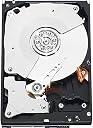
The WD Caviar Black 1 TB internal hard drive delivers high-performance desktop storage with a 7200 RPM spindle speed, 64 MB cache, and SATA III 6 Gb/s interface. Designed for power users, it features dual processors and StableTrac technology to reduce vibration and enhance accuracy during intensive read/write operations. Compatible across Windows, Mac, and Linux platforms, it’s ideal for gaming, multimedia editing, and expanding desktop storage. Backed by a 5-year limited warranty, this drive offers a reliable, high-capacity solution for professionals demanding speed and durability.
| ASIN | B0036Q7MV0 |
| Additional Features | Portable |
| Best Sellers Rank | #295 in Internal Hard Drives |
| Brand | Western Digital |
| Built-In Media | Hard Drive |
| Cache Memory Installed Size | 64 |
| Color | Black |
| Compatible Devices | Windows 7/Vista/XP/2000, Mac and Linux operating systems. |
| Connectivity Technology | SATA |
| Customer Package Type | Standard Packaging |
| Customer Reviews | 4.5 out of 5 stars 2,515 Reviews |
| Data Transfer Rate | 3 gigabits_per_second |
| Digital Storage Capacity | 1 TB |
| Enclosure Material | Aluminum |
| Form Factor | 3.5-inch |
| Global Trade Identification Number | 00718037762340 |
| Hard Disk Description | Mechanical Hard Disk |
| Hard Disk Form Factor | 3.5 inches |
| Hard Disk Interface | Serial ATA-300 |
| Hard Disk Rotational Speed | 7200 rpm |
| Hard-Drive Size | 1 TB |
| Hardware Connectivity | SATA 6.0 Gb/s |
| Hardware Platform | PC; Mac; Unix; Linux |
| Installation Type | Internal Hard Drive |
| Item Part Number | WD1002FAEX |
| Item Weight | 1.5 pounds |
| Manufacturer | Western Digital |
| Mfr Part Number | WD1002FAEX |
| Model Name | Caviar Black |
| Model Number | WD1002FAEX |
| Number of Items | 1 |
| Special Feature | Portable |
| Specific Uses For Product | Personal |
| UPC | 718037762340 191120074795 090060003493 |
| Unit Count | 1 Count |
| Warranty Description | 5 year limited warranty. |
D**L
Possibly the best drive for consumers.
This is my fifth WD Black hard drive I've bought, the first of the second generation 2TB drives. Overall I am very impressed at the performance and reliability. Fair prices too. I've used them as desktop drives, in arrays, and because they have SMART I've avoided loosing data or down time due to a critical failure. Performance The WD Black are at the upper end of the consumer drives, focusing on performance and reliability, at a higher cost. For the WD Black the performance is very high with fast access times, fast spin rate, high data-throughput, twin processors, and large cache... it's one well tricked out drive. Reliability Yes, less reliable drives are cheaper but you'll probably be buying a shorter life and be gambling on a critical failure catching you unawares. The WD Black drives are pretty close to being a sure thing because they are more reliable, more predictable, and have a long 5 year warranty. SMART Feature All drives have a lifespan and this is where WD SMART technology comes to your rescue. The built in SMART feature monitors and logs what the drive has to cope with - Yes, even reliable drives are prone to slip ups and we never know about it because they cope. Reading the SMART log helps predict the eventual failure and give user time to backup and prevent a critical failure, and means you can get failing drives out earlier making it more likely you can catch a drive while it's still under warranty. RE: Reviews of Pesky DOA Drives Reading consumer drive reviews you'll find about 2.5% to 5% of drives failing within the first 6 months. Heartbreaking when it happens for sure, but it's not bad considering shipping, installation, and application are all out of the manufacturers control for such a sensitive and complex part. There can be any of the handful of reasons for this rate of near-DOA drives but it's just a sad fact of buying drives today. There are ways to combat this happening to you. If they weren't shipped to you in accordance with the manufacturers guidelines (they'll list it on their website) don't accept them. Check the intended application, such as desktop, RAID, temperature ranges, etc. (no point in putting a drive in to fail) and if you'll be using it in a raid controller, NAS, or external case check the drive's compatibility with the respective manufacturer. WD or not, if there is a some sort of a SMART feature you can run a full test on each new drive you buy, to weed out any dud drives, before putting them in service. Don't worry if all that was Greek to you. The bottom line is... the WD Black drives have great performance, features, and are among the most reliable of the consumer drives with a marginal cost premium.
L**N
Western Digital Caviar Black 1 TB SATA III Hard Drive Bulk/OEM - WD1002FAEX
This review is for the Western Digital Caviar Black 1 TB SATA III 7200 RPM 64 MB Cache Internal Desktop Hard Drive Bulk/OEM - WD1002FAEX. I also discuss using this hard drive to expand the recording capacity of a DirecTV receiver. There really isn't too much to say about a hard drive, as long as it works. In spite of that, I'll try to say a few things about this one. First, it works. Also, it's quiet. The one I have running continuously with my DirecTV receiver is slightly, but only slightly, louder than an electric wall clock. And I don't mean the kind that ticks; I mean the kind that has a sweep second hand and just whirrs softly. I used the NexStar 3 external drive enclosure by Vantec with this drive to expand the recording capacity of my DirecTV receiver. The USB or eSATA connection between the external hard drive and the computer (or receiver) is usually the limiting factor in data transfer, so this 7200 rpm drive is probably faster than I need. I expect that the packaging varies dramatically from order to order and mine was mediocre. The drive itself was in its own box, held in place by two plastic supports. That box was inside the larger Amazon shipping box and was cushioned with the plastic pillows that Amazon likes to use. I don't care much for this packaging. In my case, everything survived okay, but it's possible for the package to take a blow which would pop one or more of the plastic pillows. Once those pillows are popped, they are useless, and the next blow can ruin the contents. I would prefer true bubble wrap, or even packaging paper. As I said, though, I was lucky and everything came through okay. I was a bit concerned with using this SATA III drive in the NexStar 3 enclosure, which claims to accept SATA I and SATA II drives. As it turns out, the NexStar 3 works fine with this SATA III drive also. I was also concerned that I was getting a drive that was too advanced to couple with my DirecTV receiver, but that proved to be unfounded also. My receiver is not new and I was afraid it might not work with the "latest and greatest" hardware. All in all, I am very happy with the drive. I used this hard drive and an external enclosure to create more storage capacity on my DirecTV receiver. My DirecTV receiver is a model R22-200. The "-200" part of the model number is insignificant; it indicates where the receiver was manufactured. According to on-line experts, this upgrade should work with any DirecTV receiver that has an eSATA connector on the back. Other receivers may not show such a dramatic increase in capacity, however, because they have a larger internal hard drive to begin with. My R22 receiver was originally installed as a standard-definition receiver and had the capacity to record about 200 hours of programming. DirecTV upgraded it to an HD receiver after I bought an HD television. (I think the R22 is the only receiver with this upgrade capability.) HD programs have more data per hour of program so the limited storage space on the receiver's internal hard drive was quickly filled with the new HD programs. It looked like only 35-50 hours of HD programming would fill the original, internal hard drive. Connecting this 1 TB drive has increased storage capacity dramatically. Extrapolating from the small amount I have already recorded would result in an estimate of 150-200 hours of recording capacity in HD for the new drive. As stated earlier, I used this drive in a NexStar 3 enclosure. This one: Vantec NexStar 3 NST-360SU-BK External Hard Drive Enclosure (Onyx Black) Installing the drive into the enclosure takes about a minute, not counting the time to read the manual that came with the NexStar 3. I'm obsessive about reading manuals, but in this case it really wasn't necessary. Hard drive installation consists of: 1. Open the enclosure by pulling the end cover (with the tray attached) off the housing. 2. Slide the hard drive onto the tray, ensuring that the SATA connection is made. 3. Using the (#2 Phillips) screws provided with the NexStar 3, screw the hard drive to the tray. 4. Slide the tray, with the hard drive attached, part way back into the housing. 5. Attach the connector from the housing to the tray to power the LED indicator on the enclosure. 6. Slide the tray completely into the housing, routing the LED power wire to avoid snagging it. 7. Attach the tray to the housing with the (#1 Phillips) screws (also supplied with the NexStar 3). It took longer to write these instructions than it did to install the hard drive. To connect an external hard drive to a DirecTV receiver you MUST use an eSATA connection. You cannot use a USB connector of any kind with a DirecTV receiver. The NexStar 3 enclosure has both a USB 2.0 and an eSATA connection on the outside of the enclosure. The procedure for connecting this to the receiver is: 1. Unplug the receiver from its power source. (Note: Turning the receiver off without unplugging it probably won't work.) 2. Attach the eSATA cable from the eSATA connector on the NexStar 3 enclosure to the eSATA connector on the receiver. An eSATA cable is included with the NexStar 3. 3. Attach the NexStar 3 power transformer to an outlet. 4. Attach the power cord from the transformer to the NexStar 3. 5. Turn the power on to the hard drive by switching the NexStar 3 on. 6. Wait several seconds to ensure that the hard drive is spinning at normal speed. 7. Plug the DirecTV receiver back in to a power source. 8. Wait. During the wait you can watch the TV as it tells you that the receiver is checking for software, etc. After 15-30 minutes (for a 1 TB hard drive), you will be able to watch TV. Some Notes: 1. It's neither required nor desired to format the hard drive prior to attaching it to the DirecTV receiver. The receiver will format the drive using its own system. 2. You will lose access to all programs that were recorded on the receiver before you installed the external hard drive. The DirecTV receiver can operate off EITHER its own internal hard drive OR the external hard drive that you just installed, BUT NOT BOTH. 3. You will also lose all your favorite channel listings and all pre-programmed recording instructions. If you had the receiver set up to record your favorite programs automatically you will have to program it again for those same programs. You will also have to rewrite all your favorite channel listings. This can be daunting. I recommend that before you connect the external hard drive you write a list of your channel listings and the programs in your Series Manager or To Do List so you can re-create the lists more easily. 4. It will take hours before the receiver rebuilds the channel guide. You will get most of the current programs quickly, but to build a two-week database requires several hours. Also, the extra information, like the Cast & Crew listings, will not be rebuilt for quite some time. 5. You WILL NOT be able to move this hard drive from one receiver to another receiver and play the programs on it. My understanding is that the programs are encoded so as to be playable only by the same recorder that originally recorded them. 6. I have read on-line, but have not verified yet, that your programs and settings that were lost when you installed the new hard drive are not gone for good. According to sources, you should be able to remove the external hard drive by performing the steps basically in reverse and that this should restore your receiver to its pre-upgrade state. When all is said and done, I am thrilled with the results and the ease of this upgrade.
J**P
WD - Best drives I used in 20 years - But how good is "BEST"?
I purchased my first WD 1TB Black about 2 years ago to be the boot drive (followed by 2 other WD 1TB Black drives for the same system) in a system rebuild. It has worked flawlessly since. Hence the reason to purchase another as I begin to build a new box. Unquestionably there has been doubt in the past about WD quality as I have many 2.5" drives that didn't last past 20-30 hours of use - making them a terrible way to backup you main box. Fortunately the WD 3.5" drives have been pretty reliable. Well, the Black drives have been good. I've never owned a "Green" drive that wasn't slow as molasses and scary during start up as a boot drive. Since this new drive has been running (under test transfers) for the past several days without a glitch, I may have lucked out and not got a "DOA" or "DOA just after arrival" drive. Typically they go bad fairly quick, especially when housed externally and bumped about or placed in a case without proper cooling, but just as several drives I've had in the past that died at the 3, 5 or 6 etc. month point (most of which were NOT WD's), any drive could go at any time. My point here - RUN BACKUPS! Raid is nice, but just slamming your boot drive onto a external 1GB drive (I prefer Macrium Reflect software and Toshiba Canvio drives) once and a while (2 week intervals work good), you can save yourself much grief in the future. Be happy you're not me, I have to backup 8-9 TB in personal work data every 2 weeks - ouch. Great way to spend part of the weekend. BTW, out of all my current drives: 3.5" WDs - most reliable and best quality, 3.5" Seagates - pretty close in quality (although I didn't buy one again for 23 years after all my ST225's died back in '87), 3.5" Hitachis - not sure yet, haven't run the the 2 new 3TB drives long enough yet - I'm still PO'd over the whole Deathstar (Deskstar) fiasco back in about 2005 when I lost 4 Deskstars in a 2 month period and tons of data with them - Hopefully Hitachi got the new ones right and this new 3TB will turn out to be a great lowcost drive. But for now, I only trust my boot drives to Western Digital! Now if they could only build a reliable 2.5"!
A**.
Good reliability in its High Performance 2TB class, fast, but noisy
RELIABILITY is the key factor when it comes to data storage. While not failure proof, this drive is the most reliable from the most common 2TB high performance drives. An article by Marc Prieur, published on BeHardware web site, lists hardware return rates during warranty period for return of products sold between April 2011 and October 2011 and returned by April 2012. His breakdown for the return rate of most common 2TB drives is as follows: - 7.53% Seagate Barracuda XT 2 TB SATA 6Gb/s - 5.78% Western Digital RE4-GP 2 TB - 4.53% Hitachi Deskstar 7K3000 2 TB - 3.18% Western Digital Caviar Black 2 TB - 3.07% Western Digital AV-GP 2 TB - 2.55% Seagate Barracuda LP 2 TB - 2.31% Western Digital Caviar Green 2 TB WD20EARX - 2.15% Western Digital Caviar Green 2 TB WD20EARS - 1.80% Samsung SpinPoint F4 EcoGreen 2 TB While WD Caviar Black (in the middle of this list) is not a 2TB reliability winner, it is the most reliable high performance 2 TB drive on Marc Prieur's list. All drives with lower return rates (bottom half of the list) are slower energy efficient "green" drives: the next line down, Seagate Barracuda LP, is a 5900 rpm drive, and all further lines down are notebook-speed 5400 rpm drives. PERFORMANCE. This drive replaced my OEM drive Hitachi HDT721010SLA, which is also a 7200 rpm drive. The average read speed has increased from 90.2 MB/s to 117.7 MB/s, and access time has dropped from 18.7 ms to 11.7 ms. Burst rate, as measured with HD Tune Pro, has increased from 179.5 MB/s to 195.1 MB/s. Quick access time is likely the reason why WD recommends this drive for photo/video editing. LOUDNESS. Indeed, as many people pointed out, this drive creates quite audible clicking sounds, much louder than the Hitachi drive which it replaced. It is not loud at the level of being annoying, but loud enough to notice the difference, and louder than any other hard disk that I work with at home or at work. In fact, it reminded me of clicking from floppy drives from the old times. The sound is the only reason why I did not rate it 5 stars. INSTALLATION. It is a plug-and-play disk with very simple installation process. There are either no instructions included with the disk or they are minimal, but it is very easy to find on the internet how to partition and format a new disk under your operating system (the disk comes not formatted and not partitioned, so one has to go through several steps before it is recognized by the system and one can write on it). Since it is SATA, there are no switches or jumpers on the disk to worry about. I used an external eSATA/USB enclosure to partition the disk and to move my files to it before physically installing it in my desktop.
X**X
One of Your Best Mechanical Harddrive Choices!
I purchased this harddrive to replace a suspect failing (Hitachi/IBM) harddrive of similar size used for file backup purposes. This was my first purchase of computer hardware components from Amazon. The WD Caviar Black HD was ordered from Amazon early Thursday afternoon and was delivered the following afternoon by UPS with no problems or complications. I paid around $20 extra for next day delivery, but the HD was around $10 cheaper than my usual "egg" source (those in the 'know' know who I am referring to). The HD was well packaged, wrapped in anti-static plastic and suspended by end caps within a sturdy box. Much better packaging than my usual online "egg" source for computer hardware. The HD installed immediately, with no complication or problems. I have purchased WD mechanical HD products exclusively for the last few years for their reliability. The Caviar Black product line of WD HDs have a 5-year warranty, and are very reasonably priced when compared to WD's entry level product. I recommend you spend the extra $10-$30 for the Caviar Black high performance line for the 5-year warranty alone. You should not go wrong with this choice. HOWEVER...... The WD HD model I purchased was an OEM version and I knew what I was getting. For those in the know, this is no problem. But for those who are new to desktop computer hardware or upgrades, OEM means something important! You new guys pay close attention! The directions below are for adding or replacing a secondary hard drive, NOT your primary boot drive. [If you are new to computer guts and are replacing your boot drive, I highly recommend doing some research first! And backup your data! Or you will be sorry! VERY sorry!] *OEM harddrives ship with NO instructions, NO software, NO cables, NO screws, etc. Just the harddrive in an anti-static bag. If you are not prepared for this, I recommend you purchase a 'retail' version of the harddrive for a few dollars more and you will receive all of the above :). You can also find instructions on Western Digital's support website. Worth a visit. Download the FREE diagnostic software too! You never know.... * When you shut down your computer, mount the OEM harddrive in your computer harddrive bay (as a second harddrive in my case), connect the power cable and serial data cable, and reboot the computer, something unexpected may happen. Your brand new WD HD will not show up on your computer! Do not panic. This is normal :) * After rebooting your computer, you will need to 'initialize' your new harddrive and perform a 'quick format' on the drive. This should be a relatively simple procedure but can be daunting for the uninitiated (no pun intended). New guys have a good reason to be nervous. You don't want to click stuff randomly during this process since you can really mess up your computer! * For Windows 7, go to Control Panel, System and Security, Administrative Tools, Create and Format Hard Drive Partitions, and then Disk Management. You should see your primary boot drive, all other HDs on your computer, and your brand new WD HD should also be listed. If you see your new WD HD, you did good hooking it up. If you don't see your new hard drive and/or your boot drive, stop and find help. Something is wrong. (Don't screw with your boot drive or other drives, or you'll be sorry! Again, do NOT mess with your boot drive!) Right-click on your new WD HD and you should be asked to create a simple volume partition. Select this option and within seconds this should be completed. I generally select a single partition for the maximum partition size at first (you can always create additional partitions later). Afterwards, select 'quick format' and seconds later, this task should be completed. Back out all the way out, go to 'Computer' on your Start button and the new WD HD should be present. During the initialization/quick format procedure you should also have been given the opportunity to enter a name for your new WD HD. I simply used "WD Black Caviar 1 TB". You may call it whatever you wish! You can also rename your new HD later by clicking Start, Computer, select your new drive, right click, and select rename and enter a new drive name. With a single partition, the new WD HD should appear with over 900 MB of disk space and with no files stored. Go ahead and start transferring your data to the new drive, checking periodically to confirm data is being transferred as you intended. VOILA! You're done! I have used WD HDs for the last few years at home and at work (I build and upgrade the work PC computers) and they have performed reliably for me. Your results may vary. The 5-year warranty is a very good selling point for me. Although I have not had a warranty return with WD, knowing the 5-year warranty is present gives me some comfort. Five years goes by quickly, guys! Just a note, I personally use SSD hard drives (in a RAID 0 array) for my primary boot harddrive. SSDs are a bit new (and hence somewhat tricky for the new guys) and take a bit getting used to, but I HIGHLY recommend SSDs for your primary boot drive. You should explore this new HD technology ASAP. SSDs are so much faster than mechanical drives, you won't believe the performance increase. After a little research, I suggest your first SSD purchase be a retail package with included data transfer software (one or two companies offer this software as part of their retail package. This will prove to be extremely helpful! Good Luck! If you have any comments on this review (e.g. I forgot something or made a mistake) please add them to help your fellow computer brothers. I have read a few of the reviews for this product which have mentioned the drives suddenly disappearing from their system and refusing to boot. I have this problem frequently, and it has nothing to do with the drives. If you use a RAID 0 array as a boot drive, and you update your BIOS, the SATA controller option in BIOS is changed from "RAID" to "AHCI" for some reason (at least on my ASUS motherboard). If this does happen, the machine will not boot since it is looking for a single drive in AHCI mode and not the RAID 0 array. This problem is easily fixed by accessing the BIOS and changing your AHCI setting to the RAID setting, saving the settings (!), and rebooting. Your system should come up just fine. Ed561
M**H
Fast, Reliable Drive
Throughout my years, I have owned many western digital drives. Why? Well, they are... 1) Reliable 2) Cheap 3) Depending on the model -- fast Because of #1, I can't speak as to whether or not their customer support is good, as their products have been so reliable that I haven't even needed to contact them even once. I currently own TWO WD Caviar Black 1TB drives. My first one, which is still running beautifully, is around 6 years old. It was a secondary drive for awhile, but has long-since become my primary drive. One of the appealing things that bring people to the Caviar line of hard drives it the CACHE size, which is bigger than many other drives. It does in fact help. These drives aren't silent, but they are by no means loud. With my computer cabinet open, the only thing I can hear are my fans (which aren't very loud either), NOT the drives. I'm using an Antec 900 case just FYI, so there are of course a lot of fans. In this age of solid state drives, you may not want a traditional HD. To that, I of course say -- come onnnnnn ;) My recommendation is this: get a SSD as your primary drive, and then a normal HD as your secondary for storage. Keep things like music on it and use it to backup your computer. One thing to end this review on...I don't know the current statistics for failure rate, but Western Digital was #1 for reliability not long ago. - Western 0.89% - Hitachi 0.92% - Samsung 2.25% - Maxtor 2.79% - Seagate 2.89% Hitachi was close (and 0.03% really is close), but I'd personally go WD any day. I'm positive that these percentages have changed though, so take it as you will.
L**W
Fast with tons of storage, but noisy
As always with WD, this is a solid, stable hard drive. Its really fast, load times in games are on par with friends that have SSDs (maybe very slightly slower). 1TB is also a ton of storage for the price tag. Packaging was adequate, the drive came secured in place by two end caps in a box, with anti-static packaging on the drive. Easily mounted in my Lian Li PC-7FN case, connected through Sata III. Zero problems with Win7 install. The only problem I have with the drive is how noisy it is, although I was prepared for this going in. Despite being prepared, its probably a bit noisier than I expected. As I understand the Caviar Black drives were designed with maximum speed in mind, rather than quiet operation. This is definitely the loudest hard drive I've ever owned, you can clearly hear the seek noise over my systen fans. I got used to it after a week or so and to be honest I don't really notice it anymore, but for those that are OCD about overall system noise, you might want to go for the Caviar Blue or Green which are supposedly quieter drives. The seek noise on this drive is bound to drive this type of person crazy. For me the noise level is not enough of a problem to take a star away. This drive still gets 5 stars for being extremely fast and reliable, and offering a ton of storage for the modest price tag.
A**G
Nice drive, but incompatible with some desktop RAID controllers
First, the good news: This drive is quiet and fast. In ordinary applications I would expect it to perform admirably. Now, the bad news. The amazon.com website for this product says: "WD Caviar Black Hard Drives are tested and recommended for use in consumer-type RAID applications. (RAID-0 / RAID-1)" I wanted to use these drives for a Dell T3400 desktop machine, which has an Intel ICH7R on-board RAID controller. I am using the disks in a RAID-1 configuration, so they should work. The Western Digital website says the same thing. Such controllers are pretty standard, both in desktop and laptop computers; and if they don't count as "consumer-type RAID applications," I don't know what does. Nevertheless, after I installed these disks in my machine, every once in a while, the controller would fail to detect one of the disks when I powered up the machine. The result of that failure is that the RAID controller would report the disk array as "Degraded," then spend six hours rebuilding it. I replaced the motherboard, the power supply, and all of the SATA cables, and the problem persisted. Finally, I bought four Seagate Barracuda drives, installed them instead of these, and everything worked perfectly from then on. Because the problem occurred only when I turn the machine on, I believe that the problem is that these drives simply take more time to spool up than the RAID controller is willing to accept. The Barracuda drives start much faster, and the machine takes noticeably less time to boot than it did with the Western Digital drives. It's a shame that I couldn't get them to work. They are quieter than the Barracudas, and seemed to be faster, perhaps because of the bigger cache. I considered trying the Western Digital RE4 drives, but the RE4 specs seemed to say that the spool-up time is the same as for the Caviar Black, so I decided that it wasn't worth the hassle. So...Back to Amazon these drives go. I would still recommend them for people not using RAID.
J**Y
Great item, dangerously complacent packaging
I don't normally bring up the issue of Amazon packaging, because Amazon are normally so good at it. I feel it's fair to give the product 5 stars since I rated the packaging 1 star in my "order history" The first hard drive I'd purchased from Amazon (fulfilled is still essentially Amazon) was shipped within two boxes and plenty of foam. This hard drive however was shipped in it's anti-static bag (which offers no impact protection), a thin layer of bubblewrap and finally a cardboard envelope Amazon normally ship books in. Now you wouldn't yourself package a hard drive like this and post it through your own front door but that's what happened and I can't imagine the impact that the hard drive must have absorbed. Quite frankly I should have returned the drive. Yet I installed it and it appears to be working fine. Is backed up by a 5 year warranty, and there aren't any signs of damage in terms of physical appearance or when shaking the unit. Drive performance is actually very good. Games load a lot quicker than my 5400rpm drive and the stuttering I used to get in some data intensive games like GTA IV are gone. If you transfer heavy amounts, the drive is significantly quicker than other 7200rpm drives. I found just under 300gb to be transferred in under 3 hours with a few other transfers happening simultaneously. Noise is the only real concern. When transferring, the clicking sound is very noticible. To reduce this, ensure you defragment your drive once all your programs are loaded, and you should be as happy with your purchase as I am, minus the packaging issues.
K**A
3Tb di spazio veloce.
Ottimo disco, un po' rumoroso ma dalle innegabili performance, in grado di garantire un transfer di 130 Mb/Sec e un'affidabilità ottima. A mio avviso se cercate unità di stoccaggio meglio puntare sulla serie green, più silenziosa e meno assetata di corrente. Ma se dovete usarlo come swap o per attività ludiche di certo è la scelta migliore.
E**Y
Exactly what I needed.
I had been having intermittent - but increasing in frequency - problems with my computer. The HD drive was a Hitachi Deskstar (also known as Deathstar because of their high failure rates). I got the drive with my machine about 1.5 years ago and was unaware of their reputation. Eventually, enough problem boots and so on led me to discover the root cause of my problems, the slowly failing Deathstar. The specs of the Hitachi drive were exactly what I wanted, however, so I set about looking for a drive with similar specs to replace the old failing one. A search through Amazon took me to the WD Caviar Black drive. The specs were very similar to the Hitachi drive that I was getting rid of and it had generally positive reviews. I ordered the drive and it arrived with Amazon's customary quick delivery times. I was a little apprehensive about the swap over because the Hitachi was my system disk and, if at all possible, I wanted to keep my machine set up like it already was because I have a lot of programs with quite fussy settings. Fortunately the machine has a secondary drive and I used the Windows 7 System Image program to create an image of the system drive on the secondary drive after running chkdsk on both drives (as ever, the Deathstar had some new bad sectors). I then opened my case, disconnected and took out the old drive, replacing it with the new one. So far so good, everything fitted. I started my machine and the new drive was recognised. Booting off a recovery disk, I used the system restore routine to write the image of my old drive on to the new one. Then I rebooted using the new drive as the system disk. Success! The machine started, Windows loaded, it spent a little time automatically configuring drivers and then that was it - perfect. It has now been some time since I installed the Caviar Black and I am impressed. It runs more quietly than the old drive, has good access rates and chkdsk gives it a completely clean bill of health. It basically does exactly what I want a hard drive to do. I don't know if the old Hitachi drive was slower or noisier than it should have been because it was failing but, by comparison, the new WD drive is significantly better. Would I recommend it to other people? Yes. So far it has been a good, reliable and reasonably quick HD. Would I recommend a Hitachi Deskstar? No, definitely not!
H**T
Doch eine tolle HD!
Ich wollte die Bestellung schon stornieren, ging aber nicht da schon beim Versand und darüber bin ich froh. Diese HD ist ein erstklassiges Produkt, still und leise arbeitet sie in meinem HD Einschub, KEINE Fibrationen und tolle Daten-Tranferrate, bei Backup mit "Macrium Reflect" Tranfer-Raten von 710 bis 756 Mb/s (Anzeige bei Macrium Reflect), leise Zugriffsgeräusche wie bei allen HDDs wenn sie arbeiten, Höchste Betriebstemperatur = 33% (Anzeige mit Spezzy) Zu dieser HD kann ich nur feststellen, erstklassiges Produkt - sehr empfehlenswert und 5 Jahre Garantie - wer bietet das.
M**W
Schnelle Zugriffzeiten, große Kapazität, hoher Preis
Ich habe die 3TB WD Desktop Black nun seit 4 Monaten täglich im Einsatz und bin begeistert aber eins nach dem anderen: ***** Lieferung/Verpackung ***** Erfolgte wie immer schnell und problemlos. Sogar nach Österreich (auch wenn das bei Festplatten von Amazon oft nicht funktioniert). Die Festplatte war wirklich sehr gut und sicher verpackt! (dies ist mir wichtig zu erwähnen, da ich im Vorfeld viele Berichte von schlecht verpackten Festplatten gelesen hatte) ***** Installation/Einbau ***** Funktionierte reibungslos; die Festplatte wurde sofort erkannt, Sata Kabel liegt natürlich nicht bei. ***** Geschwindigkeit ***** Ich habe die Geschwindigkeit mit Crystal Disk Mark 3.0.3 getestet. Die Resultate waren beeindruckend: Read (MB/s) Write (MB/S) Seq 209,5 167,8 512K 79,69 137,1 4K 0,966 3,397 4K QD32 2,995 3,573 Verglichen mit meiner alten WD Black 1 TB - 4 Jahre alt: Read (MB/s) Write (MB/S) Seq 103,6 78,71 512K 44,83 67,76 4K 0,595 1,913 4K QD32 0,846 1,951 **** Zuverlässigkeit **** Ich habe die Platte auf Fehler untersuchen lassen (mit dem WD eigenen Programm) und es wurde nichts gefunden **** Negative Aspekte **** Der größte negative Aspekt ist der hohe Preis. Andere, gleich große Western Digital Platten bekommt man schon um einiges günstiger. Ob die Black das gerechtfertigt, sei dahingestellt. Deshalb gibt es von mir auch nur 4 Sterne. Ein weiterer Punkt ist die Wärmeentwicklung. Die Platte erzeugt definitiv mehr Abwärme als Standardfestplatten (kann ausgelesen werden), inwieweit sich dies negativ auf die Haltbarkeit auswirkt, wird sich zeigen. Eventuell sollte man sich Gedanken zur Kühlung machen (Gehäuselüfter/Passivkühler) **** Fazit **** Alles in allem eine recht teure Platte, die aber auch viel Leistung bringt.
Trustpilot
2 months ago
1 week ago