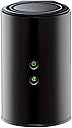
🚀 Elevate your home network to pro-level speed and control — don’t get left buffering!
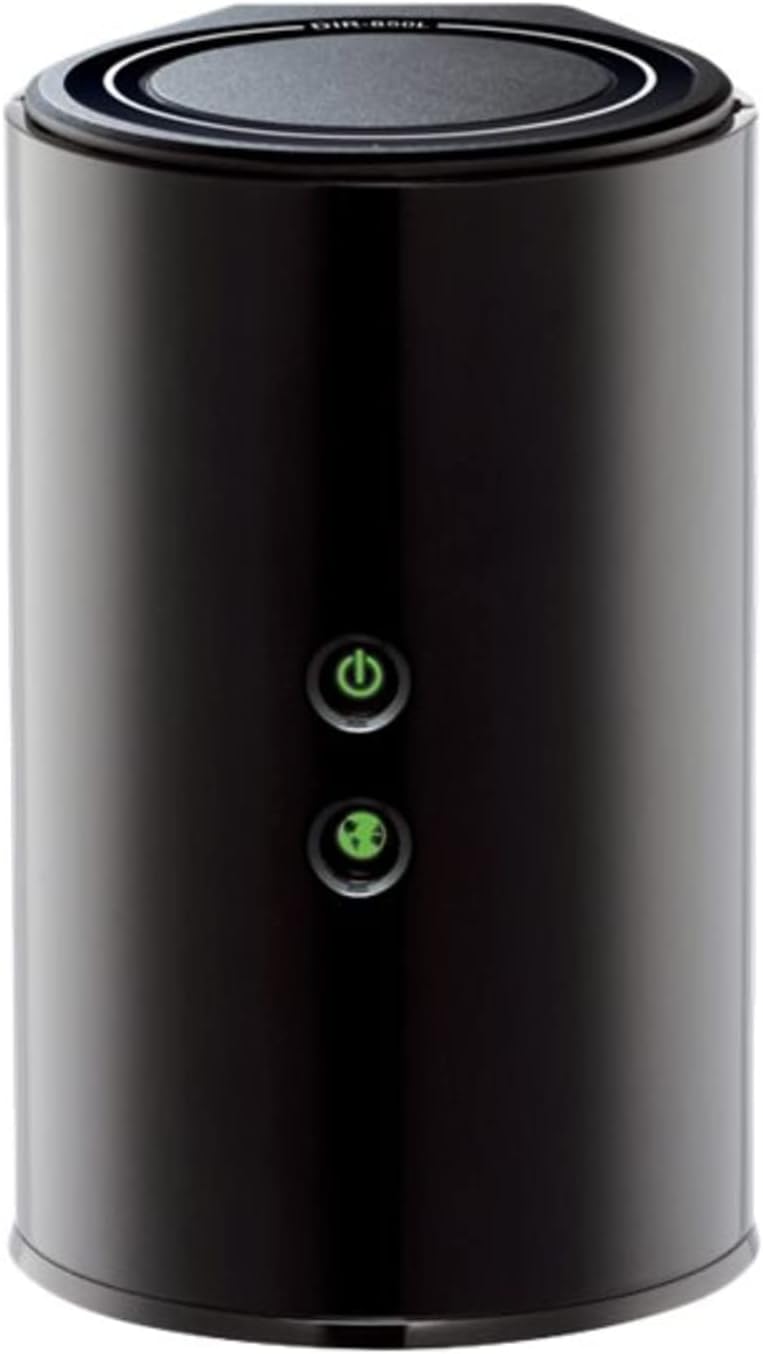
The D-Link DIR-850L Wireless AC1200 Router delivers dual-band Wi-Fi speeds up to 1200 Mbps, combining 300 Mbps on 2.4 GHz and 867 Mbps on 5 GHz for optimized performance. Equipped with four Gigabit Ethernet ports and a USB share port, it supports multiple wired and wireless devices simultaneously. The router features easy setup via a smart browser wizard or mobile app, advanced WPA2 security, and backward compatibility with older Wi-Fi standards, making it ideal for HD streaming, gaming, and smart home connectivity.


| ASIN | B00BYRPPAS |
| Best Sellers Rank | #17,717 in Computers & Accessories ( See Top 100 in Computers & Accessories ) #587 in Computer Routers |
| Brand | D-Link |
| Color | Black |
| Customer Reviews | 3.4 3.4 out of 5 stars (411) |
| Date First Available | March 21, 2013 |
| Is Discontinued By Manufacturer | No |
| Item Dimensions LxWxH | 4.45 x 3.43 x 5.72 inches |
| Item Weight | 9.9 ounces |
| Item model number | DIR-850L |
| Language | English, French |
| Manufacturer | D-Link Systems, Inc. |
| Operating System | Windows® 8, Windows® 7, Windows Vista®, Windows® XP SP2, or Mac OS® X (v10.4) |
| Product Dimensions | 4.45 x 3.43 x 5.72 inches |
| Series | DIR-850L |
| Voltage | 240 Volts |
| Wireless Type | 2.4 GHz Radio Frequency, 802.11a/b/g/n |
M**E
C.R. or CNET recommended. I used it to replace a single band DLink. It's working great!
Awesome router. I have a D-Link model 650, single band router that I was using until yesterday, because the ASUS dual band router that I had failed after less than 6 months of use. The Asus (my 2nd and my last) would intermittently just disconnect from my devices from a wireless perspective. However, I love dual band functionality, because I could put guest on the 2.4ghz band (with a separate password), while putting streaming devices on the 5ghz frequency. So internet access downtime was minimal, I did this. I plugged in this D-Link AC 1200 router into the power, 'without' connecting it to the internet modem. Once it started broadcasting, I had my tablet ignore the normal network it connects to and connect to the SSID wi-fi signals of this router, using the default password provided by a sticker on the router.. Went into the settings of the router, set a new administrative i.d. password, changed the SSID's to a personal preference (giving each wifi signal its own SSID name), changed the default passwords on each of the bands, assigned specific channels (instead of the auto mode), enabled two firewall settings on it (that are by default disabled), then told the router to save the settings. Again, the router was not connected to the internet when I did this. So my tablet was only talking to the new router only via the IP address. In the meanwhile, other devices were still working with the single bank D-Link, so there was no interference. Shut off the cable modem, connected the D-Link Wireless AC 1200 to it, powered back on the cable modem. Within 5 minutes all devices were working flawlessly. I did a signal strength test with the wifi analysis app from the android store and noticed improvement in strength. I'm sticking with the D-Link brand and very pleased with this new dual band router. It was also recommended by either Consumer Reports or CNET. I can't remember which one.
M**O
So many issues
No problems installing this. Great range and all my electronics run smoothly. PS3 Laptops, smart TV and phones. The problem arises when I have to restart both the router and the modem every week sometimes 2 or 3 times a week. I have been on the phone with customer service countless times and they replaced my unit. Customer service is awesome, no question about it. But the router keeps getting disconnected. We have charter 60 gigabit service and if I bypass the router plugging the modem straight into the pc everything is fine. The customer service tech had me clone my pc mac address and it worked fine for 5 days, then it started doing the same thing. I will call them again today, buy at this point I feel I wasted 80 bucks...if anyone has any solutions please let me know.
S**Y
Ahead of the curve
I upgraded from an expensive Netgear running DD-WRT because my WAN to LAN throughput was being throttled. I recently upgraded to gigabit and wasn't getting close to that on my old Netgear. No offense to Netgear, it was partially a problem with DD-WRT that's been thoroughly documented. That firmware just does so much computation that the speed is throttled if the hardware can't keep up. This is understandable, and this D-Link worked to solve that problem. This D-Link is capable of some fairly amazing speeds. It was rated at about 900 Mbit speeds for WAN to LAN. As soon as I got it home I snapped in my ethernet ports and clicked that speedtest button. When I saw 830+ Mbit coming back across my screen I knew things were better. I configured the router to use a static external IP, it didn't have a problem with that. I set it up to do port forwarding as I run a number of services on my network that need to be externally accessible. It gave me a number that I could have. I was surprised it would limit it to ~25 or whatever it said. I don't run that many services, or I don't manually require that many ports to be open, but I was close. This could be a limiting factor for another user, so beware. I got the wireless setup, but knew I didn't have any AC devices yet. My N still looks good on there; I got enough speed on my phone and iPad to know it was an improvement, despite no external antenna on the device. Honestly, my coverage was spotty directly above the device, one floor up, so I laid the router on its side and tried again. I saw SIGNIFICANT improvements. I don't know if this is because of how it broadcasts, I didn't make the thing, I'm just saying I had success with it, maybe you can too! I had a friend with a newer MacBook Pro come over to see what the AC was actually capable of. Long story short he got mad at me because he got 200 Mbit faster on my wireless than he gets at his house using an ethernet cable. The interface reminded me of every D-Link I've had in the past 5-7 years, except faster. You could tell that the chip running this router is a bit nicer than what I'm used to. I tried to find a reason to only give this router 4 stars, and couldn't think of one. It works well for people using up to 25 services. It works well for the casual user. It works well with old hardware and wireless technologies. It's not ugly. It's not too loud. Five stars.
E**H
utiliser sur quest 2 fais son job et la prise usb pour disque dur envois les films dans le casque !!!!!!
Í**A
Buen producto. Tenía otro extensor de señal que nada más no generaba ninguna diferencia, éste sí. Escuché problemas de que reinicia pero a mi no me ha pasado, llevo ya más de 2 meses con él y sólo lo he tenido que apagar unas 2 veces por intermitencia, algo que encuentro común en los routers.
N**I
Good quality and look. Best features, long strength of wifi
C**N
Cumple su cometido, si manejan las velocidades y los rangos de frecuencia que muestra en la descripcion. El detalle es su corto alcance ya que no cuenta con antenas potentes.Y los materiales se notan que son de baja calidad. Por todo lo demas y por el precio es buen producto y funciona a la perfeccion.
S**B
superb product, I get almost 440+ mb on my dell laptop in wireless. I even get 90+ on my other IBM laptop.
Trustpilot
2 months ago
3 weeks ago