Desertcart purchases this item on your behalf and handles shipping, customs, and support to Croatia.
⚡ Stay connected, secure, and in control—wherever business takes you!
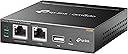
The TP-Link OC200 Hybrid Cloud PoE Controller offers centralized, license-free Wi-Fi network management with real-time monitoring via free cloud access. Featuring PoE support for easy installation, a durable metal enclosure, and secure guest network options, it empowers professionals to manage multiple access points remotely. Automatic USB backups ensure your network settings are always safe, making it an essential tool for seamless, scalable business Wi-Fi control.


| ASIN | B07GVRJTXP |
| Antenna Location | Business |
| Antenna Type | Internal |
| Best Sellers Rank | 116,511 in Computers & Accessories ( See Top 100 in Computers & Accessories ) 270 in Wireless Access Points |
| Box Contents | LAN (RJ-45) |
| Brand | TP-Link |
| Brand Name | TP-Link |
| Colour | black |
| Compatible Devices | Smartphone |
| Compatible devices | Smartphone |
| Connectivity Protocol | Wi-Fi |
| Connectivity Technology | USB, Wi-Fi |
| Control Method | App |
| Controller Type | App Control |
| Coverage | GOOD |
| Customer Reviews | 4.6 out of 5 stars 734 Reviews |
| Frequency Band Class | Dual-Band |
| Frequency band class | Dual-Band |
| Global Trade Identification Number | 06935364084233 |
| Has Internet Connectivity | Yes |
| Has Security Updates | Yes |
| Is Modem Compatible | No |
| Item Dimensions L x W x H | 10L x 9.8W x 2.5H centimetres |
| Item Type Name | Hybrid Cloud PoE controller (metal housing, real-time monitoring, plug and play, USB for automatic backups) |
| Item Weight | 0.43 Kilograms |
| LAN Port Bandwidth | 100 Mbps |
| Manufacturer | TP-Link |
| Manufacturer Part Number | OC200 |
| Maximum Upstream Data Transfer Rate | 1300 Megabits Per Second |
| Model Name | OC200 |
| Model Number | OC200 |
| Model name | OC200 |
| Number of Ports | 10 |
| Operating System | Windows10, 8, 7,Vista, XP, MAC OS, NetWare, UNIX, Linux |
| Other Special Features of the Product | Durable |
| Product Warranty | 1 Year Manufacturer |
| Security Protocol | WPA2-PSK |
| Smart Home Compatibility | Not Smart Home Compatible |
| Special feature | Durable |
| Unit Count | 1.0 count |
| Voltage | 5 Volts (DC) |
| Wireless Compability | 802.11ac |
| Wireless communication standard | 802.11ac |
P**Y
Great for remote access to WiFi systems
Great product. I can remotely monitor and change settings on my WiFi system with over 12 TP link access points. I have it plugged into my POE switch.
S**K
Flawed Product? Or is it just me....
Purchased this to begin an upgrade to my existing home network. I already have a TP Link AP (EAP245), Netgear smart managed switch, Synology NAS and BT Home Hub router / modem (with FTTP). I set all of this up myself including installation of the wiring throughout the house. It all works just fine, as you would hope. The OC200 requires at least 10 mins of power up before the cloud light starts to flash continuously. Initially I thought I had a power problem - but it just takes a lot longer than I expected to come on line. Eventually I managed to get Omada set up, the EAP connected - and everything worked.... However I made the fatal mistake of powering the unit down (in order to re-arrange it in my network rack). After that - impossible to get things working again. In short - I had to factory reset the OC200 and re-do the set up. It then refused to adopt the EAP. I factory reset the EAP and (short version here) re-established a connection to the OC200. However from this point on it has been impossible to connect any device to the EAP. It's on, has a steady green light, is connected to the network (confirmed on the router) etc. 'Forget' the EAP device in the Omada OC200 and the EAP then connects as it should to all of my wireless devices. Trawled the forums - nothing. TP-Link help - useless. It may be me - I'm not technically trained so I'm clearly missing something. But IMO it should not be this frustrating. The OC200 has been disconnected & dumped in a cupboard in sheer frustration. For now at least my intended purchases of other Omada hardware is on hold.
P**V
Comodo e utile se si devono amministrare parecchi AP
Non è un accessorio indispensabile per gestire degli AP TP-Link ( e non tutti, controllare sempre la lista dei devices supportati) . Nel senso che si può usare tranquillamente l'Omada software controller e fare a meno dell'OC200. Ci sono però delle differenze notevoli tra l'usare il software (che, a mio avviso, fa pure un po' schifo) o l'OC200, il quale è pensato per un uso professionale. In primo luogo il software va installato su di un pc all'interno della rete locale, dove verranno usati gli AP. Quindi bisogna essere fisicamente dal cliente ed avere a disposizione un pc sul quale è installato il software di gestione. Poi c'è pure chi monta l'Omada Software controller su di una vm, ma non è una passeggiata, e se non conoscete bene Linux lasciate perdere. Quindi se non volete perdere tempo e volete una soluzione affidabile, l'oc200 fa per voi. Io l'ho utilizzato con degli EAP225 V3 con firmware 2.20.1 Build 20200630. E il firmware dell'OC200 V1 è un 1.7.0 Build 20200703, ovvero la versione 4.1.5. Gli aggiornamenti fateli prima, altrimenti rischiate di perdere la configurazione. La cosa interessante di questo OC200 è che è sia raggiungibile da rete locale, sia da cloud (https://omada.tplinkcloud.com/). La configurazione è piuttosto intuitiva e permette di gestire contemporaneamente tutti gli AP ad esso associati. Quindi si possono aggiungere vari SSID e relative configurazioni con un'unica operazione, sarà poi l'OC200 a propagare i parametri a tutti gli AP associati (adopted). Si può gestire ogni aspetto della configurazione e, almeno con gli EAP225, si possono anche configurare vlan diverse per ogni relativo ssid. Mi sembra fino ad 8, ma non ne sono sicuro: controllate le specifiche. Oltre alla gestione, l'Oc200 permette di controllare a colpo d'occhio lo stato degli AP, effettuare diagnostiche, fare upgrade dei firmware, accedere alle statistiche. Si può aggiungere anche una mappa sulla quale posizionare gli AP. Dal cloud però non sono riuscita a caricarla, ho dovuta farlo in locale. Quindi più o meno le stesse caratteristiche della versione software installata su pc, ma con il vantaggio di essere sempre raggiungibile, anche da remoto.
G**R
Handig voor het management van WiFi en Router van TP-Link
Software downgrade is onmogelijk, Bedenk of de unit na een software update alle oudere Hardware nog wel ondersteunt . Als een update geen gewenste functionaliteit toevoegt , niet bijwerken.
A**K
Does what it is supposed to do
It is doing exactly what it is supposed to do. I have 3 APs at home and it will do all the settings that I setup once on all of them.
Z**X
Einfach installiert, läuft – und das richtig entspannt
Der TP‑Link OC200 ist so ein kleines Kästchen, das einem im Netzwerkalltag echt den Rücken freihält. PoE dran, Omada drauf – und schon hat man die ganze Infrastruktur sauber im Griff, ohne Gefummel. Stabil, unauffällig, macht genau das, was es soll. Genau mein Ding.
G**N
Fonctionne parfaitement, super produit simple et fiable
Fonctionne parfaitement, super produit simple et fiable, beaucoup d'installation avec ce modèle depuis des années, et fonctionne sur la durée sans même un redémarrage et sur de grosse installation, qualité ok !!!
Trustpilot
3 days ago
2 weeks ago