🎉 Elevate Your Art Game with the Deco Pro!
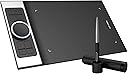
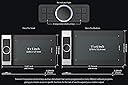
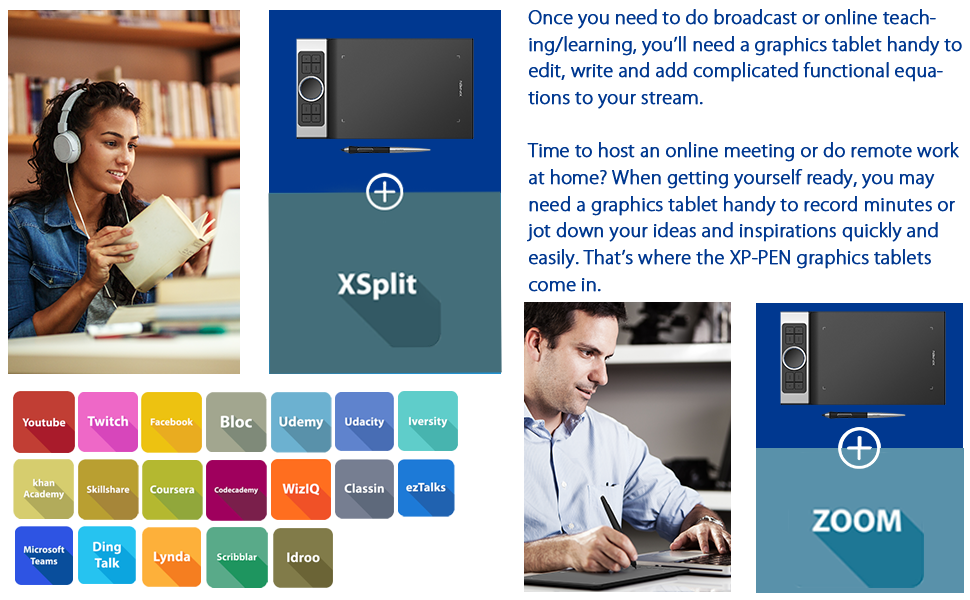
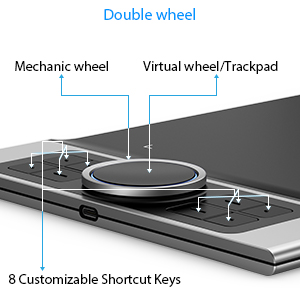
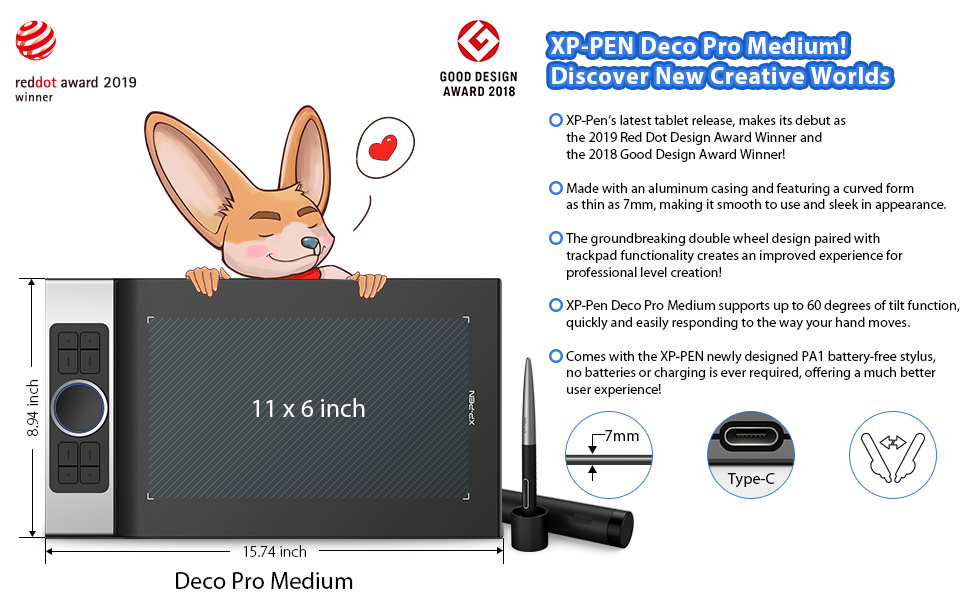
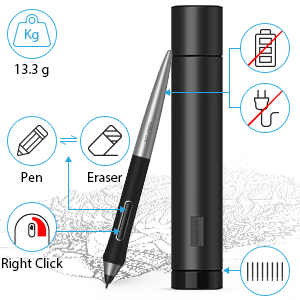
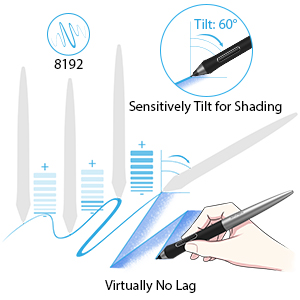
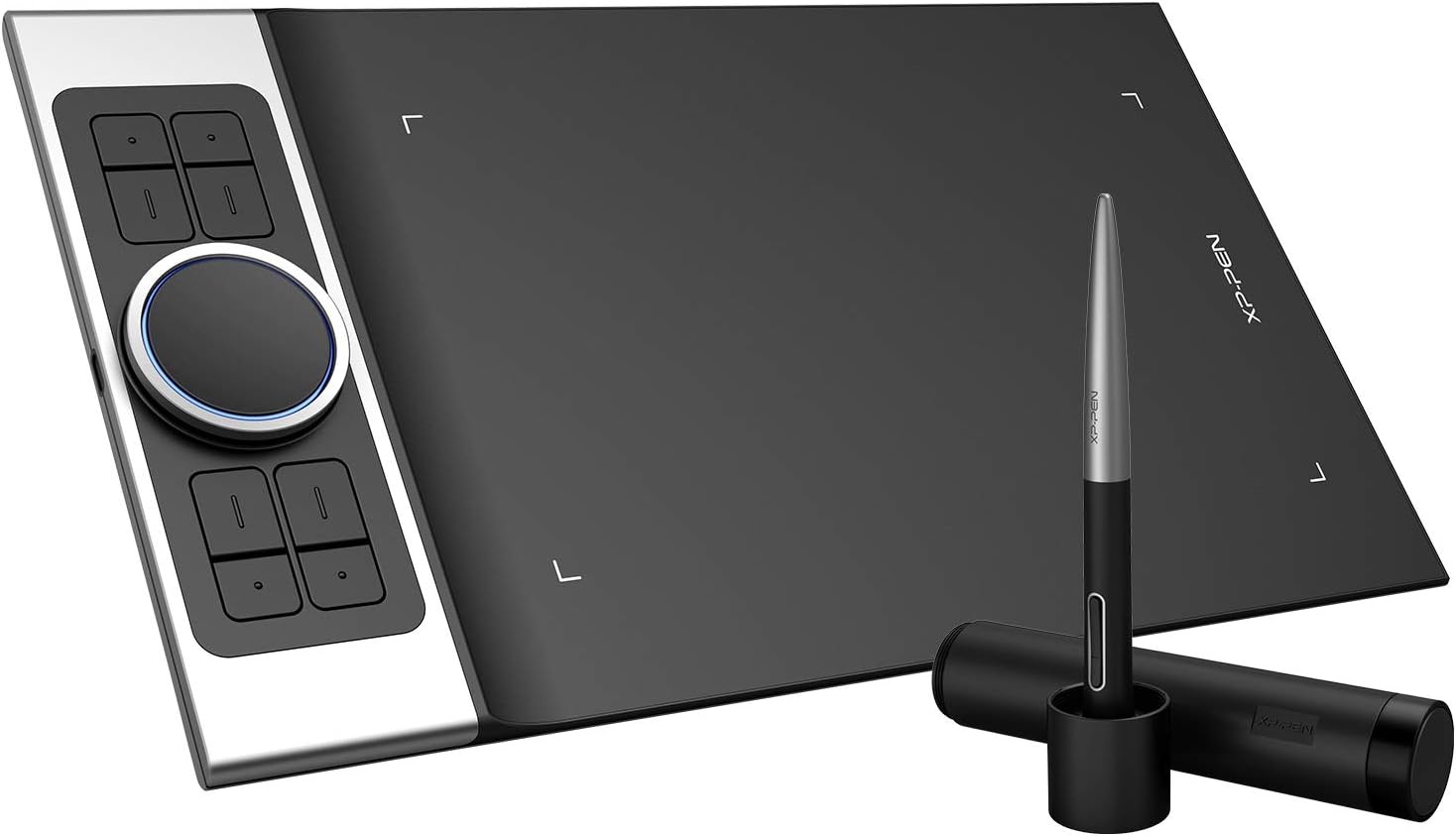
The XPPen Deco Pro Small Graphics Drawing Tablet is an award-winning digital pen tablet designed for professionals and creatives alike. With a 9x5 inch active area, 8192 levels of pressure sensitivity, and a battery-free stylus, it offers a natural drawing experience. The tablet features a unique double wheel for enhanced multitasking and is compatible with various operating systems, making it a versatile tool for digital drawing, online education, and professional design.


| ASIN | B07RQLFN8C |
| Active Surface Area | 9 inches x 5 inches |
| Additional Features | Online Education,Digital Drawing,Professional Design, Video Edition |
| Best Sellers Rank | #333 in Computer Graphics Tablets |
| Brand | XP-Pen |
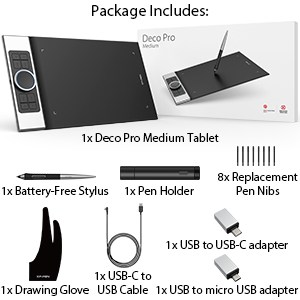
| Built-In Media | 1x Tablet ,1x Battery-Free Stylus, 1x Pen Holder, 8x Replacement Pen Nibs, 1x USB-C to USBCable,1x USB to USB-Cadapter ,1x USB to micro USB adapter, 1x Drawing Glove, 1x Quick Guide |
| Color | Balck |
| Compatible Devices | Windows 7/8/10/11, Mac OS X 10.10 (or later),Android (USB3.1 DP1.2), Chrome OS 88 (or later), Linu |
| Connectivity Technology | USB |
| Customer Reviews | 4.5 out of 5 stars 1,828 Reviews |
| Display Type | Drawing Tablet |
| Item Dimensions L x W | 7.85"L x 13.81"W |
| Item Weight | 1.3 kg |
| Manufacturer | XP-PEN |
| Mfr Part Number | Deco pro S |
| Model Name | Deco Pro Small |
| Model Number | Deco pro S |
| Native Resolution | 5080x5080 |
| Number of Items | 1 |
| Operating System | Windows, Android, Linux, Chrome OS, Mac |
| Pressure Sensitivity | 1024 levels |
| Screen Size | 9 inches |
| Software Update Supported to Date | unknown |
| Special Feature | Online Education,Digital Drawing,Professional Design, Video Edition |
| Specific Uses For Product | Online Education,Digital Drawing,Professional Design, Video Edition |
| Target Audience | Teacher |
| UPC | 783347035392 654913039673 |
J**.
I'm impressed
I used HUION New 1060 Plus 10 x 6.25 Inches Graphics Drawing Pen Tablet for about a year, but when I saw this one, an immediate urge to upgrade appeared :-) I'm glad I bought this XP-PEN Deco Pro, it truly is an upgrade, big time! It's very thin, drawing area is large and drawing surface is smooth and perfect matte, as opposed to my old one. It took some getting used to, but it's far superior to what I had before. Express keys are conveniently placed on the side, are easy to configure and the wheel with track pad is a great feature. You can set the wheel functions and then by designating one of the express keys to the switch - toggle between them as needed. With every function switch, its description appears at the bottom of computer screen, so you don't have to remember what's what. Same goes for express keys functions, descriptions shows up upon pressing a key. Stylus is very good; feels nice in hand, good weight with matte holding area - doesn't slip between fingers. Doesn't need charging either - one less cable, sweet! No batteries either. Very nice drawing experience. I use it with Photoshop; less for the actual drawing and more for photo composites, but control over pressure, size and opacity of different tools using pen is far superior to that of a mouse. Remember to go to manufacturer's website and download drivers - tablet and pen will work upon plugging it in, but you need drivers & software to customize pressure, speed, express keys and the wheel. Overall, I'm very happy with this purchase; it's well worth the money and then some :-)
S**S
Well made, sleek, and tons of useful features
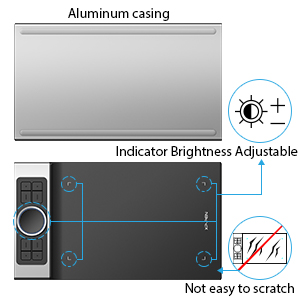
This is the FIFTH tablet I have purchased through Amazon. I have bought one of every company but Wacom - they are cost prohibitive for anything I want to use.( Huion Inspiroy ink-no drive that worked, and the drawing screen on the back you could barely see. A gimmick. Huion New 1060 Plus - as soon as I took it out of the package I felt the back bend under my fingers, flimsier than the $30 monoprice, and the EXACT SAME button/soft button/drawing surface! for twice the price! I didnt even plug it in. Veikk a-30 - touch buttons glitchy, and drive not consistently working. Monoprice - great little cheap tablet,durable, still working after 18 months just fine, working driver. but not sensitive enough. only 2048 levels) I finally decided to bite the bullet and spend an entire 100 to get something that worked. I hoped at least that I would get a drive that worked consistently, and didnt keep changing the button programming on me. What I got with the XP-PEN Pro (small) was FAR beyond my expectations, even if i had not had issues before. The body is aluminum on the back, and the dial is too, making it more durable than ANY of the other tablets I tried. And even though it says 'small' I can barely tell a difference in the drawing area. (My monoprice was 10x6.25,this is 9x5'') The cable is built to sit alongside the tablet, so I dont really notice it. wireless is a small sacrifice for the abilities of this tablet, IMO. The drawing area has V-shaped lights built into the corners, that you can adjust the brightness to, that highlight the drawing area so you can draw in low light. The dial has a light, too. All blue, non changing color. VERY useful feature. there are also TWO dials, not just one, both programmable to 5 different settings. You can then proram two of the express keys to cycle through each dial's usage, giving you 20 other shortcuts you can use in addition to the 8 express keys, and the 2 on the pen. That's 28 total, if you program 2 for the dials. Then there is another setting that ou can use, called detail mode. If you press a button, it will center in on a small area of the artwork, and zoom in your tablet as well, giving you the entire surface area to draw in the tiny art area. Meaning you can draw tons of detail in a tiny spot. It is very light as well, super thin, and still feels durable. And I have barely used it yet. Oh, did i mention that it also has tilt function? all these functions, in a tablet under 100, and it works well? I think im keeping this one. I'll update if things change.
D**C
Who needs Wacom?
I've been in the industry more than ten years, and up until this year used primarily Wacom. Had a mishap on the road which led to me having to replace my old bamboo (road tablet) with a Deco 3. My experience with that got this immediately on my wish list. Pre-ordered this, and it has replaced my Intuos 3 at home (attached drawing done completely using this device). I had no issues with this right out of the box, it has been great. Tablet surface has right amount of light grip for the nib, and the stylus is comfortable for all day drawing. I LOVE that this thing is backlit, great when drawing into the evening. Tried the deco app with android drawing functionality, worked like a breeze (and surprisingly full featured for a free mobile drawing app, who knew?). Verified this works with Clip Studio and Adobe, and the per app button customization is a breeze and helpful. One big thing: both tablets work flawlessly when I swap them out on my machine, as I sometimes use the Deco 3 to draw in the living room wirelessly. Very nice having one set of drivers for all my tablets. The driver solution is great, allowing for full customization. The build quality on this thing is amazing, feels and looks better than my Intuos (and larger, for a fraction of the cost). I will not be going back, and will probably check out the 15 inch red dial screen next. The dual dial feature is amazing to have! I keep the outer set to brush size, and the inner dial set to rotate canvas and zoom. If I had a bucket list item, it would be that when you set the tablet up for left handed mode in the driver, the UI would represent that. While not a deal breaker, setting up your controls inverted is kind of a hassle, wheres the love for us lefties lol?! In all, this is a great purchase I do not see myself regretting, and paired with the Deco 3 as a road tablet, I'm all set. Thanks XP-PEN!!!
M**O
Good tablet for beginners
Firstly I love the trackpad and the dial combo. They greatly speed up the drawing process. I program the dial for rotate and brush size while the trackpad is for scrolling/zooming. You can dedicate 2 press keys for their functionality toggling, which is quite disappointing since the tablet only has 8 press keys, but not a deal breaker. The combo is very sensitive and works great. The dial does not give you much feedback, it rotates very smoothly so you might rotate too much if you're not paying attention. The driver is the same as the Artist 15.6 Pro so I did not need to reinstall it, which is awesome. You can set the keys and functions specific to each program. For example, I set the pen key to toggle between B and E in Krita, as this program does not support Eraser like others. The surface of the tablet feels nice to the touch, but it also will wear down your nibs FAST! I like coloring by hand and see noticeable wears on my nib after only 10 hours of working. Their nibs are very cheap to replace so that's great, but I can see myself running out of all the spare nibs after a month. You can easily rotate the nibs so they wear down evenly. I found out that I can use the 15.6 pro and this tablet's pens interchangeably. They also seem to share the same nib type. Pros: - Trackpad and dial are awesome and convenient, definitely the selling point of this tablet. - Texture of the surface feels nice - Pen is comfortable to hold for a long time. - Driver is easy to navigate. - Very light. Cons: - Shoelace effect if you flick the pen quickly. Adjusting the pressure settings might help, but it is quite difficult to find the correct curve. For beginners it will take a much longer time. - Trackpad does not work as a mouse on my Mac despite following the instructions. It works on my Windows machine, but not the Mac 13 pro. I don't use it as a mouse but this is a bummer. - Nibs wearing down really fast.
A**S
Great Tablet! Even better Customer Service!
I initially purchased this back in July for my bday. I was super exited because of all the functionality of the quick keys. It worked great at first but then the pen buttons didn’t work at all which was SO inconvenient because I use this as my mouse for work (I’m a UX Designer). Anyway, I was going to return it and just go back to a simple Wacom tablet but it was past the 30 days so I decided I’d just deal with it. But I found myself not using it at all because not have the right click on my pen was so annoying. I finally decided to reach out to their customer service. Unfortunately you can only email them but don’t worry, they answer SO quick. Like within an hour and sometimes quicker for a good back and forth. Anyway, they had me send detail of what was not working and I tested my tablet and pen using some of their troubleshooting software. After doing that and sending a video they saw my pen was defective and sent me a new one free of charge! The new one works perfectly and I LOVE this tablet. It’s the perfect size, I love having so many buttons to customize. It helps with my workflow since I don’t even have to use my keyboard when making designs. And the pen buttons (now that they work) are perfect. I recommend trying this tablet out if you’re iffy and just know that customer service will make it right if you’re having any technical issues.
G**G
i needed this.
love this drawing tablet. i'm poor and an amateur artist. i was never able to afford a drawing tablet since ive only really thought that wacom was the only choice for a good drawing tablet. but they charge an arm and your first born just for the cheapest one they sell. very glad i was able to discover XP-PEN. i was delighted from the moment i opened the box. first of all, this "small" version is way bigger than i had imagined and very light. Second, it came with a what i thought was a cheesy 2 finger glove, but now i wont draw without it, that glove allows for long strokes with zero palm friction. more helpful than you think. Third, the pen itself is lovely. i feel like it is lighter than your standard number 2 pencil. it has a great pen case with 8 extra nibs and the pens button placement is perfect. close enough to my finger placement to find easily but just far enough away that im not hitting them on accident. Fourth, the precision of the on screen cursor is perfect. no jitter or lag, no off setting to the side or any of the garbage i hate. i know exactly where my brush stroke is going to be. Finally, set up is so easy. i just downloaded the drivers from XP-PEN, opened their little pen app, set the sensitivity and quick keys and done. this drawing tablet just works very well, with no headaches. if you love drawing or painting digitaly and dont have an endless supply of cash. this is the drawing tablet you should try to get. sure, i would love one of the more expensive screened drawing tablets, but when you add a screen the price goes up considerably. if you have the money, or absolutely need a screen on your drawing tablet. consider supporting XP-PEN and getting the artist 22 or something like it.
G**D
Fairly disappointed with this tablet despite a lot of positive reception for it on the internet
I'll preface the review by saying this tablet is 100% serviceable and has a nice, professional feel to it. The drawing surface is a tiny bit coarse for my liking but I don't hold that against the tablet. My issue with the tablet is in the pen and the dial. I am coming to this tablet from the Huion 1060 plus, a tablet I bought 4 years ago. I got very used to using the touch keys on it, and I expected to be able to have similar use of the touch keys on this tablet too. Unfortunately, the buttons on the deco pro are sort of stiff and sometimes just straight up don't take inputs if you don't press them hard enough. The dial is *very* easy to accidentally turn, especially when trying to use the touch keys. This led me to disable it entirely, which feels a bit bad considering it's one of the main features of the tablet. I'm baffled as to why they set something so easy to accidentally touch in the middle of all of the touch keys when it could just as easily have been put in the top left of the tablet like other options. The pen is good, kind of. After some light usage I swapped out a nib (not necessary, it could've definitely been used more - I just wanted to reassess the surface with a fresh one) and I noticed the 2 nibs I tried had a tendency to wear sort of fast and get a bit of an uncomfortable edge to them which was noticeable while drawing. This is not necessarily an assessment of the tablet, I could just be pressing too hard or using the pen improperly, but I think it should be known at least. My major issue with the pen is the 2 side buttons on it. They are so flush with the surface of the pen that I had to stop drawing and look at the pen in order to actually find and press them. Comparing these buttons to the pen on the 1060 plus is night and day - The 1060 plus has proper protruding buttons that have a nice click to them. The driver for this tablet is very good. Everything is written in proper english, the buttons are easy to rebind, and there is good customizability for both the dial and the inner part of the dial. The pressure sensitivity and pen accuracy feels very nice, though I did feel like the pen was slightly unresponsive at times. This could be a software issue, so I again won't hold it against the tablet. Overall, this tablet was a bit disappointing to me after hearing so much hype about it. I was able to finish a couple drawings before I felt I had to get a replacement. Some of my issues with it are not things that would bother others, so I encourage anyone in the market to watch many reviews and make an informed decision before purchasing :) pen tablets are a very small market and it can be difficult to find the one that works for you.
B**M
A wonderful replacement for my Huion screen tablet!
I'd been using a Huion screen tablet for a couple years now. I'd originally decided on a screen tablet thinking I'd never never get accustomed to (comfortable with) drawing on a tabletop and viewing it on another plane (my upright monitor). After a month or so I found this not to be the case, however, and discovered that it only took a little bit of time before this felt perfectly natural. This resulted in my disabling the monitor unit on the Huion tablet and relying solely on my upright monitor for viewing my work. In fact, I can't now imagine any benefit that might exist in choosing a screen tablet over this XP Pen unit. Its ergonomics are similar to any other in its class, the drawing surface has a little more bite than some, which I find has been a big plus, as it allows for a more controlled drawing experience. (I've found that too slick a surface makes it difficult. I mean, how often do we draw on smooth glass anyway?) And the price point is several hundreds less than even a mid-range screen tablet. Whether you're a novice or professional illustrator or artist, I find it hard to imagine you won't be really satisfied with this product. The unit arrives with a stylus too--and for about $110.00 out the door, it's a great value.
J**A
Absolutely AMAZING! I wish I bought this sooner!
This tablet is fantastic to use! The pen pressure and alignment is very accurate (even the tilt picks up whilst I'm drawing whilst lying in bed) , the materials feel very high quality. The touch-sensitive pad is so handy! I didn't think I would end up using it, but it's so much easier to use than my actual laptop's trackpad/mouse. The aluminium base makes it very sturdy and there is little to no flex on the product, even though the product is so compact! (Fits perfectly alongside my laptop in my laptop bag). The pen not only feels very high quality and sturdy, but is also really comfortable! All express buttons are customize-able, and can even be set PER program -- which really helps when I'm jumping across Photoshop and PaintTool Sai. Overall, the product is great! I would recommend this product to any inspiring artists, of any level! It has really helped improved my artistic skill.
K**E
service incroyable!
Super pad pour dessiner, facile à utiliser. J’ai eue un petit problème au niveau du logiciel via mon ordinateur mais j’ai écrit au soutien technique et en 1 journée tout était réglé. Merci à Raphaël!
M**C
Excelente opción para iniciar
Me encantó!! Es fácil de usar, versátil y muy funcional. Realmente me gustó, el único detalle es el embalaje por parte de amazon pues no viene protejida como otros productos pero llegó sin daños. Es hermosa y más grande de lo que esperaba
H**M
Good but small issue
Having some issue with the pen nip it has no action. I don’t know its a manufacturer defect. Having difficulty when we press double tap
D**A
Perfect tablet, but the included USB cable was faulty/broken/bad. XP Pen replaced it immediately.
SECOND UPDATE: I contacted XP Pen with my complaints. Their customer service got back to me on the same day and immediately offered to replace my broken cable free of charge. After confirming my shipping address, they shipped me a new one. I got the replacement the next day. I can confirm that the new cable works perfectly, though it does require being plugged into to a motherboard USB port (the ones on the back of your case) or a powered USB hub it seems. In any case, I'm more than happy with my new purchase and will likely use XP Pen again in the future. UPDATE: I'm going to leave what I wrote below in case someone else has a similar problem. Through sheer bad luck, my unit shipped with a faulty USB cable. I tried using an entirely different USB cable and it is now working perfectly. I have contacted XP Pen in hopes they can send me a new cable, however for now I can confirm that the tablet is working. OLD REVIEW, BEFORE I DISCOVERED THE SOLUTION: Unfortunately it seems I was unlucky and received a faulty unit. It refuses to recognize my pen for longer than a couple of seconds no matter how many times I uninstall and reinstall the drivers, or unplug and replug in the tablet. This one was definitely a dud.
Trustpilot
3 weeks ago
2 months ago