๐ง Connect with Confidence!
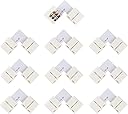
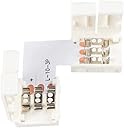
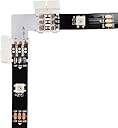
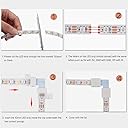
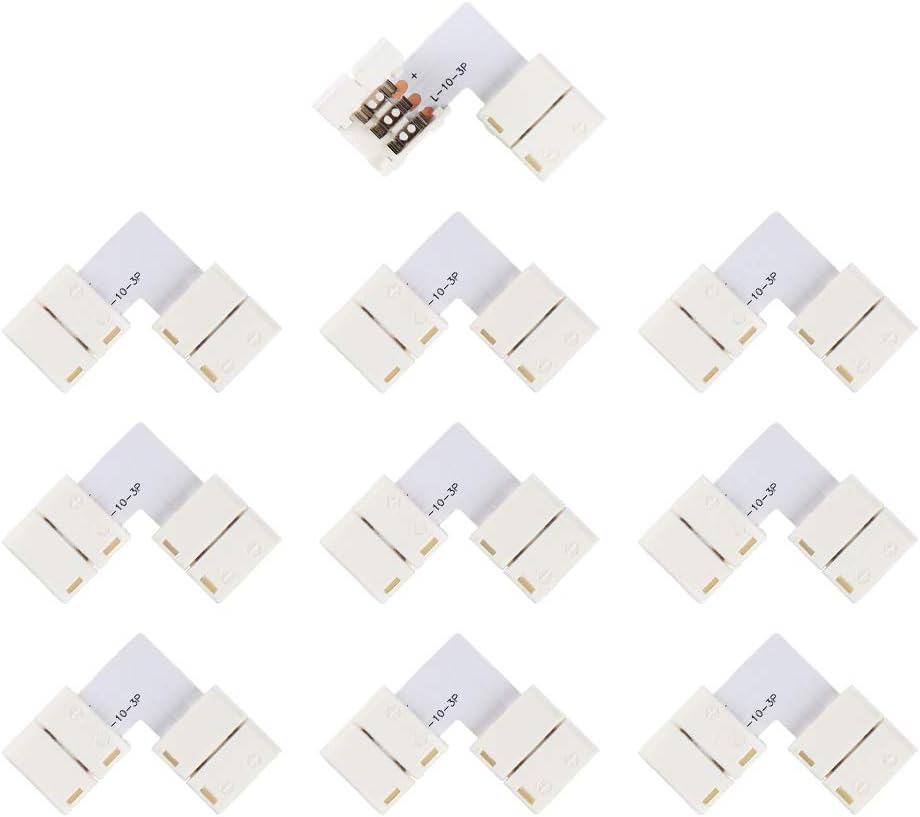
The Excellux L Shape 3 Pins Connector 10-Pack is designed for seamless connections of 10mm LED strip lights. Made from durable PBT material, these solderless connectors ensure a safe, efficient, and user-friendly installation experience, perfect for both DIY enthusiasts and professionals alike.
| ASIN | B07PYWDGLH |
| Additional Features | no |
| Brand Name | Excellux |
| Color | LED Connection |
| Control Method | App |
| Customer Reviews | 3.6 3.6 out of 5 stars (72) |
| Included Components | 10 x USB Type C Data Cable |
| Indoor Outdoor Usage | Indoor |
| Item Dimensions | 3.15 x 2.36 x 1.38 inches |
| Light Color | RGB |
| Light Source Type | LED |
| Manufacturer | Kitchen |
| Material Type | Plastic |
| Number of Items | 10 |
| Occasion | Christmas |
| Power Source | No |
| Product Style | Modern |
| Theme | Indoor |
| UPC | 602464913683 |
| Voltage | 12 Volts |
| Water Resistance Level | Not Water Resistant |
| Wattage | 24 watts |
M**N
Led strip packaged well with good instructions. Lights have more features than others being
That is awesome strip, but I use some times to install. In fact ,I do not know how to install when I am receiving it , but there is a QR code on the box with a link to the instructions. So I do fit my strip according to the instructions. That kit has no remote to control , but there has a box to change the color by itself, it sounds so amazing ! right ? that is also a reason for me to purchase it . that box is small but really perfect for whole kit, I bought 6.56ft kit for my PC. The effect looks great ! and the brightness also looks comfortable . Finally , the strip is very sticky and quality looks great ,I would recommend this to everyone.
R**N
Meh.
EDIT UPDATE: Ordered a second one. It works. Plug in the old strip to the same exact setup, it does not. But, I have what I want now. So I guess the fair warning, be prepared. There's a chance it will be a dud. However, alternatives to this are far pricier. Also, even the DIY arduino version isn't all that cheap. Second note, this is short of being the right amount for a 34" Ultrawide. It's close. Close enough that I'm fine with settling. But I still find it worth mentioning, if you really wanted it close to the edge, get the longer one for 34" ultrawide. However, I prefer NOT being able to physically see the LEDs, and just having the vague glow emitting from somewhere back there, so for me the smaller size is probably for the better. Also, nice to not need to trim it. OLD VERY DISPLEASED REVIEW: So I plugged it in, just the first three diodes lit up for about a minute. I figured this was just "startup mode" or something. I was about to install the software when the lights suddenly went out. Hmmm. So I go start installing Prismatik first (I heard it uses less resources) and thought the lights would maybe come on when I installed the software. Nope. Ok, restart the computer. Still nothing. Could they at least suggest a different stupid power supply or something? I guess I just have to return both. Then I looked at the power brick for the LEDs and it was flickering. I unplugged the LEDs and the blue light on the brick stopped flickering. I plugged it back in, then the entire strip start flashing all bright white, on and off, over and over. So I figure "Ok, maybe it needed to warm up, and now that I see light in all of them, it must be working, and this is what the start up looks like." Suddenly it stopped blinking and just a few random colored LEDs near the base of the strip. That doesn't look good. Eventually I installed Ambibox instead, figuring maybe ambibox would make it work, but that failed as well. Now every time I plug them in and unplug them, just a few LEDs near the base will show up as different colors, that aren't affected by the software at all (I even tried the solid color setting to see if that would work.) Ambibox says it recognized the USB device plugged in, so either the LED strip is broken, or the power supply is broken. My guess is the power supply since the blue light on the supply was flickering on and off from time to time. This is a very frustrating experience. I've wanted something like this for so long, and I was surprised it was so cheap. Probably too cheap, too good to be true. I would have rather they charged a bit more for something that wasn't built so cheaply. I'd pay extra for the reliability.
C**6
Spend a little time but great work
In fact, I Spend a half past hour to install them. As well as I Sent E-mail to ask the seller how to install, I indeed followed instructions to install, which the seller has given me, but it did not work. Seller responds to me as possible as soon, due to I did not install another app to support strip working, the app is "Ambibox". seller also sent me an installation video, Seller is a nice man. I use it for my Android TV, no remote controller. The strip effect has a lot of colorful lighting, and according to the screen to adjust brightness and change color. no matter what you are watching, you will get a different feeling. I do not know how to describe it, only realized that feeling after you used it. It is amazing and I really enjoyed watching TV with bias lighting, but it is a little expensive. I really Recommend it, you should not purchase it if you just wanna a simple backlight, It is highly recommended it to every buyer if you wanna a different ambient visual enjoyment.
L**Y
Invest some time and you will have an amazing ambilight setup
I had mixed feelings purchasing this as I saw some reviews with no problems and working ambilight setups, and others with a variety of different problems. From my own experience, this is a really good product although it takes some time to setup it looks amazing once its finished. I suspect a lot of buyers didn't read the instructions fully or got frustrated trying to set it up since everything works as described. If you have trouble setting it up as I did just contact Excellux and they will help you figure everything out. Some subtle things to note though is you need to configure the ambilight app to get this type of LED strip to even turn on, it doesn't work with DRM content, and start your LED strip in the corner of the TV to make setup much easier. My box didn't come with instructions so I was quite confused at first but I contacted Excellux and they were able to answer all my questions. There is a QR code on the ambibox that links to instructions with images and detailed descriptions. What confused me at first is that I have a 55 inch TV so the longer LED strip needs a second cable for the end to connect to the power supply to keep all LEDs at the same brightness. Also, my smart TV isn't powerful enough to play HD video and run the ambilight software but that's not surprising because its always been quite slow, but just note you should invest in a TV box or media PC as I plan to so you can get smooth playback and lighting if you have a low performance smart tv. You can see in my review video a demo of the lights, though its just my phone camera and the lights are a bit washed out on the blue wall as it looks much better in person but it gives you a general idea.
Trustpilot
3 weeks ago
1 month ago