Desertcart purchases this item on your behalf and handles shipping, customs, and support to Croatia.
⚡ Power Your Productivity, Connect Like a Pro!
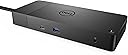
The Dell WD19 180W Docking Station delivers a powerhouse 130W USB-C power delivery, dual 4K DisplayPort outputs, and Gigabit Ethernet connectivity in a sleek, compact design. With 13 versatile ports including USB-C, USB-A, HDMI, and Thunderbolt 3, it’s engineered to elevate your workspace efficiency and keep you seamlessly connected across multiple devices.
| ASIN | B07S3XHMP1 |
| Best Sellers Rank | #426 in Computers & Accessories ( See Top 100 in Computers & Accessories ) #51 in Laptop Docking Stations |
| Brand | Dell |
| Color | black |
| Compatible Devices | Dell Notebooks/Tablet PC |
| Customer Reviews | 4.1 out of 5 stars 1,512 Reviews |
| Global Trade Identification Number | 00884116345923 |
| Hardware Interface | USB |
| Input Voltage | 230 volts |
| Item Dimensions L x W x H | 8.1"L x 3.5"W x 1.1"H |
| Item Weight | 1.3 pounds |
| Manufacturer | Dell Computers |
| Mfr Part Number | KXFHC |
| Model Number | DELL DOCK-WD19 180W |
| Number of Items | 1 |
| Number of Packs | 1 |
| Number of Ports | 13 |
| Product Dimensions | 8.1"L x 3.5"W x 1.1"H |
| Total Number of HDMI Ports | 1 |
| Total USB Ports | 5 |
| Total Usb Ports | 5 |
| UPC | 884116345923 |
| Unit Count | 1 Count |
| Warranty Description | 3 YEAR MANUFACTURER |
| Wattage | 180 watts |
P**N
Fixed a lot of issues I had with a cheap port replicator.
First, I bought a doc that had more than the recommended wattage to eliminate any passthrough power issues. On the negative side, it only had one HDMI port and a Display port, so I had to buy an adapter for my second monitor. It did not have an 1/8" mini-pin stereo adapter for my external speaker. So, I had to resort to a blue tooth connection that comes with its own issues on reboots, etc. Having said all that, I love it! All the instability issues I has with an underpowered doc and port replicator went away. It was expensive but worth the price. I'll take stability over price every time. pat
H**Y
Easy Connection, Clean Desktop
I bought the The Dell WD19 180W Docking Station for my home office. I had to do something with all the peripherals that I had connected to my laptop and all the wires laying all over my workspace. So far it has worked perfectly with my Latitude 3590, 2 monitors (1 using HDMI/1 using USB-VGA Adapter), a J5 USB 3.0 7 Port hub with my 3 FreeAgent drives attached, and CAT-5 Network connection. The only minor issue I've encountered so far is that the 2nd monitor using the USB-VGA adapter does not run video very well which is something that I expected. But it works perfectly fine with other applications I've placed on that monitor. (Remote Desktop connections, Office Applications, QuickBooks, etc.) To date I've experienced no connection dropouts or problems with the docking station and it's great to be able to go mobile by just disconnecting one cable! I'm very happy with this purchase!
C**F
It works! 2 usb-c ports -> more
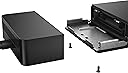
Allows me to charge and use usb devices from one usb-c port on Dell xps 13. Added bonus is ethernet works. Then I use the remaining usb-c port on my laptop for display (4k at 60 fps). The usb-c ports on this doc do not work for me to displays. But having tried other docks, 4k at 60 fps is a holy grail that I've never seen work. This thing consists of 2 blocks each the size of external hard drives. Huge.
H**E
Habitually doesn't work
I have this connected to a G3 gaming laptop and a work Dell laptop. On the gaming laptop it habitually disconnects ethernet and only ethernet, usually when I'm in the middle of something not network intensive but often after I boot. Unplugging and replugging works for a bit until it fails again. Also doesn't support multiple monitors at 144Hz which is surprising as I believe there's enough bandwidth. Updated 2022-12-28: After returning from lunch my Dell work laptop was making "device disconnected" sounds repeatedly. The dock was causing this and had to be unplugged and replugged four times before the network would show up again. This thing sucks. Updated 2023-01-13: Ethernet fails to function on any laptop. Outside of the warranty/return window. Do not waste your money on this. Updated 2024-12-30: Audio keeps becoming extremely staticky due to the poor shielding in this crap hub.
M**R
Your dock might be new, might be refurbished goods
First of all let me say I'm happy with my purchase. But I inquired with the seller about the condition of the goods before I bought -- after all, Dell isn't in the habit of selling new $230 docks to re-sellers, who in turn resell them for $163. It would be tough to make a profit that way. I was told in my reply email that units were brand new. Well, the shrink wrap job on the device wasn't quite what you expect on a new unit and, when I traced the Dell service tag on their web site I learned this was an "Advanced Exchange" part originally intended for a Dell customer in Panama. Advanced Exchanged parts may be new, or may be refurbished, but all should be warranted by Dell to be in working order. And, indeed, all feature of my my dock appear to work perfectly, and there was no cosmetic damage. I lowered my rating one star because the information I got wasn't quite true but, hey, I saved over $60 on a part that operates in the background. If you'd of bought the same dock from Dell and the first one didn't work for some reason, this would be the replacement part you'd get anyway. By the way, if you buy a unit like this from a re-seller it's service tag remains registered to the prior owner, but if you call Dell they will switch the registration of the unit's service tag into your name.
J**R
Dell Quality Docking Station-Easy to Install and Use
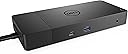
Purchased this model WD19 180W with 130 watt power delivery for my new Dell XPS 15.7 " 9530 laptop. It easily recognized all the monitors and connections. No complex install procedures at all. I usually run my laptop at my work desk with two monitors in extended mode. And I close the lid of the laptop so I can place it out of the work surface area. The docking station instantly knew what I was doing and appropriately configured the video drivers accordingly. If you have a 130 watt battery in your laptop be sure and purchase either the WD19 or WD19S docking station with 130 watt Power Delivery (the 90 W power Delivery is not supported). You can also use the higher end station WD22TB4 with 130 watt if you need the advanced graphics. I am using a Display Port 1.4 Cable to an HDMI terminal to connect to the monitors. No degradation of signal and easy to configure the display settings. The ports on the docking station are generous: 1x USB-C 3.1 (Gen 2), 1x USB-A 3. 1 (Gen 1 with power Share), 2x USB-A 3. 1 (Gen 1), 1x combo Audio/ headset, 1x audio out. Video ports: 2x DisplayPort 1. 4, 1x HDMI, 1x USB-C multifunction DisplayPort, 1x Gigabit Ethernet RJ45. One feature I really like is the sleep button on the docking station. I press it and the computer goes to sleep as do the monitors. And when I return and press the same button all returns to exactly where I wsa. This routine is often complex and can lead to restarting the computer and awkward monitors displays. Dell has figured this out.
V**A
rapido
buena presentación
O**N
As described
Haven't tested it 100% but I'm sure it's going to work
D**N
Productivity Boost
This is exactly what I needed for my home office set up. Charges my laptop while I use two screens. Major productivity boost. A little larger than I would like but if that’s my only complaint I’m good. Great product.
L**O
Alta qualità e robustezza
Prodotto di qualità eccellente per assemblaggio e materiali usati. Mi consente di collegare il mio laptop DELL Vostro 5490 con un solo cavo USB-C. La diponibilità di porte lo rende molto versatile per collegare molte periferiche evitando di utilizzare le porte del PC. Il prezzo è elevato, ma se avete molte periferiche ne vale la pena
C**T
Excellent!
Great product, just had to buy new monitor cables, but it works a treat! It even arrived early - brilliant.
R**D
Docking station
Great for cable management and running multiple accessories without having to plug them all directly into the laptop meaning swapping between laptops and unplugging the laptop is quick and easy. Basically does what its supposed to do
A**C
CONFORME A LA DESCRIPTION
Pratique pour le chargement de différents supports pour PC
Trustpilot
1 month ago
2 weeks ago