

Desertcart purchases this item on your behalf and handles shipping, customs, and support to Croatia.
๐ธ Elevate your memoriesโscan, restore, and share like a pro!
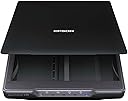
The Epson Perfection V39 is a sleek, USB-powered flatbed scanner delivering ultra-high 4800 dpi optical resolution for professional-quality photo and document scans. Featuring one-touch photo restoration, cloud connectivity with Google Drive and Evernote, and versatile media handling including oversized documents and books, itโs designed for the modern professional who values clarity, convenience, and preserving memories. Its compact vertical design and included software suite make it a top choice for efficient, high-quality scanning at home or office.


| Asin | B00SSXQ7Q2 |
| Best Sellers Rank | #9,182 in Office Products (See Top 100 in Office Products) #4 in Flatbed Scanners |
| Brand | Epson |
| Color Depth | 16 bits per pixel (internal), 8 bits per pixel (external) bpp |
| Connection Type | USB |
| Customer Reviews | 4.2 4.2 out of 5 stars (4,431) 4.2 out of 5 stars |
| Global Trade Identification Number | 00010343916906 |
| Greyscale Depth | 16 bits per pixel (internal), 8 bits per pixel (external) |
| Item Dimensions D X W X H | 14.4"D x 9.9"W x 1.5"H |
| Item Weight | 3.4 pounds |
| Light Source Type | LED |
| Manufacturer | Epson |
| Media Type | Photo |
| Minimum System Requirements | Windows 7 |
| Model Name | Perfection V39 |
| Optical Sensor Technology | CIS |
| Resolution | 4800 |
| Scanner Type | Photo |
| Standard Sheet Capacity | 1 |
| Unit Count | 1 Count |
| Upc | 010343916906 001034391690 |
| Warranty Description | Limited warranty |
| Wattage | 2.5 watts |
User
Everything that I ever wanted out of a very low cost flatbed
I needed to replace my 10+ year old Epson flatbed, which after many years of faithful service finally gave up the ghost in a cacophony of grinding plastic gears. I was very attracted to this unit because of its low price, its very thin conformation, and its promise of taking up so little room through the use of their clever โkickstandโ. However, I was very concerned that considering that it was powered exclusively by the standard USB 5v DC provided power feed, that it would either under-perform or refuse to work at all (I had been previously burned by an experience with an allegedly USB powered Blu-Ray drive). But the prospect of getting the advantages mentioned above held sway in my decision; nowadays a seventy five dollar (tax included) roll of the dice is not what once it may have been.As it turns out, I'm now two weeks into my use I am thrilled to death. I have actually gained in both scan quality and resolution over my old dinosaur, which I guess should come as little surprise considering the speed of technological innovation in both the computer and the imaging sectors. On top of that, I was very pleased to find that the unit has not shown the first sign of being under-powered. In some of the Amazon customer reviews, I had read some comments about the machine being rather loud. I suppose that such things are relative, my new unit is neither louder nor quieter than my old dinosaur, so personally I donโt much mark any difference. However, thereโs just enough operating noise in both that Iโm sure that younger folks who are used to better might understandably feel just a little more sensitive to the effects than I. I guess that I might be as much a dinosaur as my old unit. For that matter the scan speed from both units pretty much matched (the newer one might win by a nose), so I guess that with me the same logic applies for that.I did experience a minor hiccough when installing the driver; that was apparently caused by my ignorance and my resultant failure to first uninstall the previous incarnation of Epson driver, a simple uninstall and reinstall solved the problem in quick order. Just for fun, I tried out the bundled OCR software; I say just for fun because I have little real cause to use such a program. I found it to be just a tad too inconsistent in its performance for my tastes, so again just for fun I got onto the internet seeking a better path. I finally found a highly rated commercial software called TopOCR, which sells for a whopping $4.99 U.S.D. (apparently not a sale price, and a free limited trail is offered). If you noted my previous comment about seventy five dollar rolls of the dice, you will not be surprised that a paid copy wound up on my HD. This decision was reinforced when I tried the aforementioned limited free trial, it proved to be quite noticeably superior in its fidelity to original content.So based on that, I have decided to give the unit a full five stars. That said, however, there are some things that perhaps I should make clear to any potentially incautious people; to me they are all things that should be immediately obvious from the unitโs very low price point. This unit is rather lightly built, speaking both with regards to both mass and to durability/rigidity. It is quite apparent that the design duty usage cycle level is not of the very highest order. That sort of stuff is clearly best found in a unit which is sold at a higher price point. But for my โretired old-guy on a pensionโ purposes, it seems to show great promise. So if you have a house full of mechanically over-inquisitive kiddies or if you intend to digitize that 40 year old heritage family copy of Encyclopedia Britannica, you might want to try batting in a slightly higher league.
User
So easy for multiple photo scans!
Excellent at recognizing multiple photos and scanning into separate files. I was given all of the loose photos my grandmother had collected over the years, and needed an inexpensive but efficient way to scan them all. This scanner is exactly what I was looking for! It's extremely easy to use (I went online and downloaded the software) and the best part is that I can place multiple photos on the scanner and they all scan into separate files. I keep them separated by about 3/4 inch and the software automatically detects how many are on the glass and then scans each separately. You can set what the file names will be (ex. Family_001, Family_002, etc.) in the software. The only issue I've had is that occasionally the scanner and computer lose connection, but all I have to do is wiggle the cord where it goes into the scanner and that seems to fix it. This scanner is the sole reason I'll be able to share all of our family's pictures with everyone at once, and I've been so happy with picture quality, on both recent color pics, early 50's color pics, and black and white pics dating all the way back to the early 1920's. Even mixing different types and quality of photos on one scan, the scanner does an excellent job of identifying and scanning clearly. So far I've done up to 12 (small) photos at one time, with no issues at all! For the price this can't be beat!
User
GOOD
I have yet to use this on a long term basis. So far it is OK. Not bad. However it should cost no more than about $45. Some other reviews say it makes a lot of noise. I did not experience that with this item. It is very quiet. PROs: It is compact and light. It does basically good scans. It can be easily stored in the closet or even anywhere you can store a laptop of the same size. It does not need a lot of wires or connections. You just attach it to your laptop or computer using a USB-micro USB cable that comes with the scanner. It also comes with a CD to install drivers on the computer.CONs: It is definitely not if you need to do many many scans at once. (You would need a big professional scanner that can feed document after document and do at least a dozen papers at once and tolerate the work load). The Epson V39 is a bit slow. You have to set it right or it will take about 3 to 5 minutes to scan. If you have the right setting it takes somewhere under a minute or so. It has features that I have not yet learned to use or may never use. It has a feature that will separate the page image because it detects as two different photos or images. If you have a page that has two paragraphs spaced apart by some spaces the scanner may make a scan of each paragraph separately. I heard this is so that you can scan two photos at once and the scanner will automatically make two different scans of them. This is a feature that I am not sure how to de-activate yet. A person who is not very computer savvy may have particular problems with this item. I may or may not keep this scanner . I may send it back and try another one. However, once you set it up right, it is good to have around if you need to quickly scan a document without a lot of fuss. It is good if you don't need a huge scanner/copier/fax machine. It is convenient to keep around if you need to scan and email someone a paper or two.UPDATE FEBRUARY 5 2025:The scanner I had since March 2017 worked very well until sometime late in February 2025 when it completely died. I had originally given it three stars.I tried a similar scanner from Canon but it was a complete dud. I ordered this scanner, the Epson V39 again. It apparently came with a faulty USB cable but I was glad it was only the cable not the scanner. I used a completely different USB cable and the scanner worked just as it should. You need to download the right drivers from the Epson website (the scanner does not come with a disk to download the drivers from) but after a bit of tinkering with everything, the Epson V39 scanner is up and running as it should.I hope it lasts at least as long as the previous Epson V39 scanner I owned but I hope it lasts longer.I will update as I am able.
User
Reasonable priced, nice quality scanner that GREATLY simplifies the job of digitizing those family photos
I got the job of scanning four big family photo albums into digital form, maybe a bit over a thousand photos. Almost all of them were 3x5 or 4x6, but when I used my multifunction printer as a scanner, it required two separate scans, with an intermediate dragging of a border to define the final scan. It was multiple minutes (or so it seemed) for each photo, and I knew that I'd never finish without a high degree of annoyance, something not really appropriate to a family memory preservation duty.I shopped around for a photo-specific scanner, hopefully one with an auto-feeder, looking to automate as much as I could, but basically struck out. A bit of reading and a few reviews suggested that though it was minus the auto-feed, this printer could be what I was looking for. It was reasonably priced and I took a chance and ordered it.I've now got several hours of use scanning pictures of my kids and family, and am pretty happy with the unit. The big surprise was that the quality of the scan, even at the same DPI was noticeably better than the multifunction printer. Truth is, the majority of the work in this task is removing the photos from the waxy album sheets and their clear plastic covers. The scanner just keeps on cranking, and it takes about 1 minute for me to load a picture, scan it, put it on the 'done' pile, and then begin the next.Would it be faster overall with an autofeeder? Maybe a bit, but most of the time in the sequence above is for the scanner to determine the size of each photo placed on the glass, and then doing whatever it must to scan only the image. It takes two passes, just like the multifunction unit, but the the passes are automated and require no intervention beyond removing the photo when the process is complete. Photos are saved in JPG format, and the filename with its 3 digit number is auto-incremented with each new scan. I use Windows 7, and the included Epson software puts the completed scans in the 'Pictures' section of the Library. I'm almost done with the first album, so it seems likely that I'll finish in an acceptable amount of time.
User
Horrible Software Interface, It is a mystery where / if pictures are saved
Purchased this product to scan pictures into my computer. The scanner, if you can get the interface software to work is good quality. The software to interface and store the images was written by Jr. High students who got distracted when the ice cream truck arrived.There seem to be a couple of programs that interface with the scanner. When calling customer service, the first thing she said was.. We don't recommend using that way to scan pictures. Use this other way. Wait? What? You know that your interface software doesn't work so don't use it? The customer service person has a heavy accent and is difficult to understand, and has no clue how to use this scanner. Her prompts aren't even good, she has to keep putting you on hold for every question then return again and again. I finally, after almost an hour requested a supervisor.The following is only part of the problem experienced with this scanner:From the Easy Photo San menu, you scan in a picture and it shows an image of the picture. Try to save the image and it says that the picture is already saved, (1st picture above). Go to your file, your pic is not there. Select 1st option, 'ok', and it confirms that the pic is saved. As you can see from the 2nd picture above, I have chosen to save the images to C:\Pictures\Scanner. If you want to confirm that the pic is saved, choose the option: File then Open, which should open the file folder where the picture is. As you can see in the 3rd image above that it opens the Windows System file instead of where the images were saved to. Doesn't make any sense at all.Additionally, if you use the 'Start' button on the scanner, the 'Epson Scan' app is shown. Push the start button on the scanner again and the image appears to scan. However, the image does not show up in the 'Easy Scan' window. Did it scan or didn't it? What happened? The 'Epson Scan' box just disappears. Was it saved? Was it not saved? Where?When calling customer service, by the way, they told me not to use the 'Easy Scan' icon because it does not work well. They had me uninstall all my software, restart my computer and then go into menu after menu to try to get the scanner to work.The buttons on the front of the scanner, after reinstalling the software, no longer work at all. I was directed to go into menus to reprogram my buttons because although the manual says the buttons work, they don't really work unless you go in and reprogram each of them. Really? After over an hour with 'technical support' I couldn't take the stupidity any more.Bottom line: The scanner seems to work well if you can get it to work, when or where the pictures may or may not be saved to is a mystery. 'Customer Service' sends you in loops to reinstall software, reboot computer, reinstall software, reprogram scanner buttons... you get the idea
User
Scanner is fantastic! Scan old photos at 1200dpi. Save to computer often (every 10 photos).
This scanner is fantastic!The picture quality is superb and it scans quickly. It takes about 2 minutes per photo. The unit is very light and it connects via USB-A.If youโre scanning old photos, scan at 600dpi or 1200dpi. The resolution for 600dpi is about 3,480 x 2,272 for a standard photo. The file takes up about 2 MB. An iPhone 6s photo is 4,032 x 3,024. A 1200dpi scan is 6,960 x 4,544. It takes up about 7 MB.When you scan at a higher DPI, like 1200dpi, itโs not clear if the trade off between picture clarity outweighs the artifacts from scanning or the file size. I canโt really tell the difference between 600dpi and 1200dpi at first glance. You notice a slight difference, but it doesnโt improve a blurry photo.I started scanning at 1200dpi just in case, so I would recommend 1200dpi just to be safe. But it does triple the file size, so thatโs something to be aware of. 100 scans at 600dpi is about 200MB, and 100 scans at 1200dpi is 700MB.At 600dpi, youโll notice some dust, finger prints and eye-lashes on old photos. At 600dpi itโs not too bothersome. At 1200dpi the artifacts become clearer and more pronounced.I bought a pair of white cotton gloves to handle the photos and it seems to help with finger prints and dirt.It takes about 40 minutes to scan 20 photos at 600dpi or 1200dpi.If you install the Epson Scanning software, it works great!My only feedback on the software is to save often, like after 10 photos, because quitting the app will delete unsaved scans. If your computer freezes after 50 scans, thereโs no way to retrieve the scans unless you saved them.My only complaint is that a 4800 dpi scan will crash your computer. It takes too long and the file size is 1.5 GB (not a joke).As of writing this review, using a 2017 Macbook Air with 8GB RAM, a 4800 DPI scan is not possible.
User
V39 is Good Price - Quality Doc Scans - Subpar Photo Scans - Mac Software Problems - Slow Scans
This Epson Perfection V39 flatbed scanner is a good price for what you get when compared to the competition in Spring 2023, and it is useful for making quality document scans. It is also slim and lightweight, so it is easy to store and move around. It does have a fair number of issues, however.The associated Epson software is annoying but not completely impossible. I am using the Mac version of the recommended Epson drivers from the Epson website. My computer is a laptop: a 2020 M1 MacBook Pro running macOS Ventura version 13.2.1. I have to use a USB-C to USB adapter to connect the scanner to my laptop because I only have USB-C ports built in on my laptop. During install, I found that even though I checked for updates immediately, the Epson Software Updater showed that there were no additional updates to the drivers/etc. until after I had restarted my computer. This happened two or three times, so there were a few updates to the drivers, even though I had just downloaded them directly from the Epson site, and the Updater was glitchy in recognizing that updates were available.I have used this Epson Perfection V39 scanner for about a week now, and have completed approximately 100 total scans. Most have been 1200 dpi color document scans that I scanned to PDF, and a few have been 4x6 photos that I scanned to JPEG. I initially tried to select "Scan to Searchable PDF" for the documents, but the software could not successfully complete the process by Saving the image files to my laptop. I also found that I sometimes have to restart my computer to get the software to open up and allow me to start scanning. I will plug the cable into the scanner and my laptop, no light will turn on at scanner, and the Epson Scan 2 software will never open up after I click on it. I have to Force Quit the application to get it to stop trying, and then fully restart the computer before I can successfully open the scanner application and scan to my laptop.ALL of the preceding was/is annoying, but you can still get your scans in the end, and the document scans are decent quality. However, I am NOT impressed with the speed of the scans. It takes about 1.5 minutes per page of color document at 1200 dpi setting. That seems way too long since itโs not an improvement over what I was getting 10 or 15 years ago from my Canon All-In-One printer/scanner/copier/fax. My other true complaint about this flatbed scanner is that it did not impress me when I used it to scan 4x6 color photos. The images from the scanned photos looked worse than the originals in clarity and color, and each one took about as long to scan as the full-size color documents I had been scanning.Both of these last two issues, the speed of scanning and the quality of the photo scans, are genuine issues that may result in my returning the Epson Perfection V39 flatbed scanner. I still have a few more weeks to decide. At a minimum, I will have to purchase another device to make quality photo scans in the future because even with all the time in the world, this is just not good enough for high quality photo scans.
User
Just wonderful!
I'm so happy with this! After researching for way too many hours, I decided to try this and am glad I did. I needed this to scan scrapbook pages I made of family pictures. That is why I chose a flatbed scanner. I've scanned over 1300 pages so far and it is so wonderful and easy to use. My husband had to set it up for me, but he's computer savvy. If I had to do it myself, it would have been a huge problem. I appreciate the price compared to other scanners that were $300 and up. I hope it works for a long time. And it is pretty fast; less than 20 seconds per page. I'm thrilled with it. The image quality is incredible. The pictures look better scanned than they do on the actual page I scrapbooked.
User
bon produit
tres facile a brancher car un seul cable USB, pas de soucis de fonctionnement avec Mac, il le reconnait de suite, ( normal c'est du Mac ! ) logiciel tres simple a utiliser, toutefois 2 petits dรฉfauts : pas de bouton d'arret on dois dรฉbrancher l'USB, sinon il reste allumรฉ en permanence, et bruyant en fonctionnement, mais pour le prix rien a redire
User
Es el producto que esperaba
Lo esperado
User
A great scanner for photos.
Used it to scan all the family photos for up load to NAS, a stable and fast scanner.
User
Works well with a Mac
Great for photo scanning. Easy to work with. Works well on my Mac with the software that came with the scanner.
User
Cumple con lo que promete
Este scanner es liviano y facil de transportar, la base especial para ponerlo en forma vertical es conveniente si no se tiene espacio y puede escanear en esa posicion siempre y cuando se ponga en una superficie plana, el disco de drivers y programas cuenta con algunas versiones de OS pero en la pagina oficial de Epson estan todos los drivers y programas para la mayoria de OS en el mercado y hablando del programa de escaneo es facil de usar porque tiene la version "amigable" (si solo quieres un escaneo simple) y la profesional (para los mas experimentados).Si necesitas un scanner para digitalizar tus documentos, fotos, libros, revistas, etc. o si ya quieres renovar tu viejo scanner esta es una buena opcion.
Trustpilot
2 weeks ago
2 days ago