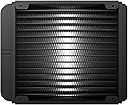
āļø Stay cool, stay ahead ā the Kraken X41 rules your rig silently and smartly.
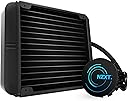
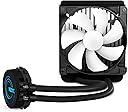
The NZXT Kraken X41 is a premium 140mm all-in-one liquid cooling system featuring a 24% larger radiator for superior heat dissipation, a near-silent variable speed pump, and advanced CAM software with mobile control. Compatible with a wide range of Intel and AMD sockets, it offers easy installation with extended tubing and sleeved cables. Backed by a 6-year warranty, it delivers reliable, quiet, and customizable cooling performance ideal for mid-level overclockers and professional builds.
| ASIN | B00L0YLK2M |
| Brand | NZXT |
| Color | Black |
| Compatible Devices | Desktop |
| Cooling Method | Water |
| Customer Reviews | 4.4 4.4 out of 5 stars (565) |
| Date First Available | June 16, 2014 |
| Global Trade Identification Number | 00815671011947 |
| Is Discontinued By Manufacturer | No |
| Item Dimensions LxWxH | 9.64 x 6.1 x 8.23 inches |
| Item Weight | 3.5 pounds |
| Item model number | RL-KRX41-01 |
| Manufacturer | NZXT - US PC |
| Material | cam |
| Maximum Rotational Speed | 1800 RPM |
| Noise Level | 37 Decibels |
| Power Connector Type | 4-Pin |
| Product Dimensions | 9.64 x 6.1 x 8.23 inches |
| UPC | 815671011947 012304352556 846829953789 |
| Voltage | 12 Volts |
Z**L
Best CPU Cooler I Have Ever Had!
This is hands down the best CPU cooler I have owned/used. I had an aging Corsair H80i before this. My idle temps ran just over 30c and my max temps when benching ran to about 85c (see specs below). I originally ordered a Swiftech H320 x2 direct from Swiftech, as I helped my brother build his new machine with one and liked it. After getting it I realized it would not fit in my case and am still fighting them to take the exchange/return and had to get my CC company involved. I will NEVER do business with Swiftech again. That is when I ordered the NZXT X61 and wish I did this long ago. The build quality is top notch, its near silent even at 100% fan speed, and temps are way down. It was reasonably priced and the software works wonderfully. My idle temps are now high 20's and max during bench dropped to 65c! (20c less). My major issues with the H80i was the noise and the glitchy software. At load it sounded like a jet taking off, to the point that on my phone sitting at my desk the person on the other line could hear it. The software would constantly lose the device settings (widgets) and show all 0's and I would need to delete those and set it up again every few weeks. It was overall clunky to use and always had issues keeping the RGB color and fan speed settings. The X61 is not noticeable to me under general use and gaming. At load its barely audible and leaps and bounds quieter than the H80i was. The CAM software is pretty awesome. It looks sharp and is intuitive and easy to use. Best of all I have had 0 issues with it working, keeping settings, etc. There is even a mobile (Android) app to remotely change the settings, which to me isnt a big deal but nice to have the option. Installation was relatively easy as I was able to do it myself. I used the pre-applied thermal paste and it seems to do well enough (I had some AS5 but didnt bother with it). My Build: -i7 4770k @ 4.4Ghz -Corsair Air 540 -Corsair RM650 PSU -Samsung Evo 850 500GB SSD -3TB Seagate 7200 HDD -MSI GTX 660ti 3GB (Likely get a GTX 1070 when price normalizes) Ive got the 3x Corsair 140mm case fans that came with the case. 2x in the front as intake, one at the back as out. X61 at the top with both fans as intake. I would highly recommend this to anyone looking for something quiet and capable without doing custom loop and looking for the aesthetic a water cooler provides vs air coolers.
S**H
Excellent Entry-level AIO cooler with great performance compared to stock coolers
So I bought this AIO cooler as gamble, as I was planning to mount it on a Dell motherboard which had fixed threaded backplate around the processor socket. Although this might not be very useful information, but if you plan to install this unit on a Dell T1700, Opliplex 9020 tower or a Dell T20, you are in luck, because the standoffs provided by NZXT thread in perfectly with the Dell Back plate! Also note, that if you're motherboard for some reason does not have a 3-pin CPU fan header (In my case Dell has a Proprietary 5-pin connector), have no fear, just connect the 3-pin plug into a Molex to 2-pin fan plug and connect the USB 2.0 internal connector to the USB 2.0 header. The reason why this works is, that the pump somehow either communicates with the NZXT CAM software or it has a built in temperature sensor or both, and the fan RPM and pump RPM are controlled just fine with the 2-pins. Even on 2-pins, you can use the CAM software and set the pump and fan to performance mode or silent mode. This is a very useful feature and the CAM software is extremely user friendly, has an optional on-screen display that will show CPU and GPU parameters while playing games. For the price, the product is very well built and has very good performance for the mild-mid level overclockers or for people who'd like a small form factor build, but dont have room for a large heat sink. I would not recommend this cooler for anything larger than 84Watt TDP rated processors, example a 4790k would work well with a mild overclock but nothing too crazy. Also, would not recommend this for X99 builds. The temperatures at stock speeds with a GTX 970 OC, Load test done with 15min Intel XTU stress test, Game test done with Tomb Raider 15min: Stock Cooler Idle: 40-45C Stock Cooler Load: 65-72C Stock Cooler Gaming (CPU medium Load): 65-70 (heat from the GPU would rise and heat up the heatsink) NZXT Idle: 30-32C (Coolant Temp 34-35C) NZXT Load: 45-50C (Coolant Temp 40-45C) NZXT Gaming: 45-50C (Coolant Temp 40-42C) Recommendation: If you happen to have an extra 120mm fan lying around or the motivation to buy one, I would definitely recommend a Push-Pull config with both fans pushing air out of the case. Conclusion: Excellent product and I urge NZXT to keep making such value for money components with the same great build quality and performance. I definitely recommend this product
M**E
Very Solid Cooler
I bought this radiator for my new build with the intent of overclocking my 6600k. I bought it with two thermaltake riing fans managed to fit it into a cuboid-G case. I included a part list at the end for those interested. I can honestly say I love this radiator. After looking at all the available options, I settled on this one due to the increased surface area of the 280mm radiator vs a 240mm, and the RGB pump. The radiator itself fit without much difficulty, which was surprising. I did replace the stock fans due to my color scheme, but they are definitely solid fans and they definitely do not need to be replaced. This cooler does a great job of keeping my CPU cool even under heavy load. I was able to overclock to 4.4 Ghz from the stock 3.5 and the kraken manages to keep the temp under 60 degrees even while running firestrike. By far my favorite part of this cooler, and the main reason I chose it over other coolers is the RGB pump. The cam software allows you to set the led to any color and even have it flash between two or three colors. It is truly gorgeous. I did not realize this, but the pump led does stay on when the computer is shut down and it even continues with your pattern. Now the only thing I don't like about this cooler is the cam software. When it works, its great, but occasionally it doesn't launch correctly and I have to end the process. My build overall is : -Asus Z170m-plus mobo -core i5 6600k -16GB DDR4 HyperX ram -CX500M PSU -MSI GTX 970 100me Overall, I would definitely say you should get the kraken x61 over any other similarly priced cooler. It looks great, installs easily and has a 6 year warranty, which is fantastic.
M**W
Installed this on a brand new build and 7 months later running perfect as expected. Lights are great and temps all ways good. Barely makes any noise. I'm running Intel I 7 6700k pushing 4.8 gigs .
C**N
The NZXT X61 performs just as well as it looks and it looks amazing. This cooler keeps my i7 6700k and around 30c or lower idle and I've never seen the temp. go over 65c under max load. It stays nice and quiet but it's a little pricey but you're getting what you pay for. CAM which is the software that controls it works great and I use it now to monitor my system. Pros: -Quiet -Stays Cool -Great Software -Looks Amazing Cons: -Expensive (But worth it) -LED Stays on When Off I honestly couldn't be any happier with my purchase and I would highly recommend this product. If you have any question before or after the purchase of this product feel free to e-mail me (e-mail in my profile). Please help me out by hitting Yes on the Was this review was helpful and check out the rest of my reviews on other tech-related products.
S**E
stock cooler is better than this stuff don't buy it it's a total waste of money. the fan speeds cannot be controlled
C**N
El paquete llego antes de lo esperado cuando lo vayan a comprar revisen que si quepa en su gabinete, el mio no aceptaba para tamaƱo de 140 lo tuve que adaptar por la parte de afuera en rendimiento es increible en mi i5-4670K en estado normal nunca sobrepasa los 25 y con prueba de intel burn test no subio de 40c
O**S
This works perfectly in my PC. Was a breeze to fit in and works extremely quietly. I've been running on a stock cooler for a while and have had a few issues with overheating. This has ended that. It keeps my CPU extremely cool (high 40s under load maximum). It also looks amazing in my opinion in my red and black build. The only issue is the white fan that comes with it. However, this is clearly shown in the pictures and has very good rubber grommets in the screw-holes to cut down on vibration sound. Overall, would definitely recommend to someone. It could be worth spending more money but this was definitely the best bang for my buck, visually and performance wise.
Trustpilot
2 weeks ago
1 week ago