Level Up Your Game! 🎮
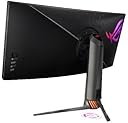
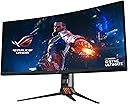
The ASUS ROG Swift PG35VQ is a 35” curved HDR gaming monitor that delivers an ultra-wide 3440 x 1440 resolution with a blazing 200Hz refresh rate and a rapid 2ms response time. Featuring NVIDIA G-SYNC Ultimate technology, it ensures smooth gameplay with vivid colors and deep contrasts. Equipped with ASUS Eye Care technology, this monitor minimizes eye fatigue, making it perfect for long gaming sessions. With multiple connectivity options and an ergonomic design, it’s the ultimate choice for gamers and professionals alike.


| ASIN | B07VTTZ4TD |
| Adaptive Sync | G-Sync |
| Additional Features | Blue Light Filter, Built-In Speakers, Curved, Flicker-Free, Height Adjustment |
| Aspect Ratio | 21:9 |
| Brand | ASUS |
| Brightness | 500 cd/m² |
| Color | Black |
| Color Gamut | 90 |
| Connectivity Technology | DisplayPort, HDMI, USB |
| Contrast Ratio | 1900-04-13T04:01:00.000Z |
| Customer Reviews | 4.1 out of 5 stars 111 Reviews |
| Display Resolution Maximum | 3440 x 1440 pixels |
| Display Technology | LCD |
| Display Type | LED |
| Global Trade Identification Number | 00889349929179 |
| Hardware Connectivity | DisplayPort, HDMI, USB, USB 3.0 |
| Image Contrast Ratio | 1900-04-13T04:01:00.000Z |
| Item Dimensions D x W x H | 17.68"D x 32.8"W x 12.05"H |
| Item Type Name | Asus ROG Swift PG35VQ 35” Curved HDR Gaming Monitor 200Hz (3440 X 1440) 2ms G-Sync Ultimate Eye Care DisplayPort HDMI USB Aura Sync HDR10 Displayhdr 1000 |
| Item Weight | 13.6 g |
| Manufacturer | ASUS |
| Model Name | PG35VQ |
| Model Number | PG35VQ |
| Mounting Type | Wall Mount |
| Native Resolution | 3440x1440 |
| Number of Component Outputs | 2 |
| Picture Quality Enhancement Technology | Quantum Dot, HDR, G-SYNC Ultimate |
| Pixel Pitch | 0.24 |
| Power Consumption | 66 watts |
| Processor Count | 4 |
| Refresh Rate | 200 hertz |
| Resolution | QHD Ultra Wide 1440p |
| Response Time | 2 milliseconds |
| Screen Finish | Curved |
| Screen Size | 35 inches |
| Screen Surface Description | Curved |
| Series Number | 35 |
| Specific Uses For Product | Business, Gaming, Personal |
| Total Number of HDMI Ports | 1 |
| Total USB 3.0 Ports | 1 |
| Total Usb Ports | 3 |
| UPC | 889349929179 |
| Unit Count | 1 Count |
| Viewing Angle | 178 degrees |
| Voltage | 100240 volts |
| Warranty Description | 3 Year Warranty with ARR |
B**F
Wow.. just wow.
So this display.. Hmm.. First of all it is expensive. Second of all... it's expensive. I think the draw back on this product the only draw back is the price... That is unless you can afford it or justify it. I bought this display for the only intention of gaming on my PC. I am completely blown away. The 21:9 aspect ration really wraps you up and sucks you into the game. Before this display I had an Aorus FI27Q-P. 27" Gsync compatible 165hz refresh rate and HDR. Great monitor. I paid $600.00 for it. Worth every penny. I have an enthusiast build PC that I custom built myself. So I thought I might as well have an enthusiast display, which is what the PG35VQ is. You don't need this to game, it just makes games that much better. When I first fired it up.. I thought the curved screen was something I wouldn't be able to get used to. I was wrong, after 10 minutes of gaming I had no idea the screen was curved. The way I have the display positioned on my desk, I do not have to turn my head to see the whole screen. If I had it closer I would. With my old display I never used HDR primarily because it made games better, but I would have to turn it off every time I was doing regular computer stuff, because it was horrible. I blame that on Windows 10, not the display. However, with the PG35VQ I turned HDR on in Windows and haven't turned it off. The HDR 1000 is absolutely amazing. The games look unreal, and doing regular tasks doesn't have the same look as it did on my Aorus. Either a Windows update fixed it... or it's just the high HDR of the display. I use the 200hz refresh, which is on Overclocked setting within the display, that you can only make use of if you are connected via display port. I use DP 1.4. I have zero issues with this display. Gsync Ultimate is noticeably better than Gsync Compatible, my opinion. Online gameplay is fast and on point. If you have three grand you don't know what to do with and you have a GPU that can be fully engaged with what this display can do, you might want to consider this monitor. I do not recommend this or any 21:9 display for watching movies.. YouTube is fine but watching a movie, just doesn't fit for me. That could just be me, but like I stated previously... I bought this for epic gaming, not movies. The only thing I would change about this display is the ROG logo on the top of the stand cannot be configured with AuraSync. The bottom projecting and backside can... but you're always going to have red on top. The Aura Sync is hit or miss... Sometimes it works.. then it stops for no apparent reason. I think that is a software problem.. not the display. If I go into the display settings on the monitor and set it just to a specific RGB color, it works every time. I have an electric blue theme, so the standard blue is a bit darker than I like. I do not regret this purchase. If you have the money and want to have the best.. this is your display. If you don't care about the semantics and just want something that gets the job done... save your money and buy something different.
U**E
Lasted two Months
The PG35VQ is an awesome gaming monitor. I loved the everything about it. The resolution, the refresh rate, the really cool gaming design. The HDR looks really good too. I was really happy with this monitor. I found though, that to make the HDR colors look right, you have to install the monitor's display drivers. Asus's website did not have a Windows 11 WHQL_Driver. They only have a Windows 10 WHQL_Driver which Windows 11 would not install because it's not digitally signed. So you have to use a work around to get it to install. After that the colors looked right and washed out. One day I came home from work and turned on the monitor. After about a few minutes the right side of the monitor went dim and started smoking out of the top of the monitor. I unplugged the monitor as fast as I could to get it to stop smoking. I called Asus for warranty and am waiting 24 to 48 hours for them to give me a resolution. They did not give me a RMA. I'm waiting 24 to 48 hours for a resolution. After just 2 months and for what this monitor cost, I think they should have given me a RMA right away. I'm hoping Asus does the right thing and replaces the monitor. If they give me any trouble about replacement, I'm done with Asus. I will never purchase another Asus product. This monitor cost to much to not RMA right away. Now I am left without. I have spent all this money on what I thought, was one of the best gaming monitors on the market. Now I have nothing to show for it but an emtpy wallet. I'm writing this review so other customers will know what to expect from Asus if they happen to get a monitor that goes defective only two months after purchase. This was the most money I've ever given for a monitor. I have owned countless monitors and have never had ANY of them burn up in smoke. I'll update this review with what Asus decides to do with such an expensive monitor purchase. Update: Asus did the right thing and refund my money back for the monitor. They would have exchanged it for another one but they were out of stock. So I took that money and added it with some more and purchased the expensive Asus ROG PG32UQX. Though this monitor cost more than the other, other than some light blooming when web browsing, has the best HDR I have ever seen. It is super awesome! 4k plus, HDR plus, 144Hz is the best experience you can get. I’ll admit, it was crazy money for a monitor but, I do not regret my purchase. I give it 5 stars because the light web browsing blooming didn’t bother me at all.
L**1
Great for games. Bad for content consumption. Would buy if you have money to burn.
Excellent size for gaming. Verry obvious bleed through light on dark backgrounds. In game you wont notice at all. Picture quality is better then previous ultrawides but still not there yet. 200 hz ultrawide works great.
K**Y
Apparently some [obscene amount of] money CAN buy a do-everything monitor...
So before I begin, I represent the unfortunate crossroads of that guy that wants a single monitor that does *everything* well. First of all, I game (quite a bit), and want a monitor that games well (low input lag, fast refresh, and hey, HDR would be nice these days). If it stopped there, I'd be in luck... there are *fantastic* gaming monitors these days, even huge curved ones, that are really reasonably priced! Sadly, the next bit is the wrench I like to throw... and super critical for my work. I also happen to be a professional photographer/artist/developer that demands color perfection for my graphics work. With this in mind, I switch between two systems (OSX for my normal work) and PC for pure gaming. This gives me a few key requirements: - easy input switching (I'll leave the PC on. DisplayPort and the Mac on HDMI) - no unbearable issues (e.g. backlight/IPS glow, black smearing, etc) - fast/responsive (less of an issue as I've always had slow monitors due to the color requirements) - easy to calibrate - more real estate than I previously had on my 27" Eizo CS2730 (really need the side-by-side space for graphics and programming) So with that in mind, I began the quest to upgrade my Eizo, which, while *fantastic* for color, was falling behind in terms of all the rest. Plus everything looked a bit... "flat". My first choice was the newly released 38" LG 38WN95C. It was a beast, an IPS panel (typically far better for color reproduction), and $1000 cheaper than this one. I got it in, set it up, and was immediately underwhelmed. The IPS glow was even worse than my Eizo (which I was also extremely frustrated with in this regard), to the point that I couldn't even take a phone snapshot of artwork on the screen (which I often to for BTS shots to Instagram). The bloom was simply way too bad for this! Secondly, the LG controls were *terrible*. A single joystick on the bottom was supposed to do everything, but in practice was really fumbly, slow to respond, and was no longer a simple process to switch inputs (nothing beats the double tap of a single button on the Eizo, to be fair). On top of this, the monitor would regularly "blink" during games, or cut out entirely. Simply not cool for a monitor that costs as much as it did. So what did I do? Sent it back immediately, and decided to throw even more money at the problem... with this unholy beast of monitor, the ASUS PG25VQ. While super-not-excited about the cost outlay, I figured it was worth the experiment, if nothing else... and if I wasn't happy, I'd return it too, and just wait it out with my trusty, but aging Eizo... Spoiler Alert: I may be keeping this one. So here it is... this will be a direct comparison of the 38" LG 38WN95C and the 35" ASUS PG35VQ. BLACK LEVEL/GLOW: ASUS wins handily. The IPS glow on the LG was extremely evident, especially in a dark room (which I'm usually in while working/gaming). The ASUS VA panel has blacks that truly disappear for an incredible experience. It's very close to the best of the HDR LED TVs I've been seeing lately... SIZE: Obviously the LG wins here. The extra 3" of diagonal was noticeable for sure, AND thanks to the lighter weight of the screen itself, and the better stand design (IMO), the LG was able to sit back further on my desk. It just felt great. SCREEN SURFACE: ASUS comes ahead again here, with a much better matte surface that seems to be a fair bit better at combating screen glare (I have a couple French doors directly behind me which is challenging for light glare/reflections). On top of that, and this one is a little hard to describe, but the ASUS image just appears painted on the surface of this matte screen, as opposed to the LG that almost seemed to have a slightly "recessed" image (think: early iPhones that had that thick glass layer above the actual pixels). The ASUS just looks better here, hands down. CONTROLS & OSD: ASUS wins again, easily. Their joystick is fast and fluid for navigating menus, compared to the spongy, clunky one on the LG. On top of that, the menus on the ASUS are just much easier to navigate, and much more intuitive. As a UI designer myself, there's no excuse for a crappy OSD on a monitor over $1500. INPUT SWITCHING: ASUS wins (the OSD and menu is just much faster to get to the input switching selection), but really neither are as fast as the Eizo. I really just want a single button somewhere that cycles the inputs. Ideally, with the ability to remove unused inputs via the OSD. I guess most people don't even have the need for multiple inputs? Dunno. HDR CONTENT: Both are way better than my non-HDR Eizo, but the ASUS wins again thanks to it's where-the-heck-did-my-screen-go black levels, and eye-scorching flashes possible with its backlight array (this was Full Array Local Dimming/FALD, but now called Variable Backlight in the OSD). All last night I was literally just pulling up HDR videos on YouTube and watching in awe. Plus a few HDR games I've tested so far (Ori, Shadow of the Tomb Raider, and Deep Rock Galactic) have looked absolutely stunning. I think HDR might be too distracting for competitive play (the flashes would actually "shock" your eyes in a not-helpful way), but looks stunning otherwise! CALIBRATION: To be frank, I never got that far, as I'm on a new M1 Mac Mini, and everyone's having trouble calibrating those at the moment (displays aren't being recognized by the calibration software in Big Sur right now)... so I had to pack my spectrometer up and wait a bit. I'm sure it would be fine in Windows, but I only use that for gaming, so I'll hold off for now unless desperate. I will say this though: From digging through the OSDs, I’m nervous about achieving proper calibration, period. The ASUS seems easier in this regard thank to the OSD not being complete trash, but they both appear to be very limited, and certain "visual modes" seem to lock/unlock certain features. For instance, in sRGB mode (which I would expect the most control on), there are zero color controls I can mess with. That would be fine, if there were at least a "Custom" mode that gave me full control. I'd use this to calibrate, and it would be my default for color work. Unfortunately it looks like I'll have to hijack one of the modes that allows for more control, like "Scenic" or something. PRICE: Let's be real... this monitor (PG25VQ) is stupidly expensive for a gaming-first monitor. I won't begin to argue that it's a great value, but it probably isn't - straight up. That said... I'd rather spend a grand more on this monitor than anything at all on the LG. It was just that disappointing (sleek ergonomics and screen size aside). If you don't mind IPS glow (and you should absolutely know what this is before you assume it's not a big deal), and you never intend to mess with the OSD/settings, maybe the LG is worth the price. Personally, I'd probably explore the cheaper monitors instead, as it's just a hard pill to swallow, spending $1500 on something that's not amazing. This $2500 monitor, on the other hand *does* appear to be amazing at least, so at least you feel like you're getting something incredible for the money... even if it's a pretty irrational figure to justify. Finally, I want to address a couple concerns that potential buyers of this panel may have: First of all, the variable backlight can be turned off completely (in about 3 seconds) for desktop work - this eliminates the concerns about glowing blobs around high contrast areas. In games/video, leave it on and set to "fast", as you'll never see it, but it will definitely help this monitor shine (pun intended). Secondly, as a longtime buyer of IPS panels (despite having a hate-hate relationship with IPS glow, I'd heard plenty of folks trashing VA panels for black "smearing". This is easily tested in any white-text-on-black-background scenario. Grab the window, and move it or scroll. In many VA panels, the text will fade to black until you stop moving it, then quickly brighten back up once you stop. It's really quite horrible. However, by setting the ASUS Overdrive (OD) to "Extreme", this completely goes away. I'd heard that this then introduces halos around items in movement, but I haven't noticed any (even while looking for them). I'll be leaving this on full time. UPDATE: I will not be leaving this on full time... in fact, haloing is a very real thing, and quite evident in games and videos. I leave Overdrive completely off now (or if anything would consider the lowest setting), UNLESS i'm looking at nothing but the dragging-windows-with-white-text-on-black-background scenario (at which point Overdrive Extreme would be the easy win). To wrap things up, if you happen to be in the market for a sick monitor that'll be pretty future proof for awhile... AND can afford this one, I can definitely recommend the PG35VQ. Skip the LG completely. I'll try to update this review once I actually make it through calibration, as I'll be holding onto the Eizo as a reference monitor to compare it to. Stay tuned! @kevinrwhitley @slickdotaf
S**T
Heavily over-engineered monitor shoots itself in the foot (and arrived with factory damage)
I received a damaged monitor, with the LCD sheet folded/crimped along the right edge, resulting in noticeable "burn" marks and light bleed. I returned the monitor on the basis of this damage alone. However, damage aside, I do not recommend the monitor based on it's performance. The primary benefit of a VA panel is the infinite contrast ratio afforded by the "true black" VA panels are able to achieve. However a key selling feature of this panel completely negates that benefit. LED zones designed to increase peak HDR brightness leak into dark areas of the screen nearby, lighting up the black areas with backlighting. This is a known limitation of VA panels with LED backlighting zones, but having experienced it first hand, I can't imagine why anyone would choose this combination. Further, and in my opinion worse, the LEDs are inconsistent on uniform color backgrounds. When looking at a uniform color, such as the background of the Steam storefront for example, the LEDs in some areas will light up but in other areas they will remain dark, regardless of their proximity to brighter content. This results in a very splotchy look whenever single, neutral-bright backgrounds are visible on screen. If you move the window around, the LEDs will flicker on and off as they get closer to brighter areas. The same is true when scrolling content on such backgrounds. You'll probably also notice the lighting zones turning on and off while gaming, which is a presumably livable situation if you really want bright HDR, but again I can't imagine sacrificing color accuracy, contrast, and having the monitor accurately display the content without apparent splotchiness, for this one benefit. It is hands down the worst experience I've had with any monitor since the early days of LCDs. It's worth pointing out that the LED zone backlighting can be turned off. It's also worth pointing out that until recently this was a $1600 monitor, with HDR depending on that LED lighting being a main selling point.
B**T
This bozo likes the monitor.
I’m not sure if I’m qualified to review this monitor. The problem I have is lack of experience. The people that are writing reviews on this monitor on Amazon and other places must have a ton of money so that they can do comparisons between all the different monitors and tell you why this one sucks. What I mean by that is that I’m coming from a Dell U3415W monitor. In terms of resolution and physical size, they’re about the same. The only difference is the technology. My Dell U3415W is only a 60Hz monitor and obviously no HDR or any of that fancy stuff. I’m what you would call a VERY casual gamer. I don’t play very many games, but the one game I do play is Doom 2016. I love that game and I bought this monitor because I read that Doom Eternal will have full HDR support. What made me buy this monitor was that they released a news article that said id lead programmer said Doom Eternal looks incredible in HDR. There you have it, I bought a $2.5k monitor to play Doom Eternal with (hopefully) 200 FPS. Everything has its little quirks to it. For example, on the Asus PG35VQ I think I’ve found that I like writing in Word, Excel, Linux ssh, power shell, with HDR off. The text is easier to read with it off. The lack of experience with monitors makes me uncertain if I should be complaining about Microsoft or Asus, or if that’s just the nature of the technology. How I work around this is I just turn HDR on when I want to watch an HDR YouTube video or play a game. I then turn HDR off for writing text. I can sit here and nitpick about every little thing on this monitor of why it isn’t perfect, but then again, all of my LCD monitors had some non-perfection to them. If you want a perfect monitor in every way, go put a 35” CRT on your desk, oh yeah, good luck lifting it. I bought this monitor because I want to play Doom Eternal at 200 FPS with HDR on. When I’m not playing it I want a monitor that is decent enough to office tasks. This monitor is stunning in HDR and it plays Doom 2016 at 200 FPS, so it does what I want it to do. I'm hoping my video card can do Doom Eternal at 200 FPS too. If not, Nvidia better release faster video cards so I can. :) On to things like FALD blooming, after watching some reviews I was pretty sure that this would bother me, but it really hasn’t. I spent several hours trying to make my monitor do the FALD blooming and I couldn’t see it. Where I found that it’s noticeable is a gray background vs a black back. If your background has other colors, like white, I don’t notice it at all. The majority of the stuff I work on has a white background. For Example, Word, Excel, notepad, all-white backgrounds. My xTerms are black, but my mouse cursor is so small I hardly notice the blooming. I like the monitor so it gets all the stars. If I had lower-end models to compare this to I would, but I went straight from a 60Hz monitor to this and it does what I want it to do. The problem with monitors is that it's so subjective from what you had before and what you have access to for comparison. In the end, you're listening to some bozo give his opinion on a monitor and everyone's eyes and experiences are different.
D**2
PG35VQ Comments
The Asus PG35VQ is one of those monitors that you need to see in person to truly be able to appreciate. The colors are notably better than most other gaming monitors and the HDR is near QLED good. Blacks are true in HDR games too. Excellent panel. Mine was built in March 2020 and I do not see any flickering. No dead pixels found either. Fan is also quiet. The only cons I see is the halo effect on the desktop around the mouse pointer when the FALD is enabled. When it is off. the halo is gone but the black levels then look like any other panel. Also, know that with FALD (Variable Backlight in the menu) off, there is apparent backlight bleed. With FALD on, it is 100% gone.
B**U
Gaming paradise!
EDIT: bumping this down to 2 stars. There were flickering issues in some games. ASUS apparently fixed the flickering issue with a firmware update. I installed the firmware update, which fixed the issue, BUT introduced two new problems. First problem is, 200hz is no longer an option. Nothing happens when I adjust it using the onscreen display, and the max refresh rate I can adjust in Nvidia's control panel is 180 hz. The second issue is, the firmware update seems like it recalibrated the monitor such that it's overly bright and/or the contrast is too low. It's a bit difficult to explain, but it seems like the firmware upgrade did something to permanently alter the display's calibration, almost as if there's a permanent brightness filter on top that I can't adjust. No amount of adjusting brightness/contrast using the on screen display fixes the brightness, nor does adjusting it using Nvidia's control panel work. The screen should NOT be brighter than the IPS panel that I have next to it, nor should the blacks look like gray. Did not have the color / brightness issue before the firmware update I'm currently corresponding with ASUS via email to work on the issue. Will update this review if it is resolved. In the mean time, this is very disappointing to be experiencing, considering the $2500 price tag this display commands Original review: WOOOO!! Hot damn, this is expensive, but so worth it for me. Ultrawide is my preferred form factor when it comes to gaming because I feel it makes everything so much more immersive. This is the ultimate gaming display hands down. 3440x1440p isn't 4k, but its a step up above the other resolutions, and I still get high FPS with my gaming rig since it's not as compute intensive as 4kl. HDR 1000 makes supported games POP! Add onto that 200hz refresh rate and you have a buttery smooth, visually smooth, and eye-searing gaming experience. Color reproduction is still great for a VA panel, and contrast is spectacular.
B**N
Excellent monitor
I've had this since November 2019 now, and I'm absolutely satisfied with this monitor. It's expensive, but well worth the money. Definitely planning to hold onto this monitor for a few years, and take advantage of higher frame-rates as graphics cards improve. The HDR support is top-notch on games that support it. Sea of Thieves and Destiny 2, in particular, look mind-blowing with HDR turned on. Once you've seen a game in HDR on a monitor with HDR1000, it's very, very hard to go back. The higher refresh rates really do make a difference, and I've personally noticed a big improvement in my scores in FPS games just due to the improved responsiveness over my old 60Hz panel. I'll certainly be interested to see how close the 30 series cards can get to the max limit of the display in modern games. Note: I noticed that one of the other reviewers mentioned 4K and 120Hz/144Hz, I think they might be talking about the PG27UQ. This monitor isn't full 4K (it has the horizontal resolution of 4K, but a vertical resolution of 1440), but it can go as high as 200Hz if you turn on the overclocking setting (easy to do, it's literally the first menu option in the on screen display). With the overclock turned off, the max refresh rate is 180Hz. Personally I just run with the overclock on all the time. You will probably want to update the firmware, assuming the newer batches don't come with it out of the box, because there is a small issue with flickering in some games when certain patterns are on screen. Personally I haven't had too many problems with this issue myself, but I noticed some minor flickering in PUBG and COD Warzone, in outdoor areas. The firmware update completely addresses this issue. Some people online complain about the glow around your mouse pointer when the screen is very dark, which I believe is due to the way the local-dimming technology works (the screen is split into zones that can have different levels of brightness). Personally I think this is overblown, as you will never see this in the vast majority of games (you might be able see it in strategy games, maybe?). I occasionally notice it when using applications that have a dark theme, like Visual Studio, but the effect is very minor. I believe you can turn off local dimming in the settings, if it really bothers you. There is a fan in the monitor, but I haven't had any issues with fan-noise so far, I literally can't hear the monitor at all over the fans in my PC case.
C**N
Excelente panel VA
Tengo diferentes monitores IPS y VA y siempre los monitores IPS se veían mejor, hasta que compré este monitor, me sorprendío la calidad del panel VA, en los juegos que lo probé su black smearing es casi imperceptible, tiene casi la solidez del color de un IPS pero con alto contraste y sin el molesto IPS glow de las orillas, los paneles VA de otros monitores que he probado, como el del samsung G9 Odyssey se ven bastente peor, no se como describirlo, como que el panel del G9 se ve mas como los otros paneles VA que he visto normalmente, con mas color shift, no tan sólido como un IPS o el VA de este PG35VQ y además el G9 no es flicker free y usa el molesto PWM en su backlight que cansa y daña los ojos, otra de las ventajas por el cuál me decidí por este Asus, que si es flicker free, excelente calidad de imagen SDR y HDR sorprendente y su ventilador muy silencioso, no se escucha casi nada.
J**Z
Best Hdr monitor!
Coming from the asus pg34q, this is a nice upgrade. I'm glad i didn't buy new at 3500 in 2019 but for 2500 in 2021 i feel that its worth it. I was in-between this monitor and the lg 38 950b. I've always had asus monitors and wanted gsync ultimate. Which lg was gsync compatible. And in my experience i prefer real gsync monitor for gaming. For hdr gaming or sdr its great picture and closest thing to oled for hdr. For games that dont support hdr, windows has auto hdr function. Which helps make supported games look better. I am very happy with this purchase. If haloing around mouse cursor bothers you, turn off the fald. I only notice it when in windows on high contrast backgrounds. Not in gaming. Its doesn't bother me as this monitor is used mainly gaming. Im using a ftw3 2080ti with a 9900k and depending on what games i play on ultra i get 80-160fps in games. ITs nice knowing i can turn settings down and run the monitor at 200hrz. If you go above 144 you have to go to 8bit color from 10bit. But i don't notice any difference from 10-8bit. 3440p ultra wide is amazing experience. I thought about 4k monitor but with my setup would struggle to get 60fps.
S**R
Decent Monitor
Excellent blacks, and good picture quality. Very noticeable VA black smearing since this is now quite an old panel. Fans on the monitor are quite loud. If you're in a quiet environment like me, look elsewhere if you hate your monitor being noisy
A**R
Don't waist your money
horrible monitor if you don't do HDR only games. Normal play colors are really bad spent hours comparing to my allienware. Didn't even come close. As well you have to be dead straight in the middle. You move your head colors wash out pretty bad. Had multiple people look at this monitors side by side this one lost every time.
Trustpilot
1 month ago
5 days ago