💼 Your Mac’s best travel companion for secure, stylish storage.
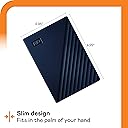
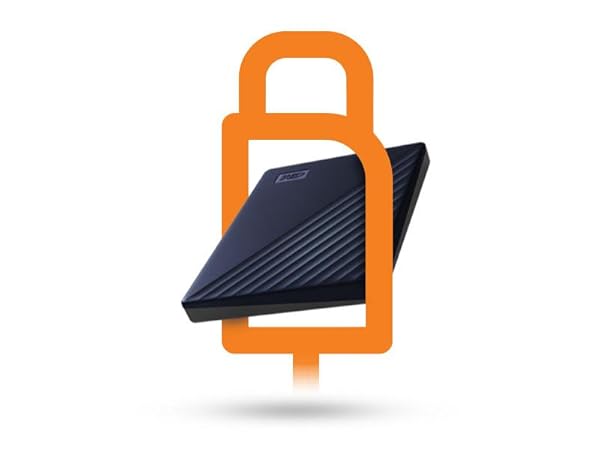
The WD 5TB My Passport for Mac is a portable external hard drive designed specifically for Mac users, featuring a sleek navy metal design, USB 3.1 compatibility, and plug-and-play functionality with Time Machine. It offers massive 5TB storage capacity, hardware encryption, and included backup software with ransomware protection, making it the ultimate secure and stylish solution for professionals needing reliable, on-the-go data management.


| ASIN | B07VX8HHFK |
| Additional Features | Hardware Encryption, Portable |
| Best Sellers Rank | #4 in External Hard Drives |
| Brand | WD |
| Built-In Media | My Passport for Mac portable hard drive, Software[2] for device management and backup with password protection, Quick install guide, SuperSpeed USB-A cable (5Gbps), USB-A to USB-C adapter |
| Cache Memory Installed Size | 5 |
| Color | Navy |
| Compatible Devices | Desktop, Laptop |
| Connectivity Technology | USB |
| Customer Package Type | Standard Packaging |
| Customer Reviews | 4.4 out of 5 stars 14,941 Reviews |
| Data Transfer Rate | 1 Megabytes Per Second |
| Digital Storage Capacity | 5 TB |
| Enclosure Material | Metal |
| Form Factor | 2.5-inch |
| Global Trade Identification Number | 00718037871776 |
| Hard Disk Description | Mechanical Hard Disk |
| Hard Disk Form Factor | 2.5 Inches |
| Hard Disk Interface | USB 3.2 |
| Hard Disk Rotational Speed | 5 |
| Hard-Drive Size | 5 TB |
| Hardware Connectivity | USB 3.0, USB 3.2 Gen 1 |
| Installation Type | External Hard Drive |
| Item Dimensions L x W x Thickness | 4.22"L x 2.95"W x 0.75"Th |
| Item Weight | 7.4 Ounces |
| Manufacturer | Western Digital Technologies, Inc. |
| Model Name | My Passport for Mac |
| Model Number | WDBA2F0050BBL-WESN |
| Number of Items | 1 |
| Read Speed | 130 Megabytes Per Second |
| Special Feature | Hardware Encryption , Portable |
| Specific Uses For Product | business, personal |
| UPC | 718037871776 |
| Unit Count | 1.0 Count |
| Warranty Description | 3-year manufacturer's limited warranty |
M**A
good external drive for backups or portability
I've had this now maybe over a year, no issues great external drive that I use to backup my laptop. WD has always been reliable for me
B**S
Works right out the box and that is Amazing! It stopped working I ordered a replacement!
Update: It stopped working and I ordered a replacement because I love it! First, let me say I love my MacBook Pro and it is my baby. Everything I hook up to has to be an item that I trust. I have completed a lot of research on external hard drives. The majority of them have to be formatted to even work with the MacBook. This WD 2TB My Passport for Mac Portable External Hard Drive does not need to be formatted. Also, I do not need an adapter for it to fit. This is specially designed for Mac and Time Machine and USB-C and USB-A compatible and Password protected. It is just so easy to use. It works straight out of the box. I use it to import and export movies. Also to store photos from my computer in order not to use up my storage or in case something happens to my computer. It is also small for me to carry on the go easily. This works so easily and I am happy I did not have to set up anything else to make it work.
C**Y
Great Product
I really like Western Digital hard drives. I have a couple of these external drives that I use for backing up our computers, and have never had an issue with either. These are high quality products. Easy to set up, although it would be nice if step-by-step instructions were included. That being said, I was able to figure it out. The backup capability is exactly what I needed.
K**B
Great general use drive - portable and reliable - maybe a tad bit slower than I'd like
Inexpensive backup! I typically use a combination of hard drives for my photography backups. For important stuff like weddings, I only use solid state drives, but for my everyday photos like kids sports or travel, I don't mind using a mechanical drive. The thing I consider when buying one of these is the price per GB. I use a high-resolution 61 MP camera and usually keep both RAW and JPG copies. My RAW files can be 80GB per image or higher, so I fill these up fast. This is a great alternative option to buying SSDs which are currently double the price. This is my second one from WD and I'm pleased with the size and stability of the drive. It's just a bit thicker than my SSDs but still easily portable for when I'm on the road. The drive runs extremely quiet too and I don't notice a lot of heat when I'm using it. Connection is simple, just plug and play for Window or Mac. The speed isn't great. Obviously, no challenge to a SSD which is lightning fast for me, but I think the speed on this could be a bit faster. Granted, my files are big and 5TB allows for a lot of folders and files, but I feel like it drags a little bit when I open my Finder. I'm using this on a Mac Studio M2. I haven't had any issues with WD drives failing in the past, so I do trust that this will last quite a while. As I mentioned before, I wouldn't put critical files on it unless I had another backup copy somewhere. But for general use, portability, and storage amount, this works great. I never use the software that comes preloaded on the drives, so I can't speak to that. I've heard that it's no good anyway, but it's basically not an issue. I typically delete anything pre-loaded anyway.
C**Y
135MB Read / 126MB Writes
Speed is good for spinning platters.
E**P
DO NOT TRUST THIS PRODUCT WITH YOUR DATA!
This external hard drive got corrupted after only two months of use. I have lost over 12,000 photos as well as other personal files. I have worked with a data recovery service who said "that when they ran the data recovery tools there were too many failed sectors to continue the recovery. Also that the HD has weak read/write heads, which require replacing parts from a donor drive". The data recovery would cost me $975 which I cannot do. I could not return through Amazon because it is past the 30 days. I called Western Digital and they told me I could get a replacement. They also referred me to their customer "Community" which I went to, and found that the majority of the community is totally dissatisfied with this product. I therefore asked if I could pay for some kind of data recovery warranty on the replacement drive and they said they don't have that. Since I DO NOT trust this product I then asked for a refund, which they have refused. I have also gone back out to Amazon to intercede about the refund. Oh, and may I add that it has been 3 weeks and I still haven't gotten the return label from WD. Terrible customer service and website!!!!! DO NOT BUY THIS PRODUCT.
D**A
i love this
I love this passport
R**E
works seamlessly with macOs Sierra 10.12.6
I see lots of controversy over which Mac operating systems this external hard drive works with. I just bought the drive (Western Digital WD 2TB My Passport for Mac, Portable External Hard Drive with backup software) and it worked instantly and seamlessly with my late 2015 iMac i7 27" currently with the older macOs Sierra 10.12.6 I'm about to upgrade my Os, which I always hate doing to be honest, and needed another hard drive to back up a terrabyte of data onto, and use as new Time Machine designated hard drive for continual back-ups. NOTICE: It will hook up to your computer with EITHER USB-1 or the newer oval USB-C: If you use, like on my older iMac the now classic USB-1 (rectangular looking thingie) connector, then when you unbox this hard drive, you might see the newer elongated oval USB-C connector as what you need to plug into your computer. This can cause a moment's alarm, but look closer and you'll notice that that connector on the included cable is actually a usb-c connector (wide rectangular thing) but snug attached to an included adapter with the usb-c (wide oval thingie). So just pull the adapter off and you have, voila!, the old USB-1 or whatever. Then plug in and select it's icon when it appears in whatever spot appears on your screen or in your Finder function, double click on it, and you will be asked (even with the Mac-Designated hard drive) to click on Mac, or to simply NOT click on the option to have reformatted for PC. Follow the instructions to upload and then install it, and then it's all systems go. I immediately designated it as my Time Machine linked function on my iMac and had it immediately back up almost as entire Terrabyte. It gave time estimate of 4 hours, and it took about that much time. So I am very happy. I got the 2 terrabyte unit, so I think I will be able to use it both in link with my Time Machine Continuous backup function, and also for simple dragging and dropping to store files. Anyway, i just started with this last night, and I will give updates if i have problems. Currently I'm very happy with it. excuse any typos. don't have time to edit right now.
Trustpilot
3 weeks ago
4 days ago