Desertcart purchases this item on your behalf and handles shipping, customs, and support to Croatia.
๐ Bridge the tech gap in style โ connect, display, and impress!
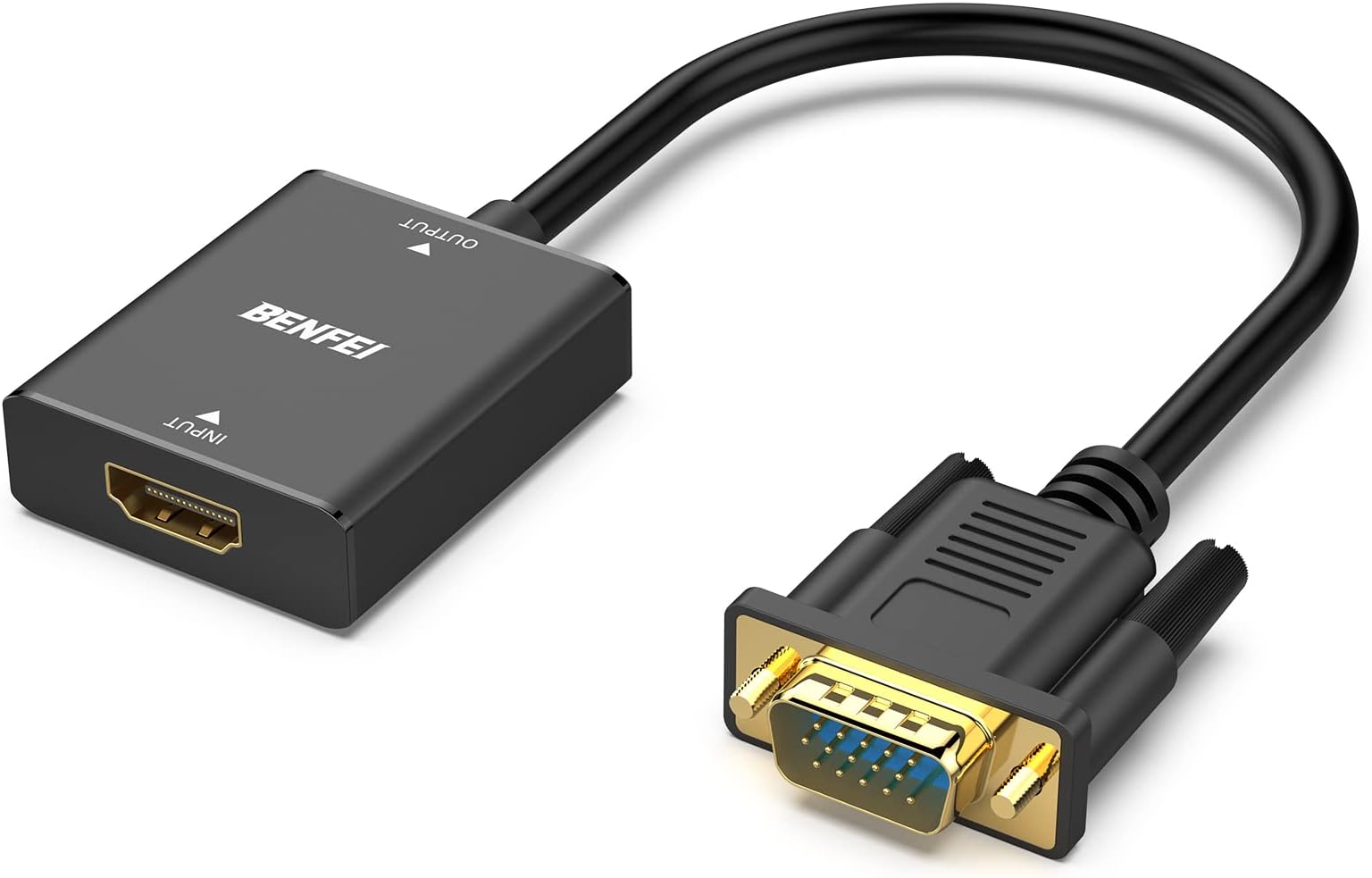
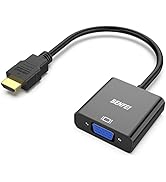
The BENFEI HDMI to VGA Adapter is a sleek, high-performance converter designed to connect HDMI-enabled devices to VGA monitors or projectors. Featuring full HD 1080p support, a 3.5mm audio jack for sound transmission, and gold-plated connectors for enhanced durability and signal quality, this adapter ensures seamless compatibility with a broad range of devices including laptops, TV sticks, Raspberry Pi, and gaming consoles. Its plug-and-play design and robust build make it an essential tool for professionals bridging modern and legacy tech setups.


| ASIN | B07XZ22KCD |
| Best Sellers Rank | 1,126 in Computers & Accessories ( See Top 100 in Computers & Accessories ) 2 in HDMI to VGA Adapters |
| Brand | BENFEI |
| Brand Name | BENFEI |
| Colour | Black |
| Compatible Devices | ['Projector', 'Monitor'] |
| Compatible devices | ['Projector', 'Monitor'] |
| Connector Type | ['VGA']" or "['HDMI'] |
| Connector type | ['VGA']" or "['HDMI'] |
| Country of Origin | China |
| Current Rating | 1 Amps |
| Customer Reviews | 4.3 out of 5 stars 16,358 Reviews |
| External Testing Certification | 177202201739 |
| Input Voltage | 5 Volts |
| Item Dimensions | 10 x 10 x 10 millimetres |
| Item Weight | 0.09 Kilograms |
| Item dimensions L x W x H | 10 x 10 x 10 millimetres |
| Manufacturer | BENFEI |
| Manufacturer Part Number | 000272black |
| Model Number | 000272black |
| Nominal Power | 5 Watts |
| Number of Items | 1 |
| Number of Ports | 1 |
| Package Quantity | 1 |
| Power Plug Type | No Plug |
| Product Finish Type | Gold |
| Specific Uses For Product | Monitor,Projector,Tv |
| Specific uses for product | Monitor,Projector,Tv |
| Unit Count | 1.0 count |
| Warranty Type | Limited |
A**R
Excellent VGA --> HDMI Adapter
Firstly, look at the order of the ports in the name. This takes VGA output, combines it with power from a USB port, and outputs an HDMI that works with most modern monitors. You need a spare USB port for it, and it only works one way. It's reliable and durable. I've had 2 running for over 3 years without any problems. You'll probably want to get a longer cable to run from the adapter to the monitor as the cables for the adapter inputs are quite short. It's all black, so even though mostly you won't see it because it's behind your PC, it will blend in nicely with the rest of your black cables! Good value
B**Y
valuable piece of kit for those that have older desktop towers, with new monitors
The BENFEI VGA to HDMI Adapter is a practical and efficient solution for converting VGA signals from computers or laptops to HDMI output with 1080P resolution. It supports audio transmission, which is a valuable feature since VGA alone doesnโt carry sound. The adapter is easy to set up with a plug-and-play design, making it convenient for users needing to connect older devices to modern displays or TVs. Its compact and durable build adds to its portability and longevity. Overall, the BENFEI VGA to HDMI Adapter offers reliable performance and good value for anyone looking to bridge the gap between VGA and HDMI technology.
R**E
Works well for connecting my old PC via a KVM switch
I bought a new PC but wanted to keep my old PC as a spare so bought a KVM switch to connect both my old and my new PC to the same VDU. My old PC has an old-style video output whereas the KVM switch has a new styles video input so I bought this device to connect my old PC to my new KVM switch. So far, it has worked flawlessly and as it has a good solid feel about it, I am hopeful that it will just go on working quietly in the background. It seems slightly over-priced but getting next day delivery from Amazon probably justifies the price. The only reason I marked it down one star is that when I came to write this review, I found that Amazon had dropped the price of the device under a special 'deal'. This irritated me so I docked one-star from my review. Not really fair as the product itself seems excellent but then we are all human and I really don't like the way Amazon plays tricks with pricing.
G**T
Works as it's intended
Can work with standard 10 watts of USB 2.0 ports without needing any power adapter. Can transfer the HDMI signal without hassles up to 100 meters. A good signal extender for Channel Zero output of your NVRs.
R**D
Brilliant!!
Excellent. Video and audio quality are excellent.
I**S
Enabled me to see my Old Windows XP PC on a TV Screen
If you have an old style PC or laptop with a VGA output this product enables you to view what's on your PC or laptop on a Seperate monitor or on a smart TV. Simply connect the VGA end of the cable to the VGA output of your PC or laptop and the HDMI output end to an HDMI cable. Then connect the HDMI cable to an HDMI input on your TV or Monitor. Important points to note 1. The item requires power otherwise it will not work. To enable you to power the item up it has a USB cable. You need to plug the USB cable in to a USB socket on your PC or laptop. 2. The item will not work in reverse so you cannot use the unit to connect an HDMI output to a VGA input of a Monitor. The item is specifically intended to send the VGA signal from a PC or laptop to a Monitor or TV that has an HDMI input. 3. Some PCs have extra long bolts to enable you to bolt the VGA end of the cable on to the VGA output. If your computer has these longer type bolts on the existing VGA cable then you will need to remove them from the cable first and screw them on to this item to enable you to attach the cable to the VGA output of your PC. If you do not do this the bolts that come supplied with this item will not be long enough to enable you to attach the cable to the VGA output. I'm not sure if all VGA outputs have these longer type bolts but my old Phillips Windows XP PC certainly did. The product worked well. See attached video that shows the product in use. I've also provided a photo that shows how the bolts on my PC were longer than the ones that come with the item and so for that reason that's why I had to unscrew the bolts from the old blue cable and screw them on to this product. I hope this information helps. The video shows how I was able to project the interface of a music creation programme called Cubase that's on my PC on to my TV screen making it larger and easier to see than would have been the case on my regular smaller sized monitor.
R**D
Doesn't work for bios and text mode screens
Worse than useless. Will show a graphical post screen but can't display bios, netboot, disk controller, grub or other important screens. I got the ILO working so I know they are there, but as this only any use when the system is fully operational and presents a gui it can easily lead to incorrect diagnoses when this is not the case.
J**B
Good for reviving old hardware
Needed this to connect an eee pc to a modern monitor and it works without any additional drivers. The extra USB connector for power delivery is quite annoying, but I think this is unavoidable due to how VGA works vs HDMI. Be very careful that what you're buying is for the right purpose. This cable is for connecting a VGA computer to a HDMI monitor, but a cheaper one will suffice if you want to connect a modern computer to an old monitor. The direction matters.
A**.
Worked to connect an older Win XP computer to a new 42"+ smart TV being used as a monitor.
Easy connection. Not a super long cable, but it was sufficient for my purpose. Was replacing a smaller monitor on a wall mount with a much larger flat panel smart TV. Didn't care about the smart part, just needed big, light, cheapish. This inexpensive adapter allowed me to connect the new screen to a Windows XP desktop PC that only had VGA output. In this case the USB port I used on the computer was sufficient to power the adapter. Outputting 1920x1080 nice and clear. It did NOT auto-recognize the resolution, but I was able to manually change it. This is likely a limitation of the computer, but don't assume it isn't working if the resolution isn't right- try adjusting it. The previous monitor (which was slightly larger and a lot wider than the original) was displaying with black bars on the sides because the one who installed it didn't know to (or maybe know how to) change it in Windows. Either way, this helped make my customer happy and got a huge screen working on her giant quilting machine.
P**A
Muito bom!
Muito bom. Veio bem embalado.
P**Y
Bon produit
Fait le travail correctement.
S**M
Nice
Perfect
M**D
Works with KVM Switches as well.
Trustpilot
1 month ago
3 weeks ago