Desertcart purchases this item on your behalf and handles shipping, customs, and support to Croatia.
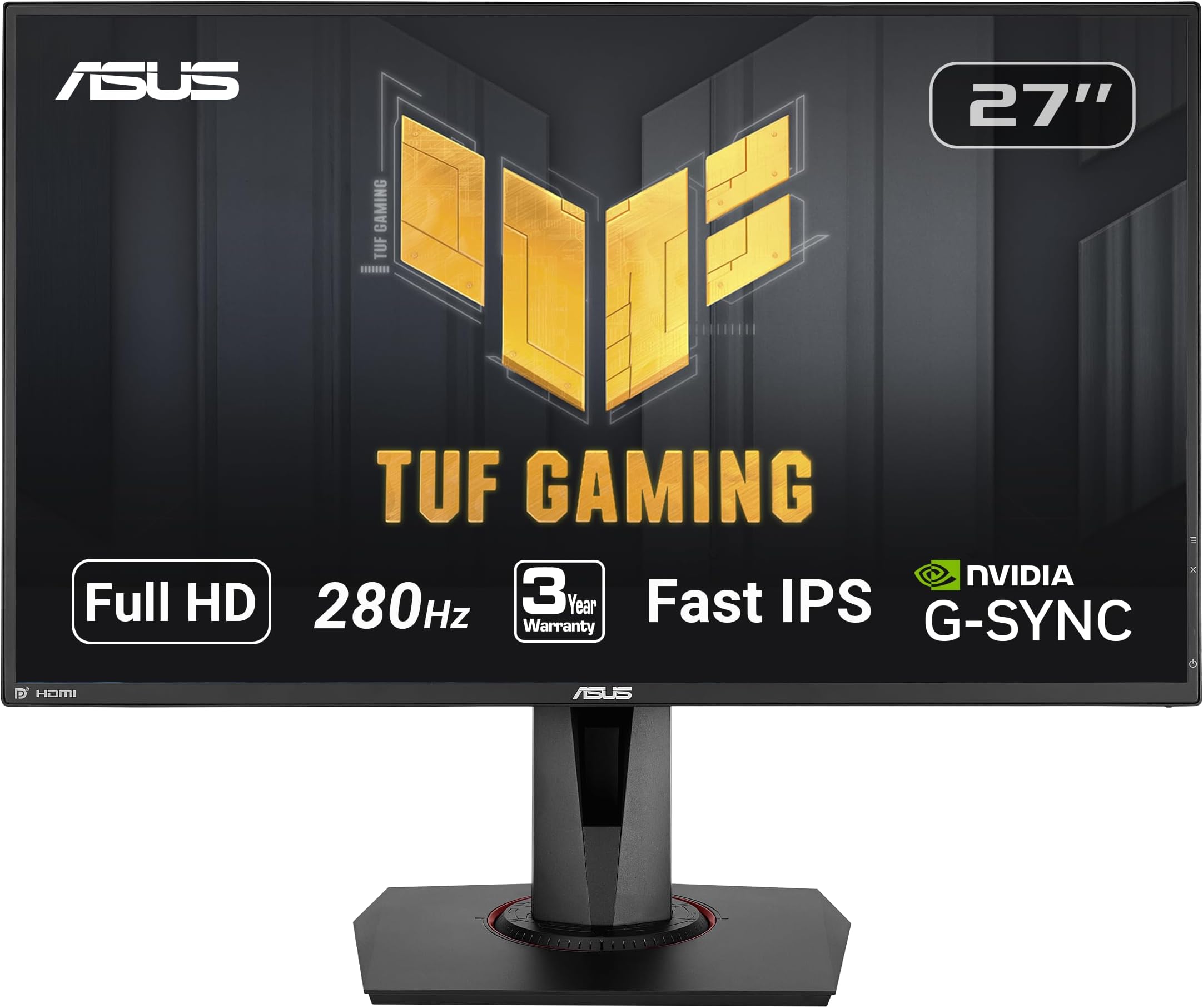
⚡ Dominate Every Frame with ASUS TUF VG279QM – Speed Meets Stunning Clarity!
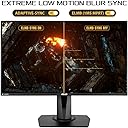
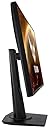
The ASUS TUF Gaming VG279QM is a 27-inch Full HD (1920x1080) Fast IPS monitor designed for professional gamers and enthusiasts. It boasts an overclocked 280Hz refresh rate and 1ms response time for ultra-smooth gameplay. Certified G-SYNC Compatible and featuring ASUS ELMB Sync technology, it eliminates tearing and motion blur. With DisplayHDR 400 certification, it delivers vibrant colors and enhanced contrast. The monitor includes ergonomic adjustments, multiple connectivity options, and eye-care features, making it a top-tier choice for high-performance gaming and immersive visuals.


| ASIN | B0845QFDVM |
| Adaptive Sync | G-Sync |
| Additional Features | Blue Light Filter, Built-In Speakers, Flicker-Free, Height Adjustment, Tilt Adjustment |
| Aspect Ratio | 16:9 |
| Best Sellers Rank | #14,252 in Electronics ( See Top 100 in Electronics ) #452 in Computer Monitors |
| Brand | ASUS |
| Brightness | 400 |
| Color | BLACK |
| Color Gamut | 99 |
| Compatible Devices | NVIDIA G-SYNC compatible devices |
| Connectivity Technology | wired |
| Contrast Ratio | 1,000:1 |
| Customer Reviews | 4.6 out of 5 stars 2,130 Reviews |
| Display Resolution Maximum | 1920 x 1080 |
| Display Technology | IPS |
| Display Type | IPS |
| Hardware Connectivity | DisplayPort, HDMI |
| Image Contrast Ratio | 1,000:1 |
| Included Components | 1 x DisplayPort 1. 2, 2 x HDMI(v2. 0) |
| Item Dimensions D x W x H | 8.32"D x 24.39"W x 14.83"H |
| Item Type Name | ASUS TUF Gaming VG279QM 27” HDR Monitor, 1080P Full HD (1920 x 1080), Fast IPS, 280Hz, G-SYNC Compatible, Extreme Low Motion Blur Sync (ELMB SYNC), 1ms, DisplayHDR™ 400, Eye Care, DisplayPort Dual HDMI |
| Item Weight | 12.3 pounds |
| Manufacturer | ASUS |
| Model Name | VG279QM |
| Model Number | VG279QM |
| Mounting Type | Wall Mount |
| Native Resolution | 1920x1080 |
| Number of Component Outputs | 2 |
| Picture Quality Enhancement Technology | TÜV Flicker-free TÜV Low Blue Light VESA DisplayHDR 400 G-SYNC Compatible |
| Power Consumption | 26 watts |
| Refresh Rate | 280 hertz |
| Resolution | FHD 1080p |
| Response Time | 1 milliseconds |
| Screen Finish | Matte |
| Screen Size | 27 inches |
| Screen Surface Description | Matte |
| Shape | rectangular prism |
| Specific Uses For Product | Gaming |
| Total Number of HDMI Ports | 2 |
| Total USB 3.0 Ports | 2 |
| Total Usb Ports | 4 |
| UPC | 192876505939 |
| Viewing Angle | 178 degrees |
| Voltage | 12 volts |
| Warranty Description | 3 Year Warranty with ARR |
| Warranty Type | 3 Year Manufacturer Warranty |
L**A
The BEST 1080p monitor I've ever used.
I paid $300 for this thing in January 2024, it is now July 2025 and it's now $200 dollars on sale. Please, do yourself a favor and grab this asap. It is an absolute steal for this monitor, let me tell you why. I usually don't write reviews, like ever.... but I just wanted to take a quick moment to say that I have used many different monitors in the past, ranging from a SceptreY40, Acer Predator Z35, also Z35p (1440p variant), a Samsung G65b, an Aorus FV43U, and a recent 1440p KTC monitor, and despite all those I found myself going right back to the ASUS TUF Gaming VG279QM 27” 1080p. YES, it is that good! I can't believe that a small 27" 1080p screen outshines those other ones. Where it lacks in size and pixels, it makes up for it with great colors, outstanding speed and motion clarity, with 280hz refresh rate. It's so fast and smooth it makes you feel like you have super human precision when playing FPS games, or any game for that matter. There is almost absolutely no ghosting at all (I never noticed any), no overshoot issues, etc. I mean this thing just feels crazy fast, and the HDR400 on this thing, while being entry level HDR, looks outstanding imo. As a matter of fact it almost looks as good as the HDR600 from the Samsung G65b and that thing gets really bright. It's also very colorful. I like to turn the HDR on, bump up SDR content brightness settings level in System > Display > HDR, and then I open Nvidia control panel and bump up digital vibrance to about 55% and the color on it looks immaculate (at least to me). And I expected nothing less considering it's a fast IPS display, so it makes sense. But yeah this monitor is way better than I expected, even other monitors of high resolution and bigger size can't compete with this little monster, Asus did an outstanding job with this model. I'd say if this was too small and you wanted a somewhat alternative to this thing like an ultrawide, the ASUS TUF Gaming 34” 1440P 1500R Curved Monitor (VG34VQL3A) is probably the way to go as it is wider and looks much better despite being a VA panel though it lacks in motion clarity, and even then, I STILL don't think it's quite like this little 27 inch 1080p screen. Whether you're an esports gamer or just a casual, I think this monitor will make anybody happy unless you're looking for bigger size and a curve, which this obviously doesn't have. Imo if you're upgrading from this thing, you should be aiming for a good OLED or Mini LED, otherwise just get this thing, best value for money in my humble opinion. I hope this helps someone out there!
D**T
Possibly the best 1080p monitor
For a couple hundred dollars and some change, you are getting HDR, GSYNC, and insanely high framrates. I have yet to test the 280hz functionality, but so far, I can confirm that you get 240hz straight out of the box. It is unnecessarily high framerate. The setup is incredibly easy. You are even provided a screwdriver, albeit a strange L-shaped one. I do appreciate that no outside tools are technically needed for the setup. It is an intuitive process. Out of the box, the monitor presents a solid image. It is not as sharp as my previous LG 1080p monitor, but the HDR actually elevates the image within games. The stand is solid and sturdy. I appreciate that the height and angle are completely and easily adjustable. Now, some features of the monitor are not explained in a menu. Rather, they are set up via a menu in the monitor. My only gripe with the monitor is that I wish they explained how to enable GSYNC within the manual. The monitor appears to not have GSYNC capabilities if you look in your NVIDIA settings. You have to enable it using the monitor's menu. That is a small complaint because the monitor is otherwise a great value for the price. I would recommend this monitor to anyone with a RTX 4060 (or similar NVIDIA card) wanting to get the best image out of their graphics card without using DLSS or sacrificing performance by using a 1440p monitor. 2K and 4K are the future of gaming, but for those of us on a budget (or without much desk space,) this is the way to go! Sidenote: I thought that I was experiencing a dead pixel, but it was in fact a black spec on the screen. I also have not experienced any ghosting. I have played Dead Space (2023) and Detroit: Become Human with this monitor thus far. I did experience screen tear in Detroit: Become Human, but this was resolved when I set the max framerate to 60 instead of the default 30.
K**N
Great monitor for gaming!
Great monitor! A little fyi for some: the normal refresh rate for this monitor is 240 Hz, but if you overclock it, you can get the 280 Hz as advertised. I was confused at first thinking I was getting scammed at not getting 280 Hz right of the bat but then realized that is only when you overclock it. Other than that, it works great, color is great, and games run very smooth on it. Also, it provides many different angles so you can adjust it to pretty much whatever you want which is another good feature. You can play sound from the monitor, which isn't the best and isn't that loud but it can still get the job done but I'd definitely recommend using headphones. Finally, it was very easy to set up.
7**3
Fantastic monitor
After using a 1080p 60hz monitor for years, switching to this monitor absolutely blew me away. This monitor has excellent low blue light capability. You hardly notice it is enabled, there is no significant red tint to it. The sRGB mode is fantastic as well. Colors are true to life. Then, the best thing of all is the 240 hz refresh rate. Once you try a high refresh rate monitor, you'll never go back to a regular 60hz monitor. Scrolling is so much smoother. Game graphics are much less "choppy" is the only way I can describe it. Overall, this is a great monitor for the price. I have no complaints about it. Just make sure to use the DisplayPort connection and NOT the HDMI for best experience.
J**E
ASUS TUF Gaming VG279QM 27” HDR Monitor: Speed Meets Immersion
The ASUS TUF Gaming VG279QM 27” HDR Monitor is a formidable addition to the gaming world, offering a blend of speed, immersion, and stunning visuals. While it excels in many areas, it has a few minor limitations worth considering. Pros: Blazing Fast Refresh Rate: The VG279QM boasts an impressive 280Hz refresh rate, ensuring ultra-smooth gaming experiences. It's ideal for competitive gamers who require quick response times. Full HD Resolution: With a 1080P Full HD resolution, games and media look crisp and vibrant on this 27-inch screen, and it's not overly demanding on your graphics card. Fast Response Time: The 1ms response time minimizes motion blur, ghosting, and lag, providing a competitive edge in fast-paced games. G-Sync and FreeSync Compatibility: This monitor supports both NVIDIA G-Sync and AMD FreeSync technologies, reducing screen tearing and ensuring tear-free, stutter-free gaming. HDR Capabilities: The HDR10 support enhances contrast and color accuracy, making games and media content appear more lifelike. Sleek Design: The monitor's design is understated and sleek, with thin bezels and customizable RGB lighting on the back. ASUS Eye Care Technology: ASUS has incorporated blue light filtering and flicker-free technology to reduce eye strain during extended gaming sessions. Cons: 1080P Resolution on a 27-inch Screen: While the Full HD resolution looks good, some users might prefer a higher pixel density for tasks other than gaming, such as productivity or content creation. HDR Performance: The HDR performance, while noticeable, may not match that of more expensive high-end monitors, and some users might find it slightly lacking in terms of brightness and contrast. Price: This monitor, while feature-packed, is in the mid to high price range. It might be a significant investment for some gamers. In conclusion, the ASUS TUF Gaming VG279QM 27” HDR Monitor is a high-performance gaming monitor that delivers where it matters most: speed and responsiveness. Its fast refresh rate, low response time, and compatibility with adaptive sync technologies make it an excellent choice for competitive gamers. While the Full HD resolution might not satisfy all users, and the HDR performance isn't top-tier, this monitor excels in providing an immersive and smooth gaming experience. If you're willing to invest in a gaming-focused monitor and prioritize speed and responsiveness, the VG279QM is a solid choice.
C**K
Well, well worth it 👍👍👍
Okay realize I went from a 27" 60 hertz monitor to this one so here's my take: This is amazingly better! It's not even a comparison 60 hz is garbage once you see what something like this looks like. Now if you have a 144 hz monitor at this point it's probably not that big of a jump, but if you have a 60 hertz monitor and you haven't gotten a 144 yet, go for this one! The titles I've played on 240Hz are buttery smooth, and because it's 1080p, your CPU & GPU combo can actually deliver the frames. Even with the latest RTX 3000 cards from Nvidia, 4K gaming is still not playable... Not like this! And 1440p should have never been made. That was a solution in search of a problem. it's not enough of a jump visually to make a difference, and they only went to 1440p because the graphics cards at the time really couldn't handle 4K... Remember when the GTX 960 was dubbed to 4K GPU! HA!!! Honestly from the benchmarks I've seen, even the RTX 3080 would make a good GPU for 1080p -- coupled with a good CPU, you could really crank the frames all the way up and deliver the performance needed for this monitor. It's time we get over visual pixel count, and get into frame rate. There's a huge gaming difference!!! as far as office, there is no eye strain or any visual impairment to using this all day. I'm on this thing for work for hours, and I don't even notice it. FYI HDR 400 is the lowest HDR spec. I think it's better than no HDR, but I realize there's a lot better HDR screens out there... Just no longer at this price point. If you're not looking for the best HDR, this one is well worth it to get what you need and enjoy that's smoothness 😁
D**.
asus monitor review
great monitor. amazing colors and great gameplay with it. A little vibrant on colors right out the box but it has good sharpness and amazing brightness. frames are great. no lag from of to monitor. i didn’t the included monitor stand but it is very easy to set up.
S**E
The Best and fastest monitor created
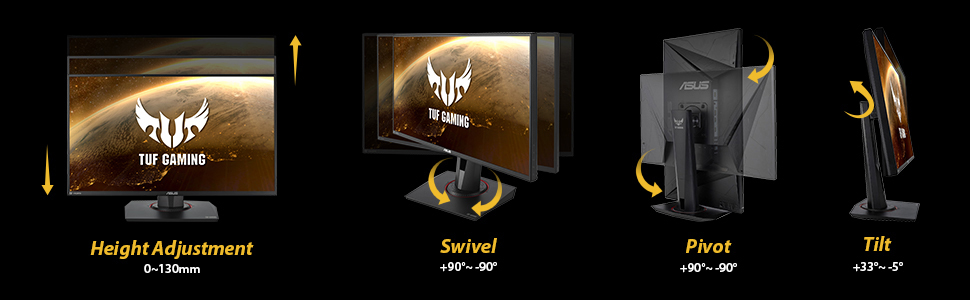
The monitor I picked is the "ASUS TUF Gaming VG279QM 27” HDR Monitor, 1080P Full HD (1920 x 1080), Fast IPS, 280Hz, G-SYNC Compatible, Extreme Low Motion Blur Sync (ELMB SYNC), 1ms, DisplayHDR 400" I only had one problem with this monitor and that was the data cable that comes with the monitor (you get 1 HDMI and 1 Data Cable in box plus power cord). I had to purchase a "Infinnet DisplayPort 1.4 Cable 8K 60Hz, 4K 144Hz, 4K 120Hz, 2K 280Hz 240Hz, 1080p 360Hz DisplayPort to DisplayPort Cable DP 1.4 HBR3 Cord, HDR, VESA Certified, 3 Meters (9.84 ft) Black" (that is on Amazon for $30) and this cable is so much better than the one that comes in the box (because its gold tipped and not silver like the one you get with monitor) and it actualy fits into my graphics card. Plus it makes the images and text crystal clear and not fuzzy than the original cable. It was so nice of Amazon to help pay for the costs for that new cable. Thanks Amazon!! Now to get Gsync ability you must use the data cable, not the HDMI cable. Some people complain that the resolution isn't good enough, then buy the cable I mentioned. Ever hear of downsampling? Look it up, you can simulate 4k resolution on this monitor (so you get the best of both worlds, better visual and fast hz) and will not hurt it one bit, even though they recommend not doing so, so use at your own discretion but I think its because they want you to purchase the more expensive monitor. Unless you got 32 GB of memory in your rig like I do, then you can do supersampling to boost the visuals and images. I also recommend using at least a MSI Geforce GTX 1080 graphic card for best performance. Now while most software cant go beyond 240 hz yet while this monitor can perform at 280 hz, lets hope the programmers out there can kick it up a notch. Make sure to turn on HD mode in windows when using this monitor even though it will turn off Game Visual in the monitors menu option when you do. Shadow Boost will also be disabled in menu options, not sure why but it doesn't matter, the monitor is bright enough even at HDR 400. The ability to swivel, tilt, height adjustment on this monitor is amazing, you can even view content with your monitor sidways if you wish. There was no bleeding, dead pixels or damages on the monitor and it was very secure in the box when shipped. I recommend getting Prime when purchasing and you can get it monthly instead of yearly. I received it in just 2 days after purchase. The BEST and FASTEST monitor created!
J**S
Buen producto, me sirve y me gusto.
Es un buen monitor en general, no me ha dado problemas de nada, PERO: Obviamente lo quieres, para sacarle provecho a su tasa de Hz unicamente en juegos competitivos (multijugador en linea) asi que si deseas jugar cosas en solitario te recomendaria un monitor de menos Hz y mejores atributos que este monitor, la mayoria de juegos los estoy jugando a 60 FPS, por temas de cuidar mi GPU (RTX 3070), ya que, al incrementar la frecuencia incluso en juegos que no son demandantes en temas de graficos, se llega a poner en temperaturas peligrosas mi GPU (como por ejemplo el Rogue Genesia, inclusive reduciendo el apartado grafico al minimo, por la cantidad de elementos que se despliegan en simultaneo en la pantalla, superando la demanda de juegos AAA) es mas por lo mismo ni si quiera estoy aprovechando la maxima resolucion, los juego a 1600*900 en pantalla completa sin bordes y obvio que se agradece el tener extra espacio para tareas multitask por su tamaño de 1920*1080. Sinceramente es mi primer monitor que compro para este proposito, pero de haber tenido mas experiencia, hubiese elegido uno con mejores prestaciones en temas de los colores, brillo, incluso resolucion mas amplia, pero aun asi, le doy 5 estrellas. Lo unico negativo que le podria criticar, es el tema de pasar el cableado por la base incluida del monitor, tiene un compartimento exclusivo para el cableado, pero es tan estrecho y la entrada esta a una cierta altura, la salida a otra altura diferente y basicamente tienes que dibujar una pequeña S para poder pasar tu cable en ese compartimento, lo cual es un poco extraño, la verdad es que si me costo trabajo lograrlo ya que solo habia espacio para pasar mis dedos y el cable...
T**G
Should have gone for 4k
4k would be better than this. This only supports 1080p. For this screen size, it's better to go with higher resolution. Will take a day to adjust your eyes, if you were previously using a MacBook with retina display. It's great for your eyes, really huge, I use it for coding, gaming, watching movies etc Made in China.
J**Y
I'm stunned
I've been using a 60hz tv for most of my life, so when I bought this monitor and plugged it in for the first time it blew my mind. The quality is crazy and the high refresh rate was instantly noticeable. Not a single bad pixel or crack in the screen everything came flawless. If your still using a 60hz monitor and have 500$ to spare (it cost 529$ for me) then this is an absolute buy! dont think about it just get it.
K**D
Perfect monitor for gaming
Great quality, speed and has built in speakers
A**N
Amazing Performance for Competitive Gaming
I recently purchased the **Asus TUF Gaming VG279QM 27” HDR Monitor**, and I have to say, it’s an absolute game-changer! ### **Pros:** - **Super Smooth 280Hz Refresh Rate**: The 280Hz refresh rate makes gameplay incredibly smooth, especially for fast-paced shooters. If you're into competitive gaming, this is a must-have feature. - **1ms Response Time**: The 1ms response time is fantastic for reducing motion blur. Combined with the 280Hz, it creates an ultra-responsive and fluid experience. - **G-Sync Compatible**: The G-Sync compatibility eliminates screen tearing and stuttering. I’ve had zero issues with tearing, even in graphically intense games. - **ELMB Sync (Extreme Low Motion Blur)**: This feature works like a charm. It significantly reduces ghosting during fast-moving scenes, which is perfect for games like *Call of Duty* or *Apex Legends*. - **DisplayHDR 400**: The HDR support adds a nice touch of vibrancy to colors. Although it’s not the best HDR experience compared to higher-end monitors, it still enhances the overall visual quality. - **Full HD Resolution (1920x1080)**: For a 27-inch display, 1080p looks sharp, and it’s easier on the GPU for pushing higher frame rates. ### **Cons:** - **HDR Performance**: The HDR400 is decent, but if you're looking for deep blacks and brighter highlights, you may want to consider higher HDR models. Still, it’s good for the price. - **Limited Adjustability**: While the stand is sturdy, the adjustability is somewhat limited in terms of height and tilt options. ### **Verdict:** For competitive gamers who want **ultra-smooth performance**, the **Asus TUF VG279QM** is a fantastic choice. The combination of **280Hz, G-Sync**, and **ELMB Sync** makes it perfect for fast-paced games. The **HDR support** and **Full HD** resolution are solid, making this a versatile monitor for gaming and general use. Highly recommended for those looking to boost their gaming experience!
Trustpilot
2 months ago
2 months ago