Buy anything from 5,000+ international stores. One checkout price. No surprise fees. Join 2M+ shoppers on Desertcart.
Desertcart purchases this item on your behalf and handles shipping, customs, and support to Croatia.
🚀 Elevate your Wi-Fi game — because buffering is so last decade!
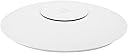
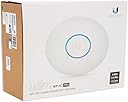
The Ubiquiti UniFi AC Pro Access Point delivers enterprise-grade Wi-Fi 5 performance with dual-band 1300 Mbps speeds, extensive 400 ft indoor coverage, and support for 200+ concurrent clients. Designed for prosumers and managers craving reliable, scalable, and centrally managed wireless networks, it features passive PoE for clean installation and an intuitive UniFi OS controller for seamless network oversight. Perfect for demanding home offices and smart homes where flawless connectivity is non-negotiable.


| ASIN | B015PRO512 |
| Antenna Location | Business |
| Best Sellers Rank | #25 in Computer Networking Wireless Access Points |
| Brand | Ubiquiti Networks |
| Built-In Media | Part |
| Color | White |
| Compatible Devices | Personal Computer |
| Connectivity Protocol | Wi-Fi, USB |
| Connectivity Range | 400 Square Feet |
| Connectivity Technology | USB |
| Control Method | App |
| Coverage | Extensive (up to 150 feet indoors) |
| Customer Reviews | 4.7 out of 5 stars 6,133 Reviews |
| Data Transfer Rate | 1300 Megabits Per Second |
| Frequency | 2400.5 GHz |
| Frequency Band Class | Dual-Band |
| Global Trade Identification Number | 00810354023439 |
| Has Internet Connectivity | Yes |
| Is Modem Compatible | No |
| Item Dimensions L x W x H | 7.7"L x 7.7"W x 1.4"H |
| Item Type Name | Ubiquiti UniFi AP AC Pro |
| Item Weight | 12.32 ounces |
| LAN Port Bandwidth | HT 20/40, VHT 20/40/80 (MHz) |
| Manufacturer | Ubiquiti |
| Maximum Upstream Data Transfer Rate | 1300 Megabits Per Second |
| Mfr Part Number | UAP-AC-PRO |
| Model Name | UAP-AC-PRO |
| Model Number | UAP-AC-PRO |
| Number of Antennas | 3 |
| Number of Ports | 3 |
| Operating System | UniFi OS |
| Other Special Features of the Product | 2 x 10/100/1000 Ethernet Ports, 200+ Concurrent Clients, 3 Dual-Band Antennas, 3 dBi each, Passive Power over Ethernet, Range of up to 400' |
| Security Protocol | WPA, WPA-PSK, WPA2 |
| Special Feature | 2 x 10/100/1000 Ethernet Ports, 200+ Concurrent Clients, 3 Dual-Band Antennas, 3 dBi each, Passive Power over Ethernet, Range of up to 400' Special Feature 2 x 10/100/1000 Ethernet Ports, 200+ Concurrent Clients, 3 Dual-Band Antennas, 3 dBi each, Passive Power over Ethernet, Range of up to 400' See more |
| UPC | 636676644776 810354023439 703624195991 |
| Unit Count | 1.0 Count |
| Voltage | 48 Volts |
| Warranty Description | 1 Year Limited warranty |
| Wi-Fi Generation | Wi-Fi 5 |
| Wireless Communication Standard | 802.11a/b/g/n/ac |
| Wireless Compability | 802.11a/b/g/n/ac |
D**N
Amazing! I finally have rock-solid Wi-Fi through my house
I've been running an Apple AirPort Extreme + 2 Airport Express's to cover our 3600 sq. ft. 2-story home, but coverage was still spotty and my connection would often drop back to 2.4Ghz in my office, partly due to interference from my neighbors' Wi-Fi networks. It meant frequent buffering of WebEx and Zoom meetings, and a general frustrating experience. Enter Ubiquti. Where have you been all of my life? I learned about this system from a colleague at work who'd been using it for a while. I set up the controller software on an 8-year-old Dell laptop running Windows 10 I was already using for my security cameras, and plugged the Unifi access point into my network. The software recognized it and provisioned it right away. I set it up with the same SSID and password as my Airport network, and once the Unifi was up and running, I turned off the wireless radios in my extreme base station with the Apple Airport app, and then went around the house to unplug the 2 Airport Express's - all of this while my wife was on a Webex call for work. Voila! Seamless transition to the Unifi with zero disruption. Now for the best part: The Unifi AP is sitting on a shelf in a downstairs coat closet that's centrally located in the house, and the same location where I had the AirPort Extreme previously. I'm getting 95% or better Wi-Fi experience scores (according to the controller software) for every device in the house - all 24 of them. And that claim seems legit because FaceTime, video streaming and WebEx calls are crystal clear, even in locations farthest away from the AP. My wife often takes video calls from an upstairs guest bedroom, which is the farthest point in the house from the AP, and the quality is perfect, with never any buffering for her now, when previously it was spotty with my Airport network. There's also an Amazon FireStick in that room that used to buffer a lot, but now streams 4K video with no buffering. I'm also getting great coverage on our screen porch outside, which used to be in a Wi-Fi shadow from the Extreme, but too far from an Express to get a reliable signal. The garage, front porch and driveway also have a signal strong enough for reliable FaceTime calls now. In short, I'm completely blown away by this thing. I can't believe that a single Wi-Fi AP sitting on a shelf in a closet, amidst a sea of other strong Wi-Fi signals from neighboring houses, can deliver such stellar performance to every single device and location in our home. But it does. I should also note that I bought two of these things assuming I would need to install a second one upstairs to get acceptable coverage, but I don't, so I'll take it to our second home and set it up there, replacing the Airport network there, too. So here's my final setup: 1 Unifi Pro AP 1 Apple AirPort Extreme being used as the router with the radios turned off 1 Motorola cable modem 1 old Dell PC running the controller software And one final thing: the Unifi mobile app is a thing of beauty and gives me quick access to performance stats, etc. I'm so happy to finally have a commercial-grade Wi-Fi system that's as solid and reliable as I want it to be. Update 1/29/23: Still thrilled with these access point. They’ve been rock solid, hassle free and trouble free for almost 3 years now.
R**E
Excellent Product! Especially If Coming From Consumer Grade Wireless Routers!
I recently bought this and have only had it for a few days (time of writing obviously) but so far it has been a real eye opener. This is from someone that normally would buy your typical mid-high end wireless home routers from ASUS, ASROCK, TP-LINK etc.. Now, I am no Network Engineer and/or IT Specialist but I am what can be considered a "prosumer" or "power-user". I know plenty of advanced topics and concepts in networking but in no way to the deep level understanding that a professional Network or IT engineer would. That said, I've only had it a few days and being a relatively simple product (in terms of what its main purpose is) I will go over the main differences "I" noticed when moving to an AP + Gateway/Router + Modem HOME solution instead of the typically Wireless Router + Modem only solution. The first thing you will immediately notice is that this is NOT going to be plug n play like a wireless router would. Now, that is not to say that this is a pain to setup but just FYI this will require at least a bit of effort besides hooking up Ethernet cable(s) and applying power. Now, as a prosumer I like tinkering and what not so this is fine by me. Honestly, the most time-consuming part of this process is mounting it. Actually setting it up software wise is extremely easy. The inevitable question will come up...do I have to mount it on the ceiling/wall? NO you do not. It can be just sitting somewhere on a flat surface if you wish but obviously its not recommended not because it won't work but because wireless coverage/throughput won't be at its best and if your spending this much to upgrade your home wireless network you might as well go the extra mile and get everything you can out of it. The software you literally just follow the instructions, download the controller software to a PC/Laptop/HomeServer ect... and execute. The software is intuitive and you will pick up on the GUI quickly with simple exploration/discovery. It handles the initialization, configuration & monitoring of the AP. Now for the impressions. MASSIVE difference compared to having a singular Wireless Router powering your whole house/apartment. In my case, I have about an ~1200 sqft apartment. I mounted it on the ceiling near the center of the apartment in the most open area (Living Room + Dining Room + Kitchen) and used a 50ft CAT5e shielded UTP Ethernet cable to neatly route it back to my now WIRED only router (If you are staying with a wireless router, disable ALL radios) + POE Switch Combo. My whole apartment is literally covered with "Full Bars" of coverage. The lowest point I could find was way back in the Master Bedroom where it was a good -62 dBm (Anything above -65 dBm is good IMO). Before, I could not go to my Bedroom without experiencing intermittent drops and/or LAG. Not to mention that when I did have a connection there it was sometimes slow, as in Youtube constantly buffering slow. This is no longer the case and I am really impressed. The Controller software also has some pretty advanced features which I like and the interface and how it shows you stats and data is really neat and slick. The LED Blue light CAN be turned off if you wish. Overall, really satisfied and will no longer rely on wireless routers or all-in-one solutions again. Honestly, although it is more work, it is far worth it to avoid hassling with the router and the frustration of dealing with slow internet when you KNOW you are paying for high speed internet (In my case its 200 Down, 20 Up) and are not getting those results. Now granted, this is wireless we are talking about so you will RARELY get your full internet speed if your roaming around or not in line of sight of the AP. In my case, If I am in the living room or anywhere within line of sight and maybe 20-40 ft away It will get pretty close sometimes even full speed (Average I'd say 170-180 mbps out of 200 Max). Anywhere not line of sight and an appreciable distance away will drop it to an average of 90-120 mbps which is STILL EXCELLENT compared to my previous numbers of 5-10!! This is on both the 2.4 GHZ and 5 GHZ bands as well as using an AC device (Galaxy S Phone). If your case is similar to mine and don't mind tinkering, DITCH the wireless router and get a good Wired Router/Gateway because those have much better hardware for handling plenty of traffic since they don't worry about radios. BUY this AP because of its easy and slick GUI AND the fact that the company Ubiquiti has other products that have similar design style and will integrate nicely together with ONE software package (Big deal for me maybe not for others). Highly Recommended!
T**T
Excellent signal. Easy setup. And it looks way cool!
So I have pretty much used it all--- Netgear, Asus in stock and dd-wrt reflashed forms, Cisco, as well as the pay-per-month rental cable and FiOS routers. And yes, I know this is not a router and only an AP--- the WiFi portion is what I am after in solidifying its performance. As you can say--- stock is stock. I never liked stock. I have suffered with crappy WiFi for some time with my FiOS Quantum Gateway--- sounds fancy and future proof, but in reality it is fair overall. What started the trend of me revamping everything was when I had an issue with an HDMI cable that is in the wall between my FiOS One Mini and TV. If you're not familiar that--- it is simply our "cable box" that can connect via coax, wireless, or wired. Great options-- when they work. Twice before I had issues and I boiled it down to being taken out by nearby lightning strikes. Lucky me. So this was the last straw as I lost TV, again....I had to remind myself that it can go WiFi without the coax cable....interesting. So I moved it behind the TV and it worked....kinda. The FiOS WiFi router was 40' straight line away and on the floor below 7' in the air on top of a bookshelf. I have a number of other devices that work wirelessly without issue and it simply is not happy. And then my LG smart TV also decided to have a little fun and join in on the mischief and make accessing Zmazon Prime Video a real treat as well. Temporary solution? Wired Ethernet connection for both. Solved all the issues. Yes you can reboot it until the cows came home--- still never improved and always means something else will have to be rebooted too. Step forward and I have moved, and this time I designed all of my equipment to live on network racks in the basement...period. No more bits and pieces spread around the house and jammed in stupid places that made figuring an issue out extremely taxing to say the least. Plenty of redundant CAT6 run everywhere and done right. So I moved the FiOS equipment--- and same basic issues also moved along as well--- but this time instead of having wires strung around like Christmas lights--- I had plenty of dedicated CAT6 and coax runs to run as much wired as possible, including one very special run--- for this AP. Mounted in the first floor ceiling--- coverage in the same size house went from also being just as poor as the other house with the FiOS WiFi to excellent with the Ubiquiti AP. I was originally going to use two--- but after installing the first, I do not see a need for a second. End result--- I just picked up some other necessary components including some Ubiquiti parts to make the switch and completely ditch the Verizon router once and for all. For me it is all about flexibility and simplicity while maintaining a complex network of devices. Looking for a quality unit that has what I would consider one of the best WiFi signals and radius' around? Look no further.
R**.
Amazing through and Range, but you need more than just this.
Fast shipping and it is exactly what I wanted. Now, let's talk tech for a moment. I won't bore you with a bunch of acronyms, as if you are a tech-type person, you already know this Access Point is pretty robust. I purchased this, along with the Cloud Key and the Edge router. Why? Because I am tired of having my current router (Asus RT-66AC) lose its config every month or so. I have to spend time reflashing the firmware though the emergency recovery application. Now, I don't fault Asus; as for the last few years, it worked very hard and I got my money's worth out of it (~$250 US). I decided to move to an Enterprise class network for my home, as we are putting up cameras and doing a few other projects that need a stronger infrastructure than a consumer grade (if rather higher end) router. The range on this AP (Access Point) is nothing short of mythical. We can walk around a rather modest size block in suburbia hell (where we live) and our phones can remain connected through all but the absolute furthest point from our home. The throughput of the AP is so much better, even the wife has noticed (which is saying something). Remember this is JUST an access point. It came with a PoE (Power over Ethernet) injector, so I can put the AP up somewhere and there is only a single cable that I have to figure out how to make invisible so the wife doesn't give me "the look". When she sees cables, well, she may be little but she is fierce. Anyway, the software that you have to have to really manage this AP is simple, yet powerful. If you aren't technically inclined, you'll have a few extra tabs open in your browser, looking for what some functions do but to be honest, unless you have some special requirements for your network, and lets face it, if you do, then you either have the knowledge or your day is going to end in tears; I would say even my 12 year old daughter could set this AP up with the (sold separately) Cloud Key. Once you have the Cloud Key (or a computer to run the Ubiquiti management interface) you will need with the Edgerouter or the Unified Security Gateway. If you want everything in one place and one interface, the Security Gateway is the way to go. If you are a geek like me, you will need to purchase the Edgerouter. All told, my new network cost me ~$300 US. A bit more than a high end router with an integrated wireless AP, but totally worth it. Did I mention you can do DPI (Deep Packet Inspection) with this setup? Yeah, our teenagers are going to find Snapchat just runs REALLY slow for some unknown reason.... /evil grin
T**E
Simplified my life
I purchased this to go with a Ubiquiti Unifi Security Gateway Pro I got through the Vine program. It has been one of my better technology purchases over the past few years. I have no idea how it operates when separate from the security gateway. I do know that it is fantastic with the gateway. If you know your way around a network, this Unifi gear is pretty awesome for home and small offices. In fact, you can manage both your home and your office from the same control panel. Yeah. To be clear - this isn't consumer grade gear and home networks are probably not the intended use. But... this stuff is oh-so-good for homes with lots of networking bits - which will soon be just about every home. Another point is that this access point looks like a required first hop for the Unifi mesh nodes. Mesh networks are wondrous. You want one. Following is the review I wrote for the security gateway. It covers the access point too because they operate as a single system. ----------- This thing, along with the PRO Access Point , has really simplified my networking life. My home network is somewhat complicated because there are the various IOT devices and gadgets that I want to keep isolated from my serious systems that are used for work. The reason this Ubiquiti gear has simplified things is that I've gone from a cluster of routers/access points down to a nice clean install. The WiFi part of the network can have four SSIDs from that one access point. This is a nice improvement over the purely consumer grade stuff that is being supplanted because I've been partitioning via multiple WiFi routers with each having its own SSID. My knowledge level is that I've used lots of consumer grade equipment and have turned linux boxes into poor man's routers. Basically, it's been setting up SOHO stuff at the start-up level and then getting out of the way when corporate IT types show up with all that fancy (and expensive) CISCO gear. I've always been one to suffer a very inexpensive pile of gear over a costly install in a rack. This Unifi gear has me questioning those life choices because the price point drew me in and because it is so much easier to deal with this gear than my old rats nests. The configuration bit isn't that difficult but there have been a few frustrations along the way. For example, WiFi devices having the same SSID can see each other period. I was hoping to isolate them using firewall rules, but that simply did not work. It would be fantastic if this had worked. Instead, I had to set up additional SSIDs on different VLANs. Regardless - having the flexibility to do this is a huge step forward over my previous headache. Another huge plus is that it is now far easier to install new WiFi devices. My netgear and tp-link devices made it a pain in that they are aimed at the consumer who isn't very concerned about security. That said - I'm still looking for a MAC whitelist ability in the Unifi software - I really like to lock things down. I currently have the Unifi control software installed on an old laptop and it runs fine. Even so, I'll certainly be looking into the cloud key and cloud control capabilities. The capabilities of the Unifi configuration/control software are amazing in that it is so much and so easy to get to. The other thing I'm eager to put in place at home is load balanced WLANs. I currently have a cable modem and connect through Comcast. When Comcast craps itself, I'm out of luck. Also, Comcast can't support a blazingly fast pipe into my house - the wires won't support it even though they'll sell me "up to" some impressive speeds. Century link is about the same - there's fiber nearby but the copper in between ain't all that. So, it's now time to get a connection through centurylink, hook it into the WLAN2 port, and see if the two service providers (unknowingly working together) can give me a nice fat pipe. Another thing on the to-do list is setting up VPN through this box so that I can retire the linux box that has been handling that chore. I'm really loving this Unifi gear. If there's anything disturbing its that this Unifi gear appears to not support IPv6. Yeah, we're doing OK with just IPv4, but it would be nice to get that IPv6 goodness going just to see what else is enabled.
B**W
Great AP, but make it should be less reliable on the Ubiquiti ecosystem.
I really, really like this thing. I am a computer security "expert" with about 10 years in the field, and I try to keep my home network fairly secure and easy to use. In my house, I have a virtualization server, networked printer, pfsense firewall, a dozen or so IoT devices like Wemo switches, Smartthings (not wifi, I know), smart DVD players, laptops, tablets, and in general, a lot of IP-enabled toys running on multiple networks. Up to this point, I have used a couple of DD-WRT-flashed linksys routers to act as APs to run everything connected by a pfsense firewall on physical networks, but I'm getting tired of running cables throughout the house if I want speed, and having to maintain disparate APs throughout the house. For me, the tipping point was when I realized that if I tried to download an iso from my wifi network, I got 2Mbs in speed while I had 85Mbs on a hard line. Now enter the Ubiquiti AC Pro. I have a terrific friend who is a network guru and he pointed me at these. I went ahead and ordered the pro, which I figured was overkill. I knew I wanted AC, as my work laptop had an AC card, and my ISP provided plenty of bandwidth. One drawback (or feature) for Ubiquiti is that it requires a computer to run the software to configure it. My friend used a Raspi to run his, but for me, I simply spun up another VM on my virtualization server to handle the management. I think there's a phone app, too, but I went with a VM, and it has worked great. I spun up a Ubuntu 16 VM and installed the software (I had to install Java manually and then edit the repo list; your experience may vary, but the tutorials online are OK, just check that they are recent). Once I got everything installed I set up a trunk line to the AP and set an untagged management network on the trunk line. (I am not sure if this is required, but it worked for me). Setup was not as intuitive as I would have liked, but still leaps and bounds above the sometimes cryptic steps required to make DD-WRT to work correctly. Certainly, this is not something that a non-technical person should try, but it does not exactly require a CCNA to get going. The results are great; I run 6 networks off this device, and I can keep some networks reserved for fast devices and some for slow devices to prevent congestion and slowdown in a mixed mode environment. On the whole, I think it took just over a hour to confgure the networks, including troubleshooting and firewall checks that had nothing to do with the AP. Whereas before I was getting 2Mbs on wifi and 85 on a hard line, now with an AC device, I get about 60-80 Mbs on wifi. The signal is really string throughout the house and basement, and even in the yard. What I like: (1) Replaces a lot of other hardware (2) Gives you an enterprise-grade AP at consumer prices (3) Terrific features (4) Single point of management (5) PoE means I can put it wherever I want and only have to run cat cable. What I did not like: (1) Calm down with the extra add-ons. I was concerned because when I updated the firmware, the AP said it could not connect to my LAN, so I tweaked settings and checked firewall rules, then ssh'd into the AP and pinged google, only to find it could get to the internet. Turns out that by default that status screen requires you to have a bunch of Ubiquiti-branded switches and hardware to correctly display the network status. Guess what? Let me pick how you determine that the network is up. Let me give you an IP, protocol and (maybe) port for the AP to check. (2) I spent several hours trying to pair my Wemo switches and outlets to a 2G network on this device, and failed over and over again..... turns out this is a fairly well-documented problem. Despite wanting to quit using DD-WRT devices, I still have one plugged in because the Wemo stuff will connect to it, and not the Ubiquiti. In conclusion: a really nice wireless AP for a tech-savvy person who wants a lot of control over a home network, or even an enterprise network. (comparatively) easy to manage and very fast.
R**L
Absolutely the best quality near enterprise grade pure Access Point capable of mesh WiFi
I am so glad I bought this over the rival product I was considering. My aging DIR-655 which was only 802.11n 2.4GHz only was crashing every so often. While that wasn't catastrophic because I was only using it for 2.4GHz WiFi and not routing (I have my own router that I will not give up, ever). I also needed to supplement this with a cheap $20 802.11ac upgrade mini AP. But this AP had certain limitations that made it just an interesting gimmick. Being 802.11ac, it was capable of speeds in excess of 100Mbps under ideal circumstances, but it's single ethernet uplink port being Fast Ethernet only (100Mbps) made it cap out wireless speeds in total to just under 100Mbps. Also it was 5GHz only, so only my most expensive or more recent devices could use it (but that was ok, because I bought it mostly for my phone and my wife's phone). But being "mini" it's builtin antennae had horrible range (on top of the already known limited range of 5GHz compared to 2.4GHz). So while when the main WiFi crashed, my Internet was still usable to the wired devices and my phone, it got annoying that the kids constantly asked me why I shut the WiFi off, when I hadn't. So I started looking into replacing both units for a single newer, faster, and more reliable unit. I had worked with much older (802.11g only) versions of these several years ago at a job where they bought some upon recommendations a coworker and I had made. While I was not the one who ended up setting them up I was pleased with the overall operation and range. So naturally I've always remained interested in them, but they were always too expensive for me to justify buying them for personal use. But now a friend recommended Google WiFi, which did a similar 3 AP setup. I also liked that I could just buy one. But then I realized I could buy just 1 of the Ubiquiti Unifi. And both turned out to be 802.11b/g/n/a/ac. And both were priced the same (within a $1 of each other when I bought this). Though the Google WiFi claimed a SUBSTANTIALLY higher range than the Ubiquiti Unifi (though that claim was also WAY higher than many other wireless routers that were believable so it was immediately suspect). I read many recent reviews that did say the Google WiFi had awesome range (though nothing likely close to the 3x difference compared to this unit). But one thing the reviews all agreed upon is that despite the range, it was NOT the fastest wireless single they tested in a group of mesh systems. What killed it for me was when I did more research it came out that the Google WiFi systems are actually a router and while it is capable of being put into what they call "bridged" mode, where it essentially behaves just as a regular Access Point only WiFi device with no routing functionality... You end up loosing most of the cool functionality they show in the videos. That made it pointless, as being a Systems Engineer by profession, I demand more control of my systems. There was also the uncool tendency of Google just abandoning a project they feel isn't worth it anymore for them (either it's not making them any money or who knows, maybe they just lost interest). While I've had a great experience with my two (1 first gen, 2nd newer) Chromecast, I've had other Google products that become fundamentally defunct due to Google choosing to no longer support them way before I feel I am done with the device. And something like my WiFi I typically buy and it gets used for 5 years or so, I wasn't comfortable with the very real possibility of Google abandoning it just because THEY felt it was too old, before I felt the same way. So I pulled the trigger and bought one of these instead of the Google WiFi. After receiving it and setting it up, I have to say I couldn't be happier. Google WiFi may be a great product, but I feel it's more for the typical "hipster" masses than for an Engineer like me. I will definitely say that while the Ubiquiti Unifi isn't enterprise Cisco type of complexity to setup, but it is definitely more advanced than your average person who doesn't consider themselves computer savvy. While this does require software to setup and run these APs, it is different in that it runs more as a server software that can be made to run all the time to control these. However, it gives you the flexibility to install this anywhere you want, so you don't have to have it installed as a piece of server software on your desktop, and maybe install it on a file server you may have on your network if you prefer (I'm thinking of doing it on a raspberry Pi myself). Also the software doesn't need to be running all the time for the AP to function, just to make changes, or do monitoring of the APs. So for now I just fire it up when I need to make a change. Range. I don't know if the Google WiFi would have really blown this thing out of the water, but all I can say is, for me, for what I wanted, this thing gets 5 stars in range, definitely better than my previous setup. I get signal throughout my whole 1100sqft apartment. Speed. I finally get the full speed of my 150+Mbps Internet connection even from a room or two away on the WiFi!!! That previously required a wired connection to do! 5 stars here again. I am definitely impressed at this point. Configuration options. Again, this thing is in between enterprise and home office, definitely more advanced than the typical unit, but not so daunting that I believe even tech savvy types could easily figure out most things. If you don't understand computers much, then yes, this is not for you. It has plenty of options, and flexibility in how you set it up, that it empowers you to set your network up as you see fit to fit YOUR needs. Not what most companies believe you do with your computers/devices. In the end I literally have ZERO complaints about this thing. I am super ecstatic I went with this instead of something else possibly even more expensive offering functionality I didn't even really need. More than highly recommended if you really just need a good high quality Access Point.
A**P
A wonderful Wifi AP with powerful features and a beautiful interface
Excellent WiFi AP and SDN product, and far better than anything else I've used for the price and the software quality after some playing, and an initially annoying setup. But I still give it 5 stars despite that, because everything has worked beautifully since then. TL;DR: If you want excellent WiFi -- buy one of these. This thing supports dual 2.4/5G and 802.11ac and has extremely powerful radios, so it is an excellent choice for a modern home network -- for example, using Sonos devices for streaming high quality audio with no lag. The 5G range is very nice. It also has excellent range in general - the base model has a range of up to 400 ft, and the more recent devices support 802.11ac up to 1Gb/s. On my iPhone with ~300mb/s from my ISP, I can only get about 120mb/s from my phone, while my hard wire gets 300mb/s - but I imagine this is likely more a limitation of the iPhone 6's 5G radio than anything else. The actual software used to manage the device is quite good once working, and relatively advanced for such a well-priced consumer product. So if you're a power user, you'll probably like it a lot. They run Linux, so you can SSH in. It supports multi WLAN groups, and multi SSIDs per WLAN group (a WLAN group being a group of up-to 4 SSIDs, all connected directly to the same subnet), plenty of options for configuration, customization of per-radio settings, mapping support for your physical location (although this functionality is weak, as it doesn't do actual mapping, it instead lays an RF scan over your floor plan), band steering to 5g (with 'prefer 5G' and 'balance 5G vs 2.4G' settings), and more. It also allows 'mass provisioning' and automated rollout of networks to new devices. If you already configured your first wireless network on one device - just plug in a second one on the same network, let the controller find it, adopt the device, and it will automatically push your pre-configured networks to the device and turn them on. If your mobile devices support sensible WiFi roaming for networks with multiple APs, the net result of this is a "plug and play" effect where you just turn on the device, the controller initializes it, and now your devices will magically roam among the most powerful APs as you wander around. Note that this roaming depends on the client being able to do this for you. It also has a lot of other features if you have UniFi switches, routers, or VoIP phones, along a similar line, though I'm not using those. The software is fully featured, and totally free. There's no license tiers locked features, which is great. It's also very well designed and fairly pleasing on the eyes, despite being a "rich" Web 2.0 internet application. They also support fancy names for your APs, which I like. I do enjoy naming them after NSA surveillance programs (PRISM, BULLRUN, XKEYSCORE, etc). But the setup was initially somewhat painful and roundabout for me, even as someone who's quite experienced. Note that to provision this you will need either A) a smart phone or B) a separate computer to run the UniFi Controller software. Option B is the only way to access more powerful features of the device, but casual users might not need this. Option A is a bit flaky on iOS at the time of this review - actual management features work once setup, but the initial setup of a new AP purely via iOS is a little broken. The developers have indicated they are actively working on this, and a new version of the iOS software will fix it. Android devices apparently work great. You also need a recent firmware for provisioning via phone, but any UAP-AC model should be OK. When I initially tried this -- first on an ordinary UAP, not an AC or PRO model -- the firmware was too old, and there was nothing to indicate this. So then I upgraded the firmware with the controller, factory reset it and tried again. It failed. So I inevitably gave up on my phone for the time being, and just set up a controller on my laptop to initially provision the devices. I then got a AC-PRO model, and just skipped provisioning via Phone and used the controller again. While I have hardware, running Yet Another Local Service on my home network is just another thing to maintain. But technically, you don't need to run the controller beyond the first setup, if you just want to "Fire and forget". But, if you want to go with option B, the UniFi Cloud Key is an excellent choice I've found. This will also allow you to log into the controller via any web interface or through your Phone and get the same features. Like I said - phone management works fine, but setup doesn't work so fine on iOS. So if you want the full features with a no-nonsense setup, for advanced users - this is a good way to go. This particular device is also standard PoE/PoE+ (802.3af/802.at) compliant - regular UniFi APs use Ubiquiti's proprietary 24V Passive PoE, which only UniFi switches support. If you want to avoid cable clutter like and already have a PoE+ like me, this is a big upsell. If you don't care, you're in luck - every UniFi AP, including AC and PRO models, come with a 24V PoE injector, so you can just use that. You can also buy Ubiquiti Passive PoE to 802.3AF Indoor Adapter for a few bucks, to get an in-line adapter and skip the injector. Generally after a week, initially marred by a painful and roundabout setup, I am extremely impressed with this AP, and will likely buy another one for my second story, so I will have the aforementioned roaming features. I am almost certainly going to recommend Ubiquiti for excellent WiFi devices now. My only hope is that they spend more time polishing the 'consumer' end-user features, like mobile phone setup, and making the UI a little easier to manage. It is absolutely suitable for anyone who is even moderately networking savvy, even a little, and definitely suitable for businesses, etc. So I'd easily recommend it to many friends. And I could recommend this to my sister, and probably would (because I'm willing to be her tech support) - but polishing off the "casual" usage points would put it from a "slightly hesitant" to "no brainer" to recommend to anyone.
J**O
Excelente producto
Excelente producto. Ya llevo varios meses y no he tenido problemas con el producto. Muy bueno.
R**N
Ottimo prodotto 👍
Ottimo prodotto 👍👍👍👍
G**E
Very simple installation, great broad and high strength coverage
It's perfect if you wish to add an AP to dead zones, I've set one up on the second floor right in the epicentre of all rooms and its fantastic, great strong coverage through a feet of concrete and mortar, I will add a second one to my outdoor enclosed patio for maximum coverage in the garden too, great product, I'm amazed by it My cons are the Unifi install console, requiring Java to run the application seems like a big risk nowadays.
R**O
Excelente access point para montar em pequenas empresas e em casa.
Uso o AP Pro da Ubiquity em casa juntos com switches PoE sem problemas e consigo métricas e dados a respeito do funcionamento. Ainda que este modelo suporte geração 5 do Wi-Fi, fornece bom desempenho quando na faixa 5GHz quando alocado corretamente, considerando que paredes e móveis interferem a absorvem mais o sinal nesta banda. Recomendo.
M**W
Good
Very good signal and I am happy with this device.
Trustpilot
2 weeks ago
1 week ago