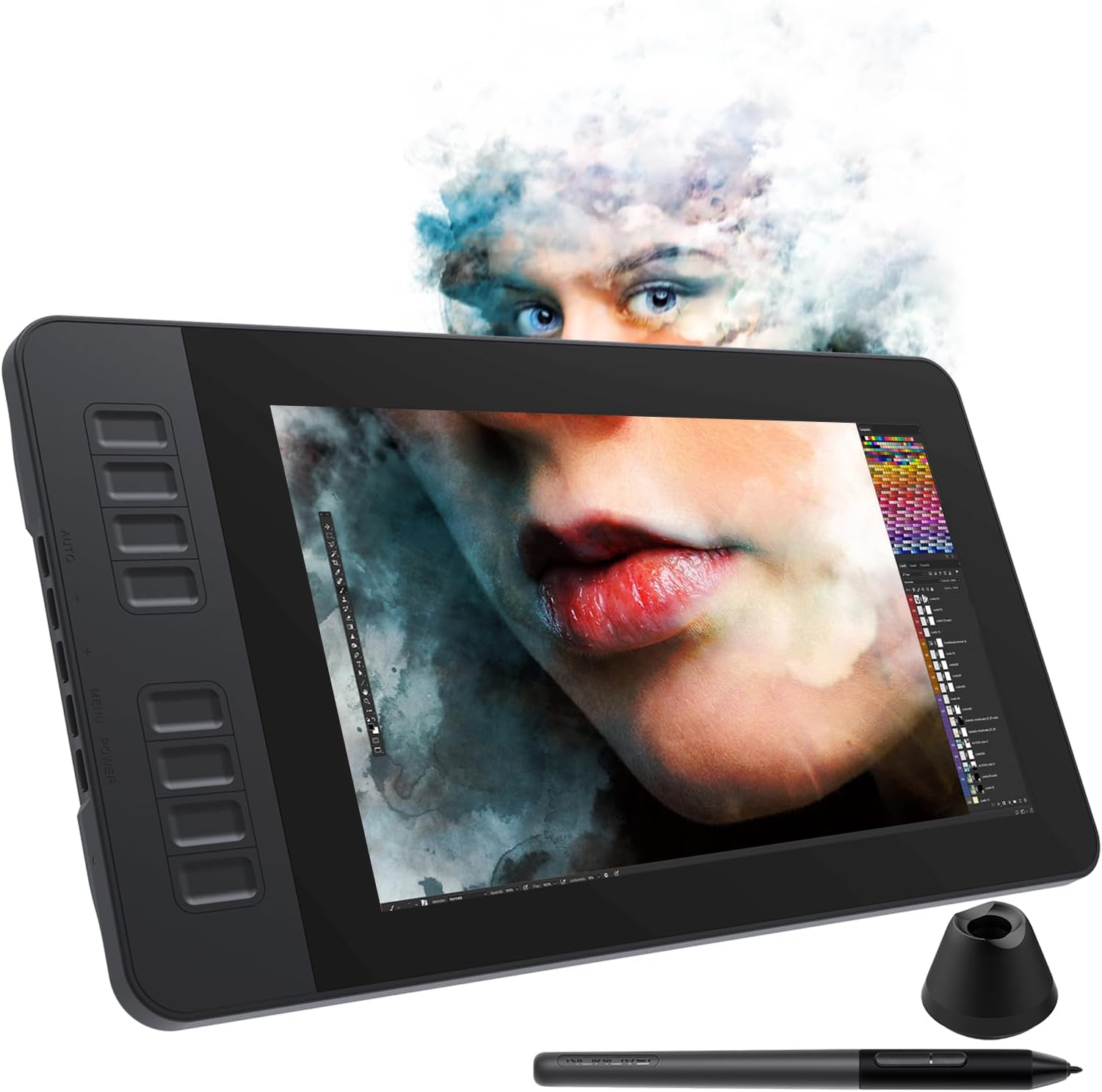
🎨 Elevate your digital artistry—where precision meets freedom!
The GAOMON PD1161 is an 11.6-inch 1080P HD IPS drawing tablet featuring a battery-free stylus with 8192 pressure levels and ±60° tilt support. It offers 8 customizable shortcut keys for enhanced productivity and supports both Mac and Windows platforms with broad software compatibility, making it ideal for professional artists, designers, and illustrators seeking a vibrant, responsive digital canvas.


| ASIN | B07VTKYH9D |
| Batteries Included | No |
| Batteries Required | No |
| Best Sellers Rank | #12,700 in Electronics ( See Top 100 in Electronics ) #29 in Graphic Tablets |
| Brand | GAOMON |
| Compatible Devices | Desktop, Laptop |
| Connector Type | HDMI, USB |
| Country of Origin | China |
| Customer Reviews | 4.3 4.3 out of 5 stars (3,053) |
| Date First Available | 28 September 2019 |
| Display Type | IPS |
| Generic Name | drawing tablet |
| Importer | GAOMON |
| Item Dimensions LxWxH | 36.1 x 20 x 0.1 Centimeters |
| Item Weight | 866 g |
| Item model number | A2.PD1161-0-EN0000-1-US |
| Manufacturer | GAOMON TECHNOLOGY CORPORATION |
| Model | A2.PD1161-0-EN0000-1-US |
| Model Name | GAOMON PD1161 Pen Display |
| Mounting Hardware | 3 in 2 USB Cable, Digital Pen, Pen Holder (8 nibs inside) |
| Net Quantity | 1 Count |
| Number of items | 1 |
| Operating System | Windows 7 or later, macOS 10.12 or later |
| Product Dimensions | 36.09 x 19.99 x 0.1 cm; 866 g |
| Screen Resolution | 1920x1080 |
| Special Features | 60° Tilt Support, Anti-glare protective film, Programmable Press Key |
| Standing screen display size | 11.6 Inches |
A**R
Overall good product
Totally impressed with how smooth it is, also using as a second monitor. There are some design flaws that could've been improved, connectivity is outdated, but I can deal with it.
T**L
Full featured Pen display
Full featured Pen display, very good build and value for money!!
V**L
Good for beginners
This is really good for beginenners, I haven't used much since most of the time I end up with mouse, but in static workspace it works great
P**I
Top in the budget
It is the best pen display tablet in this 20k segment good for both animators and digital artist
R**S
its a very usefull device for a beginner.
N**A
Great Tablet. Worth the price
Great quality tablet. All the accessories given in the box are very useful. Worth the Price.
N**Y
You should know where your money is being spent.
It can’t be used without a computer, but nowadays the same thing is also available in tablets.
V**E
best ❤️
It’s been two months since I purchased this product, and it’s been running absolutely great. If your budget is on the lower side, you should definitely consider it, because it provides a really great experience for the price. In my two months of experience, I haven’t had any issues and it’s been working perfectly. So if you’re on a budget, you can definitely consider this. Thank you.
A**.
I have had this tablet for about a year now and I can confidently say this is an amazing tablet! It a wonderful start out if you’re looking for a larger screen but don’t want to drop $1-2k on the higher name brands. I’ll give a couple pros and cons about the tablet and hopefully it’ll help those who are deciding if they want to get one! Pros! *Large screen! - I’ve have used the 12.9 iPad Pro for almost 6-7 years, but always wanted something larger. This screen suits my needs so well! I don’t like to use shortcuts so I’m able to adjust my program to accommodate my tools and windows. *Sensitivity - I was worried with it being a lower cost tablet that there would be some sensitivity issues…nope!! It’s perfect! The pressure can be adjusted to your desire as well, but I pretty much left it how it came out of the box! The is no lag, but I will say it depends on your computer. I noticed I got a bit of a lag on my iMAC, but that’s because it’s old and I had to unselect screen recording to have it optimized better. But I had no issues when I used it in my Windows gaming Laptop. Just keep in mind on your processor. That my only concern on that part. *Price- Is there more to be said?! It’s at an amazing price for someone wanting to start out on a larger screen but not sure if they want to go and drop over $1K on the name brand tablets. I will say I have use a Wacom Cintiq Pro 27 during a convention to try it out, and while obviously there are some differences in quality and performance, the Gaomon PD2200 performs insanely well for its price. *Accessories - tablet is build with its own stand and already installed so no assembly required or having to purchase a stand separately! You get the display pen along with additional tips and a holder for your pen! As I’ve mentioned I have had the tablet for nearly a year and have yet to change the tip yet. But I will say I don’t use it very often as life is busy, but I will put a guess if you use the tablet everyday you may just need to change the tip out every 3-4 months depending how much pressure you use. Now to the Cons: I don’t have many but the couple I would put out would obviously be involved on how it’s priced. You get an amazing and large sized tablet for the fraction of the name brands, but it’ll come with its downsides. First would be the buttons- the buttons to turn the tablet on/off are not synced properly so I have to maneuver around to have to turn off the tablet when I’m done. It gets annoying especially when it takes more than a minute to figure out the right spot to press. The short cuts being on the top right our a bit annoying. I wish they were at the bottom but like I mentioned earlier the screen is large enough that you an adjust your tools to your liking that suits your needs or you can just use keyboard shortcuts. This is also something to keep in mind if you’re a left hand drawer. It’ll be more difficult to select the shortcut keys. Display Match - Trying to display match was a nightmare. It took a lot of time and effort to get it remotely similar. I would suggest going to your computer graphics settings and set it that way. Trying to adjust it from the tablet itself is difficult and when the buttons not being syncs properly, it makes it even more frustrating when trying to adjust the display settings. I have used this both on Windows and Mac, and Windows took a little more time but iMac has preset settings to match with it, and it made it a little easier but it’s not perfect. So just something to keep in mind when drawing. Your colors will be off so always reference from a screen you’re used to and the tablet for best results! That’s all I really have. It’s still an amazing tablet if you’re starting out on wanting a larger screen! I love this tablet despite its quirks and really happy with my purchase!!
C**Z
A mesa digitalizadora cumpre perfeitamente sua função! Os botões na lateral são uma das minhas partes favoritas (além de poder alterá-las no driver que é bem fácil de se mexer). Considerando o preço, ele é muitooo bom mesmo! Geralmente mesas com 15p pra cima custam muito mais caro. É uma mão na roda.
I**A
já uso uma e comprei pra minha sobrinha. ótimo custo-benefício.
G**I
Love it, good for beginners! P.s little bit laggy pen on edges but adaptable. Not an issue
A**A
Me gusto mucho el Producto. Pero en la Entrega me lo dejaron con el Guardia argumentado que se me llamo y no conteste pero no tuve ninguna llamada perdida ! Gracias !
Trustpilot
1 month ago
2 weeks ago