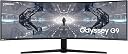
๐ฎ Dominate your digital realm with the Odyssey G9 โ where epic scale meets pro-grade speed.
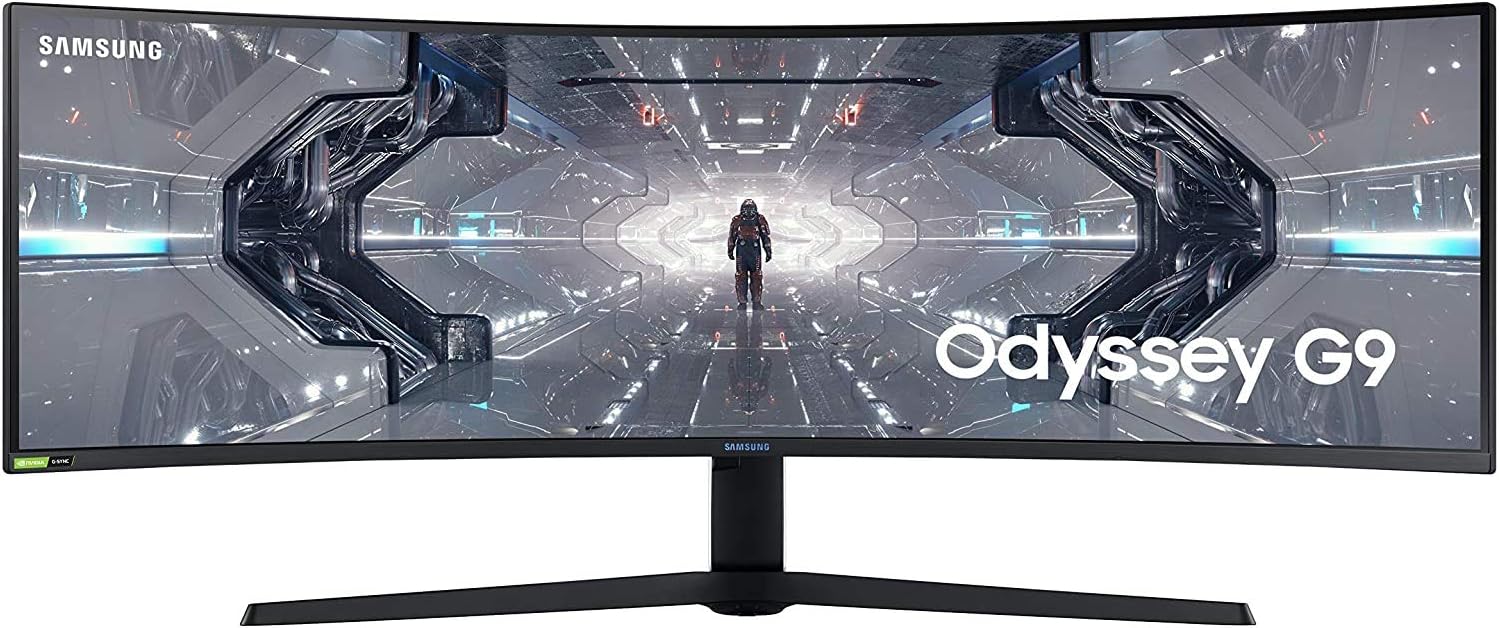
The Samsung Odyssey G9 is a 49-inch ultrawide QLED gaming monitor featuring a 1000R curved screen designed to match the human eye for immersive viewing and reduced eye strain. It boasts a blazing 240Hz refresh rate and 1ms response time for ultra-smooth, lag-free gameplay. With dual QHD resolution (5120x1440), NVIDIA G-SYNC and FreeSync Premium Pro support, and 125% sRGB color gamut via Quantum Dot technology, it delivers stunning visuals and seamless performance. Ideal for professional gamers and multitasking pros seeking a commanding, immersive display experience.


| ASIN | B088HH6LW5 |
| Adaptive Sync | G-Sync |
| Additional Features | Auto Source Switch, Black Equalizer, Eye Care, Flicker-Free, FreeSync Premium Range, Infinity Core Lighting, Low Input Lag Mode, Off Timer Plus, Picture By Picture, Super Arena Gaming UX |
| Aspect Ratio | 32:09 |
| Best Sellers Rank | #226,111 in Electronics ( See Top 100 in Electronics ) #4,770 in Computer Monitors |
| Brand | Samsung |
| Brightness | 1000 cd |
| Color | Black and White |
| Compatible Devices | Laptop, Desktop, Gaming Console |
| Connectivity Technology | HDMI |
| Contrast Ratio | 2500:1 |
| Customer Reviews | 4.2 out of 5 stars 4,260 Reviews |
| Display Resolution Maximum | 5120x1440 pixels |
| Display Technology | QLED |
| Display Type | QLED |
| Hardware Connectivity | DisplayPort, HDMI, USB 3.0 |
| Image Contrast Ratio | 2500:1 |
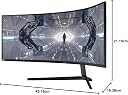
| Item Dimensions D x W x H | 16.39"D x 45.18"W x 21.15"H |
| Item Type Name | Monitor |
| Item Weight | 31.1 pounds |
| Manufacturer | Samsung |
| Model Name | Odyssey G9 |
| Model Number | LC49G95TSSNXZA |
| Mounting Type | Wall Mount |
| Native Resolution | 2560x1440 |
| Number of Component Outputs | 1 |
| Picture Quality Enhancement Technology | QLED |
| Pixel Pitch | 0.3 |
| Power Consumption | 0.3 watts |
| Refresh Rate | 240 hertz |
| Resolution | DQHD |
| Response Time | 1 milliseconds |
| Screen Finish | Curved |
| Screen Size | 48.7 inches |
| Screen Surface Description | Curved |
| Shape | Rectangular |
| Specific Uses For Product | Gaming |
| Total Number of HDMI Ports | 2 |
| Total USB 3.0 Ports | 2 |
| Total Usb Ports | 4 |
| UPC | 887276413174 |
| Viewing Angle | 178 degrees |
| Voltage | 110 volts |
| Warranty Description | 1 year manufacturer |
| Warranty Type | One-Year Warranty |
N**M
doesn't always turn on UPDATE!! FIX CHANGED RATING dont plug usb in pc
And even then sometimes it doesn't display I called Samsung they gave me instructions which did not fix the issue Last purchased Jun 14, 2023 I procrastinated in returning this item now its too late too, the only thing i can say if your stuck with this like i am is if you have a quest 3 you can see the pc windows if the monitor doesn't turn on and what i did was turn off hdr then the monitor screen came on idk why also i get screen flickering when adaptive sync is on and i have a NVidia 3080ti besides the issues it is great but don't try to reset your pc with this monitor because it will restart to reset and the monitor wont display in THE MIDDLE OF A OS RESET which messed up my first windows reset because i had to restart the pc cuz the monitor didn't display this monitor has caused me and my dad many problems trying to fix it and stress I would not advice purchasing it again to be honest im scared to buy another monitor period after this journey I have the tried the Dp2.1 whatever the highest is and the hdmi its always the same every morning I ponder how my day is going to go is the monitor going to turn on or will I be troubleshooting it is very tiresome if you read this please replace my monitor send it to get it repaired send me a new one this is the second time i bought this monitor only because the first one I was moving my room around it the screen cracked, so I have been a valid customer in purchasing a second at paying for paying so much I think I should get a break I am more worried about is it going to work in the future when i get a new pc setup or is it going to cause more issues like it allready has my pc works fine its a alienware aurora r13 with all the updates and i updated this monitor as well to software verision M-T9549GGAA-1016.0 I like to fix things I kept thinking I fixed this monitor but a year later i realized i have not and i wish i returned it almost had a breakdown after the monitor didnt turn on when i was resetting my windows pc i thought i destroyed my pc thank god I didn't but there are chances that can happen if you have to reboot during a OS Installation... so if screen won't turn on and your stuck my instructions are 1.turn monitor on wait 3 seconds then pc (if your pc is different then my Processor:"12th Gen Intel(R) Core(TM) i9-12900KF it might be different times) 2. make sure you remove your login password so the pc boots to windows then use the quest link to turn off hdr that worked once so far, offcouse i could turn hdr back on after the monitor was on and it didn't intefere yet so idk why that worked. 3.if your screen is flickering on desktop turn off adaptative sync on in the monitor settings (which im upset I can't use which is part of the reason i purchased) UPDATE!!! I had the USB hub plugged into the computer and since then it has been working normal!!! so I hope this helps I change my rating I just wish the monitor would automatically turn on sensing the PC was booted on, I guess I have to leave the monitor on for that but anyway I love this monitor
T**I
It quite literally doesn't get any better than this.
I went in with this purchase a little skeptical because I've been reading about the rocky launch with this monitor, but from the first five days of owning it so far, I think those issues with flickering and QC are for the most part addressed. For what it's worth, this screen ticks SO many areas and it's undoubtedly the best gaming monitor on the market, and playing games on it now feels like I'm revisiting most of them. If you combine the large screen with desktop productivity apps like Fancy Zones, you can really get that dual monitor-esque experience with just the joys of having a single display. Pros: + Lots of desktop space! + Ridiculously bright. 1000 nits! + 1440p/240hz works flawlessly. (No flickering happening here.) Cons: - Potential performance hits in games. Went from 2140x1440p to 5140x1440p and my 2070 Super wants to cry a bit. May need to turn down some options. - Running high/max brightness makes this thing warm up, and it really radiates off the screen and back a bit. Can make your room a bit toasty. - Heavy. If you can't pick up your typical gaming PC, might need a friend around to move this thing around. - Game compatibility. Some games eat this resolution up nicely, others don't and produce crazy fisheye effects on the sides or little artifacts. Might be wise to look up how your games perform on such a wide aspect ratio. League of Legends for example has the minimap way too far out of your field of view but gives you part advantage of seeing the map, but the resolution is also so wide that sometimes you see bits of the map that were never designed to be seen period, like out of bounds level kinds of territory. Other games like Final Fantasy XIV which do nicely with it allow you to see much more on the screen without any fisheye effects. - Watching HDR is kinda' bad because of the local dimming zones. Since 16:9 content produces black bars on the sides, high brightness zones on the screen produces a faint glow on the edge of content. Windows HDR actually makes this screen look hella' worse. Like, washed out worse. Don't use it. Other than that, SDR content looks about the same as any other screen. - Price! One big thing to take note of is if you're going to try to use this in 10-bit, 1440p240hz, remember: you need a GPU that supports DSC. Any of the 20-series GeForce cards will do, but I don't know about anything on the AMD side of things. I know I wrote way more cons than I did pros, but a lot of these cons are simply in result of transitioning from 16:9 to 32:9, and with a monitor of this size, there's a lot more you should be aware of before jumping into the ultrawide territory. The performance hits should be heavily considered, and you definitely should research how most of your games will react to being played at such a wide resolution. Nonetheless, if I'm viewing this monitor as it stands now, it's straight up the best one.
J**R
Great for what it works for, requires some configuration for what doesn't.
I bought this beast (240Hz QLED model, not mini-LED, so the "middle" one) to replace two 27" ASUS 144Hz 2k monitors (VG27AQ if anyone is curious). My use cases include a gaming PC and a 2020 MacBook Pro (Intel). It works great for both, but it does require some tweaking in some cases. Examples: 1. For my work MBP, I purchased the software "Rectangle Pro" which is essentially an alternative to magnet and beefs up the MacOS window snapping and allows macros for specific window combinations. I am a software engineer and essentially use one fourth of the left side for email and terminal, middle 2/4 for browser or IDE and right fourth for slack/teams. In this setup it's a dream. There are some reviews around YouTube saying that these models are not good for productivity. That's just flat out wrong. If you are used to using two monitors, in my case two that take up the same amount of space, it works perfectly. I would say even better due to the 1000R curve and no bezels in the middle. 2. For gaming, you may need to fiddle with some settings to either play in borderless windowed mode (which usually runs at native resolution and takes up the whole screen, no black bars) or Fullscreen native. In other cases I just run the games in windowed mode at 2560x1440 and center them (preference over black bars) Tested Working Well - Halo Infinite (allows Centering HUD) - Deep Rock Galactic (Natively supports 32:9) - Red Dead Redemption 2 (windowed borderless works great) - Ready or Not (Natively supports 32:9) Required some tweaking: - Elden Ring (windowed 2560x1440) - Sea of thieves (supported Natively, but I had to stick to default FOV to avoid motion sickness) Also it's worth mentioning that cutscenes rendered outside game engines usually have black bars on the left and right of the content, sometimes loading screens too. Some other notes: - I docked a star for picture quality because the HDR on this isn't quite up to snuff in Windows 11 at least. There are times when it's washed out (after leaving an HDR game for instance) and I have to power the monitor off and on to get it looking normal again, more of a windows HDR bug probably though. - This is not specific to this monitor as I've had this issue with ASUS, LG and even an Apple Thunderbolt display that I have from years ago. Sometimes the MacBook just doesn't want to detect the monitor or display to it. This is likely a MacOS issue (sorry apple fans, they aren't perfect). - Density (ppi) is low in this panel compared to others. I haven't noticed any trouble with legibility after turning sharpness down to 60. Otherwise most content looks spectacular. - Yes, it makes "popping" sounds. All monitors sort of do to some degree but this one it's pretty prevalent and audible. The sheer size of the panel shroud and the fact that it's a panel capable (and in my case running at) 240Hz, it generates a lot of heat and dissapates a lot of it as well. I'm used to it, but some folks may be paranoid about defects. All in all, other than the hit to your wallet, it's a great choice as long as you have the desk space (or a heavy duty arm). Unless you need super pixel density and color accuracy, this is going to serve almost any use case pretty well.
C**.
I wouldn't take this monitor if it was free
I don't usually write reviews for things, and when I do... normally, whatever I'm doing a review for is amazing. Incredible. Noteworthy. I write bad reviews even less often because these are companies pushing out millions of units... and there are going to be problems with a batch of products. 1% of a million units is 10,000 bad units, and if half of them got on a computer and reviewed a product... it could make that product look shoddy. I was shocked, literally floored, when I saw that this monitor had four stars on Amazon. This monitor has a 3.2 out of 5 on Samsung's actual website, with only 45% of people recommending this monitor to their friends. To put that in perspective is instead of 1% of unhappy customers amounting to just 10k bad units in a million... that's 450,000 bad experiences. Now while only 30 people wrote about their experiences, we all had similar issues... and felt compelled to write about them. Look. Gaming-wise, few games can accurately fit the screen ratio of this thing... and the GPU needed to actually drive the game at a comfy (albeit at the rate this price point begs) clip is hardly attainable at this junction of time. Picture-wise, it's ok... but therein lies some of the issue. For what this costs... why did they release another one with a better image when this monitor is already the price of a 4k TV? Screen-Quality is all right, but none of these are my problems with this monitor nor why I am writing this review. I want to save someone some time out there... because this monitor was unobtainable for months as Samsung scrambled to fix its early issues. Yet it only has... a 1-year Limited Warranty... One. Single. Year. After all the drama of what was wrong with this monitor, there's just a single year for them to be liable to fix any issue you might have or any issues you didn't notice. At this price point, you are literally torching $1800, and sure it's going to be a great year if you can get through it with no screen tears or backlight bleed... Oh, and (like mine), this will suddenly go all black screen on you for no reason. If you're outside of the warranty period, it'll cost you more to replace the screen... than the monitor cost in the first place. What's even worse is that when it breaks... you will be on hold with customer service at Samsung for ages. It took them a month and a half to tell me that my once $2,000 investment was a heap of sand. So I'd recommend strongly that you stay far, far away from this monitor and honestly the company so long as their products have shallow warranties behind them. Don't even accept a free one.
C**E
WOW!! AMAZING.. so far...
It took longer to unbox it than it did to set the stand and monitor up on my desk lol. It's very well packaged so that was good to see. It is very very very wide. Not so wide that I have to turn my head because it's positioned far enough back on my desk. It is pretty heavy though so be careful setting it up and do not grab it by the edges because it will flex and you risk breaking the screen. When you adjust it up or down or left or right always grab it by the bottom center and the top center area and rotate your wrists accordingly to adjust it. Do not pull it by the edges like you would a smaller monitor because it will flex it and possibly damage the screen. I launched the division 2 and played it at maximum resolution of 5120x1440 at 240 hz with everything set to ultimate except a few texturing settings that were on high and it looked absolutely amazing and I only have an RTX 2070 TI. So if you have a better graphics card than that it will only look even better but I can play Starfield, the division 2, battlefield 2042, call of duty latest version etc etc on the maximum settings in this monitor looks absolutely stunning. You could save money by not getting the 240 hz model and going with 120 instead but for the extra $160 bucks or so it's worth spending the $8.99 plus tax on because you get quite a better picture for only about 150 or so more. That's up to you. If you're not a gamer and want this strictly for productivity you could get away with $120 Hertz version of this and save a little bit. All in all I'm amazed at this. You'll want to adjust the display to your settings and preferences as far as contrast brightness and all that stuff so it takes 10 minutes or so to really dial it in but once it is it looks amazing. It replaced a 32-in and a 27-in next to that and I can have two browser windows open full screen and have some social media stuff or some temperature gauge stuff on the remainder of the screen with ease and it's very very nice to be able to do on a single monitor :-) You will definitely love this thing if you buy it lol
R**T
Twice as wide, which is good and bad
For productive work, such as work in Visual Studio, Blender, Substance Painter, Photoshop, and similar software, this screen is amazing. You have all the space you need to expand your work space toolbars and then some. They mention the curve of this screen is the same as the human eye, but unless you are a cyclops with your single eyeball positioned in the exact center of the curve angle, this won't make much difference. Your eyes will still need to adjust to distances as your vision pans around the screen. But this is a good thing. We have to do the same type of thing in the real world when we look around, and this type of action exercises our eye focus anyway. For movies, shows, videos, etc., this screen is not quite what you would expect. Any video you watch will need to have been developed for this ridiculous aspect ratio, and you are not likely to find very many. At least not until screens of this type become extremely common. So expect all of your movies and videos to come with black boxes on the left and right. The only way to resolve this is to crop the top and bottom of the screen, which, with a screen of this proportion, would mean losing half of the display in some cases. Definitely not worth it. I would not recommend buying this display if your sole purpose is to watch videos on it. However, watching videos with these black boxes on the sides is no worse than watching them with a normal screen, so it doesn't really hurt anything. While I haven't done a lot of testing in games yet, I would assume the experience will be mostly positive. Good game engines will adapt to any resolution (regardless of how ridiculous the proportions), but expect to have some strange behavior in games that did not test for screens this wide. For example, when a screen / viewport is wide like this, the center point of a 3D game camera must be dropped back farther to compensate. The view of a video game camera is in the shape of a pyramid, where the camera origin is at the tip (top of the pyramid): in order to fit such a wide screen into view, the position of the camera (tip of the pyramid) must be dropped back far enough so that the base of the pyramid shape fits the entire screen. So if a game camera is positioned for certain logical reasons, such as to remain a certain distance from the player, expect to see some weird view issues there, where the game will stay far too zoomed in. Good game engines will compensate for this by detaching the camera origin from its game world position, and move it back independently, based on the size of the screen. But like I said, they will need to test their game engine under such circumstances to even realize the need for it. So you're likely to run into this problem occasionally. If you need the screen to work with a specific game, you may be able test for this problem by running the game in windowed mode, and resizing the window to be very wide. If the game permits you to resize the window to be very wide, and still works well with that size window, you are pretty safe in assuming this screen will work well with it. So my recommendation is to definitely go for it, if you intend to use this display for productive purposes. The massive amount of space makes it nearly impossible to run out of room. And for those of us who need distractions, or want to work through a video tutorial, its very easy to play a video on one side of the screen while working on the other.
J**T
Truly a BEAST!
This thing is MASSIVE! The pictures do not do the screen justice at all! I had a 34" ultra-wide before this and this feels almost double the size! So far no issues that I can see, no dead pixels or flickering with adaptive sync on. Not 100% but I am pretty sure this is the new model though. Another note I would like to make is no one talks about the stand that comes with it. It is super nice, you can adjust it almost to any degree you want or need it. Pros: -Truly MASSIVE screen -Has almost every technology built into it you would need in a gaming monitor -Curve is very nice on this large of a monitor, I don't think I would like it if it was flat or even 1800R -Comes with a stand that can lower, raise, tilt side to side and up and down. Cons: -Truly MASSIVE screen (This takes up a HUGE footprint on a desk, make sure you have space) -Even with the curve I still need to turn my head to see the other side -Very Heavy -Lighting in the back is a cool effect but unless you are going to have the monitor angled where you can actually see the back it is pretty useless. Side Notes: -I have an EVGA Geforce GTX 1070 FTW and I can only get 160hz on Nvidia's control panel. I can set it at 240hz but it won't stick for some reason. This seems more a GPU/software issue but I thought it was worth noting. -I have noticed the screen acting odd twice (odd fragments for a split second flash on the screen) now but once again I am not sure if that is the GPU or the monitor. If issues persist I will update.
T**D
it's ight
As a trader that games, this was a good choice. THe ultrawide resolution is great for charting, but takes a while to get used to for gaming. For trading, it's great. For gaming, it CAN be great, depending on the game you play and whether it supports the ultrawide resolution. I play shooters, so it will never be ideal. No professional FPS player should consider this monitor seriously. However, as a sweaty casual player, i think it's fine. Honestly, playing with a handicapped (more pixels=harder to hit headshots) resolution just raises your potential. After playing months on this in Fortnite and Valorant, when I recently played on a native 1920 monitor, I couldn't miss a shot! So, actually, maybe it's a great monitor for training. Shrug... Paired with a ryzen 79503d and a 4070 non-ti, I rarely get flickering and always use 240. It definitely has some issues, like having to manually reset power (unplug/replug), and flickering under heavy load. Have had flickering issues when other apps run in the background. Bought in July 2023, it's been nearly 10 months and it's still running fine. Highly recommended if you want ultra wide resolution for charting, whilst also using for gaming or video. No regerts.
C**S
Ultra nice product
Antes era de la idea que con un monitor basta para sacar el trabajo, pero, cuando vi esta joya vi para mรกs cosas, super recomendado
A**R
Even after years, G9 is going strong
I've been using the Samsung Odyssey G9 now for YEARS so this is my years long ownership review. By far the best monitor I've ever owned. This monitor previously replaced a triple monitor setup, and although it doesn't quite match the same pixel real estate as 3 monitors it allows me to work with larger spreadsheets in one view rather than split it across separate monitors. Of course the real appeal is gaming on this, which I have done and yes, it is quite immersive and surprisingly all of my upper-mid range graphics cards over the years could handle the resolution of gaming on this thing even at Ultra settings. The PBP is nice to have when setting up another computer at my desk I can use one monitor for 2 inputs. The colours haven't faded over the years and there is no burn-in (I know this isn't OLED but even after years there's no signs of wear that I can tell) and I use this all day every day at my office. Can't recommend Samsung enough.
Z**K
Super gaming screen
The only issue is that its very difficult to find proper stands for it. Although it comes with a basic table stand. Great screen. Heavy
E**N
Poor
I donโt recommend buying this monitor .. itโs so bad .. it blackout after minutes of opening .. I regret every fills spent on it..
M**Z
Awesome but some things to know.
I read online forums and watched all the Youtubers for 3-4 months before purchasing this monitor. My two worries were scaling applications easily like a two monitor setup, and if a 2060 video card could push hard enough to play games as 30X0 series video cards are nearly impossible to find at the time of this review. There's a downloadable app called PowerToys with a something called "Fancy Windows" that allows you to divide up the screen very easily for productivity apps and it's actually glorious for me. I have 3 apps divided up evenly on the screen and there is lots of real-estate for it at the native 5140x1440. I had thought that I would have to run the 2060 video at 1080p, but have been surprised that by turning down to medium settings in games I can 70-90 fps in top titles at the full native resolution. I know most people would prefer to see over 100 fps, including me, but whether it's g-sync or something else, it feels smooth and is truly incredible. Far Cry 5, Witcher 3, Doom Ultimate, Battlefield 4, Battle Front 2, Elder Scrolls online all look great with minimal to no stretching at the sides. Fallout 76 is a mess as it has terrible support for Ultrawide. I only had to turn one game down to 1080p and I honestly cannot really tell. RTX is unusable dropping even Quake RTX down to 13 fps but it was never a great option on a 2060 anyway. In terms of the monitor itself. HDMI sound is not working. I'm deciding if I want to try a firmware update to fix this. I'm not sure it's that important to me. HDR is great in games and most games see it and turn it on without needing to turn on the dismal Windows implementation of HDR. The colour is great and the whites are very white. I didn't know what I was missing with my old ASUS gaming monitor. I definitely recommend this to a gamer that is savvy with their tech. If you are not a tech type and are uncomfortable with changing resolution settings and fixing glitches when you change the wrong setting, you might want to wait until there is better windows and game support for these.
Trustpilot
1 month ago
1 week ago