Buy anything from 5,000+ international stores. One checkout price. No surprise fees. Join 2M+ shoppers on Desertcart.
Desertcart purchases this item on your behalf and handles shipping, customs, and support to Croatia.
๐ Elevate your virtual presence with pro-grade video and audio โ never miss a moment!
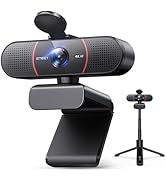
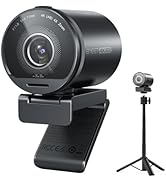
The EMEET C980 PRO is a 3-in-1 USB webcam featuring Full HD 1080P video, 4 noise-canceling microphones, and 2 built-in speakers. It offers an adjustable wide-angle view (60ยฐ-98ยฐ), automatic low-light correction, and fixed-focus clarity. Designed for seamless plug-and-play use across Windows and Mac platforms, itโs ideal for professional online meetings, streaming, and remote collaboration with enhanced audio-visual quality.


| ASIN | B088BY9PJG |
| Antenna Location | video conferencing, streaming, gaming, class use |
| Are Batteries Included | No |
| Best Sellers Rank | #50 in Webcams |
| Brand | EMEET |
| Built-In Media | 1/2.7 |
| Camcorder Type | Webcam |
| Color | Black |
| Compatible Devices | Laptop, Personal Computer |
| Connectivity Technology | USB |
| Customer Reviews | 4.1 out of 5 stars 1,831 Reviews |
| Display Resolution Maximum | FHD |
| Effective Video Resolution | 1080 Pixels |
| Exposure Control Type | Automatic |
| Features | 2 Speakers, 4 Microphones with Active Noise Cancelling and Auto Echo Cancellation, Auto Low-light Correction |
| File Format | JPEG |
| Flash Memory Type | NOT Available, Rely on Your PC/Mac |
| Focus Type | Fixed Focus |
| Form Factor | Compact |
| Has Image Stabilization | No |
| Image Aspect Ratio | 16:9 |
| Image Capture Speed | 30 fps |
| Image stabilization | false |
| Item Dimensions D x W x H | 2.36"D x 6.22"W x 2.76"H |
| Item Weight | 8.57 Ounces |
| Lens Type | Wide Angle |
| Manufacturer | Shenzhen eMeet technology Co.,Ltd. |
| Maximum Aperture | 22 Millimeters |
| Maximum Focal Length | 5000 Millimeters |
| Model Name | C980 PRO |
| Model Number | E3108 |
| Number of Speakers | 1 |
| Operating System | Windows (Win7,10,11), MacOS (10.10 and above) |
| Photo Sensor Size | 1/2.7-inch |
| Photo Sensor Technology | CMOS/MOS/Other |
| Screen Size | 3.8 Inches |
| Sensor Type | CMOS/MOS/Other |
| Shooting Modes | Automatic |
| Style Name | 1080P with 4Mics 2Speakers |
| Supported Audio Format | AAC, MP3, PCM |
| Supported Image Format | JPEG |
| UPC | 191893132210 |
| Unit Count | 1.0 Count |
| Video Capture Format | YUY2 / MJPEG |
| Video Capture Resolution | 1080p |
| Video Resolution | 1080p |
| Viewing Angle | 90 Degrees |
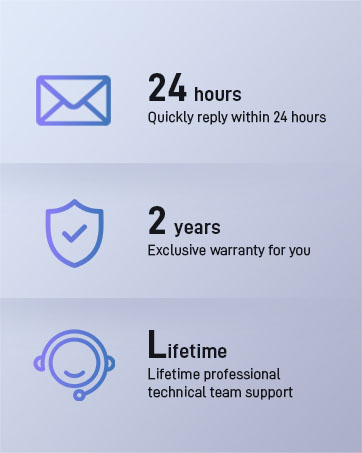
| Warranty Description | 2 YEARS WARRANTY |
| Water Resistance Level | Not Water Resistant |
| White Balance Settings | Auto |
| Zoom | Optical |
A**R
Awesome Microphones in a great Camera
I bought this to improve some old computer that does not have a good camera and has problems with the microphone. I tested with Google Hangouts and works very well, even when I was far from the computer, the sound was very good. The configuration was simple, because of the plug and play. The camera has a wide angle, so it shows more details. Also I switch back and for with the laptop camera and I can see the diference in the clarity of the video. I had been use a eMeet C980 and I like it, but this pro version I love it because of the four microphone provide a great sound with a good speakers. During video meetings, I used to connect a speakerphone with omnidirectional microphones in one USB and the C960 camera in another USB port. now I can do it with just one USB port. In this days, have a good camera and a great microphones is escential. I am happy with it.
K**F
Great home or small office conference webcam - with speaker - for the money (or quite a bit more).
I've been using the C980 for some time, and when the new C980 Pro came out I was excited to try it out. I've used the Logitech C930 for a while, and was looking for something less expensive for home use, especially since lately I'm on conference calls almost all day. My primary needs were all met -- specifically: -- Brightness - this captures light better than the C930, and is definitely the brightest webcam I've used. It's great since I keep my room fairly dark. (see picture above) -- Integrated Speaker -- I didn't realize I needed this until I got it. Since Mac won't control the audio output over HDMI, I wanted something that could be volume controlled through my computer (it shows up as a speaker output) as well as something where the sound was coming from the same direction as my camera, a much more natural experience when you're trying to look into the camera. This speakers aren't super hi-fi (<1" drivers after all), but it's considerably louder than my monitor speaker and very clear for conferencing. -- wIde field of view. This seems similar to the 930 (see picture above) -- great if you've got multiple people behind a table and need to all be in the shot. (see picture above) -- multiple microphones - this picks up all the voices in the room with good background noise removal. The 4 microphones work extremely well, and I've had several people ask me what I'm using. Great value and a good all around product.
B**.
Office
Good product
K**G
Great 3-in-1 WebCam, but mounting is an issue
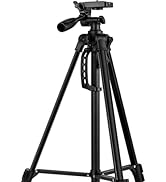
Purchased this wanting a three in one option so I can ditch my headset and have a speaker. I use a docking laptop so when it is closed I cannot hear sound. This was one of the few that offered a speaker, microphone and camera all in one. That said, I was surprised and disappointed it did not come with an adjustable mount or tripod. Even the cheap versions came with something to customize the mount. I did not anticipate the mounting being an issue especially given the higher price, however it was impossible to mount this on my slim desktop monitors. The whole point of purchasing this WebCam was to simplify my set up. It is not simple. Because I use multiple monitors, I could not mount on a standard large tripod such as used with a halo light - where would I place the tripod without moving monitors and taking up floor space? I ended up purchasing an Amazon Basics mini tripod for the top of my desk to sit in front of my monitors. Still it is about 6 inches too short to be at proper face height, However I managed to stack a few books under it and make it work. This is not ideal and not a permanent solution. I have spent more than enough time trying to find a solution to this problem therefore the reason for my four star review. That said, the photo quality is great, the microphone works and I have received feedback it is clear. It is plug and play with no issues. I will continue to find a solution for the mount, as frustrating as that is the camera does itโs job.
A**I
unable to zoom in/pan the field of view, making EVERYTHING show up in the room
I really wanted to like this webcam, but I just about hate it. The biggest problem is its inability to zoom in/pan in on the field of view. Hence, it shows an extremely wide angle whether you like it or not. That might work at a workplace, but when I have to Zoom from home, I'd rather not show EVERYTHING all to way to the kitchen (the dog's litterbox, the laundry hamper, the kid's toys) and back. There absolutely no controls to zoom in (pan in) with the camera. That might be acceptable for a garden variety camera, but this one was rather pricey not to have that basic function. To make things worse, the advertisement for the product shows a user video. Toward the end (15 sec before the end), they are showing this lovely woman's view through the webcam. There is no way on bloody Earth for that image to have come from this camera, as it is the narrowest pan field. In other words, their product ad is a deceitful lie. On top of all this, the image quality is junk. There is no way on Earth its 1080. The final insult is the "clip" that the camera uses to stay on top of my laptop, except you cannot call it a clip. It's a precarious little shelf of a thingy that is (un)supported by a fold in the thingy. For a $29.99 camera, that would have been acceptable. But at $90, it ain't.
B**S
Tried several
Updating after 3 months of use, one primary issue: The microphone has a serious problem with noise cancellation (or something) if you have a window open , it will cause horrible echo/delay for everyone else on the video call, except you. You will need to unplug it, close your windows and power it back on, it cannot recover by simply closing the window. Strange I know, but itโs a consistent and repeatable issue and resolution with the device. This one has great video, sound and mic. Itโs heavy so it sits in place and isnโt pulled off your monitors by the weight of the usb cable like some of the others I tried. I video call 2 to 7 hours a day, need really good but not professional level quality - this so far has been a fair balance. The sound on this rocks, you can actually hear without maximum sound volumeโฆ. Magnetic camera cover is nice as well.
S**E
Great 3-in-1 WebCam that is budget friendly
Simple plug and play to start using. Works well with Teams, and WebEx, and Zoom - I am in too many meetings. I appreciate the 3-in-1 design so no more extra wires for microphone and speaker. Coworkers reported only a slight degradation with the microphone as compared to a dedicated good quality headset, but still very good clarity. I noticed I have a tendency now to lean back away from the camera since not tethered, but this does impact the microphone pickup. So now I have to sit up straight and act like I want to be on the meeting. I ultimately downloaded the free specialized software which gave great control over zoom and picture quality. I highly recommend for those tired of headsets that confine you too much.
J**G
Works great
I got this for occasional meeting use. The camera came in a very compact box but was setup in about 2 minutes. It is plug and play in Windows 10. Picture is good and sound is good. USB cable is nice and long. As for lack of software, not sure what software you would include? It is plug and play so doesn't need a driver. And if you are using it for an online meeting then you will be using Zoom or Teams or something like that and again, you don't need special drivers for any of those programs. And if you want to see the actual picture quality of the camera, use Windows 10 Camera app and that will show you the full picture quality. Many of those meeting apps, especially the free version, will reduce the picture quality to save on bandwidth through their servers so you can't judge by that.
P**E
Great product
Easy to set up
J**T
Excellent Quality and price.... Easy to install.
Recommend... I still need some volume adjusts. I bought 2 of these WEBCAM cameras. Worth the price..The quality is certainly there..I have tried both of them on both of my computers.. Highly recommend and I normally buy LOGITECH.
D**.
All in one webcam
I am using this webcam with a desktop computer. Before I had a webcam mounted on my monitor for video and I used a headset with a microphone for listening and speaking. Now this unit combines video, microphone and speaker all together. The audio quality is excellent. It works well with Zoom and other video conferencing apps as well as by VOIP telephone system.
D**A
Must have
It can be as loud as my TV. Good quality sound, good camera too. Microphone is as well records well. Thanks!!!
S**A
Very good high resolution with wide angle view
This is a very good Camera with microphone and speaker. The camera is high resolution and wide angle. The microphone can pick up voice even from a distance. Speaker good for meeting and ok for other things like music.
Trustpilot
3 days ago
3 weeks ago