๐ Elevate Your Office Game with the HP Officejet 4500!
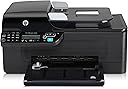
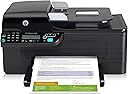
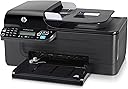
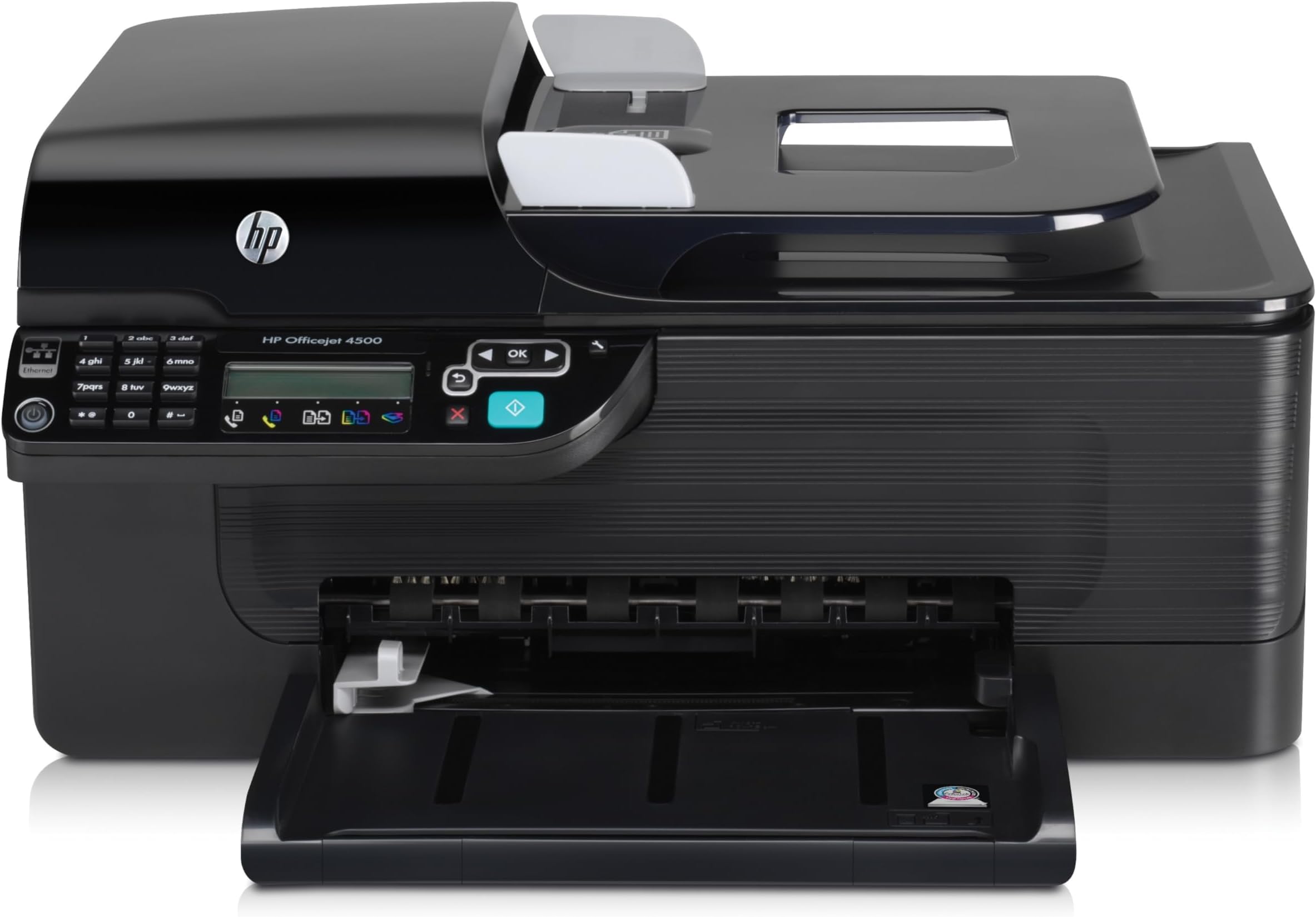
The HP Officejet 4500 All-in-One (CB867A#B1H) is a versatile inkjet printer designed for the modern professional. With capabilities to print, scan, copy, and fax, it offers a maximum print resolution of 4800 x 1200 dpi and a speedy output of 28 pages per minute in black and white. Its compact design and user-friendly interface make it an ideal choice for any workspace.
| ASIN | B0036TGGJ6 |
| Additional Printer Functions | All In One |
| B&W Pages per Minute | 28 ppm |
| Brand | HP |
| Built-In Media | LCD screen, USB port |
| Color | BLK/SLVR |
| Color Depth | 24 bpp |
| Color Pages per Minute | 22 ppm |
| Compatible Cartridge | HP 950XL, HP 951XL, HP 934XL, HP 932XL |
| Compatible Devices | Laptops, PC |
| Connectivity Technology | Ethernet | USB Cable | USB Drive |
| Control Method | Touch |
| Controller Type | Touchscreen |
| Customer Reviews | 3.7 out of 5 stars 509 Reviews |
| Display Type | LCD |
| Dual-sided printing | No |
| Duplex | No |
| Global Trade Identification Number | 00884962535523 |
| Hardware Interface | USB 2.0 |
| Ink Color | Black |
| Item Weight | 13.03 Pounds |
| Manufacturer | HP |
| Maximum Copies Per Run | 20 |
| Maximum Copy Resolution Black and White | 4800 x 1200 dpi |
| Maximum Copy Resolution Color | 4800 x 1200 dpi or lower |
| Maximum Copy Speed Black and White | 28 ppm |
| Maximum Media Size | A4 |
| Maximum Print Resolution Black and White | 4800 x 1200 dpi |
| Maximum Sheet Capacity | 100 |
| Maximum print Resolution Color | 4800 x 1200 dpi |
| Model Name | CB867A |
| Model Number | CB867A#B1H |
| Model Series | G510g |
| Number of Drivers | 1 |
| Number of Ethernet Ports | 1 |
| Number of Trays | 2 |
| Other Special Features of the Product | Copying, Fax, scanning |
| Paper Size | A4 [NO] |
| Power Consumption | 17 Watts |
| Print media | Card stock, Envelopes, Paper (plain), Transparencies |
| Printer Connectivity Type | Ethernet | USB Cable | USB Drive |
| Printer Output Type | Color |
| Printer Type | Inkjet |
| Printing Technology | Inkjet |
| Processor Count | 1 |
| Resolution | 4800 x 1200 |
| Scanner Type | Sheetfed |
| Special Feature | Copying, Fax, scanning |
| Specific Uses For Product | office, home |
| Total USB 2.0 Ports | 1 |
| Total Usb Ports | 1 |
| UPC | 884962535523 778888535869 |
| Unit Count | 1.0 Count |
| Warranty Description | One-year limited hardware warranty backed by HP Customer Care, service and support, one-year technical phone support, plus a toll-free number |
| Warranty Type | No Warranty |
| Wattage | 17 watts |
L**E
Very nice, great price
I have a Canon photo printer with a scanner and printer for my desktop, and I wanted something to use with my laptop because I don't share files between the two. I came across this little HP for $49.99 with free shipping, and I was intrigued. It even has the fax which I did not have. My desktop and laptop are HP and I have always been very happy with them. I read the other reviews and decided to try it. I am very happy so far. I have only had this for about a month, but so far all has gone well. I didn't want to use my router to use it, so I got a cable (Mediabridge - Hi-Speed USB 2.0 Cable - Gold Plated, 10 feet) for about $5.00 and I set the printer up on a bookshelf close to where I always use my laptop. It does not come with the USB cable, so remember that if you are going to need one. You can get a shorter cable for even less money - just check the sizes and prices. Nothing expensive is needed. It only took me about 30 minutes to take everything out of the box and hook it up and set it up with my laptop - and I was printing. Very easy to set up. The printer comes with the one starter cartridge of black ink and one starter cartridge of color ink. I already know that this printer does not print the quality photos that my Canon does, so I am going to use this one to print out paperwork. My main gripe about any of the printers is the cost of ink. When I bought this printer I was getting ready to buy cartridges for my Canon, and I had to laugh when I saw that I could buy a whole new printer for just a few dollars less than the ink for the Canon. I noticed that the ink is going to be expensive for this too, but right now that is just a fact that I cannot change. I have not used the fax on this HP yet - I rarely have use for a fax. When I have the time I guess I will try it just to see how well it works. From my experience with this set so far I predict it will be fine. One thing I particularly like about this HP is the settings. They are so simple to use. You can go to the on line instructions if you need something more detailed, but the written ones that came with it were sufficient to figure out how to use the settings for me. I gave this five stars because of everything that it does, ease of set up and use - and the low price. One thing you may want to remember - this is not put together with strong materials like my Canon for example. Some parts can be very fragile - thinner plastics, like the paper tray, etc - so just be careful, handling things with reasonable care, and it should be fine. It is a nice size. I moved one shelf up on an antique bookshelf to make one slot larger - and if fits in there just fine, even with enough space to lift the lid to make copies, and it's not too heavy for my bookshelf. I didn't want to put it on top because it would have been in the sun in front of the window - so I am very happy with the size too, especially for a device that does photo printing, printing, copying, scanning and fax. It's also attractive - being mostly black it looks very nice on that shelf where I put my laptop in the narrower shelf above it when I am not using it. They are both HP and both black, so nice combo. I still have the issue of ink cartridges being so expensive on both my Canon and the HP. I have looked at the refurbished cartridges that are so cheap, but I am a bit hesitant to try them. I have read positive comments but I have always read so many negative things, it worries me. If they just didn't work and I could return them, that would be one thing - but I have read that some people have used them and they caused damage to their nice photo printers. SO - if anybody has anything they would like to share on that subject I would sure appreciate it, both on the Canon and the HP. Bottom line - if you want something simple and multi-functional with a very reasonable price, this is perfect.
J**N
Would never purchase again
I originally gave this a four star review. I was so pleased with it that when the old one died, I bought a new one from Star Sales. Made sure it was NOT refurbished, by the way. Paid around $10 for an extended warranty, too. Then I left town for a few months, and by the time I got back it was out of time for returns. But no worry - I had an extended warranty, right? Plugged it in, set up, Godawful screeching noises - something interfering with the cartridges returning to the proper place. Fax didn't work. Scanner didn't work. Called Amazon. They said to call the extended warranty people. Who told me to call HP because it was less than a year since I'd bought the printer, so it was still covered under HP's warranty. After an hour on the phone running every conceivable diagnostic, I was told by the HP woman that they would replace it, and could even offer me an upgrade at no charge, plus throw in a bunch of cartridges to replace the ones I'd purchased already for the 4500, that wouldn't fit the new one. Great. How soon? Within 2-3 weekdays. Perfect. She put me through to the ordering department. Who proceeded to tell me that the printer she offered was out of stock, they didn't know when they'd get another, couldn't promise delivery, and certainly wouldn't give me free cartridges. At which point I started to go ballistic. It was now getting onto two hours since I'd called Amazon. I asked to be bumped up a tier, and he told me he was the manager and there was no higher tier. THEN I discovered that the serial number showed that when I'd bought the printer it was already over a year old - though new, not refurbished - and out of warranty with them anyway!! So Star Sales had this printer laying around for, get this, almost two years before I bought it. Called the extended warranty people back. They were sorry, but their warranty couldn't kick in until a year had passed. You can imagine how angry I was. The story has a happy ending. I sat down and wrote a really annoyed email to Amazon's help center, explaining what had happened, saying the vendor shouldn't be allowed to sell out of date printers, why had I purchased an extended warranty that was meaningless, I was a long time loyal customer etc etc. Imagine my surprise when they emailed to say they were crediting my account with the full purchase price immediately, please return the printer when possible. I called, to make sure it was correct, and was told yes - when I said "but I can't return it for another month, I'm out of town" - the guy said that would be fine, he'd extend it a month. When I said "but I have nothing secure to pack it in" he said just throw it into a box or a bag. I protested that it would break into smithereens and he responded that they really didn't care.The money was in my credit card account within 24 hours. Amazingly good customer. I took the extra money, bought an Epson 2650, and have been very pleased with it.
M**A
Great Features, Great price
I purchased this printer based on the features (Printer, fax, scanner, auto document feeder (ADF)) and the price point. I needed a printer for my downstairs home office where I work 75-100% of the time. I already own another HP printer (2600), so I was familiar with the product. Keep in mind that this printer does not come with any cables other than the power cable. If you plan to hook this printer directly to your laptop, then you will need to purchase a USB cable (about 5 bucks here on Amazon). If you are planning on connecting it to your internet router, then you will need to purchase an Ethernet cable (also available on Amazon). If you are going to connect it to your phone line, then a phone cord will be needed. I made all 3 connections, and already had all of the cables. I was happy to see that they did include the ink cartridges. Setup took less than 1/2 hour. I am a technical person, so setup times may differ, especially when connecting into your home network. Overall, I am happy with the quality thus far. The ADF takes a little getting used to...your stack needs to be sitting just right for the ADF sensor to recognize that there is a document to feed. Once you get the hang of it, it's OK. The speed of the printer isn't great, but I knew that already before I purchased it. For the average home/office user this printer should exceed expectations. At 60 bucks, you cant beat the price.
X**L
Seller was wonderful about replacement.
I received this printer two days earlier than was stated by seller. I was so happy because I had been without a printer for almost two weeks. I got it all setup, put in the CD to install and when was prompted to turn on the power there was no green light. I plugged it into 3 different outlets and still no green light. I contacted the seller, by email and by phone, and explained the problem. He said he would be happy to replace the printer and not to worry about sending the defective one back. Wow!! I got the replacement printer and to my surprise and delight, the seller had sent me a wireless printer of the same model. I am thrilled. I set it up, ran the install CD and when it came time to power up the printer the green light came on. It was very easy to setup the wireless connection,which is good as I have no knowledge as to how to setup WiFi anything. The machine runs wonderfully. Have printed, scanned and copied many documents and the quality is excellent. I am very happy with this product though I had some reservations because it was refurbished not a new one. Highly recommend this seller!!
R**O
HP Officejet 4500, a step in the wrong direction
I used to own a HP Officejet 4215. I was very pleased with it in relation to use, output speed, quality of output, ease of operation, economy in the use of supplies (ink), as well as user friendliness. In comparison the new machine HP Officejet 4500, represents a big step back in most of the factors mentioned above. My biggest complain is about HP Officejet 4500, insatiable thirst for ink. HP`s claim about the number of page output estimate for ink cartriges for this machine should be reviewed by HP, as well as looked at by the Better Business Bureau. (False Claims). I recommend every one considering the purchase of this item take a look to the customer reviews for this item before making a final decision. I miss the Cover Page feature included as part of the FAX function provided by the HP Officejet 4215. In the new machine HP 4500) you dont find this feature. Additionally in the Fax Log page you are not provided the ability to see the body (content) of the documents you have previously faxed. Operating the HP 4500, for other than the copy feature on the machine itself is definitely not user friendly. On the other hand, I am very happy about the flat top scanner capability of the HP 4500. If given the opportunity to have either machine HP (4215 vs. HP 4500), I would definitely choose the former.
P**R
HP Officejet 4500 All-in-One (CB867A#B1H)
This unit has every feature advertised. It faxes, prints, scans, and copies. I am fond of the paper tray feature. My last multifunction unit had a slide down paper feeder, which caused paper jams. It eventually went kaput on me due to a paper jam. Therefore, I am fond of the paper tray feature of this unit.---In addition, this unit works with my Windows20000 operating system (professional). I called Brother, the company, and a representative kindly guided me through the software setup. With direction, I simply bypass the main installation feature to an optional setup. It is all on the setup disk.---Another good feature is the speed of printing. It appears that I can print by simply clicking the printer icon in Windows, without having to go through printer setup. Printing is therefore fast.---Faxing is good too. The push-buttons allows for selection of the fax feature and simply entering the fax number. ---The touch screens are very good for setup, like distinctive ring feature. This was the only confusing feature thus far. On my last unit, distinctive ring was an option. This unit however allows for choosing between four distinctive ring patterns. Verizon customer service suggested that I choose the first ring pattern, since they are unaware of various distinctive ring patterns-they only offer one.---The unit is so compact that it sits well at its elevated station. My cousin, seeing how compact it is, offered to switch with me, his new but larger model. He has a small place. I have to think it over.
S**K
Terrific Buy
Bought my Officejet 4500 because my old HP had died & I really needed the Multifunction capability. The Fax allowed me to apply for online opportunities that I could not apply for before & I landed ajob. The scanner, which was ancient also died, so I've been able to create documents & emails & relay info much easier than before. (again the online application process). Simply put, it has delivered everything I've asked it to & the print quality is solid. (use draft to save ink) Shoulda bought this years ago. The price was the lowest on the market, & Amazon got it to me in 2-3 days with normal shipping. (free) Good printer, good service, good deal.
H**E
Don't bother!
What a disappointment! I purchased this in Feb of 2011, and this printer has been nothing but trouble! Thank goodness I got an extended warranty, because just about 5 mos. out of warranty, the printer died, and before it died, it was a total pain in the rear trying to keep it working right! Its first problem was being unable to pick up a sheet of paper out of the try and I use good quality printer paper! Then it would print blobs of ink quite often, even when I put new ink cartridges in it, and new ink cartridges for this machine are waaaaay expensive, with no generics available like Epsons and Brothers have. All that's available are refilled cartridges that cost a bunch more than the generics that the other two brands have. I bought this printer here on Amazon.com, and I also got the Square Trade warranty, and it has been a real lifesaver. They handled my claim quickly, with the longest time being taken to get a gift card code from Amazon.com sent to them, so they can email it to me. But everything has fallen into the time limits listed in Square Trade's info. This is my second HP in a row, and neither lived even a year and a half long, and my machines do not get much use and are well cared for. I've owned dozens of printers in the past 27 years of owning computers, and in the past ten years or so, I've become used to having an all in one printer with an automatic document feeder. As soon as my gift card comes via email (that includes a 5% bonus in the amount for choosing this way of getting reimbursed), I will be purchasing the Brother MFC J425W All in One printer with an automatic document feeder. The replacement ink cartridges are very inexpensive, and I have a friend who always orders them and swears by them! I will be purchasing another extended warranty for the new printer too. (Fool me once...!!!)
G**N
great printer for the price
This printer is a bargain for the price charged instructions are not too clear but when you install the CD into your computer it all becomes clear on how to operate it I would highly recommend it for a beginner that doesn`t want to spend lots of money
D**N
HP All-in-One
It took me a little time to master this one - especially the scanning operation - but I 'm now quite happy with it.
B**N
Sucks
The printer is good all, as colored ink jets do, but I have to buy a new chord for it to plug into my laptop and my old cable wouldn't support it. Frustrating to try to get it to print/scan.
R**B
Good Printer, but not a Photo Printer
I purchased this printer to replace my older Kodak ESP 7 and so far it has done the job with great ease. Firstly this is not a photo printer and the quality of photos will be significantly lower compared to those printers who's primary function is to print photos. Having said that this is a great printer for the home office type of person where a lot of printing, scanning, copying, and possibly faxing is done. A nice feature with this printer is the tray on the top that allows you to present many pages at one time for systematic scan. This is a good feature if you are making booklets or other material for a large group and want to make copies very quickly. One feature that is it does not have is a duplexer that allows automatic two sided printing as the ESP 7 did. On the flip side (no pun intended) having a tray to scan items quickly more than makes up for this as you can just flip the print-outs and flip the source pages and click copy to accomplish two sided printing. This is a great printer for those that do a lot of document printing and want an economical printer to take care of non commercial tasks. The printer does tend to be a little of the noisy side compared to some others I have seen but is no more noisy than my old ESP 7. All in all a good buy for the home office where photos are not the priority. Pros -good price -good document printing performance (black and colour) -top loading tray for fast scanning or copying Cons -little bit loud -not the best for printing colour photos -ink is more expensive than the Kodak -no automatic double sided printing
M**R
Good choice for Linux
Everything work fine under Ubuntu. Work well with Simple scan, xsane and gscan2pdf but the scan broke after 5 days and I had to returned it. Only a bad luck?
Trustpilot
2 months ago
2 weeks ago