

Desertcart purchases this item on your behalf and handles shipping, customs, and support to Croatia.
🎨 Elevate Your Creative Game with Precision and Comfort
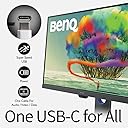
The BenQ Creative Pro PD2705Q is a 27-inch 2K QHD IPS monitor designed for Mac and Windows professionals in graphic design and video editing. It features 100% sRGB and Rec.709 color accuracy with advanced AQCOLOR technology, USB-C connectivity delivering 65W power, and ergonomic adjustments for optimal comfort. Additional perks include built-in KVM for multi-PC control, Display Pilot software for workflow customization, and eye-care technologies to reduce fatigue during extended use.


| ASIN | B088HSJP47 |
| Adaptive Sync | FreeSync Premium Pro |
| Aspect Ratio | 16:9 |
| Aspect ratio | 16:9 |
| Best Sellers Rank | 5,266 in Computers & Accessories ( See Top 100 in Computers & Accessories ) 141 in Monitors |
| Box Contents | 1 Year Technical Support, BenQ PD2705Q 27 Inch 2K QHD Monitor |
| Brand | BenQ |
| Brand Name | BenQ |
| Colour | Black |
| Colour Gamut Value | 1 |
| Compatible Devices | MacBook |
| Contrast Ratio | 1000:1 |
| Country of Origin | China |
| Customer Reviews | 4.3 out of 5 stars 822 Reviews |
| Display Technology | LCD |
| Display Type | IPS |
| EU Spare Part Availability Duration | 3 Years |
| Global Trade Identification Number | 04718755080821 |
| Hardware Connectivity | USB Type C |
| Has Color Screen | Yes |
| Image Brightness | 250 Candela per Square Meter |
| Image contrast ratio | 1000:1 |
| Item Dimensions D x W x H | 61.4D x 23.1W x 54.9H centimetres |
| Item Weight | 5.7 Kilograms |
| Manufacturer | BenQ |
| Maximum Display Resolution | 2560 x 1440 Pixels |
| Model Name | PD2705Q |
| Model Number | PD2705Q |
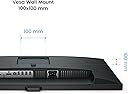
| Mounting Type | Wall Mount |
| Native Resolution | 2560x1440 |
| Network Connectivity Technology | USB Type C |
| Picture Quality Enhancement Technology | AQCOLOR Technology |
| Power Consumption Size | 65 Watts |
| Product Features | High Dynamic Range |
| Product Warranty | 3 years |
| Refresh Rate | 60 Hz |
| Resolution | QHD Wide 1440p |
| Response Time | 4 Milliseconds |
| Screen Finish Type | Flat |
| Screen Size | 27 Inches |
| Screen size | 27 Inches |
| Screen surface description | Flat |
| Shape | Rectangular Prism |
| Specific Uses For Product | Video Editing |
| Total HDMI Port | 1 |
| Total USB 3.0 Ports | 4 |
| Total USB Ports | 5 |
| Total Video Out Ports | 1 |
| Unit Count | 1.0 count |
| Viewing Angle | 178 Degrees |
| Voltage | 240 Volts |
D**R
Great for photo and video editing on a budget
I have recently started editing photos and videos on my laptop and found it difficult because of the small screen and limited colours. I did quite a bit of research and decided to stretch my relatively small budget to this monitor and I'm very happy with it. Now, I'm no professional and I understand that if you want the best in sharpness and colour space then there are better monitors out there. However they come with a far heftier price tag that far outweighs my needs. For a little over £200, I have been extremely impressed with this monitor. At this size, I feel that the 2k resolution is more than enough. It's bright and the colours seem to accurately represent what I saw when I was taking the images. It's quick and easy to set up, with the usb c connection to my laptop allowing me to leave a keyboard and mouse plugged into the monitor's usb ports so as to act as a docking hub. It has a hdmi input into which I ha a fire tv stick so that I can enjoy watching tv. There's plenty of adjustment in the height and angles to allow comfortable viewing, and also has the ability to rotate to portrait orientation which is brilliant for editing photos and viewing them full screen. As with most monitors, the speakers are underwhelming but I am able to simply plug some external speakers into the monitor via the headphone jack. Overall I'm very happy with this monitor and would recommend it to anyone looking to buy a good, well made monitor in this price bracket who doesn't need lightning fast refresh rates for gaming.
S**N
In case you're wondering; this monitors works great with Windows as well as Mac
Well made with robust stand. Decent price for the specs. Easy to setup. Just in case you're wondering YES this is a Windows compatible monitor. The manufacturer's blurb and reviews might make you wonder if it's only for Mac. It works fine with windows. The Display Pilot software, not strictly needed, also runs under Windows 10/11. This is my second PD series monitor so I guess I'm a fan of the good quality and reliability
C**M
Good
Lovely accurate colours, good settings, crisp display, the blacks aren't very dark if you're used to oled on your other devices though, if you use it for gaming you'll have to turn it to a more vivid colour setting
M**.
Great product
This is a very good monitor. I found that all new monitors from BENQ work really well with Mac computers, as it has a very accurate color profile. The design of the monitor is really nice and fits perfectly on my desk. This specific format is great since I don't have much space, so 25" was the largest I can get. It's a shame that we can't get a 4K resolution in this size, but I don't miss it that much. For work or for recreation, like watching movies, it looks very good.
A**R
Best Monitor for MacBook Pro
BenQ PD2705Q 27 inch 2K QHD Monitor - Best Monitor for MacBook Pro, really impressed with this monitor, I've been looking for good monitor for Coding frontEnd/BackEnd, graphic/web Design, Watching movies on YouTube, amazon, Netflix, gaming, with USB C power delivery, split view, eye safety for darkroom and reading mode etc.. this monitor fullfilled all my needs, DisplayPilot tool provides excellent color management and splitview features. one minor issue is inbuild speaker doesn't work, but it doesn't matter this monitor has 4 USBC connections, HDMI, 3.5 HeadPhone Jack, build quality of this monitor is really great.
B**T
Great colour
Excellent colour for video editing. Matches really well with MacBook pro
F**S
Product doesn’t work
I had a deadline around the corner, this screen would save me a lot of time, but it was a shame, worked for 30min and got parcial black and 10min pitch black.
A**X
3 dead pixels
Generally speaking, the monitor is sound for the price. However, I have now found at least one dead pixel in the panel and I'd like to discuss getting this refunded or replaced as soon as possible
D**N
Très bien
SUPER
A**R
Benq monitar very good
USB-C hub monitor -- best option for a clean, minimal setup In ongoing efforts to simplify my life, I sold my desktop computer and tablet and got a 2-in-1 laptop. With this monitor, I can easily plug in a single USB-C cord and immediately be connected to an extra monitor and all of my peripherals (mic, keyboard, mouse, etc.). I spent a ton of time researching USB-C monitors on the market, and ultimately was debating between this one and the Lenovo Q27h-20. In the end, I preferred the PD2705Q for its frame color, USB port placement, color accuracy, and price point. It can also daisy chain monitors easily, if I ever want to add a third monitor to my setup. Less
E**Z
Maravilloso.
He visto muchos monitores a lo largo de la vida. Algunos más grandes, más chicos, pero creo que nunca había visto uno tan PRO en general. Lo agarré en oferta y fue la mejor elección que pude haber hecho, está increíble. Funciona con Windows y con Mac sin ningún problema.
C**R
Absolut das Geld wert
Der BenQ PD3420Q UltraWide Designer Monitor ist für mich schlicht ein absoluter Volltreffer – ein Monitor, der in jeder Hinsicht überzeugt und speziell für kreative Arbeit nahezu perfekt ist. Die Farbdarstellung ist dank der AQCOLOR-Technologie einfach herausragend. Farben wirken unglaublich präzise, lebendig und gleichzeitig natürlich – genau das, was man für Design, Bildbearbeitung oder Videoarbeit braucht. Hier merkt man sofort, dass dieser Monitor für Profis gemacht ist. Auch die Verarbeitung und Qualität sind auf einem extrem hohen Niveau. Alles fühlt sich hochwertig und durchdacht an – vom stabilen Standfuß bis zum schlanken, modernen Design. Ein weiteres großes Highlight sind die Anschlussmöglichkeiten. Egal ob Laptop, PC oder andere Geräte – alles lässt sich problemlos verbinden, und man hat maximale Flexibilität im Arbeitsalltag. Mein persönliches Lieblingsfeature ist aber ganz klar das Hotkey Puck Bedienteil. Damit kann man blitzschnell zwischen verschiedenen Eingangsquellen wechseln oder Einstellungen anpassen, ohne sich durch Menüs klicken zu müssen. Gerade wenn man mehrere Geräte nutzt, ist das ein echter Gamechanger. Das 34-Zoll-Ultrawide-Format (1440p WQHD) sorgt zudem für enorm viel Arbeitsfläche – perfekt für Multitasking und kreative Workflows. Fazit: Ich bin wirklich begeistert. Der BenQ PD3420Q liefert in allen Bereichen Top-Leistung – Farben, Verarbeitung, Bedienkomfort und Ausstattung sind auf höchstem Niveau. Für mich ganz klar: 100 von 100 Punkten.
P**X
Ottimi colori e grande comfort visivo, perfetto per lavorare molte ore
Utilizzo BenQ PD2705Q 27 inch QHD IPS Designer Monitor ormai da diversi mesi senza alcun problema e ne sono molto soddisfatto. La qualità dell’immagine è davvero ottima, soprattutto per quanto riguarda i colori. Il pannello IPS QHD da 27" offre una resa molto piacevole sia per lavoro sia per utilizzo multimediale. I colori appaiono equilibrati, naturali e già ben calibrati fin dalla configurazione iniziale. Venivo da un vecchio monitor da 19" e il passaggio a 27" è stato un enorme miglioramento in termini di spazio di lavoro, comfort visivo e produttività quotidiana. Lavorare su documenti, browser o programmi aperti contemporaneamente è decisamente più comodo. Il monitor arriva già regolato in modo corretto, ma allo stesso tempo è facilmente ricalibrabile in base alle proprie esigenze personali. L'ho scelto anche per l'assenza delle casse integrate. Molti potrebbero vederla come una mancanza, ma personalmente preferisco così perché gli altoparlanti integrati nei monitor spesso hanno qualità molto mediocre. Nel mio caso ho collegato due casse PreSonus Eris E5 cablate che trovo veramente ottime, perché ascolto molta musica mentre lavoro, e il risultato finale è decisamente superiore rispetto a qualunque speaker integrato. Molto comoda anche la parte ergonomica: il monitor è facilmente regolabile e può essere orientato lateralmente. Questo rende pratico l’accesso alle 4 porte USB posizionate sotto il monitor, dettaglio che uso spesso e che alla lunga fa davvero comodo. Anche la connettività è completa e moderna, soprattutto grazie alla USB-C. Nel complesso lo consiglio soprattutto a chi lavora molte ore al computer e cerca un monitor con ottima resa colori, buona ergonomia, spazio di lavoro generoso e una qualità generale superiore ai classici monitor consumer economici.
Trustpilot
2 months ago
1 month ago