🎮 Own Your Game with XR1000 — Where Speed Meets Control
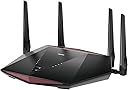
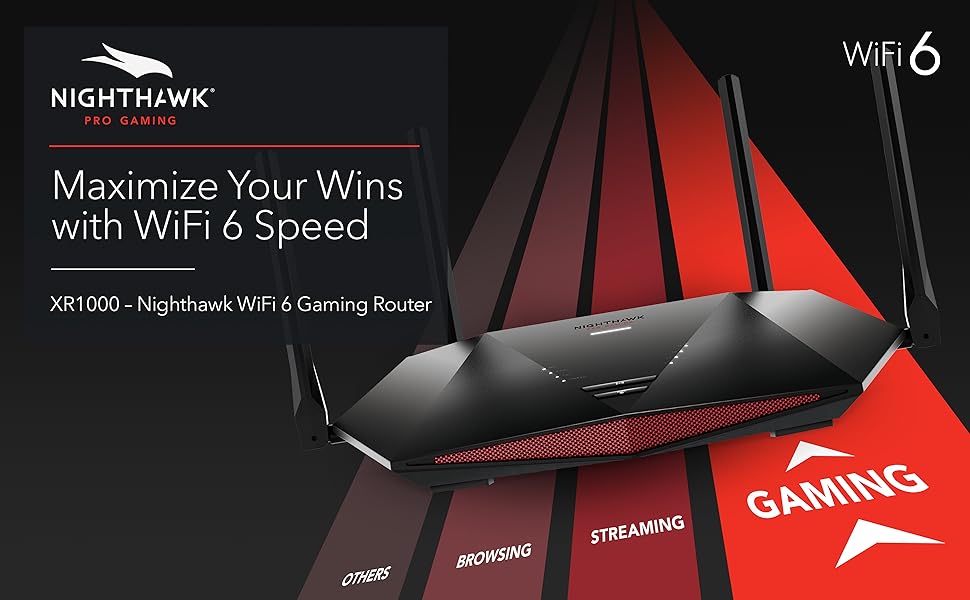
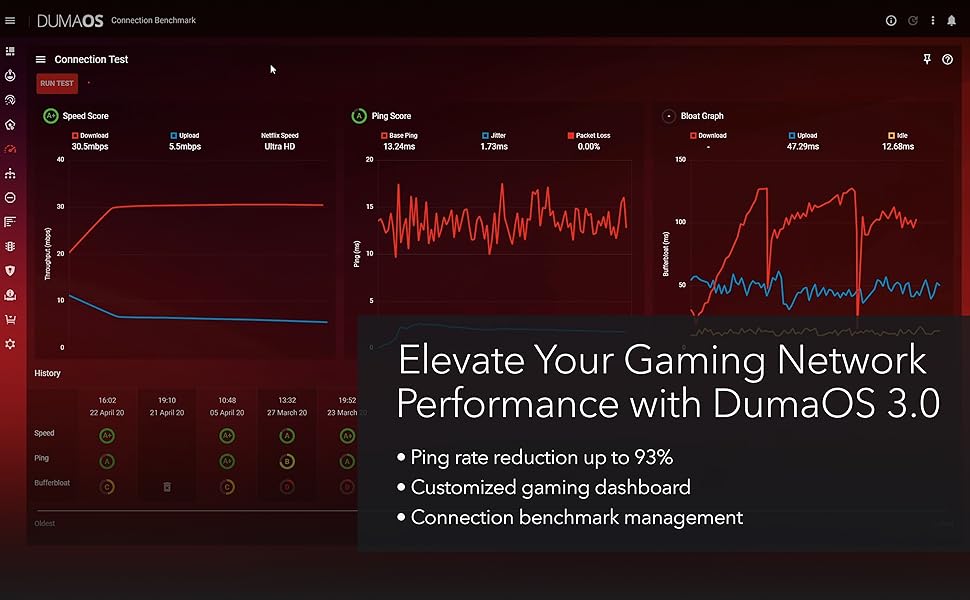
The NETGEAR Nighthawk XR1000 is a WiFi 6 AX5400 dual-band gaming router powered by DumaOS 3.0, designed to reduce ping by up to 93% and support 4x more devices than previous AC routers. It features 4 Gigabit Ethernet ports, a USB 3.0 port for shared storage, and advanced security with automatic firmware updates and NETGEAR Armor protection. Ideal for serious gamers and streaming enthusiasts, it offers geo-fencing, traffic prioritization, and broad device compatibility to deliver a lag-free, secure, and customizable network experience.


| ASIN | B08FWNNWTB |
| Antenna Location | Home |
| Antenna Type | Fixed |
| Best Sellers Rank | #41,630 in Electronics ( See Top 100 in Electronics ) #302 in Computer Routers |
| Brand | NETGEAR |
| Built-In Media | WiFi 6 Pro Gaming Router (XR1000), 4 detachable antennas, Ethernet cable, Quick start guide, Power adapter |
| Color | Black |
| Compatible Devices | Phone, Tablet, WiFi-Enabled Devices, Media Streaming Devices, Computer, PC, Mac, Gaming Consoles |
| Connectivity Protocol | Ethernet, Wi-Fi |
| Connectivity Technology | Ethernet, Wi-Fi |
| Control Method | App |
| Controller Type | Switch |
| Coverage | Internet Security |
| Customer Reviews | 4.0 out of 5 stars 2,512 Reviews |
| Data Transfer Rate | 675 Gigabits Per Second |
| Frequency | 5.4 GHz |
| Frequency Band Class | Dual-Band |
| Has Internet Connectivity | Yes |
| Has Security Updates | Yes |
| Is Modem Compatible | Yes |
| Item Dimensions L x W x H | 11.61"L x 7.87"W x 2.51"H |
| Item Type Name | Wireless Router |
| Item Weight | 1.32 Pounds |
| LAN Port Bandwidth | 1000 Mbps |
| Manufacturer | Netgear |
| Maximum Upstream Data Transfer Rate | 2700 Megabits Per Second |
| Mfr Part Number | XR1000-100NAS |
| Model Name | XR1000-100NAS |
| Model Number | XR1000-100NAS |
| Number of Antennas | 4 |
| Number of Ports | 4 |
| Operating System | Microsoft ® Windows 7, 8, 10, Vista ® , XP ® , 2000, Mac OS ® , UNIX ® , or Linux ® , Microsoft ® Internet Explorer ® 11 or higher, Microsoft Edge, Google Chrome ® 55 or higher, Firefox ® 45 or higher, Safari ® 10 or higher |
| Other Special Features of the Product | Internet Security |
| RAM Memory Installed | 1 GB |
| Router Firewall Security Level | High |
| Router Network Type | wireless_wired |
| Security Protocol | WPA2-PSK |
| Special Feature | Internet Security |
| UPC | 606449150544 |
| Unit Count | 1.0 Count |
| Voltage | 100240 Volts |
| Warranty Description | 1-year warranty |
| Wi-Fi Generation | WiFi 6 |
| Wireless Communication Standard | 802.11ax |
| Wireless Compability | 802.11ax |
S**A
Bought as a used unit but works great.
Bought this Nighthawk Pro Gaming 6 AX5400 (XR1000) router as "used - good" condition. When I took it out, the WPS button was stuck inside. Like someone pressed the button too far in that the button shifted up and was stuck under the cover. No big deal as I have star bits to take the router apart and fix the button. I knew used units are a little rough so I don't think this issue needed a star removed. As for setting it up, it was a slight hassle. I can tell why someone would return this router as the DumaOS interface is not too easy to use without instructions. If you want a router that turns on and works automatically, this is not the router. If you don't have a somewhat of an understanding on WiFi networking, this not the router for you as it requires some knowledge to set it up to have it work properly. The DumaOS interface is slightly buggy and almost all of the features didn't work after updating the firmware. Luckily, Netgear has previous firmwares for download and I rolled it back by one version to get it all working again. Still, I wanted the latest firmware and there was an easy fix to updating the firmware without issues. It's called not using Google Chrome browser and using Microsoft Edge browser. In fact, it works faster and less buggy in the Edge browser. Everything in the DumaOS works great on the latest firmware with Edge so if you're having buggy issues with the interface, just switch to Edge. Overall, buying this used saved me about 118 dollars. This replaced my old Nighthawk DST AC1900 (R7300). With the old router, Nintendo Switch had issues with the eShop and just trying to download games, the TV had streaming issues that would cut in and out, and my Oculus Quest 2 had a lot of connection issues. This router SOLVED ALL OF THESE ISSUES! It's a great router but you need to know what you're doing with the DumaOS interface to make full use of the router.
B**A
Put the gaming experience in your control without cheating
I am a gamer whom only plays fps games. I truly and hobestly was just about to give up gaming because i still experienced laggy games even though the lag was definitely not on part. I have 5.22Gbps upload and 5.20 Gbps download with 1 ms ping. Yet i would still experience maddening lag on my favorit games. I got the xbox series X and fiver connection and felt like it was all for nothing. Then i heard about the pro gaming router with all its features that quite literally eliminated the lag altogether. I was a nonbeliever, but figured it was worth a shot before I hang up my had and call it for good. So i bought it and found that not only did it actually eliminate lag but also prevented me from matching up against laggy players and laggy servers. This device put me back in control and I now am able to reap the benefits of the best possible Internet connection available on the latest GEN console. I'm not going to name all the features that it has, only the most important ones. The Geo fencing and Geo filter allows me to block servers that I never want to be matched on again. Also, I'm able to block all players that are outside of the United States to avoid high ping nonsense. I recommend this router to alll my friends and family because its not just good for gaming but also allows you to control the traffic and control how much speed your devices pull from your network. Truly the best gift i have gotten myself in the last 5 years. Tha k you so much for saving me from abandoning my passion for gaming and allowing me to actually have fun again. Even when i lose a game, i lose with a silly smile on my face because it didnt lag at all.
L**N
Glitzy Gunky and doesn't deliver core freatures
Update: I'm a security architect / engineer, been in the profession for 20+ years. Manage firewalls at work. Pro’s: Wifi - fast, true, nice maps, lots of charts. Very Pretty, That’s where it stops though. Usefulness? I found 17+ major areas where this > $300 item just does not stack up, so it will be ***returned***. TL;DR VASTLY SUB PAR for a) the price (> 300) b) NetGears' Rep (I have several products) c) and the maturity of the market. Yes, it is updated to current version as of early May 2022. I found at least 15 major usability problems that cause you to go elsewhere. Editing your own PING heatmap is buggy, error pone and just does not appear to work. These problems that WILL affect home users. There are BUGS listed here and significant user usability issues that, with 3% of effort, would make this device *significantly* more usable for the home user. 1) Router does not come with an AdBlock list, it should, as its a core feature. When you *first* open the ad bock area, you get a nice message explaining feature, and it specifically calls out protecting smart TV's. When you go find in the support forum the suggested block list, the “default” one, and … you go to Amazon TV, IMDB shows do not play. Why? Because … they have an ad. Stop the ad blocker – IMDB shows play. Now this is not some obscure cheap-o “smart TV” service, its … AMAZON and IMDB! 2) Router has a “ping map” feature, the idea is to see response time for common games. That’s not valuable to me. The idea of having my OWN ping map for work services, Google DNS. OpenDNS servers, etc., would help me to be sure that the services I need for work are “up” and I have good I’Net connectivity. All of the entries I created do respond to ping (ICMP Echo Request) at the cmd line, but … alas … when you add them to the custom router’s list and try it, you get zero response. Unlike the game lists. 3) AD BLOCK: The adblock feature has a “bubble map” showing volume of adds blocked by a given device on the network. Devices are listed as “unknown”, UNLESS the device gives up its name in some manner. For a home user, this is useless. The absolute minimum should be to show the sending devices IP address. THAT would allow the system user to at least see if ads are blocked for … oh … I don’t know, their SMART TV!!! It takes a LOOOOONG time for the ‘adblocker’ page to paint (longer than others). The ad blocker screen did not paint on initial access when I started this write up. I tried going to other screens, and back to ad blocker. ONLY when I hit the “refresh” button in the browser did the adblocker page paint. AdBlock history only goes back 24 hrs. Does not appear to be a way to export ad blocked sites – although you can click at a point in time on the bubble chart and see the ad sites blocked for a specific point in time. Does not appear a way to ‘exclude’ a system from adblocking (that would solve my smart TV issue…) 4) QoS: On day one of getting the device - I set this up. ON day three, when I wet to the QoS settings, I get the “Welcome to QoS” page. I looked at it 3-4 times, and never got the ‘welcome’ page before til day 3. QOS display just has broad classifications of applications, does not appear a way to edit the classifications, or add/delete/edit them. 5) Network Monitor: Same as point 4 on the “welcome” page. 6) “Network Monitor” shows information in the aggregate, you cannot (on this page) identify a top consumer. Why? Because what little “device” information there is not an IP address, or a system name (7/8 say “unnamed device”). I had a Nintendo Switch online – but it did not show up here on this page. 7) “Device Manager” – you may see a device name, you do see a MAC address, you DO NOT see the current/most recent device IP unless the device is online "at the moment". Most home users can connect the dot w/ a system name or IP, and may not know how to find a MAC address. Why show the MAC and not the most recent IP? OH – and I do see a “Nintendo Switch” in this screen, but not others … so … the Identifier in this fancy map display isn’t seen elsewhere, like the “traffic controller” page … Oh no, wait, after 30 seconds, there it is in the list on the TC page … why the delay? 8) The traffic controller page does not reliably populate – 2/3x, it is blank, 1/3 there is no info when you get the page elements – all of which are devoid of data. This is a page where you ‘configure’ properties – so it being empty is OK. It is not OK that a page with no data for its areas does not initially paint. 9) The “wireless status” don’t tell you the number of connected devices. Every other router I've used does. 10) LOGS: There are two places where you see logs – Setup | Monitoring ) Logs and Sys Info | Logs (bottom). These areas display … different information. (so they are different logs, but not labeled that way) The first just has DHCP logs. The second is system level activity. Aside from copy/paste (into notepad?) doesn’t appear to be a way to export/save logs, although there is an ‘email logs’ button – but NOT on the Sys Info | Logs area! 11) ON the dashboard widget that shows “Internet Status” you see the ISP IP, you do not see the DNS servers – have to go to the setup area for that. When you resize the widget you get an error “Missing JSON response” - QA should have caught that. 12) The “Block Sites” does not take a list off the Internet, you would need to edit each entry by hand. QA should have *DEFINITELY* CAUGHT THAT. Many other devices do this, lower than this price point, and PiHole does it for free. So does OpenDNS (for the most part), and NextDNS is $20/yr. 13) The “Block Service” function doesn’t block a “service”, it blocks a TCP or UDP port. Services can run on any port, this section is poorly named. 14) The “Email” address config page does not appear to have any ability to work with MFA enabled services – I did not try here, just reporting what I see on the page. (MFA may work, no idea…) 15) UPDATES: When you press the “check update” button, you get … black text on a dark read background, which is barely readable. You also aren’t told if you are current or not. SO – the user doesn’t know if they need to .. update. QA should have caught that. Most other areas have white text on the dark red background. 16) NTP – one server only, not multiple, can be defined. 17) PING HEAT MAP: This is supposed to be a shining area o/t product. I have Five (5) entries selected in the list for the heat map – a pencil icon shows. Cannot figure a way to change that. SOME times when you click on pencil, you get a “RPC error 'ERROR_UNKNOWN': cannot open //data/dumaos/rapp-data/com.netdumasoftware.pingheatmap/data/usr/custom_1651432715.lua: No such file or directory -> stack traceback: ?: in function …..” error message. Sometimes you get to create / edit a list. Inconsistent. 18) Other – I could not find a way to change the system color scheme, you are stuck with a fairly garish “red” scheme. AND … I do have “accessibility” checked as “on”. (I could see no difference with this checked on or off). ORIGINAL Post: Had it for two days. WOW - buggiest code EVER!!!! Took me several attempts to create my own 'ping' list. AND ... then it doesn't work. Can't tell you how many parts / panels generate a JSON / Javascript error. Seems that very little QA was done. Super Un Happy.
Y**L
Important steps!
Before you update the firmware (which you obtain through the netgear website) please make sure you reset the router to factory defaults. After you've flashed the new fw please make sure to factory reset it again and THEN set it up. This is known is a clean flash. If you're facing issues with WiFi dropping. Its due to a flawed WPA2 integration on the 4 way handshake. Simply use the better and more secure version WPA3 in settings and it works perfectly. You should be using the wpa3 anyways regardless If WPA 2 is flawed or not. I'm actually happy this happened to me. Geo fence works, QoS works, literally everything just works. Bufferbloating is no longer an issue. I love the ui, the only "bad" thing would be 100mbps loss compared to my ISP router. However seeing that this router has a much higher range, better ui and better controls this is a no brainer. Not to mention no buffer bloat.
J**Y
Great but not perfect
I definitely saw a 25 - 50% increase in Mbps across all wifi and Ethernet devices. The wifi 6 was also improved. The interface and OS is great as well. However, I had some minor issues. Wifi MIMO was defaulted off which caused connectivity issues right off the bat. But after enabling it, the prioritized gaming filters would cause non gaming machines to drop off or not connect at all. So I turned that feature off which fixed the issue but I still see wifi connectivity issues time to time. Ethernet connections run solid. I had similar issues with my last several routers. I would recommend this product with caveats. I think I am going to invest in Enterprise products going forward because I am tired of buying new routers every other year with issues or they die in. Asgort period of time.
G**N
Amazing router!
Was finally able to get my hands on this router and boy was it worth it. I love that this router now has WiFi 6 which can handle more devices at once and faster speeds for any devices that are able to take advantage of the WiFi 6. I bought this router for my PC gaming set up and I am now able to prioritize my PC and give it more bandwidth to prevent other devices on my network from hogging up the bandwidth for a smoother and lag free experience. I can also use the Geo-filter option in DUMAOS to reduce lag in my favorite games which guarantees a host server close to my home. I can also view my ping to the server as well. You can also use DUMAOS to see all the devices that are connected to your router/network and remove or block any unwanted devices. You can also use DUMAOS to analyse your network and see what devices are consuming your bandwidth in real time, which is one of my favorite features. All in all this is the best router I have ever owned and would highly recommend it. If you are a gamer or someone that just wants the best router for your home internet and looking to step up your game, then this is the router for you. I am more than happy with my purchase and sure you will be too!
K**R
Tv
Great product works great
J**O
STAY AWAY! WiFi Signal Sucks! Money Hungry Company with a Crap Product!
This router has been nothing but problems since I purchased it. I bought this router because it was time for an upgrade, saw that this had been discounted in price, so I decided to pull the trigger on it. Set-up was not as easy as it claimed it was, as other reviewers have stated, the App was very wonky during the set-up which had me having to turn off the router and close my app just to properly install and get it synced up to my app. Connecting my devices was fairly simple but the problems since connecting them has been EXTREMELY troublesome... My devices are constantly disconnecting from the router minimum 3 times a month, my Ring cameras and doorbell are constantly disconnect (Mainly my doorbell), I have a WiFi extender that also disconnects and there are times were I have to reconfigure it, I constantly drop from video calls during work because the WiFi signal disconnects or the signal is weak. I assumed that getting this new router would also fix the weak WiFi signal around the house and I can honestly say the WiFi signal is significantly worse which has me baffled. My parents have the Spectrum router they provide and they live in a large 2 story house and I get signal everywhere around the house, with this router my work laptop has troubles getting signal being 15 feet away with a door in the way since it is in the room across from my office. Mind you I'm in an apartment... if I walk to the living room you can kiss getting any sort WiFi goodbye... It's awful! Their customer service is also awful! I spoke to two NETGEAR representatives one told me since I am out of their 90-Day complimentary Customer service window they will help me but if they fix the problem I HAVE to pay for this annual tech support service which is $100. The other representative told me I had to pay for this one Armor Protection program they have one being a 5 Year for $170 and the Lifetime for $250 and the reason why my devices are having trouble connecting is due to not having that Armor Protection... The second I told him I wasn't going to pay for anything, his attitude changed and he started to blame me as to why the router wasn't doing it's job... lol Terrible Product and Terrible Customer Service!
S**I
تحديد سيرفرات الألعاب
ممتاز جداً للقيمرز
A**A
Excelente router.
Excelente router, en cuanto a la instalación y el uso es muy fácil de operar, en cuanto a funciones, está muy completo, te brinda los ajustes necesarios para tener una estabilidad en el internet, independientemente del uso que se le de.
D**D
Go TP-Link
Get yourself something TP-Link instead of Netgear. Thing keeps turning off and resetting my DumaOS settings. Not only that but it's a nightmare to setup and slow as hell to load each page. Save your money.
N**H
It's simple and easy to set up - throughput is amazing
Simple to set up - wifi signal now reaches all along the house.
ِ**I
للعشاق الالعاب NETGEAR Nighthawk Pro Gaming 6-Stream WiFi 6 Router (XR1000)
انصح شراء هذا الراوتر ، تستطيع التحكم به من خلال النظام المثبت به وتتحكم بالالعاب والاجهزة الاخرى من حيث الاتصال وسرعته .
Trustpilot
2 months ago
1 month ago