Desertcart purchases this item on your behalf and handles shipping, customs, and support to Croatia.
📺 Double your screen, double your vibe — but only if your TVs match!
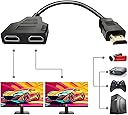
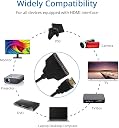
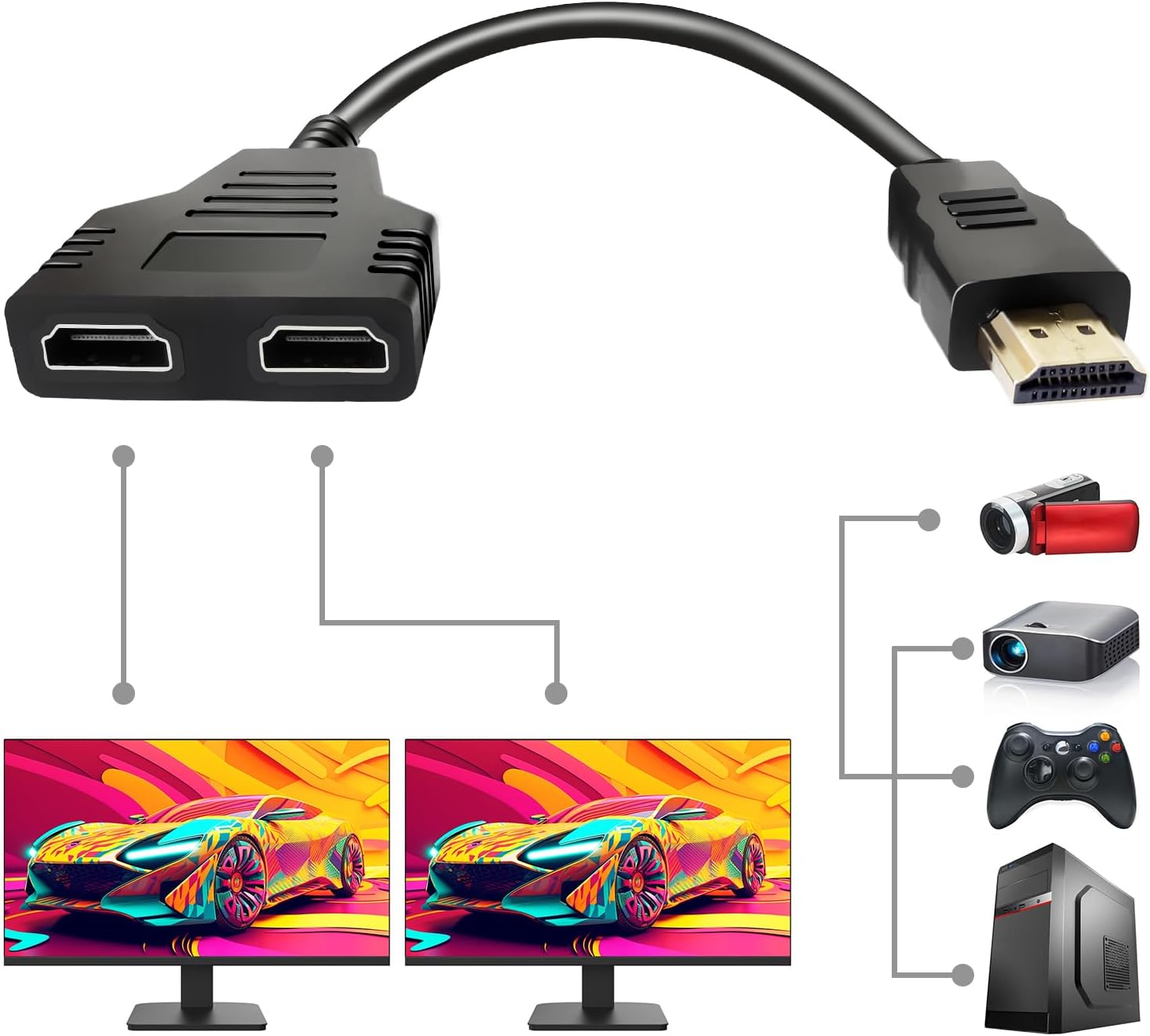
The Sorthol HDMI Splitter Cable is a 1-in-2-out adapter designed to mirror HD video signals (up to 1080p) from one HDMI source to two identical TVs simultaneously. With a compact 30cm length and plug-and-play setup, it supports HDTV, LED, LCD, Xbox, and Blu-ray devices. Note: Both TVs must be the same model and size, and only one TV can be active if they differ. This splitter does not extend or switch screens but duplicates the display for seamless mirroring.


| ASIN | B08L1N8TG9 |
| Best Sellers Rank | #59 in HDMI Cables |
| Brand | Sorthol |
| Color | Black |
| Compatible Devices | Monitor, Projector, Television |
| Connector Type | HDMI |
| Customer Reviews | 3.7 out of 5 stars 8,923 Reviews |
| Finish | Hdmi |
| Finish Type | Hdmi |
| Item Weight | 1.76 ounces |
| Manufacturer | Sorthol |
| Mfr Part Number | 2 |
| Model Number | 2 |
| Number of Items | 1 |
| Number of Ports | 1 |
| Package Quantity | 1 |
| Power Plug Type | No Plug |
| Specific Uses For Product | TV, Xbox |
| UPC | 788417166976 |
| Unit Count | 1 Count |
V**E
Does not work
Does not work... do not buy it. It should be simple as simple as plugging in the HDMI splitter into your laptop and the two HDMI monitor cables into the port and voila it should work. It DOES NOT WORK. The monitors keep saying no signal. They are not even recognizing the port is connected to the laptop. I plug each monitor into the laptop separately and they both work. The instructions are poorly written. A total waste of money.
S**A
Not what you're looking for.
This product is more of a switch then a splitter. Can only be used if 1 tv is powered off and I believe in the fine print it says must be same model and size tv. Upon more research I found that basically if the splitter does not come with its own power supply, it will not split the feed to play simultaneously. I was trying to run cable to one TV while splitting that line and having the other one go into an Xbox. This way since there are 2 tvs in the room, someone would be able to watch TV while someone else plays Xbox. And then when the person playing xbox is done, the alternate TV could be turned off and both could continue to watch cable through the larger TV that the xbox is hooked up to. Did not work, and I found out that because it did not have its own power supply it would not be able to run the cable to either of the televisions if they were both on. Especially since this splitter also states somewhere lost in all of the mumbo jumbo that the monitor must be same size and model. If you're planning on doing a large split room to room, and plan on turning the TV off in one room then going to another room to watch tv, then this might work for you. You'd be better off buying a switch or maybe a reverse switch if there is such a thing, as I'm not sure if a switch will allow you to switch between outputs or if they will only switch between inputs. But if they do you'd be better off going that route, because even if you're willing to go through the hassle to power one display off before turning the other one on, it will still give you an even greater hassle most of the time if they are not the same size and model displays. As in blue screens, black and white picture, no sound. To fix this you will have to unplug everything; HDMIs to the splitter, HDMIs to the tvs, power to the cable box, power to the TVs, etc. Then let it sit and basically recalibrate and reset itself to figure out its going to a different type of tv. At that point you might as well just get a 100ft HDMI and walk it from room to room, it would save a lot of time and a lot of painfully flabbergasted and downright dumbfounded headaches. Hope this helps.
P**R
Do Not Buy , If you want to hook up more than 1 game system. Will not work.
Does not work for hooking up 2 game systems into one HDMI. Port. Even if you turn on one at a time does not happen. Look for a multiport with a remote control that runs different channels. Found a replacement at walmart.com. I'm sure works great putting 1 system to 2 monitors. Just not what I looking for. 😞
T**Y
Works great but has one major disadvantage
This splitter does what is advertised-- split one HDMI signal into two HDMI signals. I have used these before to drive projectors without issue. But there is something important that this splitter does not do, and that is pass EDID information back to the source. If the source is a computer, it does not see any evidence anything is connected to the video out port. In some cases (Windows 10 is one) it shuts the port off. So, you have to boot the computer with one of the monitors directly connected and then install the splitter. This is not practical for everyday operation, so we ended up using an active (requires power) spliitter, which solved the problem. I suspect if you have just one monitor port on the computer, it will work properly, as one video output always needs to be on.
C**M
Couldn’t use it
Don’t work for what I needed
A**J
Does Not Work With Blu-Ray Players
I hoped to use this with my Fire Stick and Blu Ray player, but the Blu Ray won't work. I looked up a reason and there is one too complicated for me to understand; suffice it to say doesn't work with Blu Ray. If it says that in the description I missed it. Otherwise, it was fine.
D**)
Effortless Productivity Boost: HDMI Splitter Cable Review
This HDMI splitter cable has truly blown me away! As a laptop user constantly juggling work and entertainment, this nifty gadget has revolutionized my experience. It effortlessly connects my laptop to two desktop monitors, expanding my workspace and supercharging my productivity. Setting it up is a breeze, thanks to its user-friendly design and crystal-clear instructions. And the best part? With just a click, I can seamlessly switch between monitors, perfect for multitasking or collaborating with colleagues during meetings. The high-definition image resolution ensures that everything I watch or work on is incredibly sharp and vibrant, whether it's streaming videos or tackling graphic design projects. Plus, its compact size makes it a dream for travel or creating temporary workstations on the fly. All in all, this HDMI splitter cable has far exceeded my expectations, delivering exceptional performance and reliability every single time. It's a definite five-star winner!
D**S
Waste of money
Absolute garbage. Tested with 3 devices all previously working through hdmi Steam deck: extremely loud static, distorted visuals, multiple Steam deck crashes in a row Xbox: same as Steam deck except I had to do a hard reset in the Xbox to get it working again Amazon Fire Stick: Zero signal Seems like this product could be capable of of actual damage to electronics used with it.
D**7
As expected
Thanks
N**M
Sucks
Didn’t work out the box and still haven’t gotten my refund yet after MONTHS of waiting
V**D
Buen producto
El poco tiempo que lo tuve, funcionó muy bien, solo que confundi su propósito y lo devolví, ya que yo quería tener un segundo monitor en mi lap y efectivamente cumplio su funcion, pero no era lo que yo requeria
C**L
qualité,prix
ne foncionne pas ,tres décu
E**.
No sirve el producto para lo que lo ofrecen
Conecte el cable a dos SmartTV Samsung y en ambas se logran ver, aunque disminuye la calidad de imagen, pero el problema mayor, es que no dan sonido ninguna. Sólo se ve video pero no da sonido en ninguna. Compré la pieza, para poder ver dos Televisores al mismo tiempo, teniendo como proveedor un aparato de Skype.
Trustpilot
2 days ago
1 month ago