โก Level up your game with speed and style!
The ASUS VG248QE is a 24-inch Full HD gaming monitor featuring a rapid 144Hz refresh rate and ultra-fast 1ms response time for smooth, lag-free visuals. It boasts an 80,000,000:1 Smart Contrast Ratio and 350cd/mยฒ brightness for vivid imagery, ergonomic adjustments for personalized comfort, multiple connectivity options including DisplayPort and HDMI, plus built-in stereo speakers for an all-in-one immersive experience.


| ASIN | B0CDFHY8TP |
| Adaptive Sync | G-Sync |
| Additional Features | Blue Light Filter, Curved, Eye Care, Flicker-Free, QHD 144 Hz 0.03ms response time |
| Aspect Ratio | 32:9 |
| Aspect ratio | 32:9 |
| Best Sellers Rank | #48,378 in Computers ( See Top 100 in Computers ) #1,320 in Computer Monitors |
| Brand | ASUS |
| Brightness | 1000 nits |
| Color | BLACK |
| Color Gamut | 70.0 |
| Connectivity Technology | HDMI, 2x USB 3.2 Gen 1 Type-A, display port, USB 2.0 Type-A, USB-Type C |
| Contrast Ratio | 1,500,000:1 |
| Customer Reviews | 3.9 out of 5 stars 35 Reviews |
| Display Resolution Maximum | 5120x1440 Pixels |
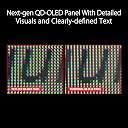
| Display Technology | OLED |
| Display Type | OLED |
| Hardware Connectivity | USB Type C |
| Has Color Screen | Yes |
| Image contrast ratio | 1,500,000:1 |
| Item Dimensions D x W x H | 119.6D x 28.2W x 42.7H centimeters |
| Item Weight | 11.66 kg |
| Manufacturer | ASUS |
| Model Name | PG49WCD |
| Model Number | PG49WCD |
| Mounting Type | Wall Mount |
| Native Resolution | 5120x1440 |
| Number of Component Outputs | 3 |
| Picture Quality Enhancement Technology | TรV Flicker-free TรV Low Blue Light (Hardware Solution) G-SYNC Compatible |
| Power Consumption | 90 Watts |
| Refresh Rate | 144 Hz |
| Resolution | QHD Ultra Wide 1440p |
| Response Time | 0.03 Milliseconds |
| Screen Finish | Matte |
| Screen Size | 49 Inches |
| Screen size | 49 Inches |
| Screen surface description | Matte |
| Shape | Curved |
| Specific Uses For Product | Business, Gaming, Desktop |
| Total Number of HDMI Ports | 1 |
| Total USB 3.0 Ports | 2 |
| Total Usb Ports | 2 |
| UPC | 197105266698 |
| Viewing Angle | 178 Degrees |
T**.
Great Super Ultra if you don't want the G9
I have this and the G9. I like both, but this one has an edge in terms of productivity. You can use a USB C cable to power and connect to a laptop. You can also run keyboard and mouse to the monitor instead of to the pc. So the monitor becomes a hub for your laptop. Gaming is great on this monitor also. With it being an OLED - You have the deepest blacks and zero light bleed. Once you go OLED, you'll never go back to anything else.
J**Y
Okay monitor, bad KVM
I bought this to use as a gaming monitor that I could also use as a dual 1440p screen for working from home via the KVM functionality. The function is identical to the wormhole cable that I was using before I got the monitor (as in, the software is exactly the same except the branding), but the hardware is extremely finicky, dropping connections at random and requires unplugging the USB from both computers and restarting the software to fix it. This is on Asus' end because my wormhole cable has always worked great. The other big problem is that if you want to run a game in any aspect other than 32:9, the screen will stretch rather than letterbox the screen. You can go into the monitor and force it into a mode that makes it not do that, but you need to do it and change it back every time and it's annoyingly deep in the menus to get to, plus doing it disables the high refresh rate. Honestly I wish I had just bought a regular 4k OLED TV or monitor, and I recommend you do the same.
B**R
it's a monster
Downside first, I knew pixel cleaning was a thing, which I don't mind, since I want this to last forever. There's a timer to help remind you to do it, which I've set for 8 hrs. Cleaning takes 6 minutes, so it's a start it then go for a biobreak. Apparently the monitor going to sleep doesn't trigger a cleaning, which is silly. WHY NOT? So if I start my day, and take lots of breaks, it's still bugging me to be cleaned near the end of the day when I'm trying to wrap up. But, still giving this 5 stars as this monster is awesome. the colors, the size, the usefulness, the way that _everyone_ that sees it goes "whoa". I'm pulling up old games and they feel completely different. I like the 144hz refresh. I've always been sensitive to flickering, I always see a flicker in office lighting when no one else does, but I feel 144 is the level at which I feel no need to go higher. I do not play competitive FPS games, or anything that high paced, so maybe that's it? I dunno. I like 144hz. My GPU would probably start crying if I asked for the 240hz or whatever the other brands are pushing now.
S**Y
Nice Display, terrible terrible KVM implementation
I really needed a monitor that had good KVM functionality connect my personal and work computers. I read all the reviews of this monitor before I purchased it and the multitude of complaints people had with the way that this feature was implemented. I figured that with all of the ways it could be configured surely there would be a way to make it work the way I needed.... Should have listened to the previous reviews. I can't fathom how Asus could put so much work into a gorgeous display only to miss so badly on the basics. To be fair, I can not test the "Smart KVM" feature as my work computer will not allow the driver to be installed. I do have rights to install some software so I thought I might be able to overcome this, however because the "SmartKVM" feature combines keyboard/mouse control and data transfer that's a no go on most corporate machines. I was hoping that I would be able to just setup a hot key to switch the input source and USB output together but there is no functionality for this. In addition, I tried to use the favorites feature in the OSD to see if I could assign a shortcut with the video input and USB output but that also did not work. My advise if you are looking to buy this monitor to use with a corporate computer and the KVM functionality...don't.
B**G
Nice - when it works
PC with a GTX-2080 Super on DP - Supports the 5120 quite nicely. (HDR turned on) Laptop with built in HDMI - Supports only 4k (not fault of monitor) KVM- is terrible, unlike like my older 34" dell. All plugged in items work with DP, but not when switching to HDMI. Tried a USB hub and connected to the monitor, again. KVM doesn't work on HDMI. Have to uplug everything needed and plug into Laptop manually, - Very counter to the KVM idea right? There is no, I mean absolutely no help on the Asus ROG web site for this monitor. Like Zilch, Nada, Bumkins! - which means you're on you're own. The web site is slick looking though, as if that's important. The downloadable software for managing inputs - don't work. OSD choices seem quite forward (been doing IT for 40 years), but it's not. When you select KVM, it automatically changes your screen to Split Screen - Not what a KVM is supposed to do and still doesn't work correctly. So in a nutshell, 1 Pc with proper hardware, it's great. Multiple PC, No. It's horrible.
Trustpilot
5 days ago
4 days ago