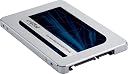
🚀 Elevate Your Storage Game!
The Crucial MX500 250GB 3D NAND SATA 2.5 Inch Internal SSD offers exceptional performance with sequential read speeds of up to 560MB/s and robust data protection features, including AES 256-bit encryption and power loss immunity. Ideal for professionals seeking reliability and speed in a compact form factor.
| Additional Features | Data Recovery Service |
| Asin | B0764WCXCV |
| Best Sellers Rank | #24,955 in Computers (See Top 100 in Computers) #199 in Internal Solid State Drives |
| Brand | Crucial |
| Built In Media | Internal Solid State Hard Drive |
| Cache Memory Installed Size | 250 |
| Color | Gray |
| Compatible Devices | This drive is compatible with desktops and laptops that accept 2.5" 7mm SATA drives |
| Connectivity Technology | SATA |
| Customer Package Type | Frustration-Free Packaging |
| Customer Reviews | 4.6 4.6 out of 5 stars (68,183) 4.6 out of 5 stars |
| Data Transfer Rate | 6 Gigabits Per Second |
| Digital Storage Capacity | 250 GB |
| Enclosure Material | Plastic |
| Form Factor | 2.5-inch |
| Global Trade Identification Number | 00649528785114 |
| Hard Disk Description | Solid State Drive |
| Hard Disk Form Factor | 2.5 Inches |
| Hard Disk Interface | SATA 6 GB/s |
| Hard Disk Rotational Speed | 7200 RPM |
| Hard Drive Size | 250 GB |
| Hardware Connectivity | SATA 6.0 Gb/s |
| Hardware Platform | Linux |
| Installation Type | Internal Hard Drive |
| Item Type Name | Crucial MX500 250GB SATA 2.5 Inch Internal Solid State Drive - CT250MX500SSD1Z |
| Item Weight | 0.02 Pounds |
| Manufacturer | CRUCIAL TECHNOLOGY |
| Media Speed | 510 |
| Mfr Part Number | CT250MX500SSD1Z |
| Model Name | MX500 |
| Model Number | CT250MX500SSD1Z |
| Number Of Items | 1 |
| Read Speed | 560 Megabytes Per Second |
| Specific Uses For Product | Business, Gaming, Personal |
| Upc | 649528785114 |
| Warranty Description | 1 year manufacturer |
User
Hits the sweet spot for being a primary or secondary drive with a price to match
This is only my second Crucial SSD. The other one was purchased 8 years back - M4 128GB SSD. My intention at the time of purchasing the first drive was to speed up my PC and make it sort of future-proof for couple of years. It still rocks the PC!I have been using the M4 SSD for 8 years straight, as the primary/system drive on my PC. This means it gets used every single day. Now let me be clear, I do not transfer huge amounts of files to and from the drive everyday. But, it's the drive on which all temporary files get written everyday from all activities (Productivity, Web-browsing, Photo-editing and light gaming). It has been more than 70% full almost it's entire life and performance has never dipped nor has the drive ever given me any trouble. As per the S.M.A.R.T report, it still has 87% of its life left!This makes Crucial one of the first makes that I recommend to anyone looking for an alternative to Samsung drives.As I am (reluctantly) retiring my 10 year old PC, I wanted to save all my important data on an drive which I could plug into my new system or laptop. I would require a minimum 1TB drive as the amount of data was about 550GB.SSDs are the only way I see future storage; therefore, the choice for me was choosing between a PCI-e or a SATAIII SSD. The logical choice would have been to go with a PCI-e drive as these are faster and have (theoretically) longer life spans. However, there are 2 main reasons I chose to go with a SATAIII device:1. Installation possibilities: As I was not sure if I would be getting a laptop or PC next, I wanted to be sure that whichever drive I purchase now could be installed in the new PC or laptop. Most current PC motherboards do allow for multiple PCI-e drives to be installed, but only very high-end current laptops are able (?) to take multiple PCI-e drives. As most laptops have a SATAIII drive either as a primary drive or as an existing/upgradeable secondary drive, it made more sense to get a SATAIII drive.2. Cost: PCI-e drives have not caught up yet with SATAIII drives in terms of GB per dollar. The MX500 1TB has the best performance per GB per dollar (if there is such a term) ratio from my research.There was another possibility, get a PCI-e drive and use an enclosure or adapter. I've read that, in these cases the performance of the drive dips to speeds and bandwidth supported by the enclosure or adapter. This sounded like defeating the purpose of a PCI-e. I would rather have a proper functioning drive working to its maximum (rated) performance capability.Currently, I am using this drive with a UGREEN USB 3.1 Type C to SATA enclosure till I am able to install it in the new system. Therefore, I cannot state the performance figures of the drive itself. There is a huge amount of information on the performance of the MX500 drives on the internet. I would encourage anyone thinking of purchasing this drive to look it up. For me, the drive has been performing impeccably. As I keep transferring any new files I create to this drive, it keeps getting written everyday. S.M.A.R.T. reports life of the drive is still 100% after almost 2 weeks of use.My review here is subjective and specific to my use of the device as a storage which will carry my data over to the new system, with the flexibility of using it either as a primary storage device (with enough space for my data) or, as a fast secondary storage device, if my new system comes with PCI-e storage as primary.In conclusion, I purchased this drive after spending a lot of time researching my options and this drive performs exactly as I wanted it to. I look forward to another decade of rock-solid reliability and performance with this Crucial MX500 1TB SSD drive. Keep up the good work Crucial!
User
A good SATA3 SSD to upgrade your HDD
I bought the Crucial MX500 1TB to replace the old 1TB HDD in my 5 year old Thinkpad running windows 10. The product was shipped in Amazons' frustration free packing ( Arrived in a bubble padded envelope instead of amazon box, with a slim Crucial Carton sealed intact.The SSD drive nicely fit into the existing 2.5 inch SATA3 slot and was immediately recognized by the BIOS. I did a fresh install of Windows 10 on my system and now the systems boots up windows in no time. With the HDD the windows boot up time was 2 minutes 15 seconds. Now with the new Crucial MX500 Windows 10 boots up and the user is logged in 15-18 seconds.. Crystal Disk Mark speed test gave read speed of 550 MB/s.If you have an old SATA3 based HDD laptop, you can consider the Crucial MX500 SSD to speedup the PC.
User
So Far So Good
Got it for my desktop Pc because I'm sick of booting from an 10 year old HDD, works flawlessly with no problems, boots within seconds and definitely worth the price, I'd recommend going for larger capacities because it helps with speed also because they're much worth it per GB. The reason why its a four star for me is because no SATA cables or brackets/Screws were included. Other than that the product is what it is advertised
User
LEGIT
So, I bought this cause my old SSD capacity is very low (111Gb) so I needed to change for a bigger storage so I can install the apps that I need to use for work. I checked if the SSD is fake but with thourough checking, I conclude that this one is legit. I have my old SSD clone to this new SSD and so far The speed is normal and expected as what is mentioned and It is 100% working with no problem.
User
Great SSD! It works perfectly in my Dell Inspiron 5558 laptop! 😎👍🏻
I really like this SSD, I replaced my old / damaged 1 TB “Seagate” HDD, once I installed this “Crucial” 1 TB SSD plus I upgraded my RAM from 8 GB to 12 GB now, my laptop becomes like a gaming laptop, it’s very fast, once I switched on it takes only 1 minute (60 seconds) and I can start using my laptop. Great job “Crucial” brand!!! Thanks a lot! Cheers! 😎👍🏻
User
An affordable SSD with no compromise in performance!
I bought this great SSD back in June 2020. Wanted to upgrade my old and slow Sony Vaio laptop which was in a poor state in terms of hardware. Works like a charm. Installed Windows 10 and opened some slow booting apps. In spite of a SATA 2 Interface it still is 20x faster than a traditional spinning hard drive.One of Crucial's great products ever!!
User
Good Prodcut
Nice product. Working really good on my 4th Gen. laptop. Easy to install and give a really good boot to the start-up of my laptop.Delivery time was really good and delivered by the next day of the order, though I am not a Prime.
User
Nice
Nice
User
Top
Nachdem meine alte SSD etwas Platzprobleme bekam, war es nun höchste Zeit eine größere zu besorgen und ich bin begeistert.Lieferung, wie von Amazon gewohnt, schnell und unkompliziert. Aber das ist ja nur Nebensache, bei einer Rezension geht es ja um das Produkt und weniger um den Service des Händlers. Auch wenn man diesen natürlich nicht außer Acht lassen sollte.Einbau der SSD unkompliziert, allerdings da mein Gehäuse etwas beengt ist, habe ich sie außen an den Laufwerkskäfig mittels Stand-Offs befestigt. Stand-Offs sind die Abstandshalter, die unter ein Mainboard kommen, einfach jeweils 2 Stück übereinander, das ganze an die SSD, gegen den Laufwerkskäfig setzen und mit normalen HDD Schrauben von innen befestigen. Ist sauber und einfach und sorgt auch für gute Luftzirkulation.Arconis True Image hatte ich bereits am Vortag heruntergeladen (Link gibt es auf der Crucial Webseite) und installiert. Programm starten, Klonen auswählen, evtl. nach ausgewählter Methode Quelle und Ziellaufwerk angeben und ob die bestehende Partition erweitert werden soll. Meine alte HDD war nur 240GB groß mit gut 200 GB belegt also ja, bitte allen Speicher der Hauptpartition zuweisen und dementsprechend erweitern. Dann das Klonen starten, erste Anzeige sagt 16 Minuten, also aufstehen, Kaffee ansetzen (Espresso, frisch gemahlen und im Espressokocher für den Herd, Zubereitungszeit ca. 5 Minuten). Dann wieder an den PC und uuuupppsss ist schon fertig. Das war rasend schnell. PC herunterfahren, SATA Kabel umgesteckt, alte SSD erstmal nicht wieder angeschlossen. Neu gestartet und alles funktioniert auf Anhieb.Der Startprozess war gefühlt schneller als bei der alten SSD. Liegt aber wohl auch daran, dass jetzt alles schön geordnet auf der SSD liegt, so wie sie am schnellsten und besten drauf zugreifen kann (SSDs arbeiten da anders als HDDs, bei einer HDD ist es besser wenn die Daten zusammenhängend auf der Platte liegen, so muss der Schreib-Lesekopf nicht hin und herfahren und suchen, bei einer SSD liegen Dateien auf verschiedene Speichermodule verteilt was einen paralellen Zugriff auf die Speicher erlaubt, mal so ganz grob aus 10000 Metern Höhe erklärt, da kommt noch eine Menge anderer Magie hinzu).Dann mal eben die SMART Infos ausgelesen, SSD ist brandneu mit 0 Betriebsstunden, keinerlei Fehlern oder sonstigen Ungereimtheiten.Crystal DiskInfo gestartet und schnell die Performance gemessen... und wowwww, die ist performant. 565MB im sequentiellen Schreiben, gute 60MB schneller als meine alte PNY SSD. Über Sata kriegt man gute 600MB maximal, das Interface selbst bietet 6Gb (Gigabit) und man kann grob sagen das ergibt eine Netto-Datenrate von 600MB (also Megabyte), der Rest geht für Verwaltungsaufgaben und Protokolloverhead drauf. Diese SSD liegt also so ziemlich am Limit was geht bzw. gehen darf. Andere SSD (ausgenommen NVMe) für teilweise erheblich mehr Geld sind langsamer und bieten auch nur TLC Bausteine an (TLC = Triple Level Cell, sprich es können 3 bit pro Speicherzelle gespeichert werden, SLC = Single Level Cell, es wird ein Bit pro Zelle gespeichert, SLCs sind theoretisch besser, aber enorm teurer und TLCs sind derzeit das beste was der Consumer Markt hat. Es gibt auch QLCs, 4 Bit pro Zelle, billig im Preis, billig in der Performance und bislang anfällig für schnelle Alterung, nur als Info).Wie sich die SSD über die Zeit bewährt, kann ich jetzt noch nicht sagen, aber in meinen mittlerweile über 27 Jahren in der EDV hatte ich mit Crucial noch nie Probleme, weder privat noch geschäftlich. Ich hoffe, dass sich das auch weiterhin so verhält, habe aber auch jedes Vertrauen.Fazit: Für den Preis ein solides Produkt. Durch die Partnerschaft mit Arconis ist der Umzug einer bestehenden Festplatte ein Kinderspiel und absolut schmerzfrei. Mehr als ein paar Minuten braucht man nicht, solange man von einer SSD auf eine neue SSD umzieht. Natürlich werden die Zeiten variieren, abhängig von der Menge der Daten und ob man bereits eine SSD hat, oder ob man von einer herkömmlichen HDD umzieht. Wer eine schnelle SSD benötigt zu einem günstigen Preis von einem namhaften Hersteller mit guter Support Infrastruktur ist hier gut aufgehoben. Und immer dran denken, wenn ihr eine SSD kaufen wollt, immer erheblich größer auswählen, als die Menge an Daten die ihr bereits habt. Wer z.B. eine 250GB HDD hat (ja, es gibt noch welche, die mit der Größe hantieren als Systemplatte zum Beispiel) und die Platte ist mit 200GB belegt, wird mit einer 250GB SSD nicht glücklich werden. Vor allem wenn man nur mehr Geschwindigkeit haben will aber nicht wirklich mehr Speicherplatz benötigt. SSD werden langsam je voller sie werden. Hängt damit zusammen, dass die SSD einigen freien Speicher braucht um Daten hin und herzuschaufeln. Also dann lieber die nächst größere nehmen.So, nun kann ich hingehen und die alte SSD wieder freischaufeln und als weitere SSD für Spiele verwenden ;). Der Umzug wird jetzt allerdings länger brauchen
User
Crucial CT1000MX500SSD1Z MX500 1 TB Intern Solid-state Enhet, Silver
Very good product quality. It's working really fast in my laptop.A fair price.It's fit perfect.I am satisfied with this purchase.I recommend it.
User
Excelente rendimiento y precio por Gbyte (última actualización 25/08/2021)
Ediciones al final.Aprovechando el Prime Day y la oferta que puso Amazon de este disco duro, lo compré a un precio más que aceptable (83 euros) en cuanto a la relación calidad precio era una oferta excelente. Ya tenía en mente comprar un SSD para acelerar mi equipo de unos 4 años y estuve barajando este disco duro Crucial y los de la otra marca con más opiniones favorables y más ventas, el SAMSUMG 850 EVO.Samsung 850 EVO - Disco duro sólido (500 GB, Serial ATA III, 540 MB/s, 2.5"), negroEn cuanto a las comparaciónes de las características de ambos, que podemos encontrar en los "Benchmark" que existen por la web, vemos que tienen similares características y respuestas, por lo que cualquiera de estos dos SDD es una excelente opción para comprar, ya que en el momento de escribir estas líneas, están en Amazon al mismo precio. En el momento que bajen alguno de los dos (como ocurrió el día del Prime Day) ese sería, en mi opinión, el disco duro a elegir, si el precio es similar, quizás el Samsung es la mejor opción por los comentarios de los compradores, aunque esto último es relativo y es una apreciación personal.En el caso del Crucial MX500 estas son:- Incoporpora Micron ® 3D NAND.- Soporta hasta SATA 6.0Gb/s (existen tres velocidades SATA I (1.5Gb/s), SATA II (3.0Gb/s) and SATA III (6.0Gb/s)).- 560 MB/s de lectura secuencial y 510 MB/s escritura máxima.- Garantía de 5 años por el fabricante (para España sólo 3).En el caso del Samsung 850 esta son:- Tecnología 3D V-NAND de Samsung.- Interfaz SATA 6 Gb/s, compatible con el interfaz SATA 3 Gb/s & SATA 1,5 Gb/s.- Hasta 540MB/s de lectura secuencial y 520MB/s de escritura- Garantía de 5 años por el fabricante.Otra opción es comprar el Crucial MX500 de 1Tb que tiene una relación precio/Gbyte excelente, pero era demasiado caro para mí, si el precio sigue rondando los 170 euros seguirá siendo una compra recomendable.Experiencia de compraEn cuanto a mi experiencia de compra, puntualizo lo siguiente. En el momento de comprarlo existía dos opciones: paquete abre fácil o con caja original, un poco más caro. El paquete abre fácil consiste en que el disco duro te lo envían en dentro de un blíster de plástico con las instrucciones de uso y con un sobre de cartón, tal y como he mostrado en las fotografías. En mi opinión algo nefasto por que no protege el producto de golpes, al menos un sobre acolchado tendría que haberse incluido, por ser el producto del que se trata, aun así llegó en perfectas condiciones.Lo primero que hice es comprobar las horas de uso del disco duro, dicha comprobación dio por resultado que era un disco duro completamente nuevo y sin usar.MontajeEn mi caso monté el SSD como disco duro principal de mi portátil, sustituyendo el anterior por este y el normal lo he colocado en sustitución del grabador DVD del portátil, comprando para ello un adaptador.Como el SSD ya venía formateado realicé la instalación desde cero de Windows 10 en él, decir que si tienes licencia original digital del sistema operativo, una vez que este se instala correctamente, esa licencia digital se actualiza y no se pierde. Teniendo de nuevo tu licencia completamente legal y activa.UsoUna vez montado y probado, el resultado es excepcional, se nota una enormidad el cambio de disco duro, el arranque es inmediato, la ejecución de aplicaciones, la instalación, etc., rejuvenece el ordenador en cuanto a velocidad de ejecución, es increíble lo que influye.Es recomendable instalar la aplicación Crucial Storage Executive desde la página de Crucial, te da información de la salud del disco duro entre otras y además permite actualizar el firmware del propio disco duro de forma fácil y cómoda. Ojo, en mí caso utilizando el actualizador automático de la aplicación hizo que entrara el sistema operativo en bucle, al estropear el sector de arranque, error reconocido por ellos, solución en mi caso: volver a instalar Windows 10 de nuevo. Por lo tanto para evitar problemas actualizar el firmware desde el propio fichero del firmware descargado, no desde la opción automática del Crucial Storage Executive.Resumen final.Cosas que me ha gustado- Disco duro excelente al precio que lo compré, aun al precio actual lo sigue siendo, se nota una barbaridad el rendimiento del portátil con el instalado.- Al ser una memoria, no tiene ruido.- Al precio idéntico tanto el de Samsung como el Crucial es una excelente opción de compra.- Soporte en la web del fabricante tanto en software como en actualizaciones de firmware.Cosas que no me han gustado- El envío con escasa protección, aunque el producto sea nuevo sin usar, al menos un sobre acolchado sería lo ideal.Recomendable sin dudar por la relación calidad precio que tiene y por el rendimiento excelente. En la semana que llevo de uso, es el día y la noche en cuanto a velocidad de ejecución y de arranque con respecto al disco duro normal que tenía.Espero que esta opinión sea de utilidad.Edición después de un mes de uso.No he tenido ningún problema con el por ahora, ni pérdida de sistema operativo, ni sectores defectuosos ni nada por el estilo. Creo que los principales problemas que se presentan es al realizar la clonación, así que si es posible realizad una instalación desde cero del Windows 10.Edición 28/11/2018.El rendimiento sigue siendo el mismo, la temperatura sigue siendo baja y ninguna perdida de datos y sectores defectuoso, usado como disco principal con sistema operativo, encantado con el SSD.Edición 01/08/2020Casi dos años después el disco duro sigue funcionando perfectamente no se ha degradado en absoluto, mi uso principal ofimática general, algunas descargas, etc nada de juegos, pero lo recomiendo, ha salido realmente bueno.Edición 25/08/2021Casi tres años después sigue funcionando como el primer día, uso ofimático sin sectores defectuosos ni nada por el estilo.
User
Super !
SSD au top ! Très facile à installer. Il est ultra léger, efficace, rapide malgré la taille "restreinte" mais à ce prix c'est intéressant. Je l'ai couplé avec une barrette 4go sur un vieux pc portable de 2011 ainsi que win 10 plutôt que win 7 et c'est un franc succès ! Très satisfait de mon achat. Pensez en changeant de disque dur soit à sauvegarder et transférer vos données (et OS) via des cables spéciaux de votre DD actuel vers celui là soit à le remplacer entièrement (ce que j'ai fait). Prévoir au préalable pour l’installation de windows sur le nouveau ssd, une clé usb 16go par exemple et l'utilitaire Rufus pour configurer windows qui s'installera depuis la clé usb (très facile et tuto dispo sur YT si besoin). Merci encore au vendeur !
User
開封済みの商品が届いた
届いた商品を確認すると、箱のシールがすでに開封されていて、上からセロテープで貼り直してあったので返品した。開封済みならその旨記載してほしい。
Trustpilot
3 days ago
2 weeks ago