🚗 Decode Your Drive: Clear Codes, Save Cash, Stay Ahead!
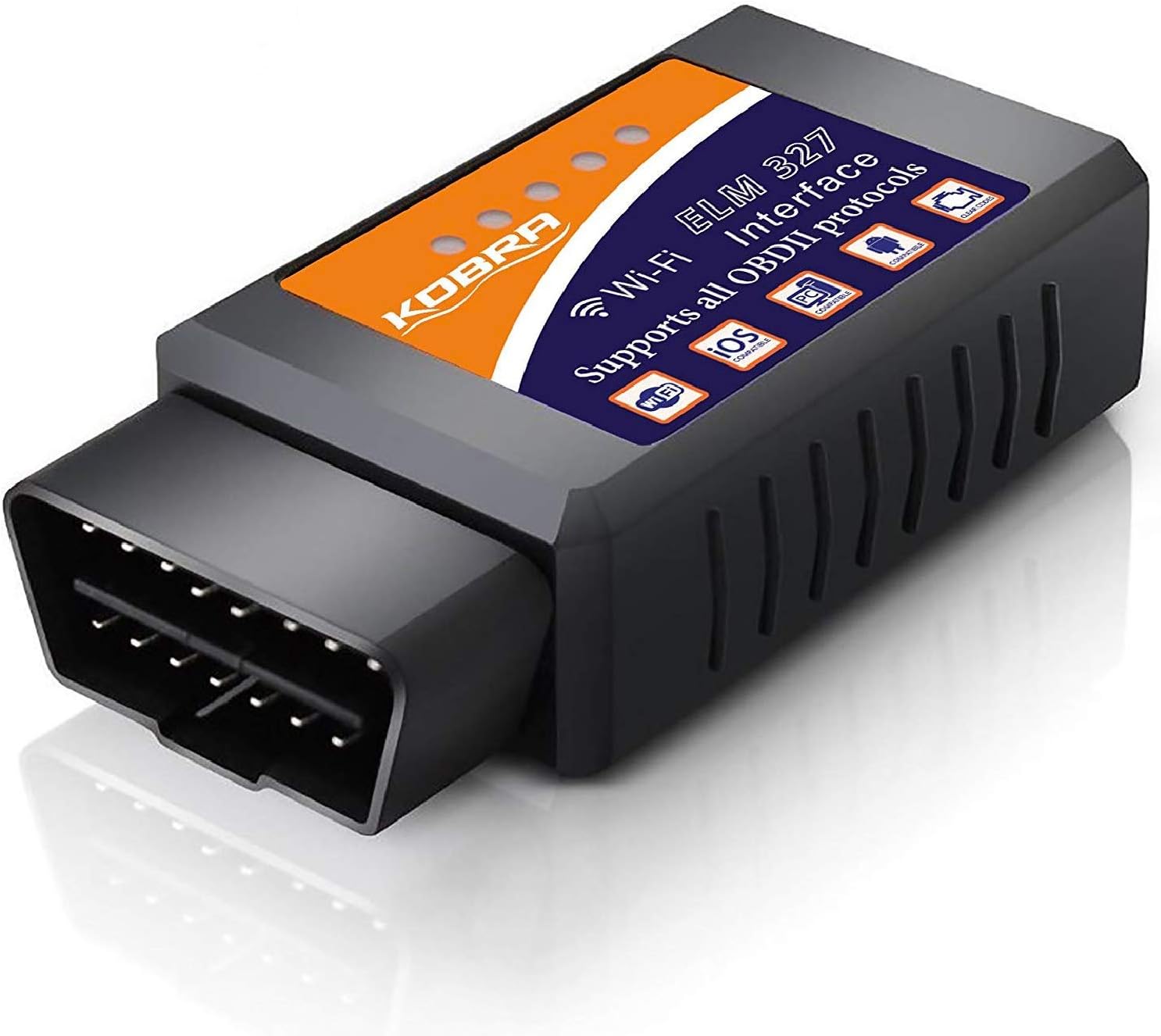
The KOBRA OBD2 Scanner is a WiFi-enabled diagnostic tool compatible with 1996-2016 vehicles, offering instant access to over 3000 generic and manufacturer-specific trouble codes. It connects wirelessly to iOS and Android devices, allowing users to diagnose and clear check engine lights quickly using popular apps. Designed for DIYers and professionals alike, it empowers users to avoid unnecessary mechanic fees with reliable, real-time vehicle insights—all backed by a 1-year money-back guarantee.
| ASIN | B01C3HAHCS |
| Best Sellers Rank | #107,825 in Automotive ( See Top 100 in Automotive ) #546 in Code Readers & Scan Tools |
| Brand | KOBRA Products |
| Brand Name | KOBRA Products |
| Customer Reviews | 3.9 out of 5 stars 6,478 Reviews |
| Global Trade Identification Number | 00798154979845 |
| Included Components | 1 |
| Item Dimensions L x W x H | 3.5"L x 1.8"W x 1"H |
| Item Type Name | OBD2 Scanner & WIFI Car Code Reader – Clears Check Engine Lights Instantly – Diagnose 3000 Car Codes - Wireless Car Diagnostic Scanner – Auto Scanner For 1996+ Vehicles (iOS & Android Devices Only) |
| Manufacturer | KOBRA Products |
| Manufacturer Warranty Description | no |
| Operating System | Android, IOS |
| Power Source | Corded Electric |
| Product Dimensions | 3.5"L x 1.8"W x 1"H |
| Screen Size | 2.8 Inches |
| UPC | 798154979845 |
A**.
Great tool for monitoring engine and DTC with iOS
This is a very handy tool to have if you're a DIY kind of person. Just plug it in, connect with an app, and you have access to several dynamic parameters and can view/clear DTCs. I have used this on a 2006 Toyota Tacoma, 2005 Toyota Highlander, 2012 Toyota Corolla, and a 2006 VW Jetta. It worked perfectly on all 4 cars. I even used it to read a DTC that was causing the CEL to illuminate and was able to promptly fix the problem and the code cleared on its own. The free app that is designed to be used with this tool will get the job done. It has a premium feature for 4 bucks that allows you to save and record data and what not. In the future I may purchase a different app that is a little more intuitive and nice looking. The tool itself can be used on a car that isn't running, however I don't recommend it as it seems to use a lot of power and may drain your battery. Also, don't leave it in when you are not using the car as it has a constant red LED and WIFI signal that will surely drain your battery! It's not a set and forget kind of thing. It is worth noting that this is in fact a WIFI device and not Bluetooth. After looking at many other Scanners, many of them were bluetooth and when I bought this one I thought it was bluetooth too because I wasn't paying attention. Not that big a deal, but I would've preferred a bluetooth version because the WIFI signal interrupts other WIFI and cellular connections so you can't use the internet at the same time. Bluetooth would allow this. Just a thought in case you also didn't notice that this was a WIFI device. BTW I use an iPhone 6 in case you were wondering about compatibility.
A**H
Flawless OBD2 Reader, stupidly easy to use, and at a GREAT price!
In my opinion, this thing has already paid for itself and saved me a lot of money. I recently had a check engine light come on, as has happened so many times on my other vehicles (or those of my family and friends), and didn't think it was worth spending hundreds just to have it diagnosed at a garage. I ordered this because it was affordable, and while I didn't expect it to be as high quality as it is, I figured it was worth the risk for the price. I use android devices (I've used this with my Blu R1 HD and a Samsung Galaxy S6, but it also worked on my iPad) and connecting to this reader was beyond easy. I simply plugged the code reader into my car, downloaded the "free" version of the Torque app from the Google Play Store, and then selected WiFi as the connection type (in the app). I immediately got all kinds of gauges and information on screen (half of which was over my non-mechanical head), but it worked flawlessly, and when viewing the "fault codes" it showed me the code as well as linked me to a description of the code (both general, and then sub-descriptions for specific vehicle makes). Turns out my light was on due to a O2 sensor failing, which I was able to fix. Now I can have my family stop by to have me check their cars too (which is funny since I know nothing about cars)!
N**R
Planned obsolesce
I have had this reader since January 2018. I have used it on a numerous amount of vehicles ranging from 1999 to 2022. This includes my 2019 Toyota Corolla.Now through a software update in the app, it has been made obsolete for everything beyond 2016 and been bricked.
D**Y
It works for what you need.
I got this as a spare just in case my other OBD2 reader decides to die on me. It's a pretty decent product, and works for what you need it for. Using the Torque app on my Android, I was able to get readings from my car. However, compared to my other reader, this one is a bit laggy. My other reader is able to give me fast updated information on things such as engine RPM, boost pressure, speed, ect. This one takes about 15 to 30 seconds for those things to update. The adapter is extremely easy to use. You pretty much plug it in, turn your car on, connect your phone via wi-fi to it, load your favorite OBD app, set it to wi-fi mode, and then pull the information. The only real downside to having it connected to wi-fi is that you're unable to look up any faults right away. Also, due to the size of the adapter, it was a bit tricky getting it to plug into my 2011 VW Golf. Luckily, the plastic holding the port in was a bit flexible, so I was able to get it in there. If you need information right away, I would recommend a different adapter. But if you want to just pull codes, this adapter will work.
S**R
Worked, but not easily
First of all, in whatever of my 3 cars I use this in, it mounts backwards - so the lights are facing away from me. That means I can't see when it's connected unless I use a mirror. Second, you usually need to buy add ons for the app to really use it successfully with your particular vehicle. Third, it often disconnects itself. All that being said, it did what I needed it to do. I was using it to clear the MIL (check engine light) and then monitor the results of the computer tests as you drive a specific # of miles. Then you know when you can drive it in for a sticker, before the light comes on again. First of all, I would never do this if the code was somethiing that really needed to be fixed. But in my case it's a code that doesn't really mean much and would require dropping the fuel tank and removing / replacing the fuel pump or fuel pump sensors to fix. That's probably a $1,200 repair. Result, my gas gauge doesn't always work and I use the odometer to know when I need gas. I can live with that. Anyway, I've used this two years in a row to get a sticker. Sometimes it takes driving the car on a few occaisions for 50 or 60 miles. So it eats time, as it is not always successful on your first attempt. This is not a function of the tool, but more of a function of your car's computer. As you're driving you can see the tests happening and you get a green check mark in the app when each one is completed. Please note that in certain states you can have 1 failed emission code and still get your sticker. It's usually the catalyst that takes the longest to turn green. Once it does the app shows that the vehicle is ready for emissions testing. This usually takes 50 or 60 miles, at least. There are many forums that tell you how to specifically drive your vehicle for the quickest and best results. So I won't cover that here. The kicker is to get it to the station after all the codes clear, but before the computer finds the fault again. In my case this means NOT shutting the car off. If I do, and then restart it again, the light usually returns and I've wasted a couple hours of my time. So if you are going to use it for this task, just know that it isn't necessarily quick and easy. It takes time and you need to tell your mechanic not to shut the car off before testing. As I mentioned, all this being said, it has worked for me two years in a row and saved me from an unneccessary $1,200 repair bill. Hope this helps someone.
L**V
Inexpensive and does the job!
Got this little device when the "Check Engine Soon" light came on in our 2002 Mitsubishi Lancer ES. I knew I had to replace the upstream O2 sensor, but I had read that an OBD2 scanner was needed to clear the codes because disconnecting the battery wouldn't work. The scanner came with a paper pamphlet with minimal directions (mostly pictures), along with a mini CD that had scanning software that seemed to be bootlegged. It didn't matter to me, though, because I ended up using a paid smartphone app, DashCommand. I recommend this paid app over Goliath Industry's suggestion (Torque) because the interface is cleaner. Torque provides you with empty pages on which you can add widgets, but the widgets appear to be free-floating and I couldn't figure out how to delete empty pages. On the other hand, DashCommand's user interface is neatly organized and well-designed, and the paid version was only about $5 more than Torque's paid version. I figure I will be using this app in the future, and it's already paid for itself. Once the reader is plugged in, you'll see an unrestricted WiFi network called OBDIIWIFI or something similar. Once you connect, DashCommand will automatically attempt to establish a connection, after which you can read/clear codes. So simple! Keep in mind, though, because the WiFi is unrestricted, anyone around you with an OBD2 app will be able to connect if they happen to see the network. All in all, an awesome device that saved me a few hundred bucks! I will recommend it to my friends and family, since the beauty of a WiFi reader is that all smartphones (iOS, Android, Windows) can easily access the scanner, so long as applicable apps are available in their respective stores!
J**K
Quickly identify and clear codes and "check engine" light
As an owner of an older car (2002) with 200,000+ miles, I commonly have see my "check engine" light on the dash board. I purchased this product to quickly screen codes for serious issues and clear them without visiting an auto parts store. This product delivers on both counts. You'll need to download a compatible app for your phone to communicate with the device. I used OBDCarDoctor for iOs, and it provides configuration instructions in the help menu (the question mark icon in the green circle in the upper right corner of the homepage for the app). Once you configure the settings you'll need to tap "connect" at the bottom of the screen and wait for a few protocols to execute. Once connected, the top three categories on the home screen activate and you're able to access error codes as well as real-time diagnostics for your car's performance. Pros: Easy to install and activate - I was operating the device from my phone within 5 minutes of opening the package Inexpensive Effective - now you can identify and clear codes from your car without visiting the auto parts store Tons of real-time info about your car's performance if you're interested in it Robust - I'm storing mine in the glove box Portable - it's small so it can easily be taken with you if needed Cons: Gets warm during operation. I read a review indicating someone simply left it plugged in all the time. I'd be hesitant to do this as the heat doesn't seem to dissipate sufficiently, but I'm not an electrical engineer.
T**2
Don’t forget it under the hood of you car! You might lose it.
Great with the right app! Good quality not fake! Mine still in use after two years of being kicked around in a tool box on the car floor and in the trunk. I had even left it under the hood for three weeks thought I lost it for good! Very accurate as well compared to my friends 300$ tool mine did everything I needed but he had to buy software!
Trustpilot
5 days ago
1 month ago