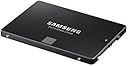
🚀 Upgrade your workflow — never settle for slow storage again!
The Samsung 850 EVO 500GB 2.5-inch SATA III SSD delivers premium performance with up to 540MB/s read and 520MB/s write speeds, powered by advanced V-NAND technology. Its compact design fits most desktops and laptops, offering a reliable, secure, and fast storage solution ideal for professionals seeking a seamless upgrade from traditional hard drives.


| ASIN | B00P73B1E4 |
| Additional Features | Internal^Operating temperature range:0 - 70 °C^S.M.A.R.T support^Security algorithms:256-bit AES^TRIM support |
| Brand | Samsung |
| Built-In Media | Solid State Drive |
| Cache Memory Installed Size | 512 |
| Color | Black |
| Compatible Devices | Desktop, Laptop |
| Connectivity Technology | SATA |
| Connectivity technology | SATA |
| Customer Package Type | FFP |
| Customer Reviews | 4.8 out of 5 stars 31,722 Reviews |
| Data Transfer Rate | 750 Megabytes Per Second |
| Digital Storage Capacity | 500 GB |
| Digital storage capacity | 500 GB |
| Enclosure Material | Flash Memory |
| Form Factor | 2.5-inch |
| Global Trade Identification Number | 04053162537590, 04056203064819, 08806086523035, 08809321845657 |
| Hard Disk Description | Solid State Drive |
| Hard Disk Form Factor | 2.5 Inches |
| Hard Disk Interface | Serial ATA-600 |
| Hard disk form factor | 2.5 Inches |
| Hard disk interface | Serial ATA-600 |
| Hard-Drive Size | 500 GB |
| Hardware Connectivity | SATA 6.0 Gb/s |
| Hardware Platform | PC |
| Installation Type | Internal Hard Drive |
| Item Dimensions L x W x Thickness | 6.4L x 6.4W x 6.4Th centimeters |
| Item Part Number | MZ75E500BEU |
| Item Type Name | 850 EVO 500GB 2.5-Inch SATA Internal SSD,2.5-inch size is designed to fit most desktops, PCs, and Laptops |
| Item Weight | 45 Grams |
| Manufacturer | SAMSUNG |
| Media Speed | 300 |
| Mfr Part Number | MZ-75E500B/EU |
| Model Name | MZ-75E500B_ 850 EVO |
| Model Number | MZ-75E500B/EU |
| Number of Items | 1 |
| Read Speed | 540 Megabytes Per Second |
| Special features | Internal^Operating temperature range:0 - 70 °C^S.M.A.R.T support^Security algorithms:256-bit AES^TRIM support Special features Internal^Operating temperature range:0 - 70 °C^S.M.A.R.T support^Security algorithms:256-bit AES^TRIM support See more |
| Specific Uses For Product | Sotrage |
| UPC | 723856121971 758399113213 |
| Warranty Description | 1Year |
S**I
850 EVO 4TB
Un mostro di prezzo e un gigante di capacità e di prestazioni. Non sono un simpatizzante di Samsung, ma devo ammettere che nel mondo delle memorie è un leader sostanzialmente incontrastato. Il disco SSD nel nuovo taglio da 4Terabyte è qualcosa di impressionante: installato in un vecchio, ma ben carrozzato iMac 27" mid 2011 fa mostra di sé con muscoli di tutto rispetto. I benchmark li lascio a chi può permettersi il tempo di studiarne tutti gli aspetti comportamentali, ma a me devo dire che basta poter vedere aprirsi OSX in non più di 10 secondi, e avere tutte le applicazioni al mio cospetto senza dover attendere tempi che nel passare degli anni il disco meccanico faceva via via sempre più aumentare per raggiunti limiti di età e uso. La spesa è particolarmente sostenuta, ma oggi come oggi, un costo simile lo si può guardare come un po' folle investimento sul far durare un computer di 5 anni suonati almeno altrettanti.
J**N
You'll never go back to a hard drive and you'll only ever buy Samsung again!
I've been using SSDs for years now and once you've used one you can never go back to having a hard drive as your boot drive. I paid £160 for my first SSD which was a 128GB Crucial M4 in October 2011 and since then I've used lots of other SSDs in personal and client builds from SanDisk, OCZ and Samsung mainly. I bought the M4 because at the time it was one of the fastest drives available and crucially it had one of the most stable SATA controllers, which was important at the time because a lot of drives had fairly unstable controllers and often caused a lot of problems such as blue screens of death and system crashes. A few years later and after having used SanDisk and OCZ SSDs, the Samsung SSDs had become extremely popular especially when the 840 was launched in 2013 or 2014. I bought my first Samsung SSD in July 2014 to replace the SSHD that I bought for my ThinkPad which was an 840 EVO 250GB and since then I have only bought and recommended Samsung SSDs. After that I bought an 850 Pro 256GB for a build I did in November 2014, then an 850 EVO 250GB in March 2015 to replace the 128GB OCZ Vertex 4 in my desktop and recently this 850 EVO 500GB to replace that 840 I had in there previously. I used to be very active on an online forum and I've recommended these 850 drives to hundreds of people and I've never had anybody come back and say the drive failed or that they were disappointed with it. The 850 is a truly stellar drive - well-priced, fast and easy to setup. The chances are that you'll buy one Samsung SSD and then only buy them without looking at the other brands. The speed is great. This is probably the fastest SATA SSD on the market, when used on a SATA 6GBps connection you're pretty much guaranteed to get at least 500 MB/s read and write speeds with this drive. These drives were and still are exceptionally popular with members on the forum I used to post on and most people on there were able to get between 500 and 550 MB/s read and writes with these. For comparison's sake, the Crucial M4 I bought in 2011 achieved around 400 MB/s read and write and the OCZ Vertex 4 I purchased in February 2013 when it was the fastest drive available could achieve around 450 MB/s read and write, so for those upgrading from an older SSD this is a little bit faster. Most desktop boards manufactured since 2012 will have SATA 6GBps and most laptops made since 2012 or 13 will also have SATA 6GBps, but even on the older SATA 3GBps connection you're likely to achieve around 250-300 MB/s read and writes which is reasonable. Those upgrading from hard drives will notice a huge difference. A 5400 RPM disk usually found in laptops typically reads and writes between 90 and 110 MB/s and a good 7200 RPM disk typically reads and writes between 120 and 150 MB/s. An SSD like this is the best single upgrade you can do to increase general performance of your system and it's fantastic that these days it can be done quite cheaply - certainly a lot cheaper than it was in 2011 when I first bought an SSD. If you plan to stripe two of these in a RAID-0 configuration you're likely to get around 1GB/s read and write with these drives. Several users on the forum had these in RAID-0 and got these kind of speeds. I've presently got the 250GB 840 EVO and 250GB 850 EVO in a RAID-0 stripe set in my desktop and I get something like 1GB/s read and 990 MB/s write. The 840 and 850 are so similar that you can quite happily stripe them and the two drives typically get 500 MB/s read and write speeds in single drive configurations so you won't be losing performance by doing so. The speed is of course phenomenal but for day-to-day use I can't really see the difference between one and two of these drives, but for things like writing Adobe Media Cache and copying files there is a benefit to using RAID-0 on these drives. Of course, the benefits of this SSD are the same as using any other SSD. Compared to a hard drive everything is instantaneous, everything loads faster and the speed of your OS in general just improves dramatically. You'll never go back! You actually won't be able to, the speed of an HDD will drive you mad if you go back to having an OS installed on your HDD. In a laptop it can improve the battery life too, but I didn't really notice this when I replaced the SSHD in my ThinkPad with the 840. Speaking of SSHDs, if you're thinking about an SSHD instead of a large SSD like this because it's cheaper then think again. I had a 1TB SSHD, of which only 8GB was solid state storage for operating system cache, which meant that the OS would cache files to the 8GB solid state storage so it would boot and shut down quickly. but programs were ran from what was essentially a 5400 RPM HDD and the OS ran as if it were on a 5400 RPM HDD, so the benefits of the SSHD were minimal and it died on me after only a few months, luckily by which point I had replaced it with an SSD. When I bought my 128GB Crucial M4 a 500GB drive like this was way out of most people's reach - it would probably have cost close to £1,000. Even a 256GB SSD was out of most people's price brackets, but now with a 500GB drive costing around £140 and a 250GB drive costing about half that, there's no reason to buy an SSHD really especially if you own a desktop computer and can have a large hard drive to store data on. Even if this is your only drive, 500GB is probably big enough for you. Who really has more than 500GB of data? So, you'll never go back to having a hard drive as your boot drive and you'll also only buy Samsung SSDs after you've bought one.
B**X
Performances parmi les meilleures dans cette gamme
Achat du modèle 500 Go : C'est le 2ème SSD de ce type que j'installe, le premier tournant depuis plusieurs semaines sur un de mes portables en remplacement d'un HDD sans aucun problème. Destiné cette fois-ci à remplacer un SSD Transcend de 240 Go sur une tour gamer et déjà saturé (malheureusement les SSD sont encore chers donc on y va progressivement). Et bien après clonage et réinstallation, j'ai vraiment été surpris de la vitesse de ce disque par rapport au Transcend initial (qui était déjà du SSD je le rappelle), j'ai un gain de temps au démarrage Windows qui est sensible (mais pas non plus marquant heureusement) Les performances sont très proches d'une autre marque de SSD que j'avais installé sur une tour, un ScanDisk Ultra. Cela confirme bien ce que beaucoup de sites de comparaison indiquent, les deux meilleures marques aujourd'hui de SSD en terme de performances et de robustesse sont Samsung (série 850 EVO en mémoire TLC, ou 850 PRO en mémoire MLC) et ScanDisk (Ultra ou Extreme), on pourra rajouter aussi Crucial sur certains modèles. Ce modèle a été testé sur 01net avec 518Mo/s en lecture séquentielle et 501 en écriture (Classé Excellent en 7ème place, mais derrière des modèles 240Go donc classement un peu biaisé). Avec Magician, je mesure 536 et 509, ce qui est bon (mais c'est le résultat du soft de Samsung ...) A noter que pour cloner votre HDD il vous faudra connecter ce SSD en premier lieu sur un port USB en achetant un adaptateur USB/SATA (vous en trouverez facilement sur Amazon), puis utiliser un logiciel de clonage. Attention aucun accessoire n'est livré avec ce disque (pas d'adaptateur, ni dock) Avantage de Samsung : un soft de clonage est livré avec et qui est plutôt pas mal comparé à ceux que j'ai déjà utilisé (tel que EaseUs, Paragon, XxXClone, Macrium Reflect, etc..) mais uniquement compatible PC (fonctionne avec Windows 10). Il a la particularité de pouvoir cloner même si le SSD est plus petit que le HDD et adapter les partitions (ce qui n'est pas si courant car je ne connais que Paragon et EaseUs qui savent faire ça et ils sont payants). En dernier point on peut installer le soft "Samsung Magician" qui permet d'optimiser l'utilisation du disque en fonction de son usage avec des profils intégrés (capacité, performance, fiabilité). Pour être franc, je n'ai pas vu de grosses différences entre les modes ou sans rien du tout, y compris pour du gaming. Si la machine est déjà performante, on pourra s'en passer, bon, Samsung est le seul à proposer ce genre de gestion donc on ne va cracher dans la soupe, cela peut servir sur machine un peu limite. En conclusion, des performances parmi les meilleures dans cette gamme pour un prix raisonnable. Je recommanderai donc cette famille de disque tout comme je recommande aussi du ScanDisk (en Ultra ou Extreme). Pour ceux qui ont plus de moyens, la gamme 850 PRO (avec l'onglet rouge) peut être intéressante car un peu plus rapide et en mémoire MLC, mais plus chère.
K**T
Stellar Performance and Reliability – Samsung 850 EVO 250 GB SSD is a Game-Changer!
The Samsung 850 EVO 250 GB 2.5-Inch Solid State Drive has been an outstanding upgrade for my system. If you’re looking to boost your computer’s performance, this SSD is an excellent choice. From the moment I installed it, I noticed a significant improvement in boot times and overall system responsiveness. The speed of this SSD is impressive; programs launch almost instantly, and file transfers are much faster compared to traditional hard drives. The 250 GB capacity is perfect for my needs, providing ample space for essential applications and files while keeping everything running smoothly. The reliability of the Samsung 850 EVO is another highlight. Samsung’s reputation for quality is well-earned, and this SSD lives up to that standard with exceptional durability and consistent performance. The included software, Samsung Magician, is a nice touch for managing the drive and keeping it in top condition. Installation was straightforward, and the drive fit perfectly in the 2.5-inch slot of my laptop. It’s also worth noting that it operates quietly and generates minimal heat, which is a bonus. Overall, the Samsung 850 EVO 250 GB SSD offers excellent performance, reliability, and value. It’s a fantastic upgrade for anyone looking to enhance their computer’s speed and efficiency. Highly recommended for both casual users and power users alike!
D**.
⭐️⭐️⭐️⭐️⭐️ Top SSD – blitzschnell, zuverlässig und ihr Geld absolut wert!
Ich habe mir die Samsung 850 EVO mit 250GB als Upgrade für meinen etwas älteren PC gekauft gehabt, um ihm wieder neues Leben einzuhauchen. Und ich bin Positiv überrascht! Die Lieferung war wie gewohnt schnell und unkompliziert. Schon beim Auspacken merkt man, dass es sich um ein qualitativ hochwertiges Produkt handelt. Die SSD ist sehr sauber verarbeitet und wirkt robust. Der Einbau war kinderleicht – einfach die alte Festplatte ausbauen, die SSD anschließen und das Betriebssystem neu aufspielen. Dank der mitgelieferten Samsung-Software konnte ich die Daten problemlos klonen, was den Umstieg noch einfacher gemacht hat. Nach dem Upgrade merkt man sofort einen riesigen Unterschied: ✅ Startzeit: Mein PC braucht jetzt nur noch wenige Sekunden, um hochzufahren. ✅ Programme: Anwendungen und Dateien öffnen sich quasi sofort, kein nerviges Warten mehr. ✅ Multitasking: Auch bei mehreren gleichzeitig laufenden Programmen läuft alles flüssig. Die beworbene Lesegeschwindigkeit von bis zu 540 MB/s wird definitiv erreicht (je nach System), und auch die Schreibgeschwindigkeit ist beeindruckend. Besonders lobenswert ist außerdem die hohe Zuverlässigkeit dieser SSD, die durch Samsungs bewährte Technologie und den TurboWrite-Modus unterstützt wird. Auch nach mehreren Monaten täglicher Nutzung läuft die SSD noch wie am ersten Tag. Kein einziges Problem, keine Einbrüche in der Performance – genau so, wie man es sich wünscht. Ich kann die Samsung 850 EVO 250GB uneingeschränkt empfehlen, sowohl für ältere Geräte als auch für den Aufbau neuer PCs oder Laptops. Eine Investition, die sich wirklich lohnt!
Trustpilot
1 week ago
2 weeks ago