

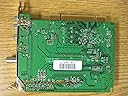
Hauppauge WinTV-PVR-150 PCI TV Tuner
Product ID: 26220443
Details
- Compatible DevicesLaptop Desktop
- Connector TypeS-Video
- BrandHauppauge
- Connectivity TechnologyS-Video
- Input Video CompatabilityPAL
💾MPEG-2 encoding
📺125 channels
⏸️Live TV pause
📺 Elevate Your Entertainment Game!
The Hauppauge WinTV-PVR-150 PCI TV Tuner allows you to watch and record TV on your PC, featuring 125 channels, a built-in MPEG-2 encoder, and versatile input options for connecting external devices.
| ASIN | B0006FS2IQ |
| Analog Video Format | PAL |
| Antenna | Television |
| AntennaDescription | Television |
| Best Sellers Rank | #1,137 in Internal TV Tuner & Video Capture Cards |
| Brand | Hauppauge |
| Compatible Devices | Laptop, Desktop, Computer |
| Connectivity Technology | S-Video |
| Connector Type | S-Video |
| Customer Reviews | 3.5 out of 5 stars 85 Reviews |
| Global Trade Identification Number | 00785428010458 |
| Item Weight | 1.3 pounds |
| Manufacturer | HAUPPAUGE |
| Mfr Part Number | 1045 |
| Model Number | 1045 |
| Tuner Technology | PAL |
| Tuner Type | PAL |
| UPC | 785428010458 |
S**T
Great Product - does what it says
I wanted to put a TV in my child's play room, which also had a computer. This device enables me to use the computer as a TV. It works great, my 4 year old has no problem using it. I installed the device in my only PCI slot, hooked my cable coax into it, started my PC, and the drivers automatically loaded. I have XP SP2. The whole process took about 10 minutes. The software then starts and after about 5 minutes, goes through the cable channels to store the channels. Then, you are ready to go. The unit is equipped with a remote. The remote points to an "eye". The eye is attached to a medium-sized small cord that is attached to the PCI card (under the coax cable). You are able to position the eye where you want it, although the cord the eye is on is not long. If you have a desktop sitting on the floor, it will barely reach the top of a computer desk. I taped the cord just under my keyboard shelf, so the remote needs to be pointed low. The functionality of the software is great. You can change the channel with the computer or remote. There is a button to enable "full screen" on the computer, but not on the remote. The picture is excellent. The ability to pause live TV, or record ad-hoc or timed works extremely well. This is a great product.
E**Y
Not for PAL/Eurpoe
The description of this product on Amazon (and other places I did a price check on) are unclear on the capability of this product to receive PAL signals (Europe's TV is PAL; North America is NTSC). I thought I saw enough about PAL in the documents to verify that they can receive PAL TV. The software is configured to look for the right kind of signal based on the country. Well, I plug it into the Swiss Cable TV, which is PAL, told it I was in Switzerland and said "Scan For Channels." But it did not find any channels. I exchanged about 10 emails with the Hauppauge help line (the fellow I had was very, very thorough) and finally they told me to do a hardware status dump (he gave me the special EXE file to do this) and, voila, it spit out that it was NTSC only. I have no idea about the quality of this product or if I could recommend it to a friend in the US. But if you want to travel to Europe to use it, this is not the product for you. Maybe Amazon sells one that can receive PAL, maybe even from Hauppage, but I cannot tell you.
C**5
Great WinTV Card
ATTN - WINDOWS VISTA USERS: Despite what is listed on Hauppauge's website, their drivers and software are NOT yet compatible with Vista (as of 4/25/08). I had problems getting my first card to work in Vista back in November, called Hauppauge, and they sent me a new working card (as the first one actually was defective). Hauppauge told me to let Windows Vista automatically install drivers for the card, then use "Windows Media Center" in Vista to setup and watch TV, and NOT their software. Oh...that reminds me...the card is fussy in regards to which PCI slot it wants to work in. This card MUST be in PCI slot ONE in order to work and be recognized in Windows Vista. (Not sure if this is true with other operating systems). So, if at first the card does not work, try swapping it and your other cards around, making sure this TV card is in the very first slot. Windows Media Center works great with this card. The video quality is superb and the audio and video synchronize perfectly. The only problem I have sometimes is not with the card, but with Windows Media Center. Whenever Windows Media Center updates the program guide and I try to access the TV channels inside Media Center, I get a green screen, stuttery video, and choppy audio with this card. Restarting the computer (sometimes a couple times) solves this problem.
G**S
Hauppauge WinTV-150 PVR
Good product - performs as claimed. I previously used an ATI All-in-Wonder 7500 software based TV/PVR card, which placed a 100% load on my PC and it's CPU when recording (a Dell P4 - 2.4 GHz, 768 MB RAM, 200 GB 7200 rpm HD running Windows XP). I had to shut down all unecessary services and programs just to have some stability when recording, and it would not release all memory when I exited the viewing/recording application. No such problems with the Hauppauge card. It typically loads my CPU at only about 25-30%, is very stable, releases all memory (so I don't need to reboot in between recording sessions), and in general "just works." Recordings are clear, audio and video remain in sync, and the bundled PVR and U-Lead DVD editing and authoring software is simple to use and yields good results. We were so pleased, we bought a Hauppauge WinTV-PVR-350 card to get external video output capability. Now when watching and pausing live TV, we can watch on our flat panel TV as well as the PC monitor. Good product bundle, easy set-up follwing the instructions. Highly recommended.
B**F
Slow sometimes
This product is ok. It is easy to set up (20mins max). It worked with my XP system. Sometimes the picture is shown in slow-motion and is kinda choppy. I attribute this to my PC but something to keep in mind. My PC has 1GB of ram and a three year old processor. If your system is better, I imagine there will be no problem. The remote is sufficient and IR sensor works fine from 10 feet and has little angle dependence.
C**N
Piece Of Junk
The performance of this card is poor at best. Some channels that are fine on my TV are either snowy or have ghosts, and also the sound is either broken up or non existent on these channels. A search on a dedicated newsgroup turned up numerous complaints on these issues but no fix. Tech support at Happauge does not respond to my e-mails except for an automated reply with a link to the newsgroup. I strongly suggest checking out the newsgroup before you buy this pig. [...]
J**S
Works great right out of the box!
Within 5 minutes of installing the Win-TV-PVR-150 (Model 1045) in my Media Center PC, I was watching TV and recording my first show using the Windows Media Center's own program guide and pvr function. I then installed the software that came with the card and found that it too was easy to use, if not as aesthetically pleasing as the Windows MCE interface. TitanTV and the WinTV Scheduler play nicely together, and WinTV2000 ... well, it lets you watch TV on your PC. In fact, I'm watching the Red Sox as I write this review, thanks to a handy "always on top" setting. The only disappointment has been the remote control. It will not let you control your PC through the MCE interface. It only works with WinTV2000--unless there is some trick I have yet to figure out. This is a minor quibble and certainly there was nothing other than my own wishful thinking that led me to think it would be MCE compatible. That said, if your MCE PC did not come with a remote, be sure to buy this model, the 1045, rather than the remote-less model 1050.
L**N
Don't waste your time with anything else
I tried to set up a PVR using my computer on the cheap on my less than state of the art computer (Pentium 4 2.2ghz). I experimented with a cheap tv card and half a dozen freeware software applications. I wish I could have the time back trying to set up all those lame products. The first thing that's essential that the cheaper tv cards don't have is an onboard chip to encode the video. Software encoding-how the cheap cards work- totally bogged down the computer. Tying together all the bits and pieces--cable box, remote, drivers, software can be a major headache. The Hauppauge card bundles a decent remote and ir emitter. This is a big plus. In light of that the $91 and free shipping made it a deal. This is only half the solution though as the software provided is not worthy of this fine hardware. I tried all the software out there for Windows-except for the expensive Windows media center-the only thing that works is Beyond TV. No other software is even close. The Beyond TV software is designed to work mainly with the Hauppage products. The IR emitter did not work satisfactorily for my Motorola cable box, but luckily I was able to control that with a serial cable connection. The TV picture is better than what I got directly from my cable box, though there is sometimes a slight, almost imperceptible, jerkiness. A Hauppage card, Beyond TV and your computer will bring you an excellent PVR experience. With a big Harddrive and a video card with tv-out, you're there.
Trustpilot
3 weeks ago
1 month ago