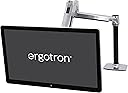
I just got this in last night and overall this is a great mount. Installation: Installation couldn't have been easier. The instructions were well laid out and had I actually followed them I would have saved myself some headaches. My first mistake was not installing the VESA extenders before attaching it to the monitor. This left me with 2 stripped screws, but I find that is completely my fault as I tried to force them. Once i replaced the 2 screws with new ones and did it correctly, the arm attached to the monitor easily. A Note on installation, while I didn't end up using this (see below), I found that a 1/2" hole is more than big enough to attach the mount to the desk using the grommet mount (if you don't want to use the edge clamp). Use: This thing is great with one caveat. It allows me to go from sitting to standing without issue and the 20" lift is good, but not what I would call great depending on your height. I am 5'10" and it is attached to my 30" tall desk. At it's max height, my 43" monitor is just barely at the correct height for me. If I were taller I might be concerned that it would not go high enough. I am giving it 5 stars because for my use it is a near perfect fit, but depending on your height, you might need to take into consideration it's limits on height. It's not that it doesn't go up high, but if you are 6'3", it might not go high enough for comfort when in a standing position. now, if you aren't using it for a sit/stand, I still think it is great and offers a wide range a movement. Cable management: The mount has 2 different ways of managing cables used on the 2 arms. The arm directly on the pole has a "tray that comes out and you run the cables under. At first I preferred this, but I have 4 HDMI cables, a power cable and soon to have a few USB cables. At is is, the 4 HDMI cables and the power cable are pushing that channel to it's limits. I'm not sure I'll get anymore cables in there. I realize the fact that I have so many HDMI cables may not be the norm so didn't knock any stars off. I also have some thinner HDMI cables on the way to help with that. The second method is used on the arm that attaches to the monitor. It just uses cable ties and some tabs to run the cable ties over on the underside of the arm. This means it is not as "clean" looking at the method above, but it has the added benefit of allowing more cables. I plan on sleeving all my cables in 1 sleeve to help clean this up, but it's not high priority and is probably being picky. Over all, I think the cable management is going to be great for the vast majority of people out there. Cost: This thing costs a lot! I had huge sticker shock when I went to first go and purchase it. However I have a 27lb 43" monitor (LG 43MU79-b or 43UD79-b - both are the same monitor) and this mount was the one that offered the range of movement I needed for my purpose. After receiving it and feeling the build quality I think the cost is justified, but somewhere deep inside a small piece of me still wonders how much of the cost is inflated because of the "standing desk" craze. A Note on placement: When I first set to install mine, I decided to drill some new holes in my desk. I have a corner desk and I assumed the best placement would be to put the arm in the back corner. So I drilled a 2" hole for a cable grommet and about 2" or so from it's edge drilled a 1/2" hole for the grommet adapter for the mount. This worked great for attaching the monitor to the desk and giving me a close by grommet hole to feed the cables. However, because my desk sits in a corner, I lost a lot of movement. One part of the arm would hit the wall and that would be as far back as it would go. What I found helped, was I changed out the grommet mount to the edge clamp style mount and tried a few places along the edge until I found a good spot. Unfortunately My desk's sides prevent me from using that mount permanently so once I knew where a good position was, I used that to determine where to put the grommet mount. Now, it ends up that using one of my desks existing grommet holes was the best placement so I refrained from drilling any new holes. I routed the cables to the new 2" grommet I drilled and placed an order for a 1/2" cap to cover my mistake. For those that have corner desks, what I found was that placing the arm about 13" from the back corner on either side gives me the best range of motion as the portion of the arm attached to the pole will rotate almost exactly into the corner. For those with normal desks, I would suggest you consider placing the mount off center, but if possible use the edge clamp option to position it first if you plan on using the grommet mount for permanent mounting. That way if you need to drill holes you can do so knowing it's in the right place. If I were to do this again knowing the above, I would have placed the new grommet hole I drilled much closer to the one I used for mounting for a much cleaner install. As it is, it's not bad (See picture), but I would have preferred the cables go through the desk much closer to the mount. I did contact ergotron before buying it and suggested that they look into a way to pass the cables through the mount through the same grommet hole you mount it to (some do this, but were not heavy duty enough). They said they would pass it down to their product development team, so maybe that change will come in a newer version.