Buy anything from 5,000+ international stores. One checkout price. No surprise fees. Join 2M+ shoppers on Desertcart.
Desertcart purchases this item on your behalf and handles shipping, customs, and support to Croatia.
💼 Elevate your storage game—hot swap like a pro, no downtime, all hustle.
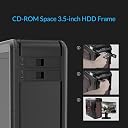
The ORICO 1106SS is a trayless, tool-free hot swap mobile rack designed for 3.5-inch SATA HDDs and SSDs, fitting into a standard 5.25-inch PC drive bay. Supporting SATA III speeds up to 6 Gbps, it enables seamless plug-and-play drive swapping without rebooting. Its durable stainless steel construction offers excellent heat dissipation, while front power and activity LEDs provide intuitive control and monitoring. Compatible with Windows XP through 10 and various Linux distros, it’s a reliable, professional-grade solution for expanding and managing internal storage effortlessly.


| ASIN | B0093FINMU |
| Best Sellers Rank | #157 in Enclosures |
| Brand | ORICO |
| Built-In Media | 5.25 to 3.5 Bracket |
| Color | Black |
| Compatible Devices | Hard Drive, Laptop, Netbook, Tablet |
| Connectivity Technology | SATA |
| Customer Reviews | 4.3 out of 5 stars 1,460 Reviews |
| Data Transfer Rate | 480 Megabytes Per Second |
| Enclosure Material | Acrylonitrile Butadiene Styrene (ABS), Metal |
| Global Trade Identification Number | 06954301150497 |
| Hard Disk Form Factor | 3.5 Inches |
| Hardware Interface | SATA 6.0 Gb/s |
| Hardware Platform | PC/Linux/MAC |
| Item Weight | 0.1 Kilograms |
| Manufacturer | ORICO Technologies Co.,Ltd - Import FOB |
| Material | Acrylonitrile Butadiene Styrene (ABS), Metal |
| Memory Storage Capacity | 4 TB |
| Mfr Part Number | ORICO 1106SS-BK |
| Model Number | ORICO 1106SS-BK |
| Supported Devices Quantity | 1 |
| UPC | 606184558216 797698571249 509060559089 |
| Warranty Description | 1 year warranty provided by orico |
D**U
"Do one thing and do it well."
I think this is a good example of the Unix Philosophy being applied to hardware and not just software. So far - for me - it's been a champ with Windows 7 SP1, Windows Server 2008 R2, anything Linux 3.4+, and FreeBSD 10.2. Can't say for anything else since I haven't used it with anything else (yet?). ✔ No-frills, no nonsense: Install it and off you go. ✔ The metal chassis' construction is both open (providing decent ventilation) and solid (don't expect it to warp easily or lacerate your fingers). ✔ Has a power button. ✔ Bonus points for the power button's actuator being recessed enough to help prevent accidental presses (but not too much as to be annoying). ✔ Individual LED indicators for both I/O activity and power. ✔ The bay door and its locking mechanism are simple and effective. However... ✘ The bay door's latch is flimsier than it should be.* It's worth mentioning that you should check your motherboard's firmware configuration for the port the bay is connected to. For example, my motherboard allows for individual SATA ports to be toggled as hot-swappable (even the external eSATA ones at the rear); information that any operating system kernel present can make use of (if supported). *The bay door latch should not prematurely break as long as you stick to the following: - To unlock and open the bay, place your index finger behind the locking tab and gently pull it back; The door will follow. - To close and lock the bay, pull the locking tab outward with your index finger as you push the door inward with your thumb; Once the door is closed, slide your finger out from under the locking tab. - Drive installation: 1. Push your drive into the bay with your index finger until it's fully inserted. Note that the bay door will partially close as you do this. 2. Place your index finger behind the locking tab on the door and gently pull back on it. 3. While continuing to pull on the locking tab, use your thumb to fully close the bay door. 4. Slide your index finger out from under the locking tab before removing your thumb from the door. - Drive removal: 1. Place your index finger behind the locking tab and gently pull it back until the door is fully unlatched. 2. Place your index and middle fingers on the inside of the door close to the middle, and gently push the door open the rest of the way. 3. Grab and remove your drive. 4. (Optional) Tuck your drive into bed while whispering sweet nothings to it.
D**E
Decent quality and price.
Good product, good price! Works perfectly and seems to be decent quality.
C**N
So-so quality and works as expected
Arrived well and in good time. Build quality seems average. Lots of sharp edges. The metal parts for some reason had this blue tape type material (I guess to protect against those sharp edges I mentioned) that was a bit of a pain to remove. Fairly easy to install and fit right into my 5.25" bay (Enthoo Pro) using the provided screws. Installing a drive is easy and no force is required, other than a slight push when closing the swing door. Ejecting the drive does require a bit of force as you pull the door open, since there is no dedicated eject button. As you open the door it activates the latch at the end of the device which pushes the drive out. I have my concerns as to how many ejections the mechanism will resist before it fails. I wouldn't use this drive bay as a hot swap bay for frequent HDD swaps, but instead as a semi-fixed caddy for easy access to HDDs that get swapped out from time to time. It works out fine for my purposes, so no problem for me.
T**2
Great option to mount drives in extra space
With the extra space in my case I used this driver bay adapter to add an SSD and full size hard drive to my custom built pc. It was easy to install, even with having the sliding locks on my bays. It fit securely without any problems. The material is strong aluminum and coated in black paint. Feels solid and sturdy. Includes small screws to attach drives. I placed 2 drives together one on top and below. Recommend you have extra screws if you want to add 2 drives. I was able to connect the SATA and power cables without much difficulty. There is very little space in between the drives when installed making cable management in the case easy. The idea of using the extra 5.25 drive bay for your SSDs and HD is great. The drives have plenty of space for air to circulate and the holes on the adapter play nice with air flow. There are other products out there that allow more SSDs but, I preferred this one due to the material and ease of installation. In general if your looking to add more drives to your pc this is a no brainer.
J**H
Works like a charm
I added two of these into my Rosewill rack-mount NAS build to accommodate two extra Ultrastar HDDs. I echo everyone's concerns about the door feeling somewhat flimsy and fragile. I'll report if something happens to them, but the build quality seems at least to be up to the task of holding the drives and allowing for their careful removal. I should note that the Ultrastars have the 3.3v remote power pins, basically a non-standard enterprise server power setup that requires you to block the first couple of pins on your SATA power cable to use it in a standard home system. This is indeed possible on the bay's power connector. The block works with some non-conductive tape as well as with the Molex to SATA power cables, which I think is a better option. I'm giving this a resounding perfect rating because it gets the job done for me. I'm sure if you're doing a pro-level build you might want something more robust, but this is more than adequate for what I need it for and at a good price.
F**O
Hot plug is possible
First of all, this is an excellent tray, just installed it and I can say my old HDDs fit perfectly fine and the mechanism works really well. As for the connection, I had to use SATA port number 5 and 6. As those ports support hot plug on my motherboard. But looking at the user manual on other motherboard models and brands, many support hot plug on higher number SATA ports. In my case port 1 to 4 are the "regular" ports, and 5, 6 support hot plug. Check your motherboard manual in case you can't make the drive work when inserted with the computer turned on. Restarting the computer will show the drive. But you may not need to do the restart. Overall, I'm happy with product. I can recommend it.
M**Y
Was Sent the Wrong Mounting Hardware: Damaged my HDD
I bought this 5.25 to 3.5 adapter bracket in order to put my HDD into my unused optical bays. The bracket itself is very well made and nicely powder-coated. The metal is thick and doesn't flex which is reassuring. There are holes on the side to mount a 3.5" drive and holes in the middle flat section for a 2.5" drive. The reason I can't give this adapter a good review is the fact they sent me the wrong screws to secure my 1TB HDD. After screwing in a few of the screws I noticed the threads were loose, and low and behold they were entirely the wrong threads. I ended up stripping the threads on my HDD which means mounting it is now a giant pain and makes the bracket unusable. I'm glad it wasn't a large capacity or expensive drive, but it's still annoying to have one of your components damaged by something as simple as supplying the correct hardware. Another big issue with this bracket is isolating HDD vibrations. Included in the hardware were four, thick rubber rings that don't seem to fit anywhere on the bracket (the instructions on the cardboard box were incredibly vague and didn't explain anything). Unless your 5.25 bay has rubber grommets to help reduce vibrations, this bracket won't help. Overall I didn't pay much for the bracket, but it's annoying to get a product with the wrong hardware and end up damaging one of my components. Assuming they sent the correct mounting hardware, here are my overall thoughts on this product: Pros: - Good construction, well built - Looks great and the powder coat is excellent - Good mounting options - Lightweight (aluminum) Cons: - Very poor and puzzling included hardware - Abysmal instructions
R**D
Works - But may need Modification - Model -1106SS
When I tested this with a 3.5 inch mechanical hard drive it would only insert part way, then it would lock. The door could not be pushed all the way closed and it would lock while only partway in the caddy. Upon further examination I discovered that it has a very narrow roller that moves against the rear of the hard drive to release the hard drive from the connector and push it out of the caddy. This works fine if the rear of your hard drive is smooth and flat from top to bottom. But... what if it has ridges or indentations? The roller is very narrow. So when pushing the hard drive into the caddy, if you have a hard drive with any indentations, then the roller can get caught, locking the roller into a valley in the rear of the hard drive, preventing full insertion of the hard drive into the caddy. I have uploaded a photo of two identical 3.5 inch mechanical hard drives. Please look closely at the TOP hard drive. Do you see the valleys, indentations present on the top half of the drive? What happens is the roller falls into the indentation, then gets stuck there preventing the hard drive from inserting fully. The FIX is shown in the lower hard drive. You see that I have placed white TAPE over the indentations to make the back of the hard drive SMOOTH. After applying the tape, the roller will no longer drop into the indentation and get stuck. The roller moves smoothly over the back of the drive for insertion and removal. Applying tape to the rear of the hard drive SOLVES the insertion/removal problem. Now, I can fully insert the hard drive and remove, as well. Insertion goes fairly smoothly. Removal happens with a JERK as it separates the electrical connector. A more expensive caddy with gears might solve this JERKING motion, but this one, being pretty basic does have an annoying jerk as the connectors separate. This JERK is nothing that affects the functionality of the device, it's just kind of annoying and something you must accept. Overall, if you know how to fix this flaw when using certain hard drives, this is a servicable caddy. I don't know the long-term durability but my tests determine that it should work and is functional for the purpose of easily inserting and removing a hard drive in you desktop computer. I mostly give this a Recommend, but with caution.
A**.
Wooo Hooo ! Product , Must Have and life changing Product ( I reviewed it on youtube, link included )
Freaking awesome Product, I wish i could get some more product that can fit into my front cabinet dock, if there is any plz link or mail. anyway the product is awesome, Seller and Service was also Excellent :) Thanks to both Amazon and Seller ( Bee Hive ) Here is the Review i did of it, if you guys wana see it https://www.youtube.com/watch?v=QvUuxZtuvKg
F**K
Tolles Produkt zu fairem Preis!
Ich habe mir eine SSD zugelegt, hatte in meinem Desktop-PC allerdings keinen Festplattenslot mehr frei. Also wollte ich den freien Platz im zweiten 5,25 Zoll (CD/DVD) Schacht nutzen. Mit dem Einbaurahmen von ORICO überhaupt kein Problem. Klar, es war etwas frickelei den Rahmen in den Schacht zu bekommen. Aber das lag nicht am Produkt, sondern am PC-Gehäuse, die ja bekanntermaßen immer knapp bemessen sind. Einmal an seinem Platz lies sich der Einbaurahmen super festschrauben, die Bohrungen waren absolut exakt. Und Schrauben wurden mehr als genug mitgeliefert. Der Rahmen wirkt durch das feste Aluminium sehr wertig. Ich bin sehr zufrieden.
D**R
A versatile, well made and smartly designed drive adapter
I bought the black (I assume anodized) version but there is also a natural aluminum version available. The Item is sturdy and designed to permit installing virtually any 3.5 inch or 2.5 inch drive in a 5.25 inch desktop bay, although this is not designed to adapt things like 3.5 inch floppy drives into 5.25 bays. They supply 3 sets of screws to accommodate various drive configurations. The adaptor is a very snug fit into 5.25 drive bays.
P**O
Eccelente dispositivo
Ero un po' prevenuto a prenderlo. Ma mi sono ricreduto dopo averlo montato fa il suo servizio per cui è stato progettato. Ritengo che il leveraggio dell'espulsione dell'hard disk sia troppo debole per il lavoro che deve espletare, se si cambia spesso hard disk non durerà molto. Per quanto riguarda hot swap, a me non funziona, perché il sistema continua ad averlo presente. per quanto riguarda un sistema operativo accendete il suddetto prima di accendere la macchina ad alimentazione inserita.
C**E
Uma porcaria
Esse dispositivo é uma bela de uma porcaria. NÃO COMPREM.
Trustpilot
1 day ago
2 weeks ago