Buy anything from 5,000+ international stores. One checkout price. No surprise fees. Join 2M+ shoppers on Desertcart.
Desertcart purchases this item on your behalf and handles shipping, customs, and support to Croatia.
🖥️ Elevate your workspace with style and smoothness — see the difference, feel the edge!
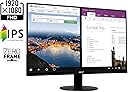
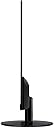
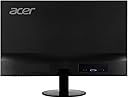
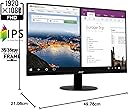
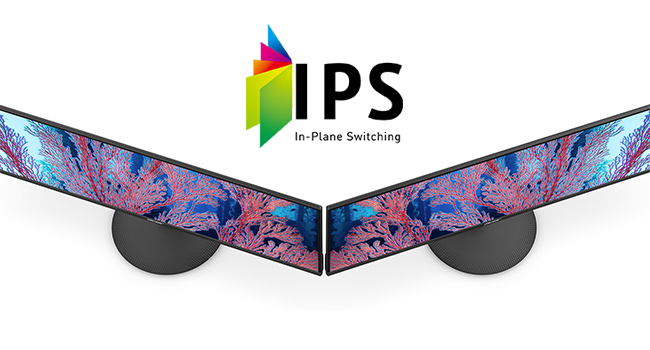
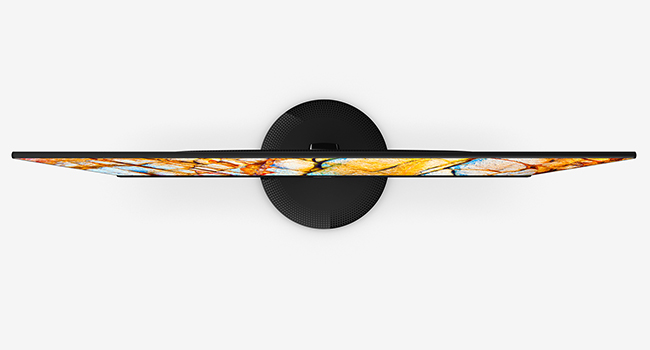
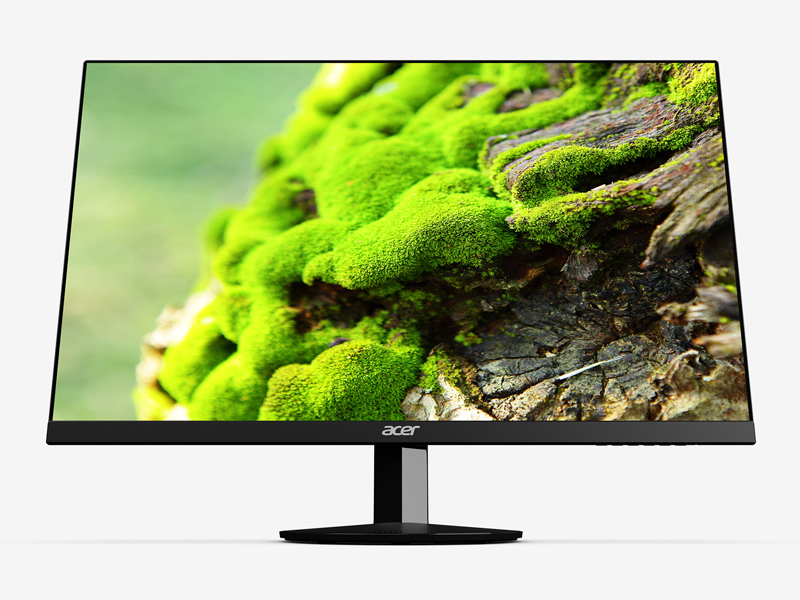
The Acer SB220Q bi is a 21.5-inch Full HD (1920x1080) IPS monitor featuring a sleek ultra-thin zero-frame design, 75Hz refresh rate, and Radeon FreeSync technology. It offers vibrant 16.7 million colors with wide 178° viewing angles, 4ms response time, and versatile HDMI & VGA connectivity, making it ideal for business, personal use, and casual gaming.


| ASIN | B07CVL2D2S |
| Adaptive Sync | FreeSync |
| Additional Features | Frameless |
| Aspect Ratio | 16:9 |
| Best Sellers Rank | #66,075 in Computers ( See Top 100 in Computers ) #1,784 in Computer Monitors |
| Brand | Acer |
| Brightness | 200 |
| Built-In Media | Display, Stand, VGA Cable |
| Color | IPS 75Hz |
| Color Gamut | 0.72 |
| Compatible Devices | Devices with HDMI or VGA ports |
| Connectivity Technology | HDMI, VGA |
| Contrast Ratio | 2000:1 |
| Customer Reviews | 4.6 4.6 out of 5 stars (41,968) |
| Display Resolution Maximum | 1920 x 1080 Pixels |
| Display Technology | IPS |
| Display Type | ips |
| Global Trade Identification Number | 00191114774571 |
| Hardware Connectivity | HDMI, VGA |
| Has Color Screen | Yes |
| Is Electric | Yes |
| Item Dimensions D x W x H | 21.1D x 49.8W x 38.4H centimeters |
| Item Type Name | Acer 21.5 Inch Full HD (1920 x 1080) IPS Ultra-Thin Zero Frame Computer Monitor (HDMI & VGA Port), SB220Q bi |
| Item Weight | 2.54 kg |
| Manufacturer | Acer Computer |
| Model Name | SB220Q |
| Model Number | SB220Q bi |
| Mounting Type | Wall Mount |
| Native Resolution | 1920x1080 |
| Number of Component Outputs | 1 |
| Picture Quality Enhancement Technology | Radeon FreeSync |
| Power Consumption | 25 Watts |
| Processor Count | 1 |
| Refresh Rate | 75 Hz |
| Resolution | FHD 1080p |
| Response Time | 4 Milliseconds |
| Screen Finish | Glossy |
| Screen Size | 21.5 Inches |
| Shape | Flat |
| Specific Uses For Product | business, personal |
| Total Number of HDMI Ports | 1 |
| UPC | 191114774571 |
| Viewing Angle | 178 Degrees |
| Voltage | 110 |
D**Z
Compré este monitor por el simple hecho de que era un 1080p 75hz de Acer. Me sorprendió que estas características estuviese a sólo 1,700mxn. No esperaba mucho de él, pero en estos tres meses me dio una gran sorpresa. El monitor es increíblemente liviano y delgado. La fuente de poder es externa, lo que ahorra costos y ayuda a su estética general. Cumple con todo, el full HD, los 75hz, y es IPS ( no he probado el FreeSYNC, no uso AMD) Pros: +Es muy ligero, facilita mucho la limpieza del escritorio y el transporte. +Costo/beneficio, es de los mejores que puedes encontrar, superando a monitores 1080p60hz +Tiene varios perfiles personalizables y puedes alternar entre ellos fácilmente. +Tiene unos 30 grados de inclinación para mejor visualización Cons: -La base es de un plástico ligero y barato. Aunque para el peso del monitor, no necesita más. -Por default tiene un filtro verde muy molesto. Pero Se arregla en 10 minutos corrigiendo el color. -Los botones los tiene en la parte inferior, Cuesta algo de trabajo moverse en el menú a ciegas, y el botón de apagado es igual a todos los demás botones. -Tiene unos bordes negros que hacen parecer que no está dando la resolución total, pero te acostumbras fácilmente. Recomiendo ampliamente este monitor 100%.
D**K
Just received the product and so far very pleased with my purchase. The base is sleek and simple with solid build quality, made for easy assembly without needing instructions. The screen is actually thinner than I expected making it efficient at saving desk space. It’s adjustable to practically any angle you’d need. I’m using as a second monitor for work so the picture quality is perfect for my needs— I’d imagine you’d need a more advanced device for a good gaming experience though as it could be a touch clearer. Screen glare is minimal, the picture doesn’t do it justice to be honest. I work with direct sunlight behind me and do not have issues viewing the screen.
P**N
This monitor is great for anyone looking for a high-resolution and fast refresh rate monitor at a low cost. I've used it for work and gaming, and it's held up wonderfully. The menu lets you adjust the settings to your preferences, but I find the stock settings are just about perfect. At its lowest settings the dim light is great for reading documents in low-light environments. At its brightest, I can fully open the window behind me on a sunny day, and clearly see the screen. All in all, great and reliable monitor.
C**R
This review is for the SB220Q series (1920x1080) 75Hz monitor variant. At a $90 price point as of July 2020, all of the praise this monitor has gotten and continues to get is pretty well deserved. Right out of the box the factory calibration is pretty awful as with most TVs and monitors (I’ll never understand why that is), but Acer’s built-in menu gives you a wide range of control to tweak the image quality to your liking. Here are some of the most noticeable Pros & Cons after using this monitor daily for the past three weeks: PROS: - The colors can be very vibrant and the sharpness makes everything nice and crisp both up close and from a distance without going overboard. Although the spec sheet does not specify the exact Adobe or sRGB color gamut range, it does have a stated 72% NTSC coverage (keep in mind that the NTSC color gamut has the highest level of color reproduction), which would imply that it should have close to 100% sRGB coverage. This is pretty standard for most sub $200 monitors (note: the unit that TechSpot tested came in at around 93% of sRGB coverage mostly losing detail in the green range so your unit’s reproduction may vary). The 6-bits + FRC (equal to 8-bits) color depth is also an industry standard for entry level monitors and is completely fine for casual use. - This montior’s “100,000,000:1” Dynamic Contrast Ratio (DCR) (non-standardized measure of contrast for videos) definitely seems to outperform my other slightly more expensive budget IPS monitors (the HP VH240a and ViewSonic VS2412-H) that only have 20,000,000:1 and 50,000,000:1 contrast ratios respectively. However, note that it still has an industry standard 1000:1 Static Contrast Ratio (measure for non-moving images) which isn’t great but is perfectly acceptable for casual viewing since only the highest tiered ($400+) IPS panels exceed that point with 1,500:1 being the maximum native contrast typically achievable with an IPS. ~ A quick side note about that “100,000,000:1” DCR number: there is no industry standard methodology for this particular measurement so the number itself is mostly useless marketing fluff. But as I noted, compared to the two other monitors with the same industry standard SCR, this monitor did seem to outperform them both in that area. - Its 102 PPI pixel density actually makes a subtle difference in image quality when viewing up close compared to my 24 inch 1080p monitors that have a 92 PPI. Text seems to be a bit smoother in comparison. This is purely an advantage of having the smaller 21.5 inch screen. - The Color Adjustment Menu allows you to adjust both the RGB and CMY gains, bias, hues, and saturation levels to get a better color balance. - The Picture Menu lets you adjust the screen’s brightness, contrast, gamma, and blackness (“black boost”) levels while also providing a ‘blue light’, ‘adaptive constrast’ (ACM), and a ‘Super Sharpness’ on/off switch. - The Game Menu has FreeSync (for AMD GPUs) and Overdrive options CONS: - The bezels are a bit thicker than I woud’ve liked (they’re about 1 cm on the top, left, and right sides) making the frameless design nothing more than a gimmick. - The top-down viewing angle is noticeably darker compared to looking at the screen head on. - Despite having a good DCR of 100M:1, the blacks are still a bit too bright for watching anything with heavy dark scenes since the display itself does not have any HDR capabilities with high contrast control zones aka local dimming (to be fair, this is completely expected at this $90 price point and is only being mentioned as reference for those that may be thinking of using this monitor to watch TV/movies). - The Picture Menu’s ‘Super Sharpness’ option is just an on/off switch; it does not give you a more granular adjustment control over the amount of sharpness to apply. - Even with all of the image quality adjustment options available in the settings, the whites remain on the slightly warmer side of the color temperature chart. It’s not that noticeable when viewing on this monitor alone, but the difference can be seen if you have another slightly cooler display adjacent to it. This is most likely just an issue with my particular unit since other reviews have noted their unit had a more neutral or “near perfect” white temp. - It only has a paltry 15° degree back tilt compared to most other budget monitors being able to tilt closer to 30° degrees (this is super nitpicky as compromises are to be expected at a sub $100 price point). - The Power button is completely indistinguishable from the rest of the menu buttons (both in shape and spacing). Overall, if you’re looking for a nice quality budget monitor to look at spreadsheets, word documents, and do some internet browsing or even some light casual gaming, then this is a great choice. If you are a competitive gamer, photographer, professional editor, or a content creator then you’ll obviously need to invest in a higher spec monitor.
B**L
This was supposed to come by 10 PM and it came much earlier. And it was delivered very well packaged. It took only minutes to set it up and the picture quality is very very good for a standard 1080P high definition monitor. I use it mostly for office tasks and not heavy gaming or anything like that so for my uses it’s excellent. For hard core gamers you’re probably gonna be buying a 4K monitor or better with all the bells and whistles. This doesn’t have it. No speakers. But it’s height adjustable and comes with all the cables you need to just plug it in to your computer and boot it right up. The colours are very realistic and crisp. The viewing angle is also excellent and the standard out of the box settings seem perfect. I actually think Acer makes very, very good monitors and this definitely is a very good one. It’s very well designed and for the value there’s just really nothing better than it out there that I can see. If you just want a standard 1080P monitor this is a great choice and I happy to give it five stars! I have others like it, but this one takes it a step above!
Trustpilot
3 weeks ago
3 weeks ago