Desertcart purchases this item on your behalf and handles shipping, customs, and support to Croatia.
🚀 Elevate your workspace with crystal-clear 4K brilliance and vibrant colors that keep you ahead of the curve!
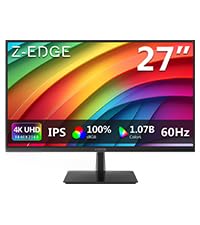
The Z-Edge U27P4K is a 27-inch 4K UHD IPS monitor delivering 3840x2160 resolution at 60Hz with 100% sRGB color accuracy. Featuring dual HDMI 2.0 and DisplayPort 1.4 inputs, FreeSync support, and a wide 178° viewing angle, it offers versatile connectivity and smooth visuals. Its sleek, edge-to-edge design supports VESA mounting for ergonomic setups, making it an excellent choice for professionals seeking high-resolution clarity and vibrant colors at a competitive price.


| ASIN | B08QV5HN2K |
| Adaptive Sync | FreeSync |
| Additional Features | 4K monitor |
| Aspect Ratio | 16:9 |
| Best Sellers Rank | #54,680 in Electronics ( See Top 100 in Electronics ) #1,275 in Computer Monitors |
| Brand | Z Z-EDGE |
| Brightness | 300 cd/m² |
| Built-In Media | U27P4K Monitor,HDMI Cable, Power adapter,Power Cable |
| Color | Black |
| Compatible Devices | Devices with HDMI, DisplayPort, or USB inputs |
| Connectivity Technology | HDMI |
| Customer Reviews | 4.4 out of 5 stars 426 Reviews |
| Display Resolution Maximum | 3840 x 2160 |
| Display Technology | LCD |
| Display Type | LED |
| Hardware Connectivity | DisplayPort, HDMI |
| Has Color Screen | Yes |
| Is Electric | Yes |
| Item Dimensions D x W x H | 0.53"D x 24.2"W x 17.9"H |
| Item Weight | 6 Kilograms |
| Manufacturer | Z Z-Edge |
| Model Name | U27P4K |
| Model Number | U27P4K |
| Mounting Type | Wall Mount |
| Native Resolution | 3840x2160 |
| Number of Component Outputs | 2 |
| Picture Quality Enhancement Technology | HDR |
| Pixel Pitch | 0.155 |
| Refresh Rate | 60 Hz |
| Resolution | 4K UHD 2160p |
| Response Time | 14 Milliseconds |
| Screen Finish | Matte |
| Screen Size | 27 Inches |
| Screen Surface Description | Matte |
| Shape | Rectangular |
| Specific Uses For Product | Business,Gaming,Personal |
| Total Number of HDMI Ports | 2 |
| Total Usb Ports | 1 |
| UPC | 815895022026 |
| Viewing Angle | 178 Degrees |
| Voltage | 12 Volts |
S**L
quality vs. price is solid
As a secondary screen for daily work (non-gaming, non-video editing, no major media) - 4k screen for this price is the best quality/price deal, imo, in 2026-q2. If software editing, reference monitor or just dashboard display is your thing, this is solid.
M**S
Excellent for the Money
This monitor is pretty damn great for $250. Is it the best monitor ever? No, and it's not gonna be good for professional color accurate use or intense gaming. Casual gaming probably. It's strengths are the price, the colors/contrast, and of course the resolution, and it's amazing for workflow and content viewing. Is HDR any good? I'm not sure. Enabling it requires changing all of my settings and I didn't see enough of a difference to bother. It is not VESA HDR certified, which means if you really want good HDR you'll have to find it somewhere else. Refresh rate and response time: this monitor has slower response time than you'd want if you want to do a lot of gaming, you'd see ghosting most likely. Color and contrast: the contrast is good, on the order of a high end TN panel from a few years ago. The color seems to be on the same order or better, but I have no good way to test this objectively. Overall, if you just want a 4k monitor and aren't too picky about anything but resolution, this will exceed your expectations.
M**D
Disappointed in audio control BUT UPDATE...
Bought specifically for having on-board speakers and HDMI input...but the internal speaker volume of the must be changed using a tedious On Screen Menu system of nested inputs...takes a lot of time and fine skills... THERE IS NO EXTERNAL VOLUME UP AND DOWN CONTROLS and no remote...if this matters to you then don't buy this monitor. ------> Update 4/23 <------ The company contacted me about the audio issue and offered a full refund. I declined as the video is very good and said I would just purchase an external speaker to control the audio. They replied and offered to contribute to the purchase of an external audio. This is customer service at its best.
R**Y
UHD 4K@60Hz refresh rate via HDMI!
I'm not sure why all of these comments are saying that 4K@60Hz is only possible via Display Port. Because that is a whole bunch of shenanigans. As you can see in the photo attached, this monitor is fully capable of achieving 4K@60Hz refresh rate through an HMDI cable! There are 2 HDMI ports on the back of this monitor. The only effort you need to put into this is to make sure you plug the HDMI cable into the HDMI port that supports 4K@60Hz refresh rate, not the 30Hz refresh rate--Easy Peezy. Another thing you might want to confirm is that the processing core on your laptop/desktop is able to support that high of a resolution@60Hz refresh rate. That info is a little harder to find, as you’d need to go to the manufacturer’s site that makes your exact processing cpu and find the specifications of your exact chip model. PS. please excuse my daughter as my wallpaper. PPS. this works so well, i bought 2 of these; contemplating on buying 2 more as well.
J**N
Works well with Mac Mini M1. HDR too!
Great affordable 4K monitor. The power supply is external via a power brick. The menus are annoying to get into, but once set up, you don't need to touch it again. It works in HDR in Mac OS Sonoma. Enable the HDR setting in the monitor menu and Mac OS will seamlessly switch into HDR when viewing YouTube HDR content. (In Mac OS Display settings, enable automatically switch to HDR). If used via HDMI port on Mac Mini, make sure to use proper version HDMI cable.
S**.
What stood out to me was the price!
In 2023 with todays advancement in technology. I believe that a great monitor can be bought for under $250. This one is it I tell you. I know a lot of people complain about the settings and color being off specifically red appears as orange. That’s because with a few adjustments made turns this monitor into a $599+ monitor !! For what you get this is hands out epic. Those big brand companies are all using same materials. Don’t fall for the consumer brand scheme. Look at the video and picture as reference. I can also provide the best setting I used to achieve these results! Best bang for your buck. Great for new gen consoles
K**D
Decent 4k picture for the money but very poor HDMI performance
As a 4k monitor, this is great for work and casual use. Not sure i'd trust it for gaming, or anything requiring precise graphics. The colors are *very* off, required loads of calibration to get it anywhere near what I'd consider normal, and I just use it for programming. That said, it was like $210, so it's pretty great for that price point. IF you want to get 4k @ 60hz, you *need* to use Displayport. I don't care what the description says - neither of the HDMI ports will work for 4k@60hz. I found this out through some rigorous testing. I have an existing personal workstation, Macbook Pro M1, which is the same model as the professional workstation (MBP M1) for which I was purchasing this display. On my personal rig, I am driving a 4k@60hz display, LG, very high quality & via HDMI, for gaming and personal use. My company wouldn't splurge for that $600 panel, which is fine, so they authorized this one for my work setup I did however get the exact same USB-C to HDMI 2.0 adapter, and the exact same gold-plated HDMI cable. On port HDMI 2, the best you can get is 30hz. Even when I scaled my resolution down to 1080p, it wouldn't go any higher. On port HDMI 1, it would allow me to select 60hz all the way up to 4k, but if I set the resolution anywhere above 1080p while at 60hz, the display suddenly started dying then waking then dying again, oscillating back and forth every few seconds. I thought, maybe it's my Mac/adapter/cable - so I brought this display over to my personal Mac (driving the LG 4k@60hz), and the same thing happened - oscillating between active and powersaver mode. I then brought my LG over to the work Mac, and it worked fine at 4k@60hz. Finally I ended up finding an old USB-C to Displayport and a Displayport cable in my closet, and *that* setup got this monitor working 4k@60hz just fine. Conclusion: this monitor's HDMI ports do not support 60hz above 1080P.
A**Y
Great value
Picture quality is good. Brightness is good. It's not the fastest display but for the money, I couldn't find a better 4k display. I haven't used this to do any gaming and I don't think I would want to at 4k especially. Sure, you can go get a large 4k tv but the response time is sooo slow I'm using this on a 2015 macbook pro which I've used on better monitors in the past. I would buy this monitor again if I was pinched for cash.
H**.
Gutes Preis-Leistungsverhältnis
Habe mir den Monitor als kostengünstige Übergangslösung gekauft, weil mein original Apple Monitor am Mac Studio defekt war. Funktioniert gut, auch am Mac, ist einfach in Betrieb zu nehmen, Bildqualität mit Kontrast, Helligkeit etc. ist erstaunlich gut bei dem Preis und für einen normalen Anwender wie mich absolut ok. Die technischen Detailwerte interessieren mich in so einem Fall nicht, jedenfalls nicht solange ich alles klar und sauber sehe und meine Augen nicht schneller müde werden als mit einem anderen Monitor und das ist so. Ich kann mit diesem Monitor arbeiten und halte das für eine volltaugliche Lösung für jemanden der jeden Tag eine begrenzte Zeit am Computer sitzt. Möglicherweise merkt man den Unterschied, wenn man täglich 8 Stunden oder länger auf den Schirm schauen muss, das ist bei mir mit diesem Gerät nicht der Fall, also klare Kaufempfehlung.
K**N
Great screen for the price, crystal clear 4K picture. Slim design.
N**.
Muy buena compra
Tiene u muy buena resolución y los colores son muy reales, me sirve Perfecto para retoque de fotos.
J**A
Calidad de imagen excelente y sonido algo deficiente.
El monitor en lo personal es totalmente de mi agrado a excepcion por el sonido que que es muy bajo lo cual lo soluciono con una bocina externa, de todo lo demas excelente.
お**頭
良くもなく悪くもなく。
Dell u2720qのサブモニターとして使っていますが、画面の起動が遅く、IPSモニターではありますが、比べると視野角が狭い気がします。まぁ、4Kの作業用として使うなら十分ですが、ゲームやイラスト製作者には向いておりません。追従速度は遅く、若干白みがかってみえるので、ただしく色が表示されてないといった感想です。
Trustpilot
2 weeks ago
5 days ago