Desertcart purchases this item on your behalf and handles shipping, customs, and support to Croatia.
🎯 Dominate your game with the Odyssey G5 — where every pixel counts!
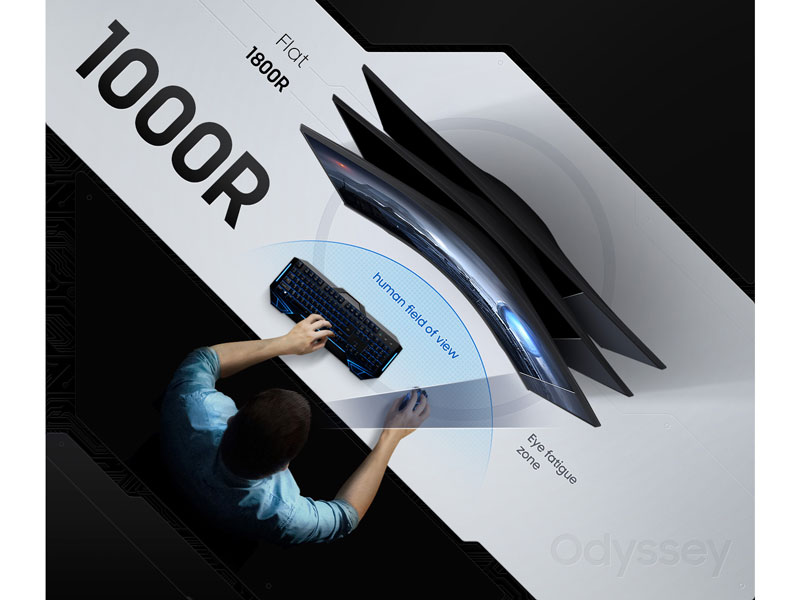
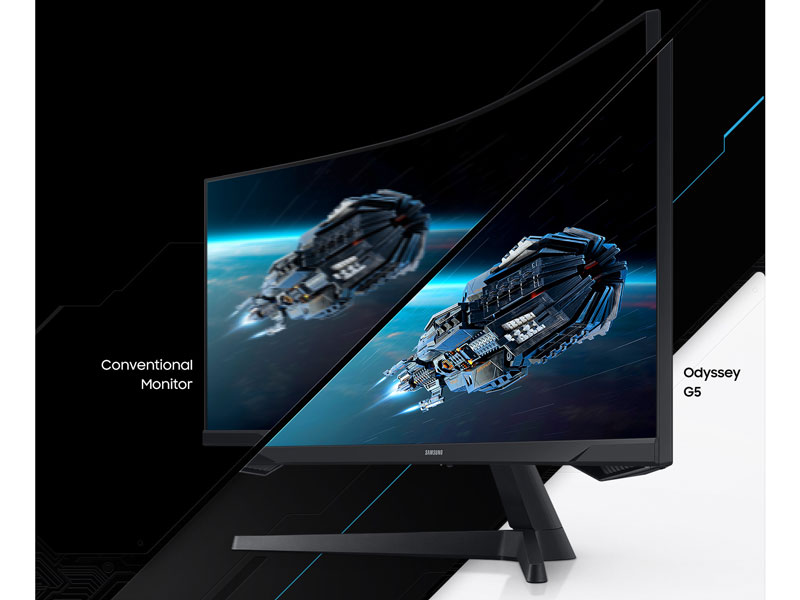
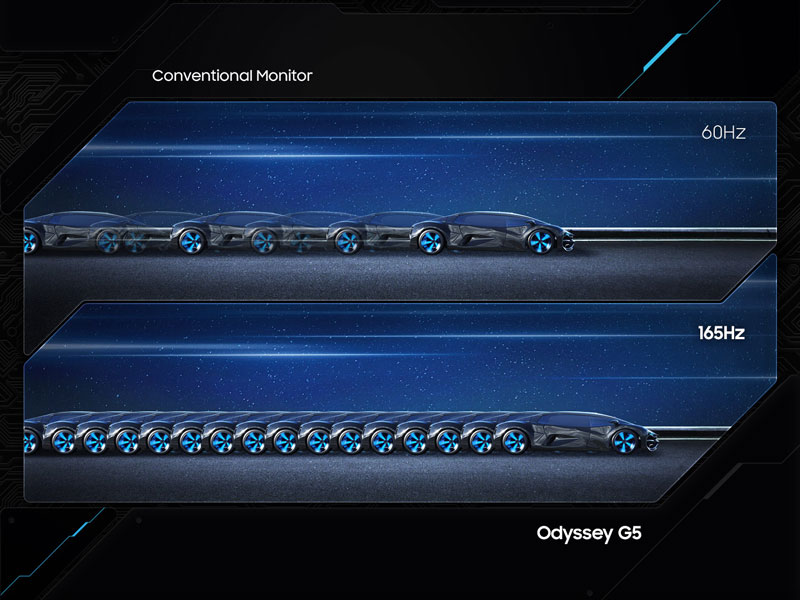
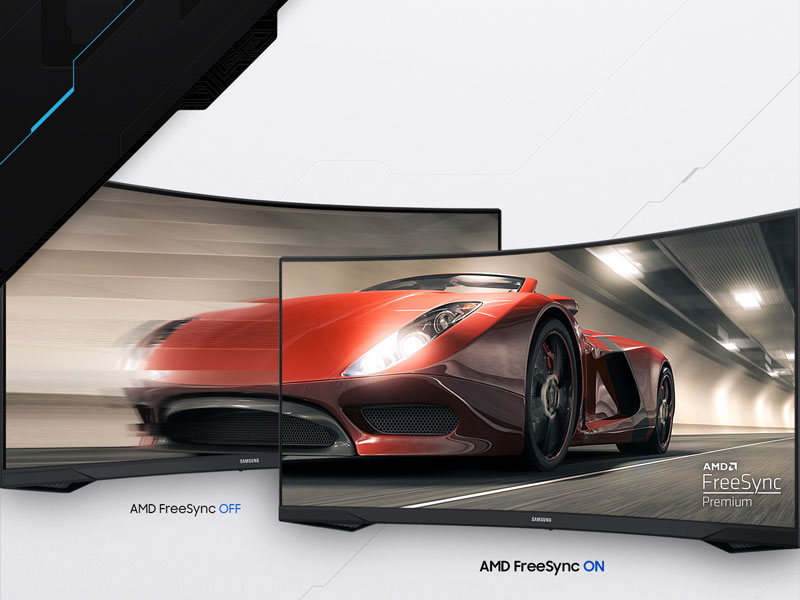
The Samsung 34' Odyssey G5 Ultra-Wide Gaming Monitor features a 1000R curved VA panel with a 3440x1440 WQHD resolution, delivering immersive visuals that fill your peripheral vision. Its 165Hz refresh rate and 1ms response time ensure ultra-smooth, blur-free gameplay, enhanced by AMD FreeSync Premium technology to eliminate tearing and stutter. HDR10 support brings vibrant, true-to-life colors, while eye comfort features make it ideal for extended gaming sessions. Multiple connectivity options and a sleek curved design make it a top-tier choice for serious gamers seeking both performance and style.


| Adaptive Sync | FreeSync |
| Additional Features | Adaptive Sync, Curved, Eye Care, High Dynamic Range, Wall-Mount |
| Asin | B08MVBYWGQ |
| Aspect Ratio | 21:9 |
| Best Sellers Rank | #5,347 in Electronics (See Top 100 in Electronics) #209 in Computer Monitors |
| Brand | Samsung |
| Brightness | 250 cd/m2 |
| Color | BLACK |
| Color Gamut | 72 |
| Connectivity Technology | wired |
| Contrast Ratio | 1900-04-13T04:01:00.000Z |
| Customer Reviews | 4.3 4.3 out of 5 stars (2,644) 4.3 out of 5 stars |
| Display Resolution Maximum | 3440 x 1440 pixels |
| Display Technology | VA |
| Display Type | LCD |
| Hardware Connectivity | 3.5mm Audio, DisplayPort, HDMI |
| Included Components | Manual |
| Item Dimensions D X W X H | 10.73"D x 31.76"W x 18.71"H |
| Item Type Name | Monitor |
| Item Weight | 12.3 pounds |
| Manufacturer | Samsung |
| Model Name | FBASAMLC34G55TWWNXZA |
| Model Number | LC34G55TWWNXZA |
| Mounting Type | Desk Mount |
| Native Resolution | 3440x1440 |
| Number Of Component Outputs | 1 |
| Picture Quality Enhancement Technology | [INFERRED: Multiple picture quality enhancement technologies, including HDR10 and VA panel] |
| Power Consumption | 50 watts |
| Refresh Rate | 165 hertz |
| Resolution | QHD Wide 1440p |
| Response Time | 1 milliseconds |
| Screen Finish | Curved |
| Screen Size | 34 inches |
| Shape | Curved |
| Specific Uses For Product | Gaming |
| Total Number Of Hdmi Ports | 1 |
| Total Usb Ports | 1 |
| Unit Count | 1 Count |
| Upc | 887276450797 |
| Viewing Angle | 178 degrees |
| Voltage | 110 volts |
| Warranty Description | 1 Year Manufacturer |
User
great monitor
great field of view. immersion. great center development monitor. combine with two smaller Odysseys on each side and you got yourself a cockpit 😆
User
HD Monitor
Really good monitor!The setup was really easy and it makes my games look so much better.
User
Great ultrawide monitor if you can get it under $400
Overall I'm a lot happier with this than an old 4k tv from walmart. Only complaints I have were the lackluster HDR, which I expected only being HDR10, and the color, which was a super easy fix. I just changed was color, I changed it to Cool 2 and set blue to 70 and it looks perfect now. No dead pixels or cracks to speak of, just some scratches on the frame from being a clutz installing it.Unlike what the other reviews say, the power LED can be turned off while the monitor is off, by going into system and scrolling all the way down, it shows "Power LED On", and set it to "Working," this will let the LED turn off while the monitor is off. Great for someone who has their computer in their room and likes it nice and dark while they sleep.Going from 60hz to 165 was a massive difference for me, it felt like the image was clearer sooner after moving. The curve isn't too much, but 1500r would have been nice. I haven't used it for any FPS games, because I have this installed on a monitor arm on my sim racing rig, but I imagine the experience would be great.As for racing, I think 21:9 is better as it's a more efficient use of screen space. How often do you look at the roof and dashboard of your car while driving? I don't look much personally, so I thought I would get rid of the unused space and get my monitor closer to the top of the wheel so it feels more immersive, but also keep a wider FOV to see more on the track.I bought this because it ticked all of my boxes; ultrawide, >100 PPI, IPS, >144hz, 1ms response time, and a nice curve. I would say if you can get it under $400 to go and snag one.
User
Wow. And That's a BIG Wow!
This thing is HUGE! I like it! My mac is a Studio M4 max, and everything works plug and play, though there is only one resolution to choose from. You'll be fiddling with the sizes of things. But you'll have amazing real estate! Def a good item which I recommend if you have the system to support it. Get a swivel arm too. Great monitor for the price!Note: On a Mac (and maybe PC) I highly recommend the "BetterDIsplay" software. Without it, the only display resolution you can choose from makes your clock in the top right corner of your screen too small to see, and all the default font sizes as well! I struggled with this until finally I overcame my stubbornness and talked to my AI friend, who held my virtual hand through the process of installing and configuring things correctly with BetterDisplay and it was an absolute game-changer. You'll need to dish out $20 for the Pro version. Essential stuff. Have fun friends!
User
Initial Frustration, Awkward stand. Picture is beautiful. Actually ~33.4 inches diagonal
Looks pretty good. Dark Blacks, Yellows look OK. No weird lines or anything.Integrated pretty much seamlessly, was replacing my sceptre, same size curve etc.Will update review later as things progress, just installed it.There's a like... half inch? quarter inch? gap on the top and sides though.. just black space.Curve seems a bit weirder than the other 2 i've had, i'll probably have to acclimate.I'd have done 3 stars but honestly my entire computer is running better with it than my previous sceptre.Not sure why that is, same resolution... but that's a great sign. Seems like the electronics and whatnot are of high quality as the previous monitor was actually causing PC issues sort of? O.OPretty great so far.Thought it was used or had water damage but the sticky tape on the bottom of the bezel just wasn't really visible, had to really get on the edge to finally peel it.I'm pretty happy. Hope it lasts a while.Stand is awkward though, i'm going to have to rig something up or change my setup a bit to fit it.Blacks are dark dark dark though which is great.Had to shave away at a shelf to fit the awkward bulb thing in the back. It sticks out right where it curves way more than expected and the stand is kinda meh, puts a ton of pressure on those two awkward prongs so it can tip forward without full support... still have like half an inch off the desk but the stand legs do sit flat so you have a little bit of wiggle room.
User
Screen flickering
So this monitor screen flickers all the time with white lines but its not consistent and it also powers off from time to time. That’s a real problem when playing a game.I run dual monitors and when this happens the other monitor does not do this nor did the monitor that this one replaced. So I updated all the drivers to the computer and video cards as well (I’m running duel video cards as well). No change.So I swapped out the HDMI cables going to the video cards. No change.I then decided that maybe I need a new HDMI cable, so I order a new cable and replaced it. No change.So called Samsung and they take all the info and then proceed to tell me that I need to video this thing while it’s doing this and they would send me a text that I needed to use. Now like I said it’s not consistent. So after spending some, no a lot of time trying to do this with no luck. So I just toke a picture of it and tried to use the link they sent me. So I start filling out the info and half way trough this link it keeps freezing up. So here I go again and call them back yet again.So after holding forever I get to explain this whole process to a new person because they don’t seem to have any notes on this. This new person wants me to hook the monitor to another computer and see if it does the same thing.Now this whole process takes A LOT of time. Not a few minutes or hours, this process takes WEEKS. So I tell them I’m not doing this. My other monitors have no problems and they are years old with no problems AT ALL.So now I’m having to send them the monitor back and see if they can fix it while I wait and see what happens. Now remember this thing flickering and powering off isn’t consistent so how knows if they find the problem. My guess they wont and I’ll get the same broken monitor back and I’ll get to have all this fun AGAIN.I guess the point to all this is if your going to buy a monitor from Amazon I hope you get a good one. Because if you don’t you’ll get to join me in all this fun.
User
Great monitor for a kid
Really like this monitor that I got for my kid. I originally thought the curve was going to be a problem but that definitely proved to not be. It's very responsive and easy to setup. The colors needed a bit of calibration that I got from a review site but after that it looked good. The quality seems really good for the price. Refresh rate is pretty high but my kid doesn't have an ultra high end machine so it can't drive it very often to be honest. Over all though it's a great monitor that is cheap and gets the job done.
User
WHERE DO I START
I had a G5 early model back when it was a 32" monitor. Loved it, the size was perfect and it was just the best for gaming and music production. Lots of space. However, human nature has to ruin everything. As embarrassing as it is to admit, one night I got killed in a way that sent me just a little bit too much and I punched probably the most expensive option that I had, the monitor. Completely broke it in multiple ways, the only part of the monitor that worked was the lowest left corner. Great. Just broke my $350 monitor. OK, let's check Amazon and just get another one. $550????? I didn't feel too good about my emotions at that point but hey, work was good and it looked like they upped the size and hz from the previous G5. Boy did they ever. This thing is incredible. The curve and size might be a little to adjust to but once you game on this thing you'll never feel normal playing anything on a flat monitor. It's so much smoother (165hz vs 144), it fills your entire vision, it's just the ultimate experience for anything, from Counter Strike to Forza. Don't even bother to check BenQ, just do yourself a favor and buy this. Samsung killed it with the 32" but knocked it out of the PARK with the 34.
User
Monitor has served me for years well.
Great for gaming, movies and everything in between. I also use this monitor when I live stream and I love that I can have half my screen with my live stream and chat open while the other half can have things I need to look at. Really great for watching movies and sports too. Sucks seeing it half the price than when I bought it currently but it's still worth the $700 I spent originally. I would recommend but if you got the cash, go for something with slightly better refresh rate if you're a competitive player that wants EVERY advantage. 165hz is fine but if you're a perfectionist, you may want to bump it up more.
User
Para las consolas de X box funciona exelente
Funciona exelente y muy recomendado para consolas de videojuegos
User
لاتنفع للألعاب ابدا
بعد فتره ماراح تقدر تلعب على 165HZ و تضطر تلعب ع 100HZ الشاشه لا تنفع الالعاب ابدا كلها لاق و تقطيع ممكن افلام و تصفح اما اللعاب لا
User
Great Buy
Great monotor. I got the 34 inch. Its very much value for money. Come with hdmi cable as well as a display port cable. Very good resolution.
User
Spare Parts not available
Bought this item and used it for 2 years (great screen). The board got fried 2 years later for some reason, I took it to the Samsung service center for them to tell me the spare part for this specific model is not available. I contacted Amazon and their response was also “we can’t help you with this.
Trustpilot
1 month ago
2 months ago