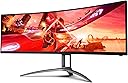
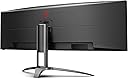
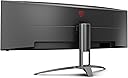
๐ฎ Dominate your desk with the ultimate curved powerhouse!
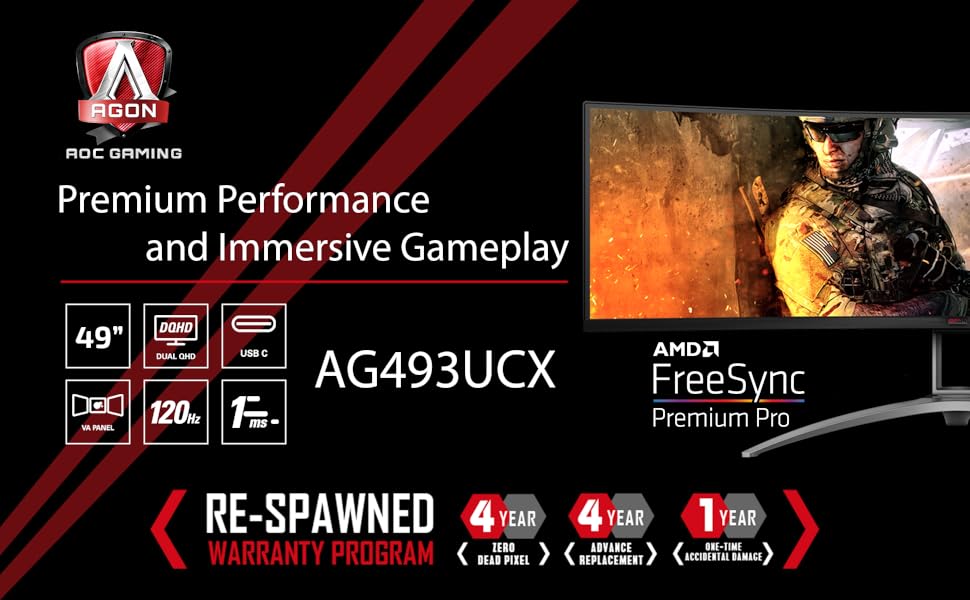
The AGON AG493UCX is a professional-grade 49" curved gaming monitor featuring a massive 5120x1440 Dual QHD resolution, 1ms response time, and 120Hz refresh rate with Adaptive-Sync. Its VA panel offers vibrant colors with 121% sRGB and DisplayHDR 400 certification. Designed for multitasking and immersive gaming, it includes USB-C docking with 65W charging, height adjustability, and a robust 4-year zero dead pixel warranty, making it a top-tier choice for demanding professionals and gamers.


| ASIN | B07ZSGR4CH |
| Adaptive Sync | FreeSync |
| Additional Features | Curved Screen, Flicker-Free, Height Adjustment, Ultrawide Screen, Wall Mountable |
| Aspect Ratio | 21:9 |
| Aspect ratio | 21:9 |
| Brand | AOC |
| Brightness | 550 cd/m2 |
| Color | Black/Silver |
| Color Gamut | 90.1 |
| Compatible Devices | Laptops, Desktops, Gaming Consoles |
| Connectivity Technology | HDMI 2.0 x 2 USB-C 3.2 x 1 (DP alt mode, upstream, power delivery up to 65 W) DisplayPort 1.4 x 2 USB 3.2 (Gen 1) Headphone out (3.5mm) |
| Contrast Ratio | 80,000,000:1 |
| Customer Reviews | 4.2 out of 5 stars 533 Reviews |
| Display Resolution Maximum | 5120x1440 |
| Display Technology | LCD |
| Display Type | LCD |
| EU Spare Part Availability Duration | 4 Years |
| Global Trade Identification Number | 00685417722280 |
| Hardware Connectivity | DisplayPort, HDMI, USB, USB 3.0, USB Type C |
| Has Color Screen | Yes |
| Image contrast ratio | 80,000,000:1 |
| Included Components | HDMI CABLE POWER CABLE C5 DISPLAYPORT CABLE Remote control |
| Is Electric | Yes |
| Item Dimensions D x W x H | 46.7D x 119.4W x 30.8H centimeters |
| Item Type Name | computer monitor |
| Item Weight | 45.9 Pounds |
| Manufacturer | AOC |
| Model Name | AGON |
| Model Number | AG493UCX |
| Mounting Type | Wall Mount |
| Native Resolution | 5120x1440 |
| Number of Component Outputs | 3 |
| Picture Quality Enhancement Technology | DisplayHDR 400 |
| Pixel Pitch | 0.2331 |
| Processor Count | 1 |
| Refresh Rate | 120 |
| Resolution | Dual QHD |
| Response Time | 1 Milliseconds |
| Screen Finish | Curved |
| Screen Size | 49 Inches |
| Screen size | 49 Inches |
| Screen surface description | Curved |
| Shape | rectangular prism |
| Specific Uses For Product | Gaming, Multimedia, Personal |
| Total Number of HDMI Ports | 2 |
| Total USB 2.0 Ports | 1 |
| Total USB 3.0 Ports | 4 |
| Total Usb Ports | 4 |
| UPC | 685417722280 |
| Unit Count | 1 Count |
| Viewing Angle | 178 Degrees |
P**D
Great 49 inch monitor that does it all.
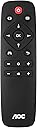
Great monitor for both work and gaming. Easy to flick between USB C input for my work laptop connection and my desktop PC input connection on DP using the AOC remote control. I use the same keyboard and mouse connected to the monitor for laptop input and desktop PC using the inbuilt KVM switch. Great having the inbuilt speakers which works well with USB C laptop. I use a different speaker system for my desktop PC. I would definitely buy this again very happy with purchase
K**R
Ultra-Widely Impressed!
I have to start by saying I'm a spoiled I.T. consultant. I live on computers and when it is one of my machines, I demand the best for my monitors. I do still game a little, so I wanted a monitor that could handle a game or two. However, I mainly use the monitor for work, and don't prefer dual monitors so like like the ultra-wide concept. I have been on 27" and 32" monitors for a long long time. I now own an LG 38" curved, and a Samsung 32" 4K curved. The LG is on a Mac Mini and the Samsung was on my old i7 custom Windows rig. I just upgraded to an AMD Threadripper custom rig and decided to upgrade my monitor too. I was not ever really happy with the Samsung 32" Curved 4K, so time for a new monitor! After hours and hours of research, reading reviews, etc... I initial bought a Lenovo 43" Legion ultra-wide curved monitor but in the end returned it. The Lenovo was impressive, a super nice monitor, but I am used to a taller (32") monitor. So going with a dual 24" equivalent just didn't cut it. I really wanted the new LG 38" but for $1600 to $1700, I didn't see the value. So I read more reviews, looked at more specs, and ended up buying the AOC Agon 49". (I like the AOC better and got it for the same price of the Lenovo on sale, so a better value too) So what do I have to say... well my initial comment is the AOC 49" monitor is nothing short of amazing. It has better specs than the Samsung (minus the new Odyssey G9s) and is $200 less. I have no dead pixels (and an awesome 4 year warranty against dead pixels). The monitor is big and bright. The resolution is great, I love the 5120x1440. Graphics, text, photos... it all looks good. I can't yet speak to gaming but I can only assume it is excellent based on the specs and what I have seen so far. I also can not speak to AOC's support, some say it is bad but per their comments I wonder... hum? And in reality, very little support is any good. My only con, and this is a preference, is the monitor stand, although adjustable up/down, does not raise the monitor high enough. That could just be me, I'm tall, but it was easily resolved by buying a monitor arm mount. So overall, if you're in the market for a 49" ultra-wide, regardless of your usage, you can't go wrong with the AOC Agon 49" monitor!
M**T
Fantastic Purchase , Fantastic guarantee , >>Streamer<< - PUBG - Roblox Arsenal
I have a gaming / streaming setup.. so I had three monitors, on top of alot of equipment on my desk. Though it is a 49 inch monitor, it comfortably fits on a desk, as long as you take your time and patience to place it correctly. I can multi-task with this monitor -- using it as two separate 27 monitors, or by using multiple windows. Windowed gaming is very easy, with more than enough space for OBX controls, and chat, on either side of the Gaming window (center). Gaming in ultra wide screen with this is amazing. example >> PUBG, A+.. was shocked at how much I enjoyed it. >>Roblox Arsenal, A+. super fast, super clear, super sharp >>ANY driving game, amazing. I personally didn't have any issues with motion sickness. 144hz and 1ms is also major at this size. The brightness on this monitor is amazing, and more than enough for anyone, in my opinion. Colors are clear and defined. Blacks are very black, and whites are very white. Out of the box adjustments are ok... but adjustments just make it better. I literally have no complaints. With the 1 year "accidental damage" replacement, and 4 years guarantee, the decision to purchase was made easier, for ease of mind. A positive review. I have nothing negative to say... time will tell. Luck, happiness, and good health to all! Chow!
S**W
Amazing monitor. And can do 5120 x 1440 w/ the right cable to your laptop!
This thing is amazing. Does 5120 x 1440 easily w/ a windows pc. The tricky setup was with a laptop. My Macbook pro (AMD 555 pro video card, 2017 model) would not natively display 5120 x 1440. It would do full resolution over usb-c or HDMI (would only go to 3840 x2160). I read it might have something to do with the handshake over thunderbolt 3 in mac (if you boot to windows via boot camp, 5k would work, so it's not hardware). But w/ the right adapter, I can happily report it works! I also had to manually change the display refresh rate. 5120x1440 at 75hz was what worked. I had to download DisableMonitor, a utility from github to do so. There are a few other software packages that let you change refresh manually in MacOS, but this one was free. Two adapters that worked: 1) Belkin Thunderbolt 3 Dock Plus w/ 2.6ft Thunderbolt 3 Cable (Thunderbolt Dock for macOS and Windows) Dual 4K @60Hz, 40Gbps Transfer Speeds, 60W Upstream Charging. $200 (little pricey, but great doc so far). 2) Cable Matters USB C to DisplayPort Adapter with 8K HDR DisplayPort 1.4 - USB Type C and Thunderbolt 3 Port. $18. And the Cable Matters 8K DisplayPort to DisplayPort Cable (DisplayPort 1.4 Cable) with 8K 60Hz Video Resolution and HDR Support - 6 Feet. $13. Way cheaper! I ended up sticking w/ the Belkin doc and DisplayPort cable. Two cables that did NOT work: 1) Moshi USB C to DisplayPort Cable 1.5m/5ft, Support 5K@60 Hz, 4K HDR, VESA Certified, Aluminum Housing, Thunderbolt 3 Compatible. 2) Cable Matters USB C to DisplayPort Cable (USB-C to DisplayPort Cable, USB C to DP Cable) Supporting 8K 60Hz in Black 6 ft. I ran the USB up port to my PC, then the usb-c to the doc (which is connected to the Mac). Works the other way around too (usb-c to PC, USB up to Mac) Caveat: The kvm works but I have to switch between usb-c and usb up port manually in the monitor display (you have to switch the display port anyway so it's like two extra clicks, not an issue at all). So I can use a single usb and mouse to control both! (plug both into back of monitor). Also, I HIGHLY recommend the RK Royal KLUDGE RK71 keyboard. It has both wired and wireless mode (I just use the bluetooth to both pc and mac), can swap between pc and mac mode, and bluetooth up to 5 devices. You can just turn off the RGB if you don't like it. But it's an amazing keyboard! Hope this helps someone! I struggled for a while and thought I'd share. RS
J**K
This is 49"s of amazing.
After a fee months of use, this Agon 49" is amazing. Great color, has upped my work productivity, and tons of fun to game with. Was a bit tricky to get the settings correct AOC a good demo/tutorial video would be a strong asset for this monitor. Will update how the KVM functions when I complete my duel system build.
Trustpilot
1 month ago
1 month ago