Desertcart purchases this item on your behalf and handles shipping, customs, and support to Croatia.
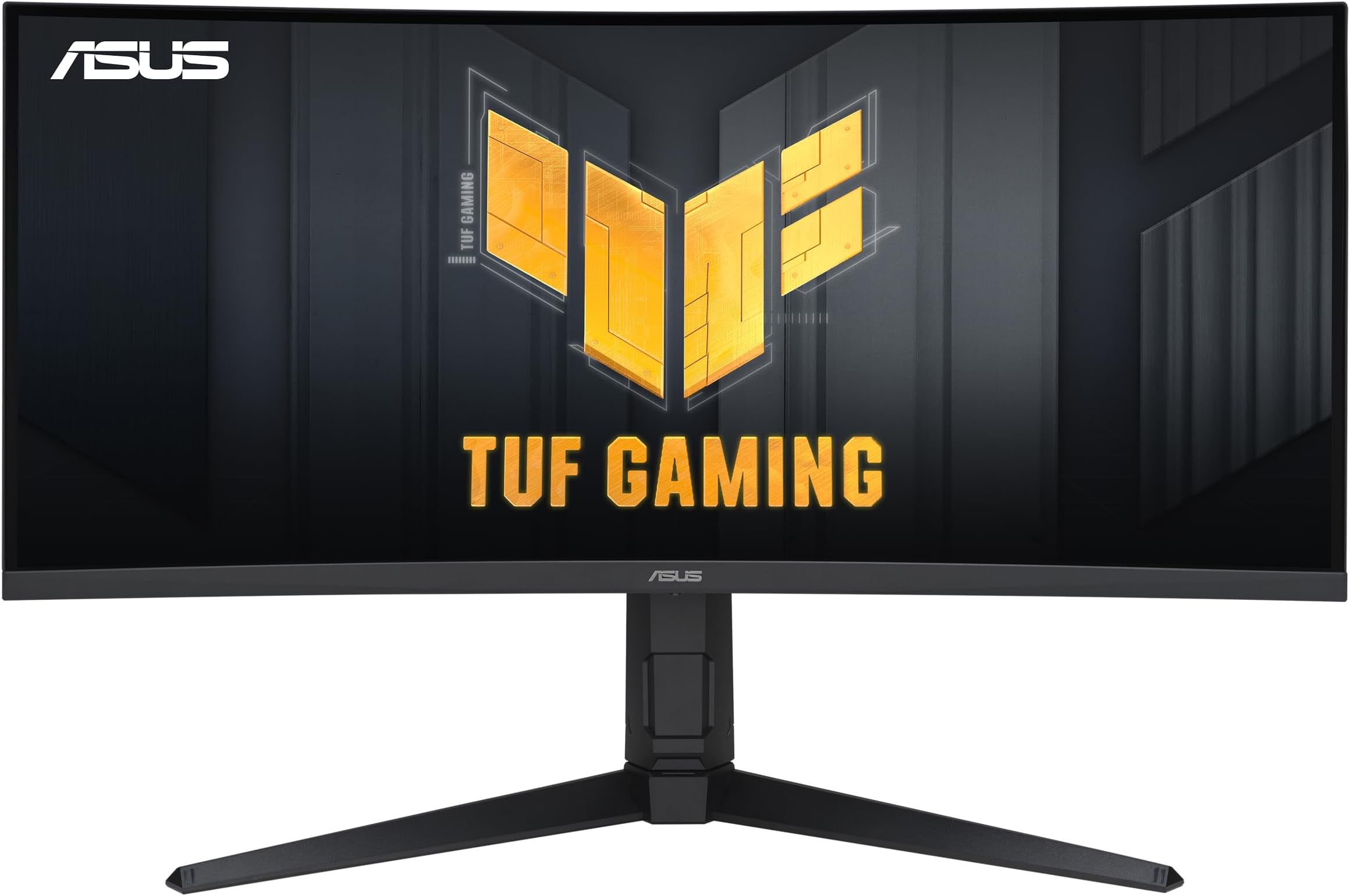
🎮 Level up your game with ASUS VG34VQL1B — where speed meets stunning immersion!
The ASUS VG34VQL1B is a 34-inch curved gaming monitor featuring a WQHD 3440x1440 resolution, 165Hz refresh rate, and 1ms response time with Extreme Low Motion Blur technology. It supports FreeSync Premium for smooth gameplay, offers DisplayHDR 400 certified color performance, and includes versatile connectivity options like DisplayPort, HDMI, and USB hubs. Designed for professional gamers and immersive experiences, it also incorporates ergonomic adjustments and ASUS Eye Care technology for comfort during extended use.


| Adaptive Sync | FreeSync Premium |
| Additional Features | 165Hz Refresh Rate, 1ms Response Time, Curved, Swivel Adjustment, Tilt Adjustment |
| Asin | B08LCMYT54 |
| Aspect Ratio | 21:9 |
| Best Sellers Rank | #2,350 in Electronics (See Top 100 in Electronics) #92 in Computer Monitors |
| Brand | ASUS |
| Brightness | 1370.4 |
| Color | BLACK |
| Color Gamut | 120 |
| Compatible Devices | Computer, Desktop, Gaming Console, Laptop |
| Connectivity Technology | wired |
| Contrast Ratio | 4000:1 |
| Customer Reviews | 4.4 4.4 out of 5 stars (1,326) 4.4 out of 5 stars |
| Display Resolution Maximum | 3440 x 1440 pixels |
| Display Technology | LCD |
| Display Type | LED |
| Hardware Connectivity | DisplayPort, HDMI, USB |
| Included Components | HDMI cable, Power cord, QSG, VG34VQL1B, Warranty card |
| Item Dimensions D X W X H | 16.38"D x 31.85"W x 10.79"H |
| Item Type Name | MONITOR |
| Item Weight | 19.9 pounds |
| Manufacturer | asus |
| Model Name | VG34VQL1B |
| Model Number | VG34VQL1B |
| Mounting Type | Wall Mount |
| Native Resolution | 3440x1440 |
| Number Of Component Outputs | 2 |
| Picture Quality Enhancement Technology | HDR, Blue Light Filter, Flicker-Free |
| Pixel Pitch | 0.23 |
| Refresh Rate | 165 hertz |
| Resolution | QHD Wide 1440p |
| Response Time | 1 milliseconds |
| Screen Finish | Curved |
| Screen Size | 34 inches |
| Shape | rectangular prism |
| Specific Uses For Product | Gaming, Personal, Photo Video Editing |
| Total Number Of Hdmi Ports | 2 |
| Total Usb 3 0 Ports | 2 |
| Total Usb Ports | 2 |
| Unit Count | 1 Count |
| Upc | 192876927212 |
| Viewing Angle | 178 degrees |
| Voltage | 240 volts |
| Warranty Description | 3 Year Warranty |
| Warranty Type | 3 Years Manufacturer Warranty |
User
Great work and gaming experience
This is my first ultrawide and honestly it feels great. For $287 after tax, it exceeded my expectation for sure.The build feels durable and sturdy, and it looks pretty sitting on my desk. Setup was quick too. The leg installs fast and easy, and the manual tabs for adjusting the settings are easy to figure out. The height is adjustable and there’s even space to hold cables so it looks less clustered. I didn’t care to fix them but it’s a nice to have.For work, the extra width has been a game changer. I can fit two browser windows side by side, or a ton of tabs at once, so I don’t need a second monitor anymore. It also connects really well with my laptop in clamshell mode.Colors are vibrant and gaming looks awesome. Played Slay the Spire on Steam and it was sharp and immersive. Definitely worth the bucks!
User
Good gaming monitor with some downsides but at an excellent price.
Purchased on: April 19, 2021 and reviewed as of January 17, 2023.I tend to look at Asus more favorably because of my good experience with the brand so I ended up buying this monitor after reading Rtings' review on this model. (if you are interested in a very technical and more in depth review, I would suggest to look them up)The quality it offers for the price is great. I didn't have any issues with dead pixels, packaging was great and it arrived in good condition, the color profile looks great and very accurate (although I don't have the measuring tools to make this claim from a creative standpoint). The VESA mounting screw holes are well positioned in a way that you should be able to use any VESA plate. (this is important to consider as other models, like my other monitor, which has a square hole for the entire plate and it is a little to small to fit most VESA mounts despite having accurate screw holes)For general media consumption and gaming, this is an incredible monitor. In general, I would say I could never go back to using a standard widescreen for a PC. Ultrawide is a massive upgrade with the extra screen size. The resolution this monitor offers is great too as the text looks clean and it isn't as resource taxing as a 4K monitor would be. I would say this monitor is a great entry point for anyone considering an ultrawide screen. Black uniformity looks good in my opinion despite the lack of any dimming zones.Another great feature that it has is the 4 USB hub right underneath (USB 3.2 type A). Although I wouldn't use it for a keyboard and mouse if you are a serious gamer, it is very useful for other things such as charging your devices, plugging in an RGB strip so you can use it as a backlight, external storage or any other accessories or USB drives. (In addition to those, it has 2 Display ports, 2 HDMI 2.0 ports and a 3.5 headphone jack)On the other hand, there are a few things to keep in mind. You will not be able to use 10bit colors with the 165hz this monitor supports at the same time. If you go for 165hz, you will be limited to 8bit colors. However, if you are okay with 144hz, you can enable the full 10bit colors range.Another thing often criticized about this monitor is the slight smearing sometimes appearing in dark scenes where you might see the trails of a red/greenish pixels turning as a brighter object moves. This can be somewhat mitigated with overdrive settings. Unfortunately, this is more of a VA panel common issue than anything else and your best option if you really can't stand it is to go for an IPS or OLED panel at much higher cost.Overall, I would say this is a good quality product and I would highly recommend it. I can't speak much about the stand as I use a monitor arm and, I would suggest everyone to use one as well due to the flexibility and movement it offers on top of making your setup much cleaner.
User
Worth every penny
This monitor is amazing and worth every penny I have had zero problems with it the picture is amazing and makes my games much more enjoyable along with watching g tv and movies on it
User
Great widescreen VA panel
Coming from a 24" 60hz IPS display, this is a huge step up. The unit I received has very even lighting and no dead pixels.I had heard complaints about purple/green ghosting on this panel when the overdrive setting is turned up, but I can't detect any ghosting regardless of what settings I use of what game I load up. I did have some flickering with freesync turned on, so I turned it off, but I was using old display drivers. I've since updated the drivers and turned it back on, and haven't seen any flickering since then (we'll see). Please note that the freesync issues reportedly seem to be more of an issue for those with NVIDIA graphics cards (I am using an AMD product).Aside from minor freesync issues, any negatives I can attribute to this display have mostly to do with the slightly different character of the image and colors as the result of the VA panel when compared to IPS. Personally, I use this screen in a dark-ish room, and am more sensitive to glare than most people, so the excessive brightness and backlight bleed from IPS panels bothers me a whole lot more than any of the quirks of VA panels (which again, are minimal here). This is ultimately a matter of taste regarding differences in display technology.I also hated the physical styling of all of the "gaming screens" that look like they were designed by kids. The styling on this monitor is VERY toned down, and you wouldn't know it was marketed as a gaming display by looking at it. This was important to me.I was cross shopping this with the Gigabyte W34WQC (curved VA version), and the LG 34WP65C, both of which are cheaper, but reviews seem to indicate that these panels have more QC and image quality issues than this Asus.Once IPS local dimming and/or OLED become more ubiquitous, I may upgrade. However, that's highly dependent on price, and I don't feel like the immature implementations of these technologies are currently worth the price premium (~2x the cost). There's nothing wrong with old tech as long as the implementation is good quality, as is the case with this display.This is a good quality VA widescreen display at a great price, if that's what you're after then this should be an easy decision. I am rating this 4/5 only because of the speakers, and freesync issues.
User
impressed and love it.
got it on sale for $285 after tax and i gotta say this is the best monitor ive ever owned super impressed. its fast the specs are better then the ASUS websites specs and it hits HDR 600 nits most games i play FPSs or otherwise usually at ultra settings in the 3440x1440 dont go past 165 fps any way and unlike the ACER NITRO i had before this time the aspect ratio looks amazing and not smooshed. its color pallet is vary vibrant with the HDR and control pannel settings tweaked. it its very crisp the curve isnt intense but thats no issue tho i wish gaming monitor companies would take off the cheap speaker because most gamers have dedicated ones or headsets would rather them use the cost of speakers to improve the hardware instead but thats a nitpick. really nice product would recommend highly for my cant afford OLED brothas.
User
Awesome monitor
Love this monitor and it’s a great value for the price! Highly recommend buying this and is much better than having multiple monitors.
User
Good on paper, HORRIBLE warranty repair service
On paper this is a good monitor and checks a lot of boxes for those that want ultrawide gaming with decent picture quality and features while not spending a ludacris amount of money. The problem is if you have a problem with the monitor like I did.My monitor had an issue where it would flicker when Freesync was enabled. Regardless of settings, cable, brand of GPU, etc. I would always get flickering and stuttering when I turned on probably the top gaming feature for a monitor like this.Duds happen, that's just part of life/shopping. The real problem is with Asus RMA/Service. I had to ship the monitor out to a 3rd party repair shop twice that is incompetent in testing monitors. I had to write detailed instructions on how to even correctly enable Freesync/Gsync. Vsync is not the same! Even when I was able to finally get them to enable all the correct setting, the computer they were using to test was only able to run the gsync demo at 50-60hz. That doesn't line up with the 165hz this monitor is advertised as being able to do. I said forget it after the 2nd time sending it in after seeing that. I don't know what Asus does to validate it's repair shops, but it isn't doing a good job.So now I'm left with a monitor that doesn't function as advertised, that is outside the return window for Amazon (This process took FOREVER), and a bad taste in my mouth for Asus products. I do not recommend buying Asus purely on this experience. Sure the products are seemingly good value, but don't expect them to back them up.11/27/21 - Amazon was willing to allow me to return the monitor, but with a restocking fee, so kudos to them. This was a while back now and I have already been enjoying a different brand monitor for several months. Additionally, ratings.com mentions that other users are also reporting the same issue.
User
Great upgrade from 3 monitors down to 2
This monitor is phenominal! I purchased this monitor to replace my 2 Asus 24" monitors. My old monitors were 10 years old and still work extremely well, but felt it was time to replace them. I have a 27" HP paired up with this monitor and together I have so much real-estate. I'm a software engineer and need as much space to organize my windows as I can get. The macbook I use this with from work only supports 2 monitors, so it's nice to get some space back. The old Intel chips supported all 3 of my monitors.As for clarity, the monitor is crisp. The only thing I noticed that wasn't as clear was a small logo in one of the apps I use for work. It's maybe like 15x15 pixels, so not a big deal that the lines are not as sharp. It's also not the best logo image anyways.For gaming, this monitor does great. I have not played a dark game yet, but when hearing about ghosting, I doubt there really is any. Rocket League looks amazing and so does Ultimate Chicken Horse. They say fast action games with dark backgrounds you'll notice it, but again I highly doubt it. And if it is there, it must be so transparent that the only way to find it is through a magnifying glass. Don't let those reviews deter you from this monitor.My only main gripes about this monitor are the buttons. Why the heck would you put them on the back? Totally not user friendly. Put them on the bottom where they are reachable. The macbook occasionally will not wake the monitor from sleep, so I need to power cycle the monitor or unplug and replug from mackbook. My windows machine has absolutely no problem, so it must be the macbook.Anyhow, out of the box, the settings are picture perfect. Still and moving images look great. I have not played with any of the menus and don't think I'll ever need to. No idea what options are available and probably never will.Lastly, I use both display ports to offer the best picture. I tried an HDMI cable, but macbook would only show 1080p. Could have just been a bad cable though.I will be sure to update this review if I find any cons over the life of this monitor. But as of right now, I've had it for 1 week.
User
ممتازة
شاشة الترا وايد بألوان جميلة ودقة ممتازة ومعدل تحديث واستجابة ممتاز، انصح بها في حال كان عليها تخفيض
User
Great ultrawide for the price
This was my first ultrawide monitor and after about a month of use, I am really happy with it! When I first started looking for an ultrawide, I wanted something with at least 144Hz, 1440p, and under $700 before tax. I looked through best buy, newegg, etc. and found that this was pretty much the best deal out there from a reputable brand. I didn't get any dead pixels or anything like that. The stand was easy to assemble and I really appreciate that HDMI and DP cables were included. My desk isn't too deep so I was worried about the feet sticking out really far but generally they never get in the way.For gaming: for newer games with 21:9 support, I was really blown away with how immersive it feels, especially for campaigns/ story modes. I didn't notice a massive difference between 1080p (my previous monitor) and 1440p, that being said, I don't have them side by side. You could always just go to a best buy or canada computers and see the difference yourself and if it doesn't matter to you, you could probably find a cheaper 2560 x 1080p monitor (if you're set on getting an ultrawide).The biggest difference I noticed was the refresh rate. When I bought my previous monitor, I didn't know a thing about refresh rates and just got a 60Hz panel. The difference between 60Hz and 165Hz is night and day. I had no idea how much my old monitor was bottle necking my system until I used this monitor. I mainly play MW 2019 and Warzone and you can really notice it whenever you're slide canceling or swapping weapons, the animation is just buttery smooth. I've never played on a 144Hz panel so I don't know how much of a difference there is between that and 165Hz but I can't imagine the extra 21Hz is that noticeable, but it is definitely a nice to have. But if anyone reading this is using a lower refresh rate monitor like I was, you WILL notice a difference if you upgrade.As far as performance goes, it is a beefy monitor so you need a pretty beefy gpu. I'm running a 3070 ti and a Ryzen 5 5600x, most (gpu intense) modern titles I've played with this monitor run at usually run at 120-150ish fps. Whereas my previous 1080p monitor would run at more like 150-170ish fps (not like I could see those frames anyways lol). So if you have an older gpu consider 2560x1080p or consider an upgrade now that gpu prices are (kind of) dropping. If you only play games that are easier to run like cs go or valorant, you would probably be able to run them at a reasonable framerate on this monitor with an older gpu but don't quote me on that because I haven't tested it myself. That being said, those were just the general framerates that I was getting but you will obviously get different numbers based on your system, graphics settings, etc.One thing I noticed the first time I played with this monitor was that if I had HDR enabled, my frames would drop to 20 or less and was basically unplayable. I may have had settings on that conflicted with it or something but HDR wasn't a feature I knew or cared too much about so I just never turn it on and my games run just fine.Also, if you play any older games that don't support ultrawide, the first minute or two that you boot up the game, you'll probably be playing with the settings so it doesn't look super stretched or weird. Generally I found most triple-a games released after 2015 or so were fine but that was just with the games I play and everyone's steam library is different so take that information with a grain of salt.For web browsing/ productivity: more screen real estate will always make multi tasking easier and I found that this monitor is great for that. Having two side by side windows open on this thing is so convenient and easier to use compared to a 16:9 panel. If you have something big like a 40" monitor, the ease of use probably wouldn't be that different but my previous monitor was 32" and the extra 2 inches and the different aspect ratio makes viewing separate windows much easier. I haven't done anything like video or audio editing on this yet but I can imagine the width makes those tasks easier.I've never had a dual monitor setup so I can't compare the two, but make sure to check out some comparison videos (just search up dual monitor vs. ultrawide) before purchasing and see what would be best for you because I really think it just depends on which tasks you need it to do and dual monitors may be a better choice for you, but personally, it does everything I need it to do.For watching YouTube videos, I just turned the zoom on chrome up to 125% because the default 100% zoom was a bit too small. As far as black bars go, I really don't mind them that much. There are some chrome extensions you can install that will zoom or stretch the video to get rid of black bars (in fullscreen) but usually I find that it just distorts the video too much and if any information is shown near any of the sides, you usually can't see it so I find myself rarely using the extension but they're there if you want them.The speakers on the monitor are kind of bad, but I feel like that's the case with almost all monitors with built in speakers. I can appreciate that ASUS took the time to add them and they're fine if you're in a pinch. If you intend on using speakers for your system I'd strongly recommend accounting for them when you're considering your budget (also use push to talk when you're playing multiplayer games, we all think you're annoying if you don't).I also wanted to mention that I was pleasantly surprised with the stand's height adjustability. I figured I would just find the right height on never move it again but I actually find myself adjusting it a lot depending on what I am doing. For multiplayer games, I often find myself moving it higher up so that it is at eye level, but if I'm playing a more laid back game or storyline where I don't need to be a complete sweat, I'll lower it as much as possible and angle it up at me. That being said everyone is going to have a different experience with it but I really like what they did with the height adjustability.Overall, I'm really happy with this monitor, and I don't really see myself going back to a 16:9 panel anytime soon. For the specs this monitor has, it is a pretty reasonable price compared to other monitors with similar specs. You could definitely compromise some specs to get a cheaper panel, like going 144Hz or 1080p but as a complete package, this monitor can do everything I want it to. If anyone finished reading this novel of a review, I hope I touched on at least one or two subjects you were wondering about. That being said, make sure to do all your own research, this review is all based around my experience with the monitor, how it performed with my system, and how it met my needs. I would never want anyone to make a purchase this big based solely on my recommendation, so your mileage may vary. I'm also by no means an expert on this stuff so I apologize if I got any information wrong.P.S. If you do end up getting getting this monitor (or any ultrawide panel), watch a 21:9 music video on YouTube (ex. Bangarang by Skrillex or Am I Wrong by Nico and Vinz), those are really cool to watch in fullscreen, and don't forget to use display port and not HDMI:)EDIT: about 2 and a half years later and this thing is still one of the best purchases I've made for my setup.
User
Excelente monitor, calidad y diseño
Estoy súper impresionado con este monitor. La calidad de la imagen es increíble, los colores son súper vibrantes y se ve muy nítido. Además, es ligero y se ajusta muy fácil al escritorio. ¡Lo recomiendo totalmente!”
User
شاشة رائعة
أخذتها بسعر ممتاز و الشاشة صراحة جيدة جدا
User
Perfect for Development
I will admit, I was a little concerned due to the curve. As I did my research, I was led to believe the only way I will know is by purchasing one. As a guy who makes games with Unreal Engine, I must say its absolutely perfect for that. The big screen allows multiple Unreal windows / engines running at the same time and visibly usable as well.I came from a really nice 144hz monitor that was 23" or so. This thing is basically twice the size. The color on this monitor is pretty good. The presets available are awesome, which I must admit was impressive. Usually monitor presets are garbage, at least in my experience.I play a few games now and then, but my main drive is Developing with Unreal. I have tried a few games and I will admit I like the ultra wide screen for gaming. Something to be aware of if purchasing any Ultra wide screen is some game developers think it is cheating as you get a bigger view of the world (Hence the ULTRA WIDE), and like to cap your FPS at 60, and force a 16:9 display ratio. I had just bought a game 3 days before I ordered this monitor, and I was disappointed to find out the picture on my monitor was the same size as the monitor I used previously. Because of this I won't be buying games that use the sekiro engine. Do note there are other ways around these Display Ratio and FPS locks.The price on this monitor is a godsend, especially for what I use it for.I researched many curved monitors in the ultra wide category, and one of the deciding factors was the TUF Gaming GT501 that I have. I have no doubt that will survive a hurricane, and there is plenty where I live. ASUS TUF equipment, as far as I can tell, so far... is a go to.
Trustpilot
5 days ago
2 weeks ago