Buy anything from 5,000+ international stores. One checkout price. No surprise fees. Join 2M+ shoppers on Desertcart.
Desertcart purchases this item on your behalf and handles shipping, customs, and support to Croatia.
🚀 Stay connected anywhere — your ultimate 4G failover & IoT gateway powerhouse!
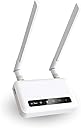
The GL-X750V2 (Spitz) is a rugged, AT&T and T-Mobile certified 4G LTE VPN router designed for reliable internet in rural and offshore locations. Featuring dual-band AC750 Wi-Fi, pre-installed OpenVPN and WireGuard for enhanced security, and an open-source OpenWrt platform, it supports micro SIM cards and expandable storage up to 128GB. Ideal as a failover or primary connection, it ensures seamless connectivity with a 2-year warranty.


| ASIN | B08TRCSSZ4 |
| Antenna Location | Home |
| Best Sellers Rank | #55,870 in Electronics ( See Top 100 in Electronics ) #407 in Computer Routers |
| Brand | GL.iNet |
| Built-In Media | GL-X750V2 (Spitz) 4G LTE smart router, power adapter, Ethernet cable, user manual |
| Color | GL-X750V2 |
| Compatible Devices | Personal Computer |
| Connectivity Protocol | Bluetooth, Ethernet, Wi-Fi |
| Connectivity Technology | Wi-Fi |
| Control Method | Remote |
| Controller Type | App Control |
| Coverage | Rural areas and limited network coverage |
| Customer Reviews | 4.0 4.0 out of 5 stars (340) |
| Data Transfer Rate | 750 Megabits Per Second |
| Frequency | 5 GHz |
| Frequency Band Class | Dual-Band |
| Has Internet Connectivity | Yes |
| Has Security Updates | Yes |
| Is Modem Compatible | Yes |
| Item Weight | 86 Grams |
| LAN Port Bandwidth | 10/100M |
| Manufacturer | GL.iNet |
| Maximum Upstream Data Transfer Rate | 433 Megabits Per Second |
| Mfr Part Number | AUB08TRCSSZ4 |
| Model Name | Spitz |
| Model Number | GL-X750V2C4 |
| Number of Antennas | 4 |
| Number of Ports | 2 |
| Operating System | OpenWRT |
| Other Special Features of the Product | WPS |
| RAM Memory Installed | 128 MB |
| Router Firewall Security Level | High |
| Router Network Type | wireless_router_with_4g_lte |
| Security Protocol | OpenVPN, WireGuard, Cloudflare DNS |
| Unit Count | 1 Count |
| Voltage | 12 Volts |
| Warranty Description | 2 Years |
| Wireless Compability | 802.11ac |
R**E
Nice device to use as a secondary, failover Internet connection....
Purchased this to use as a second Internet connection to backup my main connection on a TPLink Omada network. I am using a Google Fi data only sim, and it connected no problem. Google Fi uses T-Mobile towers, so I have found any device that supports T-Mobile will most likely be able to use the Fi SIM card. The data only sim is basically a free connection that comes with my Google Fi subscription. The GL-X750 uses a micro SIM, not a nano SIM, but once I found an adapter the SIM card installed and connected, no problem. I connected the GL-X750 to the second WAN port on my router, configured failover, and done! Tested and failover was smooth, and while not a fast connection, it will definitely keep me connected if my main Internet goes down. We will see how it does in the long run, but for now I am pretty impressed. For the price of this unit, configuration was easy and it seems to work as promised.
C**Y
It works great!
This little router is great. We have a home in a remote area and needed internet. With a T-Mobile sim card, It will connect to 4g and wow we have internet! It has brought us from having no cell service or internet to being able to have wi-fi calling and internet enough to stream videos and movies. I highly recommend.
C**L
Great Rural Option
Edit: 03May24...tried to run manufacturers recommendations (UBoot) for "un-bricking". Unit still not functioning after the update. It's still within my 30 days of purchase so requested a replacement which should be here 05May24. We'll try it again then...if that one fails I'll ask for refund and go with a different manufacturer. Edit: reduced to 3 stars. My device is currently "bricked". So now I have to order a USB/ethernet adapter so I can connect the device to my laptop in order to "un-brick" it per the manufacturers forum. More to follow... My place will never have hardline internet as an option, too far in the woods. Starlink is an option but rather pricey. We had an extra unused phone line in our cellular package. Pop that SIM in, make appropriate changes in the software, and we had unlimited internet.
A**A
Decent Unit, Serious Upgrade Issues
I would not advise buying this router if you plan to upgrade the unit's firmware. Amazon's stock is filled with a unit that holds firmware 3.104, and that unit cannot be upgraded. I bricked 2 units with the manufacturer's guidance, trying to upgrade the firmware. The issue with older firmware is that you will miss important connection and unit security updates. You will be stuck to the firmware forever, or you will find yourself entangled in a very frustrating upgrading process that will take days of your time, and in the end, you may end up with a bricked unit. I have to say that GL.INET does not focus on retaining configuration when upgrading their firmware. When they have a major upgrade, your router config usually is not ported into the firmware upgrade, and you have to redo all your router's configuration after a firmware upgrade. I learned that the hard way with GL.INET products. I suggest that when you configure your router, write down what you did or move on to another brand. As far as support, they have improved their response speed. However, many of their units in the market have older firmware, and if you get one of those, you will be in big, painful trouble.
C**D
If you use the right carrier, this is a nice unit.
I bought this after watching a YouTube video where the content maker called it his "new favorite router". After doing a bit of research and such, i decided to try it out. I driver all over the midwest and needed something that was compact but easy to use and i thought this filled that requirement quite nicely...then i actually tried to use it. Let me first say that none of my issues were direcly caused by this router, it was the carriers. First, I tried using Cricket wireless. I already had a 100gb data plan and I had been quiet happy with their service and their reliability in my travels... that's when I found out that only cricket phones and devices work on their network, they say it's because of a policy change forced upon them by AT&T, regardless, that was a no-go. So, I decided that if Cricket wouldn't work, AT&T should...wrong again! After going to my local AT&T wireless store and telling the girl working what I was doing and all I needed was a SIM card; I left with my new AT&T account. After inserting the SIM, I was only able to get 3G signals/speeds. It turns out, that the SIM was a 3g card, but the router did work...technically. I went to another AT&T sore and explained my problem, the nice lady gave me a brand new 5g SIM card and didn't even charge me a replacement fee. After replacing the SIM I then had NO signal and the IMEI was not not recognized. I called customer service and explained what was happening, the tech seemed to have a good understanding of what I was wanting to do, but she couldn't get the network to accept the IMEI from the router and allow service. Let me add that prior to all of this, I did check the router's IMEI online and it showed to be an LG 3 or something... it was a phone IMEI, AT&T identified it as not "eSIM compliant", but useable on their network. I was told by the tech that she was opening a case on my situation and it would hopefully be corrected within 2 or 3 weeks... that wasn't going to work for me. So, after a week of this, I cancelled everything and went to a T-mobile store to try again, third times a charm, right... Once again, I had a hard time explaining to their staff that all I needed was a SIM card for a phone and to sign up for their Magenta (phone and data) plan. After what seemed like way to long, and multiple assurances to them that I would not be holding them responsible if it didn't work, they set me up. Thirty minutes later, it was all working as intended. PROS: Very nice user interface to change settings and monitor functions. The app is okay, but not really necessary. All North American bands are included in the radio There is SMS forwarding, so any messages from your carrier regarding accound information and such can be sent to, and read from your phone. You can also read and reply from the user interface if necessary. You can use an external antenna for better cell reception if you choose. CONS T-mobile appears to be the only carrier which is truely plug-and-play, AT&T and Verizon both seem to have issues which can vary case-by-case. So do your homework before going forward, those who may be more tech savvy may not see this as a major issue, but for the novice user, it can cause many headaches. There is no automatic band adjusting for service, not an issue if you use at home or in an office, once you find the best band for that area, but for traveling users, expect to change it often. The app was relatively easy to use, but i find using a web address from my phone easier to do and all functions are available, you also cannot use the AT commands from the app... that can be very important if you needed to switch bands. Or check IMEI status, signal strength, etc. Bottom line, once this little guy is set up, it works like a charm. Be prepaired for the sale folks inside the stores to not understand what you are doing, they will try to set up a data only plan which may (or may not, depending on carrier) cause additional issues. For the price, its definitely a bargan and is easily comparable to more expensive options. 2.4ghz and 5ghz signals are there for older stuff which may not utilize 5ghz (such as GPS and older streaming devices). The user interface allows for network naming, hiding, password changing, etc. Just make sure your carrier plays well first.
Trustpilot
1 month ago
3 weeks ago