Desertcart purchases this item on your behalf and handles shipping, customs, and support to Croatia.
🔒 Stay sharp, stay connected—security that’s always in color.
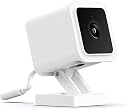
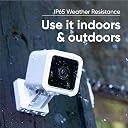
The WYZE Cam v3 is a wired 1080p HD indoor/outdoor security camera featuring breakthrough color night vision with a Starlight Sensor that captures vivid footage in environments 25x darker than traditional cameras. Its IP65 waterproof rating ensures reliable performance in all weather conditions. Compatible with Alexa, Google Assistant, and IFTTT, it offers smart home integration, motion and sound detection with customizable alerts, and supports continuous local recording via MicroSD card for comprehensive, privacy-focused surveillance.


| ASIN | B08R59YH7W |
| Alert Type | Audio and Motion |
| Antenna Location | Indoor/Outdoor |
| Best Sellers Rank | #65 in Bullet Surveillance Cameras |
| Brand | WYZE |
| Built-In Media | Wyze Cam v3 x1, Wall Mount Plate x1, Screw Kit x1, 6 Feet Outdoor Rated USB Cable x1, Quick Start Guide x1, Wall Mount Plate Tape x1, Indoor USB Power Adapter x1 (Wyze Outdoor Power Adapter (sold separately) required for outdoor use) |
| Color | White |
| Compatible Devices | Smartphone |
| Connectivity Protocol | Wi-Fi |
| Connectivity Technology | Wired |
| Control Method | Voice |
| Controller Type | Amazon Alexa, Google Assistant, IFTTT |
| Customer Reviews | 4.4 out of 5 stars 81,670 Reviews |
| Effective Video Resolution | 1080 |
| Enclosure Material | Plastic |
| Field Of View | 130 degrees |
| Flash Memory Type | Micro SD |
| Focus Type | Auto Focus |
| Form Factor | Cube |
| Global Trade Identification Number | 00859696007806 |
| Indoor Outdoor Usage | Indoor, Outdoor |
| Indoor/Outdoor Usage | Indoor, Outdoor |
| Item Dimensions | 2.51 x 2.24 x 3.93 inches |
| Item Type Name | Indoor/Outdoor Video Camera |
| Item Weight | 98.9 g |
| Light Source | Infrared |
| Manufacturer | Wyze |
| Manufacturer Warranty Description | 1 year manufacturer |
| Memory Storage Capacity | 32 GB |
| Mfr Part Number | WYZEC3 |
| Model Name | Wyze Cam v3 |
| Model Number | WYZEC3X2 |
| Mount Type | Wall Mount |
| Night Vision | Night Color |
| Number of Channels | 2 |
| Number of Items | 1 |
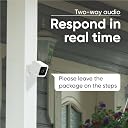
| Other Special Features of the Product | Night Vision,Motion Sensor,Weather Resistant,Starlight Sensor,Two Way Audio |
| Photo Sensor Technology | CMOS |
| Power Source | Corded Electric |
| Product Grade | Residential |
| Recommended Uses For Product | Indoor/Outdoor |
| Room Type | Bedroom, Hallway, Kitchen, Living Room, Study Room |
| Shape | Wyze Cam v3 |
| Special Feature | Night Vision,Motion Sensor,Weather Resistant,Starlight Sensor,Two Way Audio |
| Specific Uses For Product | Surveillance |
| UPC | 859696007806 |
| Unit Count | 1 Count |
| Video Capture Format | MJPEG |
| Video Capture Resolution | 1080p |
| Viewing Angle | 130 degrees |
| Voltage | 24 volts |
| Water Resistance Level | Water Resistant |
| Waterproof Rating | IP65 |
| Wattage | 24 watts |
| Wireless Technology | 2.4 GHz Wi-Fi, Wi-Fi |
| Zoom Type | Digital Zoom |
F**I
Easy to setup camera for monitoring
I love these cameras. I had this to check in on my house when away. THe black camera blends into the background nicely. Really easy to connect, great video quality. Wyze has been my goto brand for years.
S**L
Very good camera for a great price, better privacy than any of the others
This has been a great camera. The first Wyze Cam I got was for a in-house baby monitor, and it was extremely important to me that I have the ability to have the camera fully off-line. Most cameras require internet connection and the images are fed through their servers. This was NOT what I wanted for my in-house baby monitor. I found Wyze, and purchased it with the peace of mind that my video would remain MY video. I loved how easy it was to set up, and how perfectly it has worked for several years now. So when I wanted to purchase an outdoor camera, it was a no-brainer to get another Wyze Cam. I've had it for about a year, and recently purchased my second. Installation I use these with the light socket adapter, which screws into your light bulb socket, and adds a USB outlet for your camera. (It does NOT take the place of the light bulb - you can still use a bulb as well.) The USB plug fits snug to maintain weather resistance, and there is a sleeve to protect any connections. Connecting I have installed two of these, and they both took around 2 - 5 minutes to install. Download the app, power the camera and follow the voice prompts. You'll need to scan a bar code from your phone, and press a button on the back of the camera (which can be a bit hard to reach if you've already mounted the camera). You do need to have a 2.4 GHz WiFi connection where you install the camera. Camera The night vision is great. I have two 60-watt bulbs for my entire large yard, but with the night vision I can clearly see all corners of the yard in full color. In the dead of night I can see to my mailbox, which is probably 100' from the nearest camera and light bulb. Beyond the mailbox gets pretty dark, but if a car drives by I can still see the car well enough to identify the color, make and model. I would not be able to read a license plate from that distance, though, at night or in the day. The picture quality in my yard is good. It's not movie-quality by any means, but it is good enough that I can get a clear look at people, pets, objects, vehicles and animals. Motion Detection The motion detection is good. Within my yard, it easily detects people and my dog moving around. It also detects when my motion-sensing lights at the far end of the yard turn on. And during major winds, it will also detect the movement of a large bush. You can set notifications in the app. The motion sensing notifications can get a bit much if you have people or pets moving about your yard regularly. For my outdoor cameras, I opted for Wyze's subscription to store motion events for a period of time (you can download them from the cloud if you want to keep them longer). With one of the subscription levels you can adjust the motion sensing so it does not trigger for known people and pets. It has worked well, though there was one event where I had hoped it would have recorded some vehicles driving by but they were too far away to trigger the recording. Recorded events are very easy to access within the app. The subscriptions have some security features including the option to call for dispatch. I have not tried these features so I can't speak to those. Durability I can't speak to cold or snow, but my first outdoor camera has lasted through a year of incredible heat (120º), extreme UV exposure, severe sandstorms, massive amounts of super-fine dust, and the occasional thunderstorm without any problem. It is somewhat protected as it is installed under an eave, but it is otherwise exposed. I need to occasionally wipe off spider webs and dust, but it has lasted beautifully. I've had 0 problems with it in a year. After a power outage, it reconnects without a hitch. Conclusion Overall, I highly recommend this camera for its usability, privacy, quality and durability.
B**N
Great video camera for a great price.
I have bought 5 of the V3 cameras so far. I have had them for several months. I give them a 5 star rating. They seem to work great. I have only had one problem lately. 3 of the cameras came up no cloud. They would not shut off or update, but they seemed to still work fine. After about 12 hours 2 cameras showed online. 24 hours later I unplugged the 3rd one for about 2 minutes and it came back online. Checking my emails Amazon sent a message saying they have server trouble for the cameras. Sounds like that was the problem. I think there were server problems all over the country the last few days. For me it wasn’t clear what you received when you paid for the subscription. Without the subscription, you get MOTION alerts only and a 12 second video, stored in the cloud. With a 5 minute (non cloud stored) “cool down” between alerts. An SD card is not needed, but if you install one AND set the camera to continuous record you can scroll through the video until it is over written. Maybe a week? With the subscription, you get unlimited length cloud recording, while there is motion detected, and 23 seconds after. I have notice that if someone is doing something like walking to the front of the house and trying to hook up a garden hose, it may stop detecting motion (or recording) after a while since the person is moving very little. The BIGGEST plus with the subscription to Cam Plus, is the AI detection. It can detect and alert you to a person, auto or pet. Without the AI detection, when motion is detected the camera will send you an alert. Major nuisance. Motion detection will trigger with people, cars, pets AND leaves blowing in yard, sun shining on the ground through tree branches blowing in the wind, lightning flashes, heavy rain, headlights of cars at night glaring at the house. An SD card not needed, but if installed, AND camera set to record continuous, you can scroll through the video to see things that the camera did not detect in the distance. FYIs, Any video that the camera detects you can download to your phone to keep a permanent record. After 2 weeks the cloud will overwrite any videos not downloaded. As far as I know, to download videos on the SD card they have to be removed from the camera. Other reviews said the camera cannot mask areas that they do not want alerts from. To me I just point the camera away from that area. I have used 25 ft USB cables with no problems. Also I seem to keep getting updates about once a week. The cameras can be updated from your phone, just another pop up when you open the app. The Wyze system only works with your phone. There is a work around for your home computer, heard it is glitchy. I have not tried the 2 way yet. Cam Plus subscription right now is $2 a month per camera. If you do an annual subscription I paid $1.25 a month. ($15 a year per camera) Seems to be a great deal for a $35 camera.
A**N
LOVE them! (Mostly)
I have many of these all over two houses, and also have them in several windows facing outside (I am not actually using them outdoors in the weather). What I really like: They are very easy to set up and connect to WiFi. I love that there is no monitoring fee. If they’re not mounted to the wall (or a window) you can easily move them around the house. For example when my granddaughter comes to visit, I move one into her room to use as a baby monitor. The night vision is impressive! (But see what I don’t like below). The clarity of the image is really good. The app is very easy to use; it’s easy to group the cameras however you want. I like that I can see all the cameras in a single app, and group them by each house that they are in. What I don’t like: If the WiFi goes out, you lose your connection and your ability to monitor. It can be impossible to reboot your router and modem remotely (if you are using these in a house where you’re not physically there). If you can’t get your internet going again by rebooting your router remotely, then there is also no way to “restart” these cameras. For that reason, everyone in that situation should consider also buying a router rebooter at the same time they buy these cameras. You can face these out the window and they have excellent night vision—but ONLY if they are mounted directly (straight on) to the window. (There are window stick-on mounting accessories for that.) But if you have them facing out a window at any angle at all, and not flush up against the window, there is no way to see anything at night due to the glare off the window—even with the night vision turned off. They just don’t work that way. Depending upon where you need to mount these, it is sometimes difficult to get just the right angle with the provided mounting gear. I also have the older V2 cameras as well, several of which have “gone bad” with a very grainy image after a couple of years—I hope the same thing doesn’t happen with these V3 cameras. And ALSO, WYZE has gotten annoying with marketing their “cam Plus” service. You cannot connect a new camera without accepting that free trial, and once you accept the free trial, they send far too many reminders that your free trial is expiring. I get the importance of the whole marketing thing—it’s just a bit overboard—especially since you go through it every time you add a new camera. Overall, I am really happy with these V3 WYZE cameras and I do recommend them. By a long shot, the positives outweigh the things I don’t like about them. I write honest reviews to help others make informed purchases because I read reviews myself and appreciate how helpful they can be. I hope that my review helped you!
J**.
Reliable, Clear, and Feature‑Packed—A Fantastic Value
The WYZE Cam v3 with Color Night Vision has exceeded every expectation I had for a budget‑friendly security camera. Setup was quick and intuitive, and the app makes it easy to customize notifications, detection zones, and recording preferences without feeling overwhelmed. What really stands out is the image quality. Daytime footage is crisp, but the color night vision is what makes this camera shine. Instead of the usual grainy black‑and‑white nighttime video, I get clear, detailed color footage that actually helps me identify what’s happening outside. Rain, low light, or porch shadows—this camera handles it all without missing a beat. The motion detection is responsive without being overly sensitive, and the two‑way audio is surprisingly clear for a camera at this price point. The weatherproof design has held up perfectly through storms, heat, and humidity. For the cost, the WYZE Cam v3 delivers performance that rivals cameras several times its price. If you want dependable home monitoring with excellent night vision and an easy‑to‑use app, this is an outstanding choice.
S**E
Very impressive for low cost and small size
The Wyze team are killing it with this one. Their low cost products have always been a good draw. My prior Wyze camera was the pan camera - good price for one that I could make spin around and look up and down. I bought two v3 to get my side yards. My primary cameras are nest...traditionally seemed to be the top of the line for this new generation of cloud based IP cameras - highest quality but highest cost. But at least with the nest app I felt I was getting what i paid for. Now those guys at Google made their new cameras not work with their own nest app, only the Google Home, which is crazy to me. The Google Home currently doesn't let you see the *entire* 24 hour history within your subscription time frame, which was always a key distinguisher from Ring and other IP cameras - only highlights! I had ordered a 2 pack of their new cameras on Prime Day but then did some more reading and found out about the lack of nest app support, and found my existing nest cams could not access more than highlights/alerts in Google Home app, and decided that was just not going to be good enough. I want to be able to look through the entire feed in case an alert didn't catch everything. Then I decided to look at Wyze - I'd read their emails and was interested in their skylight night color and decided I would 'try' their $35 camera instead of the nest $120 camera. After all, the new v3 is outdoor rated, has great night vision and has a lower cost, can install SD cards for onboard extended feed coverage (not just alerts) and I'm already using the Wyze app for my two pan cameras so I'm already in the ecosystem in my Google Home. So I ordered 2 Wyze v3 cameras. Installation - First, even the box is small...reminded me of the Blink camera size. I ordered SD cards for the v3 cams to give me that very long look-back ability (very cheap for the sizes needed). When I went to install I realized the USB cable/power line was thin - and I was able to run it inside my window track so as to NOT DRILL into my siding (because lets face it, eventually i may change to something different and who wants to put holes in their siding). Unfortunately I did have to poke the cable through the screen b/c my screen didn't slide up/down. Like I said, the camera is very small and light, so when I mounted I only needed one small screw (provided with kit) to hold it in place. There was a magnet ring around screw area, and that could have helped with the mount, but I didn't use it. The camera has left right and up down hinges so I was able to point it in the place I wanted to. Performance - I am happy with the camera's performance. Its 1080p. One camera is on side with street light, and that area stays color lit with the starlight feature and yes can see pretty well. The other camera is in more shaded part and uses the gray IR feed, and yes I can see what's going on there pretty well. Unfortunately I don't think any of these cameras can "zoom" in and really see someone's face or a license plate, but that's just a limit they all have if you don't have a mechanical zoom presumably like the traditional fully wired camera security systems. But I'd say the picture quality is on par with my $350 nest outdoor v2 IQ camera. I haven't tried the higher level wyze plans with their version of person recognition, so can't comment on the facial recognition aspect, but I'm totally fine with losing that one feature when everything else has the $35 camera totally pacing the $350 camera. What a value difference and its crazy the quality you get for this price point. Wyze is really a super top level choice in the budget to mid-level home camera market. Extremely happy.
A**T
Affordable and better performance than alternatives
I first purchased this camera as a pet cam when I was out of town and had pet sitters drop by. I wasn’t thrilled with it but it was affordable and did the job. About a year later there were some incidents in my neighborhood so I set it up to monitor the front of my home. I also purchased Tapo cameras since I hadn’t been thrilled with Wyze performance previously and I wanted full coverage of the front of my home. key takeaways: -Wyze was slightly easier to set up. -Both had the same cost effectiveness even if you upgrade to a yearly or monthly subscription. Note that I didn’t see value when I was monitoring pet sitters, but if you’re looking for affordable security, Wyze is about $20/year per camera and met all my needs. Tapo is $6-7 per month which is higher but still affordable. -Sensitivity and responsiveness. My Tapo cameras missed vandalism on my home. They only caught about 10 seconds at the end of it. They also regularly miss cars pulling in/out of my driveway that Wyze catches. I’d rather have a few extra notifications than miss catching someone damaging property or loitering. I tested both for a few weeks, adjusted all recommended settings and Wyze outperformed consistently - Wyze app is easier to use. Very easy to check in, look at specific notifications or save to my SD card. There are other brands but I’m pleased with Wyze and have purchased another one to replace the Tapo ones. Simply put, Wyze came through when I needed it the most. I do hope that they limit the up charges for additional features to keep this affordable.
N**K
An almost perfect product.
FINAL EDIT 2: I originally bought this December 2021, my last edit about Alexa no longer working with it was 2022. It's now December 2023, and I find myself back here again. This year they spent the year updating their app stripping more and more features from users and putting them behind their Cam plus service. They've now stripped so much functionality away from the baseline of the camera that you no longer can even play back videos unless you pay or save them on an SD card. Before, they would save 2 weeks worth of videos for you, but now you get nothing. I no longer even remotely recommend this product. I see a lot of people are still purchasing these cameras and are writing positive reviews, I believe it's because they haven't had the amount of time with the product that I have, but what you're receiving is actually a shell of what this thing once was. After trying various products I think nothing comes close in the price range to what this camera once was, it was such a powerhouse product and an absolute bargain at the price. Now? I think you can easily find probably ANY other camera in the same price range that would be a more functional product. This one still has really good quality, but it's lost all utility. I'm completely disappointed after watching the developers destroy this product I paid for 2 years ago, just so they can try and milk more and more money out of me. Camera is in the trash can now. Wyze has steadily and consistently proven over two years a pattern of degrading their product. So if you read this, just know that the camera you purchase today, might not be the same camera you got tomorrow. Good luck! EDIT: As of now the Alexa app no longer works for me. It's been about 2 months and there has been no updates to it, so it is now non-functional, because of that I've removed 2 stars from my original 4 star review based on the importance of that feature to me. My original review below explains more. If this changes in the future then I'll re-update this and adjust the score. Original review: We had some of these around at work and I played with them and decided to pick up a couple for myself for home since I was frustrated with my old ones. I have a few thoughts, but overall I'm very happy with them. 1. I bought an Alexa with the screen so I could monitor one of the cameras at my computer, since I found out after purchase that there is no web interface, you have to use your phone. This is my first time having an Alexa as well, and I'm disappointed that the Wyze app for Alex frequently disconnects. I can tell alexa to show me the cam, and sometimes it will stay up for a few days, sometimes it will disconnect for no reason after 10 minutes and I'll have to tell Alexa to pull it up again. It's not a huge deal, it's just annoying if you're looking for a way to monitor a camera for activity for a specific purpose. 2. The camera itself will disconnect from wifi occasionally. It's not frequent enough to be a big deal, but like the Alexa thing, just another minor annoyance that I wish didn't happen. I'd say once a month or so I have to unplug and replug the camera to have it reconnect to wifi. 3. The software is annoying, and has the same issues as my previous camera of another brand. The actual activity monitor unless you have it stationed in a specific area where the lighting is static is basically useless. It doesn't matter how you change the settings, what are you set as active or anything. This thing will freak out at anything, and sometimes it's just it's own rendering of pixels. I've pretty much come to terms with the fact that this just needs to be off. 4. The camera itself, for the price is by far the best I've found on the market. Honestly the picture quality is phenomenal, you have a lot of room to zoom in and around on things, and the quality of the picture with night vision on OR off during the night is second to none. The overall quality, price and honestly the fact that it's reliable 98.5% of the time is the reason I choose to use these cameras over a lot of other options. Like I said, there's a couple minor annoyances that I really wish could be shaped up, and if they were this would be an absolutely perfect product. That and, you know the motion detection software being actually useful, but honestly I don't need it for that reason really.
D**S
Awesome night vision for a cheap price! Best cheap security cameras!
Worked well with my Samsung 256gb card, no format needed! This was my first time buying a Wyze camera and it was amazing! The packaging looked good, and the camera's video quality was great. Installation took me 5 minutes to setup. I put it beside my garage door motor and it worked fine. You just have to play around with the sensitivity setting because I tried putting it to 100% and people only, but i got a notification from the movement of the garage. I needed a camera to monitor my garage door because sometimes i forget if it is closed or not. Notification was quick like my Ring Pro Doorbell. I hope it will be the same if I don't subscribe to cam plus. Night vision was so great even if there was no lights, I can still see my garage because of the starlight sensor. All in all, i am happy with the purchase and might probably buy more for outdoor if it lasts Canadian weather. Update: 04/29/2021 I bought 2 more! Hopefully it can withstand Canadian weather. I connected it to my Deco AX1800 Mesh with 5ghz/2.5ghz connection. Setup was less than 5 minutes. Amazing camera!!! Pros: -excellent night vision (even if there are no lights) -cheap security system -local storage -quick notifications -easy setup and instllation -no static when using mic not like my Ring Doorbell Pro - mic and recorded audio decent enough Cons: -paid subscription (if you want advanced settings like detects motion/detects sounds) -durability questionable (since it is a new product, no long term reviews yet) -motion detection alerts not that accurate like my Ring Doorbell Pro(Ring needs $160/yr subscription, though) -you have to play around with the sensitivity % to get less notifications - only one square motion zone available (hopefully they update the firmware)
E**Z
Buen producto pero problemas para configurar al salir del espacio y poder verla en la app
La cámara está bien y es fácil instalarla pero no funciona verla en mi celular cuando salgo de casa. Estoy intentando averiguar qué pasa porque en otro espacio las tengo y funcionan bien.
M**W
Top Quality Camera.. Fraction of the Price
Performs as well/if not better than many security cameras I've used over the years. Great value for money. Keeps continuous recordings for weeks with the Wyze 128GB SD card. Incredible night vision! Still can't believe such an amazing, high quality product is so cheap!
A**N
Ótima qualidade de imagem
Excelente câmera com aplicativo bem útil. Mas para funções mais avançadas tem que assinar o serviço.
E**A
Dont buy it
If I could I would give it zero stars. This works very poorly. Worked one week then stoped. The light goes down she reboot works one day and no more and then again and again one day and stoped
Trustpilot
2 weeks ago
1 month ago