


๐ฅ๏ธ Elevate your workspace with 4K clarity and smooth visuals โ donโt just see it, live it!
The Samsung U32J590UQR is a 32-inch LED monitor delivering stunning 4K UHD resolution at 60Hz with a fast 4ms response time. Featuring AMD FreeSync for smooth gameplay, it supports over 1 billion colors for rich, natural images. Dual HDMI and DisplayPort inputs ensure versatile connectivity, while flicker-free and eye saver modes reduce eye fatigue during extended use. Ideal for professionals and casual gamers seeking immersive visuals and reliable performance.


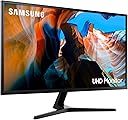


| ASIN | B08WX6ZDTY |
| Adaptive Sync | FreeSync |
| Aspect Ratio | 16:9 |
| Aspect ratio | 16:9 |
| Best Sellers Rank | 42,273 in Computers & Accessories ( See Top 100 in Computers & Accessories ) 803 in Monitors |
| Box Contents | HDMI Cable |
| Brand | Samsung |
| Brand Name | Samsung |
| Colour | Dark Grey |
| Colour Gamut Value | 138 |
| Compatible Devices | Computer |
| Contrast Ratio | 1900-04-13T04:01:00.000Z |
| Customer Reviews | 4.3 out of 5 stars 504 Reviews |
| Display Technology | LED |
| Display Type | LED |
| Hardware Connectivity | DisplayPort, HDMI, Headphone |
| Has Color Screen | Yes |
| Image Brightness | 270 |
| Image contrast ratio | 1900-04-13T04:01:00.000Z |
| Item Dimensions D x W x H | 21D x 28.7W x 9.8H centimetres |
| Item Type Name | Monitor |
| Item Weight | 6.3 Kilograms |
| Manufacturer | Samsung |
| Maximum Display Resolution | 3840 x 2160 Pixels |
| Model Name | LU32J590UQRXXU |
| Model Number | LU32J590UQRXXU |
| Mounting Type | Wall Mount |
| Native Resolution | 3840x2160 |
| Network Connectivity Technology | DisplayPort, HDMI |
| Picture Quality Enhancement Technology | 4K UHD, AMD Freesync, 1 Billion Colours |
| Pixel Pitch | 0.2117 |
| Power Consumption Size | 37 Watts |
| Product Features | Flicker-Free, Tilt Adjustment, Wall Mountable |
| Product Warranty | 2 year manufacturer |
| Refresh Rate | 60 Hz |
| Resolution | 4K UHD 2160p |
| Response Time | 4 Milliseconds |
| Screen Finish Type | Flat |
| Screen Size | 32 Inches |
| Screen size | 32 Inches |
| Screen surface description | Flat |
| Series Number | 59 |
| Shape | rectangular prism |
| Specific Uses For Product | Business, Gaming, Personal |
| Total HDMI Port | 2 |
| Total Video Out Ports | 2 |
| Unit Count | 1.00 Count |
| Viewing Angle | 178 Degrees |
| Voltage | 240 Volts |
D**R
Great
Probably the best screens you can get for the price, absolutely great quality!
S**7
Good
These have done exactly what i expected. Provided a good, bright, clear image that refreshes at a good enough rate for most casual gamers and videos. Easy to set up, just plug and play, and a good size screen, really nice for photo editting or playing games with a high resolution.
E**Y
Good for the price, bright, clear screen
Overall, I've been happy with this purchase over the last couple of years. It's a good quality screen that I use for work and social - switching between a windows and mac laptop. My only annoyance with it is I can't find a way to stop the screen turning itself off in the work day. You have to hit the power button. I've tried all the settings. I'm also noticing a flicker in the left hand corner - unless why that has started as it isn't close to anything else electrical.
K**S
Great for Ho,e Office
Bought as part of home office upgrade having embraced the post-Covid world of working from home. Good brightness, picture quality and easy to setup and use. Only issue is it occasionally drops out if remotely viewing graphics heavy applications (i.e. engineering CAD models) but this is down to infrastructure and bandwidth limitations at my place of work but would be the same with any 4k screen, so so,etching to be aware of if youโre thinking of a similar upgrade. Otherwise, highly recommended.
C**C
Great!
First day of usage - was not impressed - I came from using a 13" OLED screen - the blacks being washed out was terrible. Tried to fiddle with Nvidia image setting - made it slightly better. Tried to enable 10bit mode - but that doesn't work over HDMI. On the second day I found the Nvidia setting you need to change to make this great: Display->Resolution->3. Apply the following settings: use Nvidia colour settings Desktop colour depth - 32bit, Output colour format RGB Output colour depth 8bc, Output dynamic range full. Normally NVidia will truncate 8bit depth from 16-235 - which washes out the blacks. With the settings above you get the full range - and super deep blacks. Once it's setup properly this monitor is excellent - it's no OLED but still very very good! Well worth the money!
M**.
Excellent
I bought two of these to replace a somewhat crowded desktop. My setup is a desktop and a laptop, the latter connected to two fullHD 24โ monitors and the former connected to two 28โ QHD monitors. Desk space is quite cluttered. Iโve tried a large 43โ 4K TV in recent times and although the image is sharp, the screen is too large for me. I researched a few 4k 32โ monitors and come down to this one and the Samsung M70 all in one monitor. Selected this as my use case is programming and data analysis and donโt intend to use for TV/Netflix etc. Monitors are easy to set up and work with existing windows 10 settings out of the box. Decent image and easy to work with. Bit of light bleed on darker backgrounds but not a problem for me. Iโm pleased with my purchase and they are. Great balance between between screen size and image resolution.
A**Y
Inadequate lifespan.
Fine while it worked, perfectly happy with it. But after just over four years it simply stopped cold. No signs of life at all. I expect a lot more than that from a name brand like Samsung. I've had screens from Sony, Panasonic, Philips that have lasted ten years or more. I replaced this with a cheap and cheerful no-name and it'll be interesting to see if that outlasts the Samsung.
T**2
Good monitor happy with purchase
I bought a pair of these 32 inch monitors to replace a pair of lower resolution HP Oman monitors that didn't play well with my new Macbook. It seems Apple have tinkered with font smoothing on their newer macOS versions resulting in blurry text on screens lower than 4k hence why I picked these. There's a lot of info about this online. I also have a windows PC so it comes in handy having different inputs where I can relatively easily switch between windows and mac devices with ease. I want to say these look great on both windows and mac although they aren't as vibrant as I'd hoped, for example colours don't pop as much as I'd imagined given some other reviewers screenshots. The first few hours of use I wasn't sure if something was wrong as the screens seemed washed out as if the contrast was on max but I seem to have quickly gotten used to this and they seem normal now. You will absolutely need to use scaling with these on both windows and mac or the font will be tiny. 4k at 32 inches makes everything very small. Putting two together using the provided stands on a desk has left a frustrating problem, they don't line up - one unit is somehow marginally higher than the other, enough to notice when side by side which is annoying! Some reviewers mentioned the power plug may easily fall out the back of the monitor - I can't for the life of me understand how, on both the monitors I received there's an audiable click into place when the adapter is plugged into the monitor and even if titlting I can't see how it would fall out freely as some others have suggested maybe they aren't pushing it in enough. The settings menu and joystick are a bit fiddly but I got to grips quickly. The monitors do turn on automatically when my devices do or moving the mouse etc but after longer periods of not being used the monitors seem to enter a deep sleep and you have to manually turn them on with the button. Both my windows and mac randomly woke up sometimes and with my older monitors this meant they also came on blasting out light into the room. These new monitors seem to protect against that though it is a little annoying to have to turn them on manually - a setting to control preference here would have been nice for now turning them on manually seems minor. Overall I'm happy especially at this price point - the more I use them the more I get used to them and the better they seem.
A**E
stopped working after 19 month
M**H
1080p videos are not great in this monitor
Everything was fine for me regarding this monitor except 1080p videos. 1080p videos on this monitor tends to be blurry, otherwise this monitor is fine. So remember that before buying this. However generally speaking 1080p videos don't look great on 4k monitors
B**N
Picture quality..
Best for the Studio work...
Trustpilot
1 month ago
3 weeks ago