🚀 Elevate Your Visual Game — See More, React Faster, Focus Better!
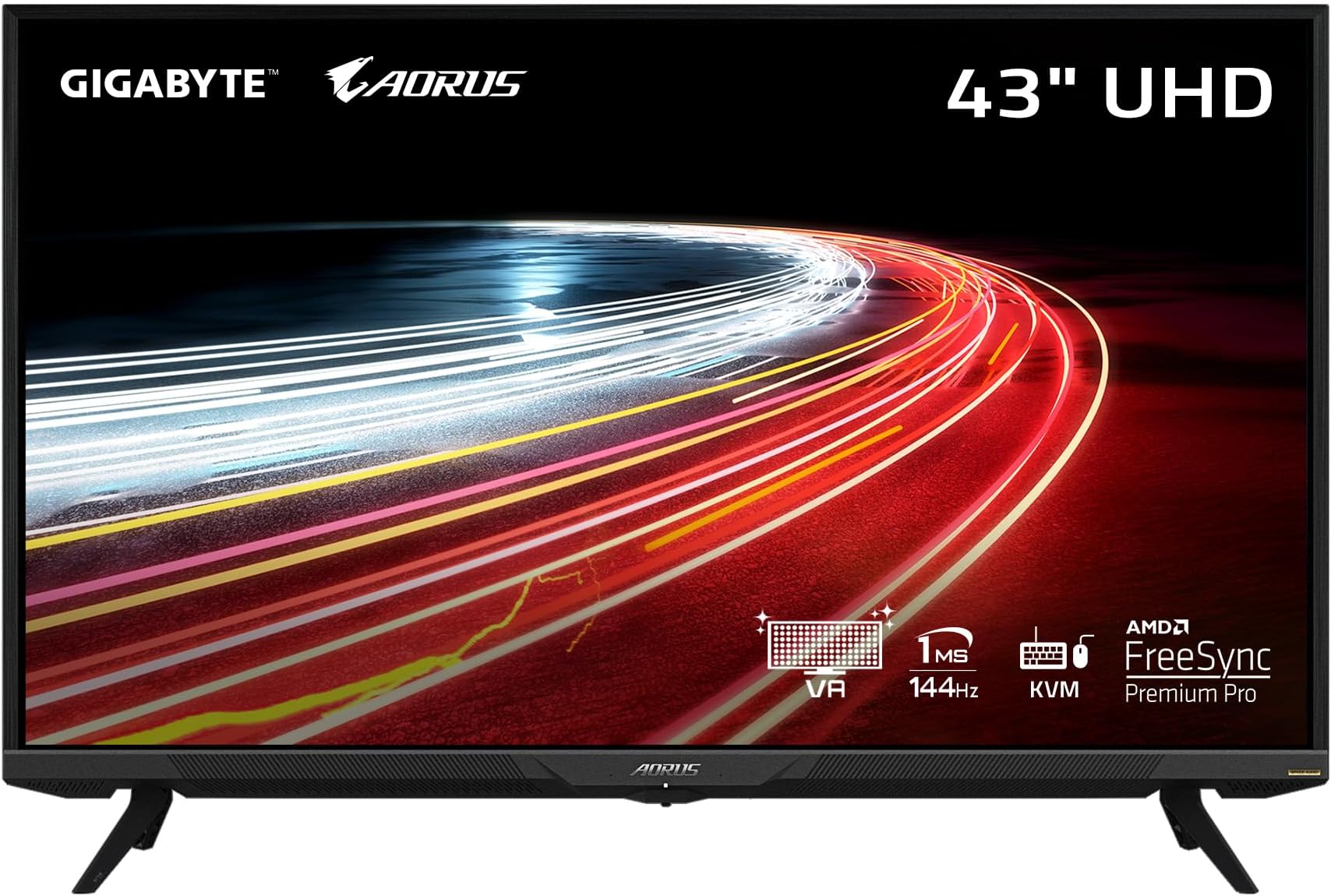
The Gigabyte AORUS FV43U is a powerhouse 43-inch 4K UHD monitor designed for professionals and gamers alike, featuring a blazing 144Hz refresh rate, 1ms response time, NVIDIA G-SYNC compatibility, and exclusive built-in Active Noise Cancellation. With vibrant HDR1000 visuals and extensive connectivity options, it delivers an immersive, ultra-responsive experience that transforms any setup into a cutting-edge command center.


| Standing screen display size | 43 Inches |
| Screen Resolution | 3840x2160 |
| Max Screen Resolution | 3840 x 2160 |
| Number of USB 2.0 Ports | 1 |
| Number of USB 3.0 Ports | 2 |
| Brand | GIGABYTE |
| Series | AORUS FV43U-SA |
| Item model number | AORUS FV43U-SA |
| Item Weight | 34.6 pounds |
| Product Dimensions | 25.12 x 38.08 x 9.89 inches |
| Item Dimensions LxWxH | 25.12 x 38.08 x 9.89 inches |
| Color | AORUS |
| Voltage | 2.4E+2 Volts (AC) |
| Manufacturer | GIGABYTE |
| ASIN | B0947K1VRX |
| Date First Available | April 28, 2021 |
J**S
Great monitor with a few caveats
I've had this monitor for 3 months now and I intentionally waited to write this review so I can give a more objective "long run" assessment of it. This is my daily monitor and I use my PC for everything (I own no Television, or other entertainment devices beyond my phone).My pc and monitor remain on 24/7 to give you an idea of the kind of usage my components get. I run the background you see in the picture with HWINFO64 and several other applications that stay in the same spots; so far I have experienced zero burn in. I received this monitor new without a single dead pixel and it still has none!!This AORUS FV43U monitor comes with the now typical small plastic tripod style legs which work well enough but clearly do not allow you to adjust for angle or height. I would prefer something more substantial and metal but the work.The monitor has fantastic color reproduction for the price and some of the most even blacks I've experienced with a TN panel. The one I received has very little backlight bleed as well. The monitor WILL RUN HOT if you run it at the stock brightness settings. It was at 50 brightness by default and I run it at 5! I also updated the firmware which was supposed to address excess heat. The process to update the firmware was intuitive and easy enough.HDR looks great on the monitor but unfortunately HDR implementation on Windows is horrendous. Namely a lot of monitor flashing when windows is flipping between SDR and HDR; which can happen in games (if another app is doing something in the background). I just turned HDR off and fine tuned my settings to most accurately reproduce the gamut. You need to run this monitor with BOTH the USB and Display/HDMI cables. I don't use the Aorus software but still had to run the USB for some of the monitors functionality.When I run the monitor @ 144hz text looks odd especially when scrolling. Setting it to 120hz makes the text look nice and even regardless of where it is on the display. I don't have to use cleartype or any other software corrections to make text bearable and I constantly read and write large bodies of text on it.I used this monitor for gaming a lot and I really enjoy it for this purpose. My previous monitor was 1440p and I am getting a kick out of 4k gaming and this monitor has a LOT of real estate. There are times in some games when I just stop and think "Wow! It just looks so gorgeous!". I have used it in gaming sessions in excess of 6+ hours without the slightest issue (knock on wood). Ghosting is minimal with a balanced overdrive setting and response time is totally acceptable. Again the blacks look great for a TN panel.This was a big purchase for me and I am on a fixed income. I did quite a bit of research and compared many, many monitors. I think the AORUS FV43U strikes the perfect balance between features and value. Most the other monitors @ this size cost more and are ultra wide monitors with abysmal pixel densities and native resolutions that are not supported by many games. For the same feature set in a 4k Samsung or LG you will be looking at spending 40% more. I am extremely happy with this purchase and hope to still be using this monitor for at least 4+ years. So far my customer experience has been a very positive one and I WILL update this review should any issues arise with this monitor. I would recommend the AORUS FV43U to anyone looking for a great monitor with a few caveats at an exceptional value.
A**X
This thing is a monster *Updated: Watch for Quality Control Issues*
The first monitor came to my house and I was so excited to mount it on my desk. I took down my dual monitor setup from the wall and I opened this up (big mistake). The entire screen was shattered. Unit turned on but it was unusable.After some words with the seller the 2nd monitor arrived and it is incredible. I have it mounted at about eye level and my desk is about 33 inches deep and it is comfortable. I have HDR off and the brightness at 0% while I’m working because I don’t want to burn a hole through my eye sockets. The speakers are quite loud at 1% which is the only thing that puzzles me about this monitor. Even though it’s loud on 1, it is very nice to have decent quality speakers built in. They sound good for a monitor. Luckily I received a unit with no dead pixels.The HDR on this is amazing and I have played COD Cold War on my PS5 with 120hz and it’s quite incredible. The jump from 30 to 60hz is obviously much more noticeable than the jump from 60 to 120hz but it’s still a great feature. The bigger difference in my opinion is the input lag which is basically 0 compared to a standard 4K HDR TV.The built in KVM switch is amazing and I didn’t know how beneficial it would be for me. I’m familiar with standard KVM switches but this is great because it’s built in and I can switch easily from my MacBook Pro to my PC using the thunderbolt connection from my laptop.Coming from two 22 inch monitors wall mounted and tilted inward was a little different but I am totally used to this monster monitor after a few weeks of use. When I am working I just sit close to my desk but I back up a little for gaming. The monitor is expensive but definitely worth it.EDIT:So I had my 2nd monitor for about a month and the return window was just expired. I noticed a very bright stuck pixel (green) right in the bottom center of the screen while I was playing Ghost of Tsushima. I was very bummed out needless to say. I tried turning the monitor off for a few days and even tried a stuck pixel fixer overnight and the pixel wouldn't budge.Here come the QC issues.Thankfully Amazon was great enough to allow me to get a replacement even though the window was expired by a few days. The problem was the replacement (3rd monitor so far) had a few dead pixels. I was able to wake them up with an online tool, but then there was something that could not be fixed with a pixel tool: a small hair located behind the screen. I ordered another replacement.The fourth monitor came and I immediately noticed at least 5 dead pixels that were not fixable after troubleshooting. At this point I started looking for another 40+ inch monitor with HDMI 2.1 and I could not find one anywhere. I reluctantly ordered my 5th monitor hoping for the best.The fifth monitor just got here and it is acting just like my 2nd monitor with no stuck or dead pixels. The screen isn't shattered and there are no hairs under the screen. I did notice that my 2nd monitor showed the stuck pixel a little over a month after playing. This was after I changed the HDR setting from HDR 1000 to HDR Game. I did that after a month of playing and got the stuck pixel, so on this monitor I am immediately turning it to HDR Game (which looks better and brighter to me) to see if the same issue happens. I will update my review again if the monitor starts to experience issues.Edit: 7/15/22After many months of gaming and working on this monitor, I am happy to say I don’t notice any stuck or dead pixels. If you can find a good one without QC issues, it’s a great monitor.
B**N
Good quality and clear picture
Very good monitor for the price. I’ve had it for about 2 years and works just like out of the box, no dead pixels yet. Just a little to big for what I need. Very clear picture and great response time.
P**E
Excellent monitor.
I was firm believer of ultra wide display, like lg 34GN850-B, for a long time for computer monitor until I encountered this display.All better features present in this with larger display within same price range as lg (-VA), so I gave it a try.I was blown away, by its picture quality, size, and the remote controllable interface.The features listed are accurate and not much to say about them, because they are good.Here to list couple cons,1)VA display, 1m MPRT. Comparing to lg 34GN850-B, initially I noticed some after image (ghosting, blur), but ever so noticeable. It also could be the size of the display that I am noticing it, as lets say if I were to use larger desk and sitting further back, I may not even notice at all.Emphasizing again ever so slight. It doesn't hinder you from gaming.2)Too many unnecessary features.I personally rather have curved display with less features in, or even pay a little more.Large displays tend to give a feeling of curved edge screen like Samsung galaxy phones up close.Those two cons aren't even worth taking .1 star though. This is the definitely most well rounded/priced display to-day.Ah, another concern I had before purchase, is that gigabyte is not display main company, as we all know. (also not as established as LG or Samsung for display market)but do not worry, you won't regret buying this.
Trustpilot
3 weeks ago
2 weeks ago