


🔥 Elevate your workspace and game with panoramic clarity and silky-smooth speed!
The Dell S3422DWG is a 34-inch curved gaming monitor featuring a 1800R curvature and 21:9 aspect ratio, delivering immersive visuals with WQHD (3440x1440) resolution. Its 144Hz refresh rate and AMD FreeSync Premium technology provide smooth, tear-free motion ideal for gaming and professional multitasking. Designed with ultra-thin bezels, ergonomic adjustability, and premium warranty services, it’s a versatile powerhouse for both work and play.
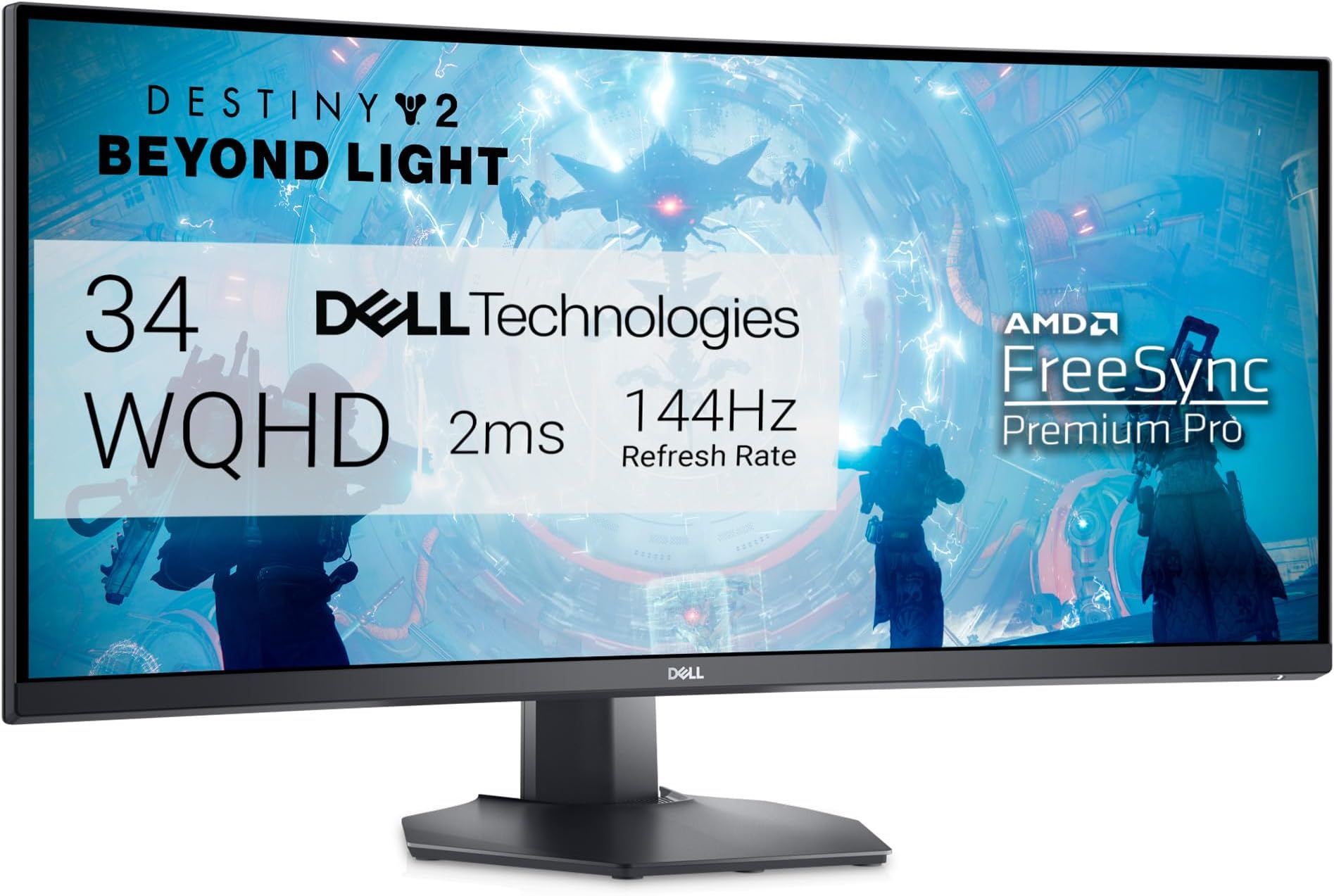


| ASIN | B095X7RV77 |
| Adaptive Sync | FreeSync |
| Additional Features | Anti Glare Screen, Curved, Flicker-Free, Height Adjustment, Tilt Adjustment |
| Aspect Ratio | 21:9 |
| Best Sellers Rank | #26,753 in Electronics ( See Top 100 in Electronics ) #722 in Computer Monitors |
| Brand | Dell |
| Brightness | 400 cd/m² |
| Color | Black |
| Color Gamut | 99 |
| Connectivity Technology | wired |
| Contrast Ratio | 3000:1 |
| Customer Reviews | 4.4 out of 5 stars 2,697 Reviews |
| Display Resolution Maximum | 3440 x 1440 |
| Display Technology | 3440 X 1440 |
| Display Type | LCD |
| Hardware Connectivity | 3.5mm Audio, DisplayPort, HDMI, USB 3.2 Gen 1 |
| Image Contrast Ratio | 3000:1 |
| Included Components | DisplayPort to DisplayPort 1.4 Cable, HDMI 2.0 Cable, Monitor Panel, Power Cable, Quick Setup Guide, Safety, Environmental and Regulatory Information, Stand Base, Stand Riser, SuperSpeed USB 5 Gbps (USB 3.2 Gen1) Upstream Cable |
| Item Dimensions D x W x H | 9.8"D x 31.81"W x 20.76"H |
| Item Type Name | Flat Panels |
| Item Weight | 21.2 pounds |
| Manufacturer | Dell |
| Model Name | Dell 34 Curved Gaming Monitor - S3422DWG |
| Model Number | S3422DWG Gaming Monitor - 2NOF4 |
| Mounting Type | Wall Mount |
| Native Resolution | 3440x1440 |
| Number of Component Outputs | 3 |
| Picture Quality Enhancement Technology | AMD FreeSync Premium |
| Pixel Pitch | 109 |
| Power Consumption | 90 watts |
| Refresh Rate | 144 hertz |
| Resolution | QHD Wide 1440p |
| Response Time | 2 milliseconds |
| Screen Finish | Matte |
| Screen Size | 34 inches |
| Screen Surface Description | Matte |
| Series Number | 34 |
| Shape | Rectangular |
| Specific Uses For Product | Gaming |
| Total Number of HDMI Ports | 2 |
| Total USB 3.0 Ports | 4 |
| Total Usb Ports | 4 |
| UPC | 884116388609 |
| Viewing Angle | 178 degrees |
| Voltage | 100 volts_of_alternating_current |
| Warranty Description | 3-Year Advanced Exchange Service & Premium Panel Exchange |
S**D
Great monitor, even better than I expected
I bought this Dell Curved Gaming, 34 Inch Curved Monitor with 144Hz Refresh Rate, WQHD (3440 x 1440) Display, Black - S3422DWG and would be going from a 27" IPS screen to this VA screen. Reading about the differences I was expecting the picture on my new Dell to be a bit of a downgrade on how the colors would pop. I was willing to make this tradeoff for more screen real estate. However while there is a difference in the two monitors, as to be expected between any monitors, the color issue is nonexistent. This monitor, hooked through the display port, running at 144 HZ, on a 1660 super card is simply brilliant. I did a lot of youtube research before deciding on what model to buy and this one kept coming up as the best in it's class as a VA screen. The next possible option was to go IPS and spend another $300-350. I'm glad I decided to save a bit of cash and go with this Dell. It's bright, clear, with no dead or bright pixels. Sitting in front of the screen there is no fade as one looks to the edges. Also for a VA screen one can go quite a ways side to side before noting any fade in the picture. To me that is a nonissue anyway as I'm always at the desk if using the computer. I was going to install it on my moveable arm but, the stand is so nice, and the monitor so big that I decided not to do that. Instead I used the included stand and it works great. My adjustable arm and old 27" were moved together to my old standby computer and are doing quite well there. The only issue I had was registering it at Dell. When I clicked on the link at their site to register it would only take me to their diagnostic tool that would determine what product I had. Here's where the trouble started as it would only scan my pc, not a Dell, and say my computer couldn't be registered. Duh, it's not a Dell. So to register it to my Dell account I had to call Dell support and talk to a tech who completed the registration for me. I've had it now for almost three weeks and couldn't be happier with my choice.
S**W
Truly an incredible monitor, but with one odd design choice/flaw
I bought this mainly for gaming, but it is an excellent choice for anything else like work or art. I've had several monitors now and this is my first ultrawide one. I was initially worried it would be too big for me or cause neck pain from looking at both ends of the screen, especially when gaming, but I can tell you that is not a problem here. It's a beautiful monitor with the right amount of curvature and adjustability to fit my needs. It promises on all of its advertised features and offers choices to accommodate what a lot of gamers look for in a high-end monitor. Before buying though, you'll want to make sure your PC can handle it. I have an RTX 2080, and this monitor is pretty much the best I can get with it, and I can't tell much of a difference in power draw or graphics quality (This monitor replaces a 2560x1440 curved one, which was still an amazing monitor, too). Now, to the design flaw I mentioned in the title, and the main reason I'm writing this; to give a little PSA on a weird quirk of the monitor. There are four settings available for response time: Fast, Super-Fast, Extreme, and MPRT. MPRT is 1ms response time and is what I prefer to use. However, every time I turn my PC on or wake it up from sleep, the response time resets to Fast. Every. Single. Time. A quick message from the monitor will pop up for 10 seconds or so when booting up saying that the refresh rate is too low and needs to be 100Hz or higher to use MPRT. You're probably thinking the Hz is too low, then, and so did I. But lo and behold, the Hz has not changed AT ALL from 144Hz when I go to check. I have to manually change the response time to MPRT (buttons on the side of the screen) for every power on or waking up. Oh yeah, and when it resets to Fast, the screen brightness goes down. You can see the screen get visibly brighter when putting it back to MPRT. I contacted Dell support and they were troubleshooting with me for over a month. Their final conclusion was that it is working as intended. What? I can see why the monitor does this: in the split second it's turning on, its going from 0Hz to 144Hz and so it thinks that you can't have MPRT on when it's below 100Hz. So, it resets it, telling you to up your refresh rate to get MPRT back. But, come on... really? It's not a deal-breaker but is so annoying. I'm on my computer every day and I have to have a sticky note on the monitor to remind me to change it. Even then, I still forget! I'm sure a lot of people will read this and go "Oh, first world problems! You're entitled, don't be lazy, etc.". Normally I'd agree, but this is a $500 ultrawide monitor with all the bells and whistles and comes from a well-known brand. I have a second, $200 monitor that does everything this one can but has never reset any of the settings. I've owned a $100 one that also does the same thing with no resetting. The only difference is resolution and size. I don't think it's laziness to expect an expensive product with a lot of good features to work correctly and not need manual input and handholding on a daily basis. Not to mention going from no worries on all my previous monitors to having to think about response time every day and wondering why my screen looks dimmer. TLDR: Best monitor I've ever had and I'm glad to have made the decision to get an ultrawide. Has all the features it advertises. Amazing for gaming or any use. Only flaw/annoyance is that your response time may reset every time your PC turns on or wakes up from sleep; a lower response time will also dim the screen. You have to manually change it back each time. Not really a big enough reason to not buy it, but certainly something I thought others should be aware of. UPDATE 6/12/2022: I recently upgraded my graphics card from an NVIDIA RTX 2080 to a 3080. Since doing that, the monitor no longer resets the refresh rate. I tried replicating the issue and it now stays at MPRT. I have no idea why the graphics card would affect that, but here we are. Maybe I had a setting somewhere that was reset upon installing the 3080? Or my PC needed a little more power in order to remember the setting? I'm happy that I don't have to remember to change the refresh rate every time, but it's weird that this was a fix. UPDATE 11/28/2022: The response time issue came back. If I have my timeline correct, it reappeared when I got a new PSU for my PC which was shortly after getting my 3080. There's got to be a setting somewhere that fixes all of this but I've tried everything I can think of. Still a fantastic monitor, but this is pretty annoying.
S**T
Adequate for my working needs
Why buying such a large display? I am no longer a gamer (and, besides, true hard core gamer prefer 24 inch displays as they do not need to move their heads and delay reaction time), but I make a heavy use of laptops with a range of applications. I have an 18 inch laptop, but when at home it becomes a desktop and until recently I had 2 25-inch monitors. That solution was feasible, but took way too much space on my (not so small desk) and it was a "jungle" of cables, wires, etc. It looked messy and cumbersome. So that is why I got this monitor. Is it easy to mount and set up? It comes in a big box and it is relatively heavy. The toughest part was to carry it from the mail room in my building to my apartment, but I could have used a dolly, perhaps. Mounting it was actually easier than I expected. Setting it up was actually as easy as with other displays. How does it work? It works well. The quality is high, all my windows are open and well visible and I never need to go looking for them. Letʻs say that there is plenty or "real estate" for even people who make a heavy use of computing. The only thing that I did not pay attention to is that this display does not have built in speaker. However, my computer was telling me that it does and I could not hear a thing when I selected the monitorʻs as my speakers. Not a surprise: cannot use speakers that are not there! Other than that the new display checks all my required boxes and after about 2 months of using it, I think it was a good purchase. Any negative surprise? - Perhaps one: as the monitor has a higher resolution of HD and my laptop is HD if I use the display as a second screen, getting with the mouse from laptop display to 34 inch display is easy, coming back.... not so much. Eventually I learned the point of the big display from which to go back to the computer display, but it is not a smooth operation. Something else one should know? Yes, some are likely expecting that they can watch a movie full screen on a 34 inch like this. The format of the display is different from that of movies and so it can only be used in like 27 inch sort of size with the sides being black. Considering that I watch movies on it from 2-3 feet away, that is aplenty of size, but I am just telling. Is there a way around this problem to take advantage of the big display? Perhaps.... one should make sure that the aspect ratio of his or her ultrawide monitor is set to the correct value, which is typically 21:9. You can access the aspect ratio settings through the monitor’s menu or display settings on your computer. Final comment. The curved thing is not making a big difference for me, frankly, But I love the "real estate" that comes with a 34 inch display. There are definitely better large screen monitors out there, but as a novice to this area I did not want to pay over $1,000 for something I was not even sure that I would have liked. So, after two months I am very satisfied with this purchase for less than $400. It does what I needed it to do. So, as far as I am concerned: thumbs up!
P**N
I can now whole heartedly recommend this monitor
This is the best sub-$400 ultrawide in it's class, hands down, but requires a lot of tweaking out of the box. One of the first things you should do is update the firmware of this monitor. That will alleviate the issue of HDR flickering for Nvidia Users. Next you'll want to change the response time from "fast" to "faster" in the monitor's options menu. This will eliminate the majority of smearing and will make it unnoticed in gameplay (unless you look for it). Contrast is fantastic. Works perfectly fine with G-Sync (post firmware update) This monitor is not factory calibrated, and has horrible color accuracy out of the box, especially in HDR. Microsoft's HDR calibration tool oversaturates the image. For best results, I downloaded an ICC profile from rtings. com. The monitor now covers 98.5% of the sRGB Color Gamut, great for content consumption. As far as I can tell this is the ONLY VA ultrawide panel that can actually game without smearing the image. Look no further than this monitor. That being said, there are some drawbacks. Viewing angles are poor, and can be difficult to get used to. My advice is to tilt the monitor upward at a slight angle. The Screen has a matte coating which reduces glare, but it comes at the coast of color vibrancy The monitor is limited to 144hz. For most people this is not a problem, for me is was a slight downgrade from 165hz. I think 144hz was the sweet spot before smearing became pronounced. (Edit) I would like to include that HDMI is limited to 100hz and Display port can display the full 144hz Pro's: - Great for the price, best in class - Great Contrast: 2700:1 (roughly) - G-Sync compatible (works best after firmware update) - Unnoticable smearing (after settings tweak) Cons: - Poor color accuracy out of the box - Requires a lot of tweaking - Limited to 144hz - Matte Display (a lot of people actually like this, though)
A**A
Excellent
Excellent monitors. Great value: colors, refresh, quality and I/O are all premium. It's taken a few years but both (of two) have started to burn in on the top left corners. I use these all day while working remotely, and it's only in the corner, so I wouldn't call it unexpected.
P**6
The most fulfilling computer related purchase I've made in a long time!
Love this monitor, hooked it up and everything went great! I've been using secondhand 1920x1080p 60Hz displays for as long as I can remember now. Going to this, wow, just wow. 144Hz? I can't imagine going back to 60Hz. Everything feels worlds better. 1440p? Finally gaming at this resolution is amazing. I'm also glad that I've invested years in to working with video conversion, and having an up-to-date media library meant I had some 4K movies to enjoy, and now I want more lol. Having more peripheral view especially in auto sim and racing games is so nice. My Video editing software feels so much nicer since it can spread out more. This monitor, being 1800R, is pretty much the least curve you can get, so is probably a good thing if you're someone like me who's never had a curved screen before (1500R is common, and slightly more curved, and 1000R is also quite common but I was worried it may be slightly too much curve in my case). That, to me, has been the theme with this monitor. You'll experience the possibility of a smoother experience and want to make full usage of it. You'll want to get those higher FPS, and you won't want to go back to 1080p. My RTX 2070 has been showing its age for a while now, and it is not happy running more intensive games on this. But that is something that I figured would be the case and I'd been just putting off that upgrade for a while but this monitor was what tipped me to also upgrade my GPU. I feel like this has been the most exciting computer related purchase I've made since the first Ryzen was made available. I'd been eying Ultrawides for years but didn't want to go for it until such time as I'd be able to have the hardware to properly push it and a minimalist enough lifestyle that it shines as the centerpiece of my PC room. I was considering other options, but then got to thinking about longevity. Yes, everything is a gamble in that regard, however personally I've had very good experiences with Dell in terms of both longevity and customer service. I will say, in regards to Dell monitors, I've felt they tend to have a darker and less vibrant display than some others, however I'm happy to say I don't feel that with this one. I am not a color accuracy expert so I cannot speak to this, but it feels at least as good as the best thing I've ever used before. I like monitors that don't require that power brick like a laptop would have. This just needs a normal 3-pin, the same one you'd use for a standard tower PC. Easy to replace the cable or get a longer one if needed, and this also means that you do not need to worry about getting yet another power brick to one day wonder what it's for, throw away when you can't think of anything, then subsequently realize that you very much needed that.
D**S
Probably the best 3440 x 1440 screen in the price range
0 dead pixels. Gorgeous screen. Has all the bells and whistles you would want in a monitor of this class. Coming from a 27 inch IPS to this 34 VA panel, the slightly odd variations in the image appearance was at first noticeable, but only if your looking for it. The image kind of glares at various angles on the VA where the IPS its like looking at a real life object, it just never changes. However - again, this is only when your looking for it. When I start playing a game, working with MS office appls, or get into a show, I never notice it. The settings are all intuitive and the menu is easy to navigate. The best nits of brightness you will find in anything near this price range. 0 ghosting issues. Stand and LED effects are perfectly fine for me. The only slight negative is my RTX 4070ti does not detect it as g-sync compatible like it does with my LG C2 OLED TV, and from some trial and error I agree with this. Turning on g-sync with this monitor seems to work in some applications, however in most I use it creates weird errors. I had g-sync on by default for about a week and after repeatedly wondering what was going on I turned it off by default and never looked back. So after about a month in I can't specifically remember what those errors were, just know that if g-sync is make or break for you this monitor does not support that feature. But once again, after turning it off I never really noticed a difference in any games I play or applications I use. Overall, 0 regrets, this monitor is fantastic and I love it 100% over the old 27 inch IPS. Hope this helps!
D**Y
LOVE this monitor - BUT - laptop recognized as audio device w/o having speakers
First - the good news: Got this monitor on Prime Day after a LOT of research - reviews here, through online articles (PC Mag, CNET, etc.), and watching YouTube videos. I use it for work (business analyst) and in a graphic design capacity (hobbies). It's basically like having two monitors in one and the color, clarity, response time, and flexibility of the display was a huge upgrade from what I had been tolerating (Westinghouse 32" TV). The bad news is I'm taking away a star b/c somewhere along the line, I was led to believe this monitor had speakers AND the menus and setup kind of lead you down that path as well. Sorry folks - no speakers on this monitor :(. Since the listing never mentions sound or speakers, I take full blame for making that assumption. HOWEVER - the monitor was automatically recognized by my laptop as an audio output device, was made the default audio device, AND the monitor has audio controls on its menu. So for a minute there, I was SUPER stoked! Alas, after a quick chat with Dell customer care, they confirmed that the monitor is speakerless... Overall, this is a GREAT monitor. Not much of a gamer but the ultra-wide format and the extra few inches made it seem like I was adding two monitors to my workspace instead of one. Plus, the extra screen real-estate in full-screen mode significantly reduced the need for scrolling in spreadsheets and design software.
C**L
Excellent price to performance
This 34 in ultra wide is definitely one of the best VA panels I've ever owned once you set the colors in get everything locked in it's excellent I have zero smearing on my monitor and dark areas etc I know some people have said they've experience it I haven't at 144 120 60 and 30 none at all response time is super fast I also have three other ultra wides I have Asus 34 ultra wide VA that's supposed to be 165 HZ and the Dell beats the brakes off it easily even though it's 144 because when you're comparing 144 and even if you move up to 165 there's no way you can tell the difference and I also own the LG ultra gear IPS 165 Hz and I can tell you without a doubt out of all three this dell 34 is the way to go the IPS is brutal for blacks really gray in and out definitely not worth a $1,200 it wouldn't even be worth $700 when it was on sale but I got this at 399 on sale and I would recommend anybody looking to get into ultra wide or if you just want to upgrade or switch
A**R
Very good screen
Good screen, does what it says.
K**Z
No por nada es uno de los mejores Ultrawide disponibles
Vaya, tenía mis dudas sobre este monitor, vi muchísimos videos, muchísimas reseñas y me decidí a darle una oportunidad y vaya que me sorprendió, el monitor es enteramente de plástico robusto (es bastante grande el monitor), se siente de buena calidad, la pantalla es mate y maneja bien los reflejos, es de 144 hz, que no es mucho pero cuando tratas de mover esa resolución con settings de “ultra” esos 144hz aveces son difíciles de sobrepasar dependiendo tu gráfica y el juego, yo lo tengo con una RTX 3070 y cuando los juegos no son muy demandantes sobrepaso esos 144hz, pero cuando son títulos AAA cuesta trabajo llegar incluso a los 100fps cuando todo está en “ULTRA”, pero la calidad de imagen y la nitidez del monitor hace que se te olvide que no estás en la cima del “PC MasterRace”; voy a poner sus pros y sus contras: Pros: - Excelente representación de colores (puede usarse para edición de fotos y videos). - buen tiempo de respuesta (me parece que 1ms MPRT). - Buen contraste, los negros se ven bien. - Muchísimo brillo más de 500 nits - A pesar de ser un panel VA el smearing no es tan notable, solo hay que modificar la respuesta del panel. - la Base aunque es grande no es estorbosa. - excelente calidad de imagen - tiene dos entradas HDMI y una DP, entrada de audífonos y un hub usb. - tiene freesync (aunque ni lo especifica, pero funciona) y g-sync. - El HDR funciona muy bien, no tan impresionante como en una TV de gama alta pero muy bien en comparación a otros monitores. Contras: - Es un panel VA por lo que los ángulos de visión son limitados. - tiene ligeras fugas de luz, prácticamente ni se notan, hay que buscarlas casi casi con lupa para verlas. - El Smearing aunque casi no se nota, está ahí y si eres muy susceptible a esto lo mejor es elegir un panel IPS. - Estéticamente es gordo, muy bien construido pero no va a ganar un concurso de belleza - la curvatura no es tan pronunciada, a mí en lo personal me hubiera gustado en este tamaño una curva más prononciada. - Su precio, si bien su precio debería de ser de entre 8 mil y 10 mil, es difícil encontrarlo a esos precios, a mi me costo 8 mil en la pasada oferta de Amazon pero a raíz de eso surgieron muchísimos vendedores externos que lo ofertan a un precio ridículamente alto, así que es complicado poderlo comprar. - Realmente en tamaño es grande si no vienes de monitores convencionales de 32 pulgadas, ya que al ser ultrawide es más corto de lo alto pero más largo de lo ancho, pero obtienes una mejor sensación de inmersión que con un monitor normal. Conclusión: si quieres un Monitoe ultrawide de 1440p, con buena representación de colores, brillo y contraste sin llegar a ser “impresionante o destacable” es una excelente compra, para mi es un punto intermedio entre rendimiento para gaming y calidad visual. También depende de tu grafica ya que es realmente complicado mover tantos píxeles, mínimo necesitas una RTX 3070 en adelante para este monitor, si tienes algo menos potente que esto, mejor busca un monitor convencional porque donde brilla este monitor es cuando juegas a resolución nativa y todo en ULTRA.
A**R
Dell S3422DWG Curve
Fantastic monitor suitable for both work and play. The 34” screen space enable productivity and ease of reading Spreadsheets and data. Probably can add in the security cable lock as not all brands and type of cable lock is compatible.
O**S
Excelente monitor. Pantalla VA pero con buen brillo
Excelente monitor ultrawide. Después de ver cientos de videos en Internet termine comprando éste monitor y fue la mejor opción. Está un poco pesado y ancho de la parte de atrás pero si tienes un escritorio grande no habrá problema. Tiene excelente nivel de brillo y función PIP qué permite reproducir video al mismo tiempo desde 2 fuentes diferentes.
Trustpilot
2 weeks ago
2 months ago