✨ Elevate your workspace anywhere with UPERFECT’s portable brilliance! 🖥️
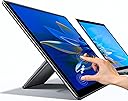
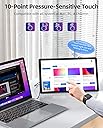
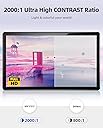
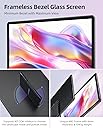
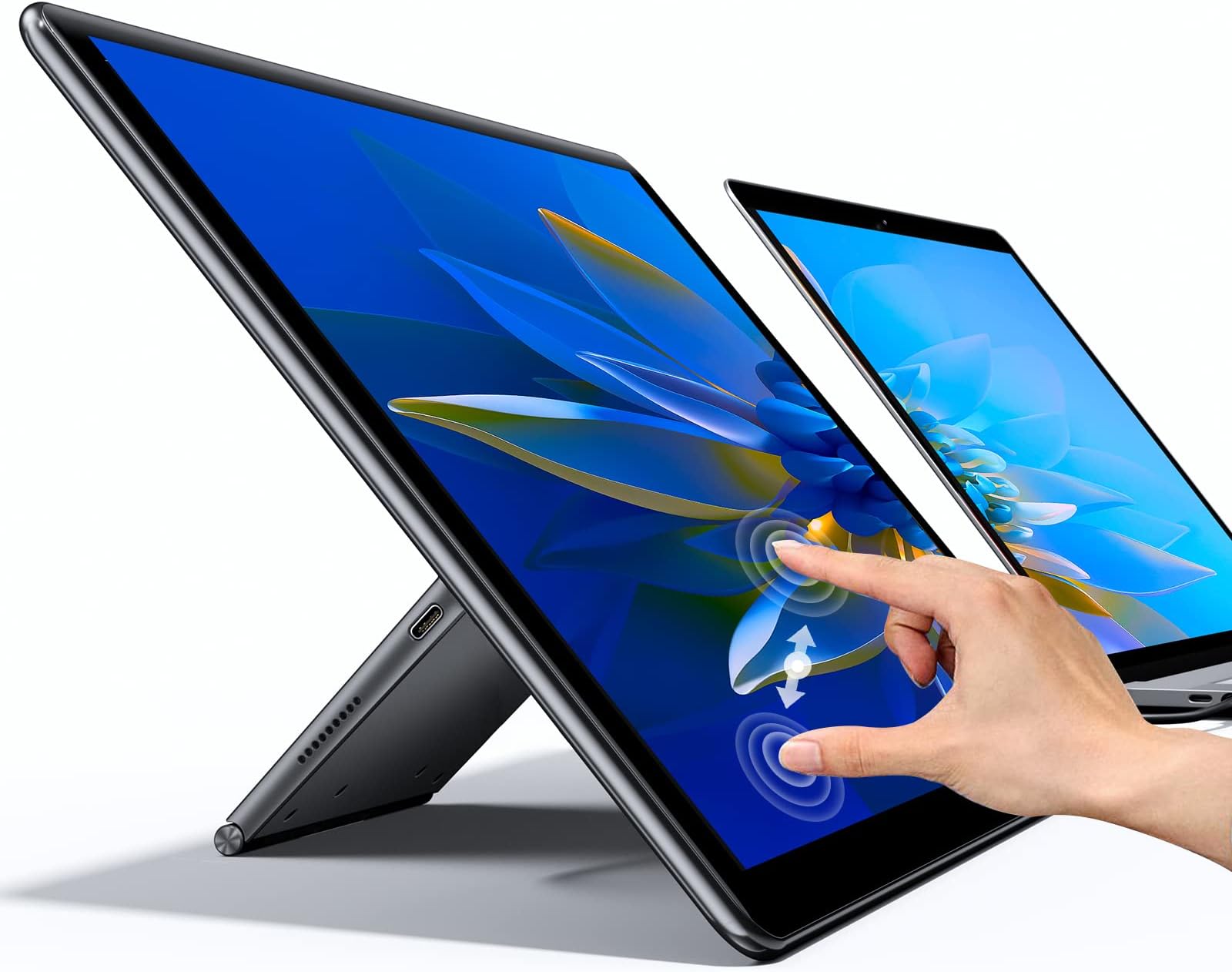
The UPERFECT Portable Monitor features a 15.6-inch FHD IPS touchscreen with a groundbreaking 0-110° adjustable freestanding stand, enabling seamless portrait or landscape use. It boasts a 2000:1 contrast ratio and 100% sRGB for vibrant, true-to-life colors, plus a 10-point capacitive touch interface compatible with multiple systems without extra drivers. Integrated ports on the stand streamline connectivity and cable management, while customizable ambient lighting adds a stylish, immersive touch to any professional or gaming setup.


| ASIN | B094V583BM |
| Adaptive Sync | FreeSync |
| Additional Features | 2000:1 Contrast Ratio, Built in Adjustable stand, Colorful Flowing Atmosphere Lights, Touchscreen |
| Aspect Ratio | 16:9 |
| Best Sellers Rank | #199,939 in Electronics ( See Top 100 in Electronics ) #4,284 in Computer Monitors |
| Brand | UPERFECT |
| Brightness | 300 cd |
| Color Gamut | 100 |
| Compatible Devices | Camera, Desktop, Gaming Console, Laptop, Smartphone |
| Connectivity Technology | HDMI, USB, USB Type C |
| Contrast Ratio | 2000:1 |
| Customer Reviews | 4.3 out of 5 stars 455 Reviews |
| Display Resolution Maximum | 1920 x 1080 pixels |
| Display Technology | LCD |
| Display Type | LCD |
| Hardware Connectivity | HDMI, Headphone, Thunderbolt, USB 3.0 |
| Image Contrast Ratio | 2000:1 |
| Included Components | 1 x Power Adapter, 1 x Standard HDMI Cable (data transmission), 1 x UPERFECT Y | 15.6" Portable Monitor, 1 x USB-C to USB-A Cable (touch or power supply), 2 x USB-C to USB-C Cable (Full-functioned) |
| Item Dimensions D x W x H | 8.85"D x 14.8"W x 0.59"H |
| Item Weight | 2.17 kg |
| Manufacturer | UPERFECT |
| Model Name | Yes |
| Model Number | UPERFECT Y |
| Mounting Type | Desk Mount |
| Native Resolution | 1920x1080 |
| Number of Component Outputs | 1 |
| Picture Quality Enhancement Technology | HDR, 100% sRGB, 2000:1 Contrast Ratio |
| Power Consumption | 30 watts |
| Refresh Rate | 60 hertz |
| Resolution | FHD 1080p |
| Response Time | 3 milliseconds |
| Screen Finish | Glossy |
| Screen Size | 15.6 inches |
| Screen Surface Description | Glossy |
| Shape | Curved |
| Specific Uses For Product | Type C monitor, 15.6 monitor, Computer monitor, touchscreen monitor display, Portable monitor |
| Total Number of HDMI Ports | 1 |
| Total Thunderbolt Ports | 1 |
| Total USB 3.0 Ports | 1 |
| Total Usb Ports | 2 |
| Viewing Angle | 178 degrees |
| Warranty Description | 2 Year |
| Warranty Type | 2 Years Manufacturer Warranty |
N**N
Perfect with one wish list item (see my review)
Overall I was very impressed with the screen resolution. Really good quality and everything seems to pop out in clarity, brightness, etc. - whatever you want for the settings. Also, I very much like the sleek design of the physical device itself: smooth and also good quality parts. It's not cheap plastic or anything like that - it's sturdy, which is important, because I travel with this. On that sturdiness note, the stand is very cool for two reasons: 1) you can rotate it, and 2) you can extend it. For rotating that means that for the physical device itself you can have it rest on its side horizontally (like my pictures show which is what I prefer), or if you'd prefer you can have it go vertical. If you go vertical then I'd recommend the second cool feature which is its ability to be extended. In my picture I show the back of it with the cords. That base however has a piece inside of it which can extend out so that now the vertical orientation is somewhere in the middle/between 60 - 90 degrees which makes it easy for you to view the screen while you are at your desk. Next there's the question, does the device play-well-with-others? Simply put: it does :) As you can see with my third image, at home I like to have even a second external monitor hooked up and the laptop I am using is an old 2013 Macbook Pro (so not even the latest and greatest technology). I didn't have any performance issues. Now some of that has to do with the computer you are using, but it is nice that the Uperfect monitor has cords that will work with my old 2013 macbook pro and not just the latest technology. I need to use the two cords that come with Uperfect monitor, but if you have a modern laptop, you just need to use one of the two cords which is awesome because that makes for a less cluttered desk of cords and easier to pack when you travel. Lastly there's the touchscreen aspect to this device. It's pretty cool :) And works well like you'd think a touch screen should behave. I liked the ability to read articles, Kindle books, etc. on it because it's easy to scroll through or touch on the screen. This works great when you are doing focused work using that screen. In my opinion this is where my only slightly "negative" (although that sounds harsh) review is: in my opinion if you are working on your laptop with the trackpad and you suddenly want to start touching the screen on the Uperfect monitor you should simply be able to touch the Uperfect screen and the mouse should snap to that screen. As it is currently however, you need to take your hand, move the the mouse over manually from your laptop screen to the Uperfect screen, and then on the Uperfect screen you can start using it as a touch screen. In my opinion, this isn't as great as a user experience for quick context-shifting between work on my laptop and work on the Uperfect screen. But this is a small gripe and as I said if you are doing lots of reading on your Uperfect screen, then that's a mute point.
I**B
Fantastic portable display!
Let’s start with the main thing: the display. The display itself is amazing. I’m using it as a secondary monitor for work purposes connected to my MacBook Pro M1 and it just handles it no problem straight out of the box. Because the MacBook has thunderbolt and usb-c ports, I can use just a single cable to both display and power the portable monitor. The monitor resolution as well as text scaling can be easily adjusted in MacOS as this monitor just behaves as any normal external monitor. The colors are vibrant and the screen brightness is plenty good for indoor use. I can turn the brightness to maximum (did not test for nits) but easily bright enough to see on a sunny day indoors. Your mileage may vary if you’re directly outdoors. Note that if you connect this device via USB-C via phone, the phone’s output most likely will NOT have enough wattage to set the brightness at levels past 20%, so if this is your use-case, I’d recommend connecting an external power source to the monitor. Since the display panel itself uses IPS, the colors are great and the biggest bonus is that the viewing angles are fantastic, it’s something like 178 degrees so you can definitely view your content from almost any angle without any color degradation. The touchscreen was plug and play via USB-C to my Windows device. Touchscreen works as you’d think, it is a 10 point multitouch. All of this is handled by Windows drivers anyway so any problems with that are on the driver manufacturer and not UPERFECT. I did not try the touchscreen function with MacOS as that requires downloading an additional driver, but interestingly straight out the box (without the additional drivers) the monitor seems to work as a trackpad where touching the screen will control the mouse on the main MacOS monitor. The monitor came with a ton of accessories, UPERFECT includes all the necessary cables and power supplies to get the monitor hooked up to a variety of sources, so kudos to them for doing that. The only downside to this is that the cables themselves are kinda short, but that’s mostly fine because your devices will likely be close to the monitor anyway. Talking about the build quality, the quality is great. It is mostly plastic, with rubber at the pull out feet for keeping the monitor stable. Though it's plastic, it still feels very solid. The front of the monitor is one piece glass, and the bezels are great for the monitor, with the side and top bezels being small while the chin has the largest bezel. The stand is interesting because this monitor being touchscreen allows you to have it either in portrait or landscape. In landscape mode, the hinge is super strong and you can use it in a few angles. If you want to make it portrait, you just set it via software and then you can turn the entire hinge 90 degrees. There is a push button latch that releases an extending leg that allows you to prop up the monitor. I only tested the touchscreen briefly and generally speaking the monitor is decently stable, although it depends on how hard you’re pressing the screen and where on the screen you’re pressing (top half vs bottom half). Also it depends on the type of surface the monitor is resting on. Overall I’m very happy with the monitor so far and have used it every single day without any issues! Would highly recommend. The only way it could be even better is if it came with a VESA mount so I can mount it vertically next to my workstation!
R**L
Sort of 1080p…?
Overall, it’s a great portable monitor for what you get with the price, especially compared to other (touchscreen) portable monitors. I bought this monitor, over others, for a couple reasons: 1) the adjustable swivel kickstand makes it seamlessly easy to use the monitor on portrait or landscape mode 2) Sufficient amount of IO for my intended uses 3) It’s a touchscreen 15.6” 1080p monitor; my current 2019 Razer Blade 15 Advanced Model is 1080p so I didn’t need 4K. However, when I took it out of the box and used it for the first time, it’s resolution does not look like it’s 1080p… if anything it’s closer to 720p. Don’t get me wrong, the color and contrast is great, the kickstand is sturdy and the monitor settings is easy to navigate. But if it’s truly 1080p, it should resemble my 1080p laptop, which it didn’t. I played 1080p-4K videos on it to see if the screen just needed to calibrate to the laptop’s resolution (my FireStick did that with my 50in TV, it was blurry at first but after a couple of minutes of playing media it adjusted and eventually it was a crisp resolution), but the screen didn’t adjust. I have another monitor I use that’s also 1080p and that one looks the same as my laptop. However, this portable monitor just doesn’t look like it’s fully 1080p. I’m not fully satisfied with my purchase BUT for its value being a TOUCHSCREEN portable 15.6” monitor with HDR and integrated sturdy adjustable swivel kickstand (and not one of those foldable janky cases), especially when compared to others, this one is acceptable.
S**J
UPERFECT 15.6 Portable Touch Screen Monitor is a must!
The UPERFECT 15.6'' FHD 1080P IPS Screen with Adjustable Kickstand Portable Monitor has far exceeded my expectations. The screen resolution made a strong impression on me with its top-notch clarity and quality, presenting sharp and vibrant visuals regardless of the settings. I also admire the sleek design crafted from premium materials, ensuring both durability and aesthetics, which is essential as I often travel with it. The stand distinguishes itself with its durability and versatility. It rotates, allowing the device to be positioned horizontally (as demonstrated in my unboxing video) or vertically, depending on preference. Opting for vertical orientation reveals another impressive feature: an extendable base that adjusts between 60 to 90 degrees, facilitating comfortable screen viewing at your desk. Moving on to compatibility: Does the device play well with others? In short, yes. I effortlessly connected to my Samsung S10 phone without encountering any performance issues. While compatibility may vary depending on your device, it's reassuring that the UPERFECT monitor's cables support Samsung S10 as well as my older PC (did not show this in my unboxing video), not just the latest technology. While I need both cables that come with the UPERFECT monitor, modern laptops, PCs, or phones usually require only one, greatly reducing desk clutter and simplifying packing when traveling. Lastly, the touchscreen functionality of this device is particularly impressive. It operates smoothly and meets expectations for a seamless touchscreen experience. I especially enjoy using it for reading articles, apps, and other tasks where natural scrolling and tapping on the screen are essential.
C**.
Portable, slim, bright and 15.6 inches!
I'm reading other reviews and while some can be nit-picky on image quality, you cannot go wrong with how it displays for the price point. I work in production and do either light programming or audio engineering in a live gig. My first purchase was around May and it being a responsive touch screen (for my uses at least) has been 10/10. I didn't like relying on my wireless keyboard and mouse at my gigs so this SIGNIFICANTLY reduce unnecessary time grabbing the mouse or keyboard. Space gets limited at my gigs at time (small clubs/bars/venues). I did, unfortunately, crack the screen. This was because I didn't have the proper protection for transporting it which at the time I used was a backpack without the proper padding. But I liked the monitor for my uses so much that I had order this again. I asked about repairs but of course warranty doesn't cover owner inflicted damage but the company reached out to me and compensated me for my mistake. Which, to be honest, I was surprised because I was the one who caused the damage. One thing I recently discovered is that I could use my surface pro stylus, only the butt of it, to activate cue points and surprisingly drawing some legends (something you can do to label buttons). Which in my scenario, has been quite accurate. Maybe if you draw, there might be some intricacies that make or break the purchase for you so I can't really give details on that. From someone that needs a productivity screen with touch features, this hands down is beneficial. In my experience of owning the screen to when I cracked it has been working as intended to the point where I just said, "yeah, I'll just reorder another one." I also had a ASUS touch screen back in 2015~ and it "feels" the same but the cool part about this was the IPS panel and HDR feature. Lastly, the company themselves is very responsive to concerns and such. The fact they made an offer to compensate me is more than enough to recommend their product. Just be careful with transporting it though, it's comparable to babying your surface pro, ipad, etc. I won't be having that issue since I did purchase a pelican case to transport it.
J**H
What I was looking for
This monitor is wonderful. The versatility of choosing horizontal or vertical orientation was the selling point for me. The brightness and color are great, the audio is fair. This monitor has a built in kickstand which also doubles as a connection port for every cable to keep your desk looking neat with the cables tucked behind. The kickstand is also telescopic when you want to use the monitor in portrait mode. I liked it so much I bought a second one because although it is very portable, I wanted a semi permanent setup in both my living room and office.
N**K
Provided power supply isn't enough to drive this
This review is for the Y (15.6" touchscreen). The monitor is really good overall - solid picture, color, visibility etc. The stand is solid enough and the touch screen is nice and sensitive. My issues are that I couldn't get the touch screen to work at all for a couple of days across several devices - Mac, Windows (10 and 11), Raspberry Pi etc. Finally I ended up trying a different power supply by accident having moved it to a different room and jackpot.... after some validating this was the cause. The supplied USB-C power block isn't enough and after I swapped to a 45w or greater block (I tried two different blocks) I had no issues.
I**L
had burning issues but got a free replacement
I purchased the monitor approximately six months ago to use as an extra bottom screen for my desktop. The monitor is as advertise, and works. Although I initially experienced burnout issues after three months of use, I was impressed by the prompt response and assistance from UPERFECT in replacing the faulty unit. I had the replacement monitor for around 2 months and so far I have no burned out (will update this review if the issue returns). I have 2 issues that I encountered: 1. when listening to audio through HDMI, if the sound is a bit loud it causes the screen to flicker. 2. when connecting the USB to the computer in order to get touch functionality, every once in a while, the screen flickers and causes the application windows to move (im currently connecting the screen usb directly to power in order to avoid that). But since I don't use either touch or sound, then this is not that bad. Generally in this category there aren't very high quality products, but it's good to know that you get customer support from this one.
A**O
Touch screen response is awesome.
It's awesome product. I am looking for touch screen laptop. But I have converted my laptop as touchscreen laptop using this device. U can draw u can any thing what you want? It's very user friendly.
H**O
Facil de carregar e usar
Se seu notebook tem usb-c thunderbolt, simplesmente compre. Ler na cama do lado da esposa sem um teclado quente no colo. Poder trabalhar fora do escritório sem carregar 10 quilos de hardware por aí. Não tem preço.
L**G
Plug and Play
Nice product. Plugged in mobile phone and connected immediately. Also good for work. Took a while to figure how to switch to different setting modes. Touch screen is sensitive too. Overall happy with purchase.
A**Y
الجودة ضعيفة
للاسف الجودة ضعيفة جدا والربط مع الكمبيوتر جدا متعب واللمس ثقيل
R**U
Excellent screen, value for money
Excellent design. Very touch responsive. Seamless one-cable connection with my Windows 10 laptop. A must have item for WFH. And very good price, too!
Trustpilot
1 month ago
1 month ago