๐ดโโ๏ธ Elevate your ride with pro-level data at your fingertips!
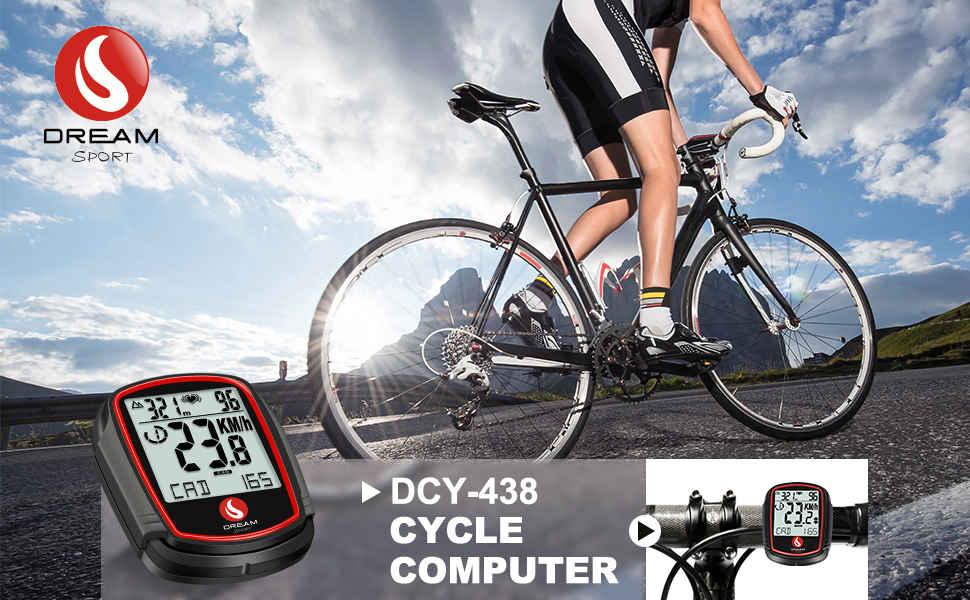
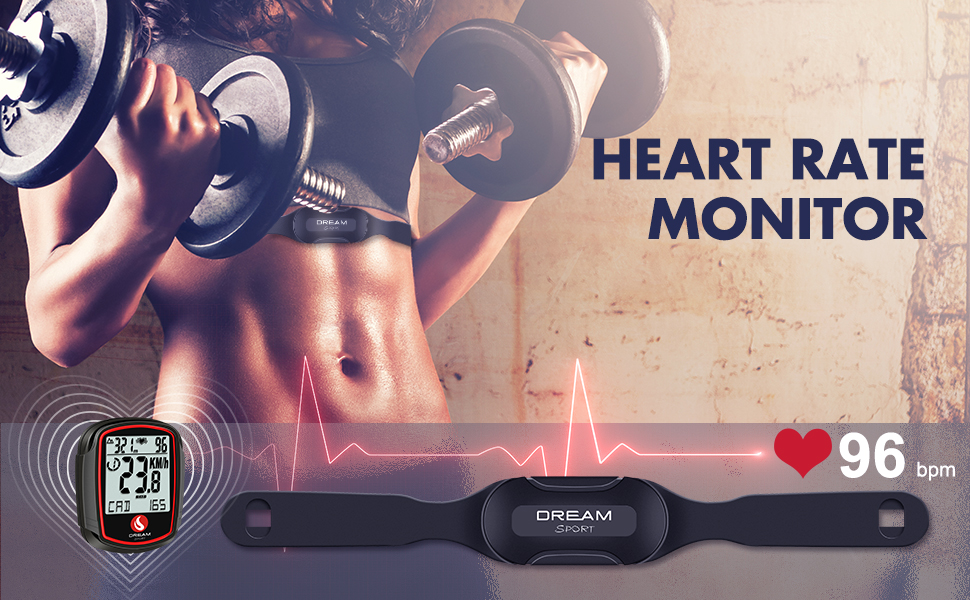
The DREAM SPORT DCY438 is a compact, wireless bike computer featuring 38 functions including heart rate monitoring, cadence, speed, odometer, and altimeter. Its IP54 waterproof design and backlit LCD make it perfect for all-weather, day or night cycling. With easy installation and precise calibration options, it delivers accurate, real-time ride metrics to help cyclists optimize performance and track progress effortlessly.


| ASIN | B093WHYPKS |
| Battery Type | Lithium Manganese Dioxide |
| Best Sellers Rank | #315,886 in Sports & Outdoors ( See Top 100 in Sports & Outdoors ) #214 in Cycling Computers |
| Brand | DREAM SPORT |
| Brand Name | DREAM SPORT |
| Color | black |
| Customer Reviews | 3.9 out of 5 stars 1,328 Reviews |
| Display | LCD |
| Display Size | 0.8 Inches |
| Display Type | LCD |
| Human Interface Input | Buttons |
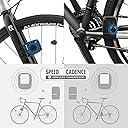
| Included Components | Heart Rate Monitor Chest Belt, Speed Sensor, Cadence Sensor |
| International Protection Rating | IP54 |
| Item Weight | 0.19 Kilograms |
| Manufacturer | DREAM SPORT |
| Model Number | DCY438 |
| Mounting Type | Handlebar Mount |
| Screen Size | 0.8 Inches |
| Sensor Type | Barometric Altimeter, Cadence Sensor, Heart Rate Sensor, Speed Sensor |
| UPC | 192278107939 |
D**N
Great Value,works well
This is my first bicycle computer so I cannot compare it, but I like it very much for what it does. To have bicycle speed,average speed,odometer,trip meter,temperature and time on display is a benefit to cycling. All that for the price is good value. It does take a bit of time to figure out how it works. Install was straightforward. After install I was curious as to the accuracy of the device. As I found out,this all depends on the number you enter for your tire circumference in millimeters. Initially I used the included chart. Where I ride there are milage markers and mine was off about 50 ft per mile. This was too much for me. I rode 7 miles with a 350 foot error. Here is how I fixed it to bring the accuracy within the resolution of the device which is approx. 5 ft/mile. Find a flat surface and lay a tape measure down for 25 feet or so. Using a piece of chalk mark the tire and the surface you are rolling on as zero. Then carefully count the rotations of the tire,I did 3. Take that liner measurement along the ground surface and divide it by the number of rotations to get your actual circumference of your tire. The more rotations and longer the distance the more accurate you will be. If you measured in inches, then convert it to millimeters. Round it to the nearest whole number and enter this into the device. This worked great for me.
K**Y
inexpensive cycling computer that is good once you figure it out
The manual for this is the main problem I have with the computer. I used it on a week-long tour and it matched pretty closely to the mileage and other information my friend got from her computer so I know it's accurate, but the instructions in the manual leave a lot to be desired. It took me a while to figure out how to reset the trip information, as the instructions in the manual don't actually work for that. I also wish that the clock was included in the scan mode, but that is a minor issue. Overall, it seems reliable and once you figure it out, not difficult to use.
B**4
So far, so good.
This vendor has contacted me 3 different times, wanting to make sure I'm happy. From the tone (and purpose) of their emails, I can tell they truly CARE. That's nice to see. And it hasn't been like some vendors, who are using their 'follow up' emails as just a way to get the customer to do a review. So I would definitely do business with this company again. This computer went on my secondary mt. bike, which I ship from one coast to the other, for some island biking events I participate in. Mounted it up, pretty fast, as most of these computers install the same. I don't recall using the included instructions, other than using their calibration chart for inputting my tire size. Installing bike computers is sorta like setting up a smart phone .... once you've done it a few times, there's really no need for 'instructions'. Or maybe that's just a 'guy thing' ? I've got a nearby neighborhood radar (speed) detecting sign, so I was able to test my computer, and check the mph readings. Was spot on, by using the instructions' calibration chart. Everything else seems to work great. Display unit is a nice size. Not too big or too small, and has an easy to see readout display. The color of the unit is white, which I thought might stand out too much. But it looks fine when placed on any of my bikes (of different colors). I won't go into various other technical details about this unit, as I haven't ridden with it long enough, to assess the accuracy. But for the price I paid, this unit works great. I've owned plenty of bike computers. Too many to count, but that's a good thing, as it's been due to owning plenty of bikes. Both wired and wireless bike computers, of different brands. Rarely paid over $30, as it's not really necessary, unless you are the weekend warrior who enjoys tons of data, or are very hard core about what's going on during your workouts. I've been in both of those groups, yet I'd rather spend my money on other things than a $+150.00 - $ 300.00 bike computer. Most bike computers install the same way, and you just need to load in the proper tire size to make it read accurately. Adjusting the sensor's distance to the receiver, is where most folks might have problems (getting their computer to work). I've had to play around with most computers, to get them to do a readout. But once it's set, you're good to go (unless it's getting banged into things). Patience and experimenting are important. Of all the bike computers I've purchased, I've probably only had to return two of them. So when I read negative reviews on bike computers, I have a feeling that some of those folks didn't have much patience, when setting up their bike computer. It's not complicated, but sometimes it takes some adjustment. Buy this computer, as I think you will be very happy with it.
R**E
Keeps Resetting
This was sold as a new product but was previously sold and returned. When I received it 4 batteries were already installed and 2 more were in the package. I replaced the 4 installed batteries with new ones and installed the computer and both sensors and put on the HRM. After going through the setup procedure (e.g. clock, wheel size, etc.) I rotated the crank while my bike was on the bike stand. Everything seemed to work perfectly except the B button changed modes (bike, altimeter, cadence, HRM) and the A button scrolled through options in that mode. This was opposite what was shown in the instructions but not a big deal. Then I touched the rear brake to stop the wheel, and I noticed the computer reset itself. I went through the setup procedure again and turned the wheel. Again everything seemed to work perfectly, but the computer eventually reset itself. I went through the setup procedure again with the same result. My conclusion by now was that I had a defective computer. I suspect this was why the computer was previously returned (remember the 4 installed barrettes). I did not try to contact the seller for two reasons. First, they did not believe the previous purchaser or they would not have resold the defective computer. Thus, there is no reason to think they would believe me. Second, this was sold as a new computer. It was not! I returned the computer (thanks Amazon) and ordered a different one with a better rating. BUYER BEWARE!
S**K
I like it so much I bought another one.
I bought an ebike early in 2023 that came with a very simple controller, no display. I absolutely love this meter. I use it on SCAN so I can see Trip miles, Trip time, Avg Speed and Max Speed scrolling at about 2 sec intervals. I bought another ebike for $200 more than a new battery and motor would have cost for the old one. I still ride the old one for a few reasons, so I don't want to remove the meter. The new bike came with a large display, but no scan function, and seeing top speed and average speed is a real pain in the neck. It takes me 3 tries to reset the trip meter. This one's a no brainer. The older bike has ~3,000 miles on it, and it and the meter are on their 3rd year. I have had no issues at all with this meter. As far as battery life it lasted 2 full years. It's a simple install, and if you really want to be completely accurate there are instructions on how to measure tire travel and set it precisely. For my use I just entered the circumference of the wheel in centimeters, and according to my car it's spot on. One nice function is temperature, although it seems a bit "ambitious" as it's usually 1.5 degrees higher. No biggie. Connecting it to the bike is easy, and since it's wired it doesn't drop out like a couple of wireless models I've tried. I did manage to lose the magnet, but bought 2 all metal magnets for $8 and there were no issues. I wanted to get one for a non-ebike i bought last year, but they were sold out so I put another that was double the price i bought originally on it. It also has a scan function, but is less informative and harder to read. I was very happy to see they are back in stock. For such a good price it's a really good meter and accurate. One note on changing the battery: write down the ODO mileage, since when you remove the battery there's no "hold up" function and you have to re-enter total mileage. It's noted in the instructions, and it's not a big deal. Oh, and it also displays an icon of a wrench to let you know it's time to oil the chain and tighten the spokes. There is also an Up and Down arrow to let you know if you're above or below your average speed. All of this for a very reasonable price.
R**E
Needs some fiddling, but it does the job.
I've been training with this for a few weeks now, and I've just barely got it dialed in well enough to be useful. If you're looking for something that's quick to setup and use, this likely isn't going to work for you. Installation wasn't as smooth as it should have been. Getting setup on my mountain bike was a bit more effort than I think should have been necessary. I had to cut out some Styrofoam from some packing material I had from another product I ordered in order to get the sensor close enough to the magnet to pick it up. Going through the initial setup was a bit more difficult than it really should have been too. You have to put in the wheel circumference (in millimeters), this is expected. The weird thing is that you do it backwards. You start with the ones place, then work your way out to the thousands. I didn't realize this the first time and went to cycle through the digits a second time, and nope, you only get one shot. You have to do a hard reset to set it up again (hold both buttons for about 10 seconds). Don't use the included table, it's wrong. My bike has 26x2.0 tires on it, I matched it up with the table, and it was wrong. I used a metric tape measure and got my wheel diameter, did some math, and it came out substantially less than what the table says. Once I put in the correct value though, it has been pretty spot on.
C**Z
Great cost / benefit option - Excellent support
This is an interesting bike computer, it includes three sensors: - Speed - Cadence - Heart rate monitor Mine came with all the batteries (CR2032) installed, one of the batteries was dead (the one at the HR sensor) so I have to change it (not a big deal). The installation is simple but in my case, I have to put the computer on the handlebar; I tried it on the stem but: it never received the speed sensor signal, and it was difficult to remove. Heart rate monitor length 90 cm (without stretching ) Update 2021-12-05: ================ The heart rate monitor battery drains when is not in use, so, looks like you have to remove the battery if you don't use the HR frequently. That's not practical. Update 2022-05-15: ================ I was contacted by customer support, and they replaced the HR sensor at no cost, the new HR Sensor works as expected; the battery was installed when I received it and it was working at that point, 16 days have passed since I receive it and the HR Sensor battery still working.
W**F
Easy to use and fairly accurate
Works great to track distance and speed. Regularly use this on bike rides to track how far I've gone, average/max speed. I used this in conjunction with my phone GPS and it's fairly consistent.
D**H
Vรถllig problemlos seit 1000km
Lieร sich problemlos anbringen. Faltrad 22 Zoll. Es lassen sich fast zu viele Daten abrufen.
B**B
Bicycle computer
Great little computer for kids bikes,
B**R
Magnetic switch not up to the job
I run this speedometer from the rear wheel of my bike on a turbo so that I can cycle indoors because of bad weather and the covid lockdown. The unit was fine for the first couple of weeks but then ceased to register speed after 20-30 minutes of exercise, and then shut down completely. The unit itself and its battery are fine, but the problem lies in the leaf-switch, which seems to become magnetized after 20-30 minutes of constant pedalling. This closes the switch's blades, and so no signal can reach the unit. The problem resolves itself after a rest, but that's of no use to me, as I want to monitor my exercise for an hour at a time. I have fixed matters by getting a better magnetic switch from Amazon that I've wired to an old cable from the shed. However, the speedometer assembly that's sold (handlebar unit + switch) was not fit for my purpose. I could have saved money in the first place by buying a similar speedo from our local Home Bargains for ยฃ3!
O**N
Faulty and was replaced
My first was faulty and the seller was very kind and gave me a second delivery at no extra cost. 5* customer service! The speedometer itself is slick. Standard left button to freeze recording and right to cycle through menus. It even has a thermometer! Only grievance is there is no backlight, which would be nice. Other than that, it's a quality piece and easy to install and remove when locking up my bike.
A**N
Wire was too short and parts don't fit properly too loose and flimsy
๐ฉ๐ฉ๐ฉ๐ฉ
Trustpilot
1 week ago
2 weeks ago