Desertcart purchases this item on your behalf and handles shipping, customs, and support to Croatia.
🚀 Double your screens, double your impact!
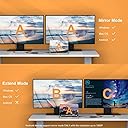
The WAVLINK HDMI Splitter Extended Display adapter transforms a single USB-C or USB 3.0 port into dual HDMI outputs, supporting up to 4K30Hz and 1080p@60Hz resolutions. Compatible with a wide range of devices including Windows and macOS systems, it enables extended or mirrored multi-monitor setups ideal for productivity apps. Requires driver installation for optimal performance and comes with a 24-month warranty plus lifetime support.


| ASIN | B0943VNT67 |
| Best Sellers Rank | #41 in Computer Cable Adapters #46 in Audio & Video Connectors & Adapters |
| Brand | WAVLINK |
| Color | USB to Dual HDMI |
| Compatible Devices | Apple M1 and Intel Macs (with macOS 10.14 or later) /Microsoft Surface line/HP Spectre x360 series, /Dell XPS 13 & XPS 15 / Latitude, Lenovo Thinkpad T series. Latitute 7280/ Latitude 5310 2-in-1; Precision 7730/7750; Laptop 5590, HP Spectre Laptop 13-af001TU/ Spectre x360 13t/ Spectre folio/ Specter x369; Elitebook 840 G5 series/ Elitebook X2/ Elitebook x360 1030 G3/ Elitebook 745 G6/ Elitebook 830 G6/ 2018 HP Elite 800 G4; Envy Geforce mx250/ Envy x360 Laptop (15z-ds100); Z book 15u G3/ Zbook 17 G4, Lenovo Yoga 720-13IKB/ Yoga 730/ Yoga 900-13ISK/ Yoga 910/ Yoga 920/ Yoga 930/ Yoga 940-14IIL; 3rd generation Thinkpad Yoga; Yoga15 Thinkpad Ultrabook Pro; Thinkpad E590/ Thinkpad P72/ Thinkpad T470/ Thinkpad X1 Carbon; Legion Y530; Lenovo C930/ T480s/ X390/ 81N8, Microsoft Surface Book 2/ Surface Go/ Surface Laptop 3; Surface Pro 7,Huawei Macbook Mate10 or later; Google Slate (2019); Chromebook C340-15; SanDisk Cruise Glide; Razer Blade 2017 (gtx 1060); Pixel book go 2019/2020 Compatible Devices Apple M1 and Intel Macs (with macOS 10.14 or later) /Microsoft Surface line/HP Spectre x360 series, /Dell XPS 13 & XPS 15 / Latitude, Lenovo Thinkpad T series. Latitute 7280/ Latitude 5310 2-in-1; Precision 7730/7750; Laptop 5590, HP Spectre Laptop 13-af001TU/ Spectre x360 13t/ Spectre folio/ Specter x369; Elitebook 840 G5 series/ Elitebook X2/ Elitebook x360 1030 G3/ Elitebook 745 G6/ Elitebook 830 G6/ 2018 HP Elite 800 G4; Envy Geforce mx250/ Envy x360 Laptop (15z-ds100); Z book 15u G3/ Zbook 17 G4, Lenovo Yoga 720-13IKB/ Yoga 730/ Yoga 900-13ISK/ Yoga 910/ Yoga 920/ Yoga 930/ Yoga 940-14IIL; 3rd generation Thinkpad Yoga; Yoga15 Thinkpad Ultrabook Pro; Thinkpad E590/ Thinkpad P72/ Thinkpad T470/ Thinkpad X1 Carbon; Legion Y530; Lenovo C930/ T480s/ X390/ 81N8, Microsoft Surface Book 2/ Surface Go/ Surface Laptop 3; Surface Pro 7,Huawei Macbook Mate10 or later; Google Slate (2019); Chromebook C340-15; SanDisk Cruise Glide; Razer Blade 2017 (gtx 1060); Pixel book go 2019/2020 See more |
| Connector Type | HDMI, USB Type C |
| Current Rating | 1 A |
| Customer Reviews | 4.4 out of 5 stars 3,333 Reviews |
| EU Spare Part Availability Duration | 2 years |
| External Testing Certification | 177202201739 |
| Finish | Matte |
| Global Trade Identification Number | 06955362052294 |
| Input Voltage | 5 volts |
| Item Dimensions | 5.39 x 3.62 x 0.79 inches |
| Item Weight | 110 g |
| Item dimensions L x W x H | 5.39 x 3.62 x 0.79 inches |
| Manufacturer | WAVLINK |
| Mfr Part Number | WL-UG7602H-FBA |
| Model Number | WL-UG7602H-FBA |
| Number of Items | 1 |
| Number of Ports | 2 |
| Package Quantity | 1 |
| Power Plug Type | No Plug |
| Specific Uses For Product | Monitor |
| Unit Count | 1 Count |
| Warranty Type | Lifetime |
O**G
Great for older computers without thunderbolt USB ports
Great product! I have a 2017 Asus Zenbook Flip 15. I know, it’s old. But I love this laptop. It’s fast, it renders wells with Adobe Creative Cloud, gaming, and other heavy graphics I use for work. The down side us that it doesnt have any of the more functional type-c or thunderbolt USB ports, it only have one HDMI cable and the graphics card doesnt support more than one external monitor. Well, this adapter solved that. I thought it was going to only extend one screen and duplicate the second one. Nope, it does extend to both of the monitors. You can keep you laptop’s screen, and two additional monitors to work on, or whatever you use your computer for. Super easy to install as well. Almost plug and play, with exception that you have to download the drivers and install them yourself. But that is also self explanatory.
T**F
Buy it
Easy to use, does the job. Amazing product. Resolution is a little degraded from a native hookup, but for basic usage this is still perfect.
B**B
If you 3 Mon you should definitely try this
It works I just got it few minutes ago took it out of the box downloaded the driver got Windows 11 running on one monitor unplugged plugged into the adapter got it show in Windows Plug them both back in Both of them are working and then the smaller monitor the third one plugged it in got it working Two of the monitors are 42 inches and the little monitor is about half that size Works good I did plug the adapter into I'll just call it a black slot I don't know what tail it is it's black inside the adapter shows blue but it was a little sluggish there and then I plugged it into the black adapter It works great I'm just happier than can be How about a $1200 power spec computer and I spent 12 hours switching cables doing everything under the moon I could to get that $1200 computer with flashing lights and all kinds of stuff Big strong box big strong video card It wouldn't work and I've been around for 82 years I know a little bit about computers it's just kind of a hobby but now I got three monitors I can go from one to the other I can slide whatever I want on whichever one I want so I couldn't be happier I just wish I hadn't a tortured myself the other way I never dreamed something like this would work so well I would like share a photo with you but I'd have to back off so far I'd be showing you half my house I'm not sure that maybe I should do that The nice thing about it as soon as I got ready to install it It checked to see if it was compatible with my monitor it says yeah yeah we're we're compatible and they went ahead and did the installation something like this doesn't come along very often do I figure out what I want to name this And the worst could happen is if you order one it'll check compatibility for you and if it's not compatible then you just send it back I also wanted to say that the computer I'm running on is a power spec it's a medium dollar computer it's a two years old the video card is on the motherboard if it's like the other one I had I prefer that the video card not be on the motherboard in case you want to change it and you wouldn't expect the video card on the motherboard to have much capabilities and I don't think this one does it's just with this adapter The adapter does the work so I'm going to keep my two year old computer It's doing everything I want it to do I don't need that$1200 or whatever it was I sent the thing back I'm sure they're not very happy about it but it wouldn't do what they said it would do because I tried every angle I know Anyway I'll stop talking now and obviously I'm happy with the way things went You guys give it a try
S**R
Just the thing for attaching a second TV/Monitor to your computer.
Very east to attach. I used this to attach a 27" tv to my computer for a second monitor. Worked like a charm!
M**O
Flawless 4K output and smooth operation; quick installation with the correct driver
I'm using this Wavlink USB to HDMI to run two 24" HP monitors (1920x1200 60Hz) and honestly, it's been going well. The installation is straightforward: you go to the Wavlink website, look for the exact driver for your model, and that's it—within a couple of minutes, you're up and running. The 4K port works perfectly, it recognizes the full monitor and looks sharp. The 2K port only goes up to 1080p, so I left that one out and connected the second monitor directly to the laptop's HDMI to keep the native resolution. With that setup, everything runs smooth, no lag, no dropped frames, and no flickering, even with multiple windows and apps open.
A**R
Works well
Easy to use. Plug in and go. Able to get third monitor up with this.
A**A
**DISCLAIMER FOR MACBOOK USERS**
Do not buy this device unless you have a Mac OS 14.2 or newer. Although the instruction manual states that this device supports Mac OS 10.8 and newer, this would not work for my Mac OS 12.7.5. When attempting to download the required software, there was an error message that states that the device only supports Mac OS 14.2.0 or newer. When calling the customer service number, they told me that since I had a Mac OS 12.7.5, the device would work with my MacBook. When I told them about the error message requiring a Mac OS 14.2.0 to download the software, they told me to reach out to Apple to resolve the issue. I tried calling their customer service number a second time and they essentially blocked my number. I’m not sure why they blocked me since I was polite, and I don’t make a big deal out of things over the phone or ask to speak with a manager, etc. Just wanted to get a second opinion. It’s apparent that if you try to call them a second time from the same number, they will put you on a blocked list. You’re much better off buying the “j5create - USB 3.0 to Dual HDMI Multi-Monitor Adapter”. The set up is a bit complicated, and it’s $10 more than this product, but it actually works for my MacBook as advertised.
B**N
Thank goodness, 4k @ 60hz on MacOS
Setup: Macbook Pro 16" Nov 2023 - M3 Pro running macOS 15.1.1 (Sequoia) 3 x LG Ultrafine 32" (32UP83A-W, 60hz displays) Two are driven directly from the computer, but that's the most the M3 Pro can support, so I needed a solution for the third monitor. I previously made the mistake of buying a Plugable single 4k DisplayLink adapter a couple of months ago without checking to see if it would operate at 60hz. It did not and clearly stated it in the product description... but I slacked, and so my third monitor has just been a place to set infrequently used apps (email, notes). Even still, I could not handle using those apps on that monitor and would have to drag them to one of my two other displays. The latency of my mouse cursor was simply infuriating. I just received this WAVLINK a couple of hours ago and immediately swapped out the Plugable unit. I didn't even have to install new drivers, which is good, since the URL on the WAVLINK pamphlet included with this product seemed to redirect to their home page instead of the product page. That said, I have to assume this WAVLINK is using the same DisplayLink driver as my plugable unit and thus the software I already had installed was correct. It's definitely as snappy as my computer-driven displays so I'm no longer having to sigh every time my mouse jitters across the screen. It's been consistently on for the last two hours without any disconnects or hangups, and came back to life after I tested putting the computer to sleep and waking it (sometimes the monitor on the old Plugable adapter would stay black and require unplugging/plugging in) Ambient room temperature is 72*F, infrared temperature gun shows this adapter at 90*F. It's not my primary display thus I'm still just utilizing it for lesser-used apps, so maybe it would get a little warmer if I were to use it more. I'd also assume it'd get warmer if I actually used both HDMI outputs, but I only required one. That was long winded, but in conclusion: This solved the problem, and I wish I had bought it in the first place. The Plugable single 4k (30hz, read the fine print!) adapter was - and is - the same price as this WAVLINK... and I should have returned it when I had the opportunity.
A**R
The product is good and works well. I had some issues, but I got a replacement quickly.
I have two MacBook Air M4s connected via a display link adapter, and one directly connected to the main screen. The screens intermittently hang and then readjust, causing issues with my workflow. Update: After opening a ticket, I received helpful assistance and a replacement. I’ve updated my rating to five stars because they’re actively working to resolve the issue and provide excellent customer service.
H**M
Faulty and Returned
Faulty adapter was received, only one screen is working, returned and refunded, you may take your chance with it!!!
V**O
Podem comprar sem medo - Excelente custo benefício
Um achado! Esse bicho resolveu a maior dor de cabeça (creio que seja de muita gente) para conseguir espelhar a tela do notebook para o segundo monitor. Como a profundidade da minha mesa não comporta o próprio notebook devido ao monitor principal que uso em outro PC mais o monitor secundário que uso para ambos, esse adaptador é uma excelente opção custo benefício que entrega o que promete: espelhar a tela do notebook para um monitor externo com delay praticamente zero com uso do mouse. E o mais importante é que ele é compatível com a conexão USB-C 3.2 Gen1 que só transmite dados, aquele que não tem a transmissão nativa para geração de vídeo como ocorre em USB-C do tipo Thunderbolt ou DisplayPort Alt Mode em notebooks mais modernos, pois é o adaptador que possui uma placa de vídeo externa que é ativada após instalação do driver do fabricante. É só entrar no site deles sugerido no passo-a-passo do manual do usuário para baixar, instalar, reiniciar o PC, e pronto! Muito simples e rápido! Só depois de reiniciar que o PC já começa a dar vídeo! Eu precisei deste dispositivo para o meu notebook da Asus Vivobook que só possui uma entrada HDMI, e o USB-C dele só consegue transferir dados. Quando peguei esse notebook eu recorria a adaptadores baratinhos que na verdade nem resolveram o problema, porque além de delay que incomodava, algumas vezes o meu PC congelava ou dava tela azul devido a drivers de baixa qualidade. Logo, tive que pesquisar mais a fundo até achar esse da Wavlink. É o valor relativamente alto, mas é o menor dentre os adaptadores / dockstations mais avançados do mercado. Logo, resolvi escolher este que já atende às minhas expectativas. E o mais surpreendente disso tudo é que ele se mostrou capaz de transmitir 120Hz na minha Ultragear 144Hz se eu plugar na entrada 4K. Acredito que essa taxa é a máxima que o adaptador consegue entregar, mas fica excelente para trabalhar, a navegação fica bem mais fluída! Então fica a dica para quem tiver cabo HDMI 2.0 ou acima. Resumo da ópera: quem tiver notebook cuja entrada USB-C não é DisplayPort Alt Mode ou Thuderbolt, esse adaptador já entra para resolver o problema. Deixo esse recado para que outros clientes possam ver antes de comprar. Enfim, podem comprar sem medo!
C**S
Excelente produto.
Produto chegou corretamente com as especificações certas, 2 portas 4k de 60hz, funcionou perfeitamente de forma estendida no Windows, Mac, Kali Linux, Debian e Ubuntu. (Para quem usa linux o drive instala tranquilo para Debian e Ubuntu, e para Kali Linux, consegui pelo repositório padrão) 100%
N**N
Plug and works first time for dual monitors
Brilliant item, does exactly what it says it does. No hanging power leads or adapters needed, works straight out of the box. If it wasn't so pricey I would buy one work, but happy to have this when WFH.
Trustpilot
2 weeks ago
1 month ago