Buy anything from 5,000+ international stores. One checkout price. No surprise fees. Join 2M+ shoppers on Desertcart.
Desertcart purchases this item on your behalf and handles shipping, customs, and support to Croatia.
🚀 Elevate your network game with Intel-powered gigabit speed!
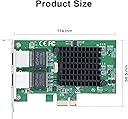
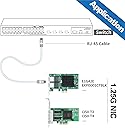
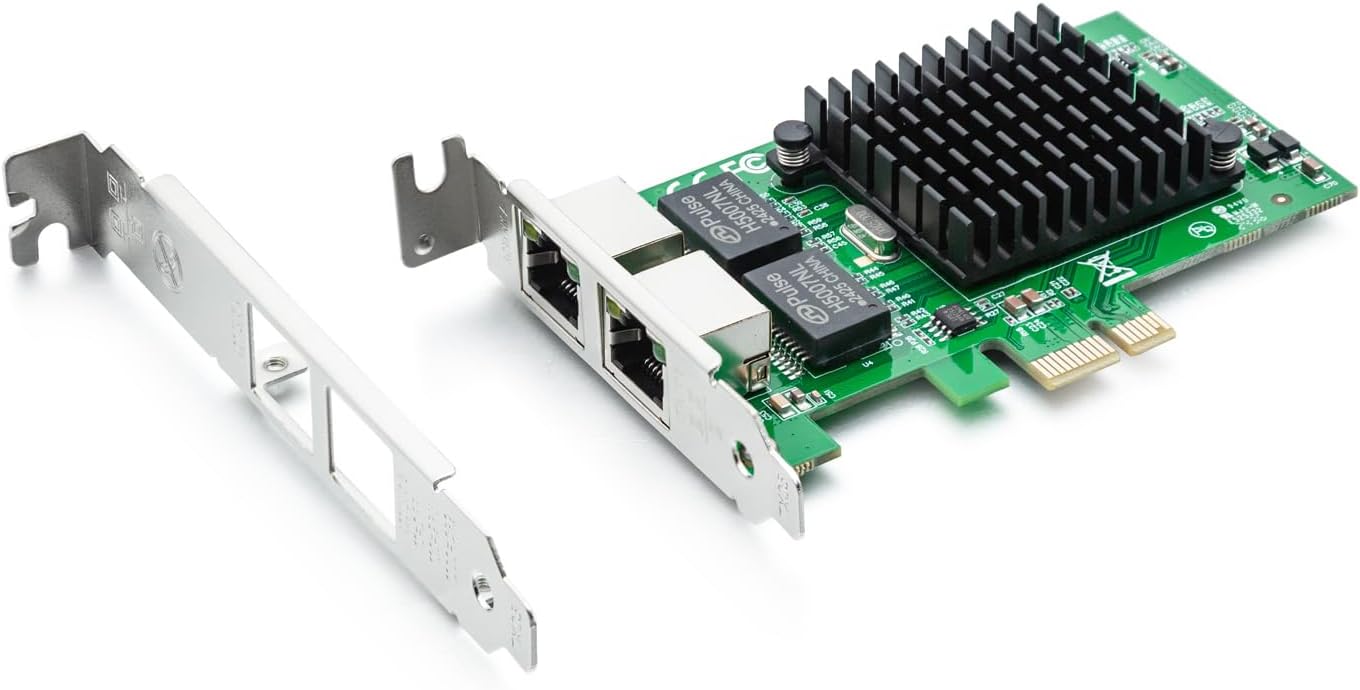
The 10Gtek Gigabit Ethernet Network Adapter features the trusted Intel 82576 chip, dual RJ45 copper ports supporting up to 1Gbps speeds, and PCI Express 2.0 x1 interface. Designed for professional-grade stability and compatibility with multiple OS platforms, it offers easy installation with included low-profile brackets. Ideal for data centers and demanding network environments, it comes with a 3-year warranty and lifetime support to keep your infrastructure running flawlessly.


| ASIN | B01LXTF48X |
| Best Sellers Rank | #29 in Internal Computer Networking Cards |
| Brand | 10Gtek |
| Color | X1 |
| Compatible Devices | Server, Desktop |
| Customer Reviews | 4.6 4.6 out of 5 stars (323) |
| Data Link Protocol | Ethernet |
| Data Transfer Rate | 1000 Megabytes Per Second |
| Hardware Interface | PCIE x 1 |
| Item Weight | 0.19 Kilograms |
| Manufacturer | 10Gtek |
| Mfr Part Number | 82576-2T-X1(E1G42ET)-(Intel-1pc) |
| Model Number | 8541588131 |
B**.
is same as Intel 82576 Gigabit Network Connection adapter
Very good product and working fine with pfsense and good performance with suricata IPS inline mode. pciconf -lcv #Output of pciconf command on freebsd. igb2@pci0:3:0:0: class=0x020000 card=0xa03c8086 chip=0x10c98086 rev=0x01 hdr=0x00 vendor = 'Intel Corporation' device = '82576 Gigabit Network Connection' class = network subclass = ethernet cap 01[40] = powerspec 3 supports D0 D3 current D0 cap 05[50] = MSI supports 1 message, 64 bit, vector masks cap 11[70] = MSI-X supports 10 messages, enabled Table in map 0x1c[0x0], PBA in map 0x1c[0x2000] cap 10[a0] = PCI-Express 2 endpoint max data 128(512) FLR link x1(x4) speed 2.5(2.5) ASPM disabled(L0s/L1) ecap 0001[100] = AER 1 0 fatal 0 non-fatal 1 corrected ecap 0003[140] = Serial 1 6cb311ffff1b17c0 ecap 000e[150] = ARI 1 ecap 0010[160] = SR-IOV 1 IOV disabled, Memory Space disabled, ARI disabled 0 VFs configured out of 8 supported First VF RID Offset 0x0180, VF RID Stride 0x0002 VF Device ID 0x10ca Page Sizes: 4096 (enabled), 8192, 65536, 262144, 1048576, 4194304 igb3@pci0:3:0:1: class=0x020000 card=0xa03c8086 chip=0x10c98086 rev=0x01 hdr=0x00 vendor = 'Intel Corporation' device = '82576 Gigabit Network Connection' class = network subclass = ethernet cap 01[40] = powerspec 3 supports D0 D3 current D0 cap 05[50] = MSI supports 1 message, 64 bit, vector masks cap 11[70] = MSI-X supports 10 messages, enabled Table in map 0x1c[0x0], PBA in map 0x1c[0x2000] cap 10[a0] = PCI-Express 2 endpoint max data 128(512) FLR link x1(x4) speed 2.5(2.5) ASPM disabled(L0s/L1) ecap 0001[100] = AER 1 0 fatal 0 non-fatal 1 corrected ecap 0003[140] = Serial 1 6cb311ffff1b17c0 ecap 000e[150] = ARI 1 ecap 0010[160] = SR-IOV 1 IOV disabled, Memory Space disabled, ARI disabled 0 VFs configured out of 8 supported First VF RID Offset 0x0180, VF RID Stride 0x0002 VF Device ID 0x10ca Page Sizes: 4096 (enabled), 8192, 65536, 262144, 1048576, 4194304
C**N
TrueNAS setup
Not a technical review but my experience from being a sudo-tech. I have a TrueNAS only to host content for Plex. If Plex wasn’t a thing I would never have built two machines over the last seven years. The first one was dated two years ago easily so I had to upgrade. I bought a older MB but still lights out better than before- a ASRock B550 Pro4. What I didn’t know was that MB has a RealTek ethernet chip. I pulled everything in and all was well. I went to move data and my network started to drop. After seeing that I saw an error on the TrueNAS about the network. After researching the problem was the RealTek 2.5. I then bought an Intel 2.5 and found that those don’t have proper driver so that was returned. Then I found reviews about this 1G card and bought it. Immediately plugged in and worked with no extra effort from me. Moved big data files with no errors. I was relieved. How long will this last? I will see. I wish I could have gotten the 2.5G to work to stay up to date but that is fine. On to the next problem!
J**E
Works Great In Proxmox
In my homelab, I have a pretty robust server based around Proxmox 7.1, an AMD 5950X and 128GB of RAM. It's a sweet little playground. I wanted to play around with virtualized firewalls, particularly PFSense. The cheapest way I could find to do it was by adding NIC's to my existing server. I selected this dual NIC primarily because it used an x1 PCIe interface. My mainboard has two of these slots. The 4 port version is an x4 PCIe and my mainboard has none of these, meaning I'd have to use the x16 slot. I generally prefer to reserve my higher end x16 PCI slots for more capable hardware, not a basic 1G multi-NIC. Install was standard PCIe, about as simple as it gets. I read the reviews indicating compatibility with Proxmox and I can attest that it works well in my 7.1 build. I had the typical issue where Linux's dynamic network interface monitoring feature jacked up my interface name and bridge configuration. Easily fixed with a trip to /etc/network/interfaces though. (And to be sure, this is a Linux issue, not a hardware one.) I've had my setup going for a few months now with no troubles. I don't know much about this network card, such as who makes it or where to get drivers that I didn't need in Proxmox. That hasn't seemed to matter. Oh, and if you're interested in virtualized firewalls, I'd encourage you to explore it. I've had a lot of fun with PFSense so far.
J**O
Works well with pfSense
I am using the network board in a running a pfSense firewall. It is providing firewall services for a medium size public library. Just a bit of volunteerism, so I appreacated the extremely rea.sonable price! Since the board features an Intel chipset, it is highly compatible with both pfSense (which does not like realtek network cards). The board has performed flawlessly.
J**R
It’s Great!!
It’s fast and proves that onboard NICs are garbage.
R**O
VLAN tagging on Windows -- Intel driver won't load but there's a way around it.
I almost returned this NIC. I wanted to do VLAN tagging on Windows 10 but could not get the Intel drivers to load, even the ones that come on the CD. It just doesn't detect an Intel NIC. You'll have to have Hyper-V enabled to get this working, even if you don't plan on running any hosts. Using en elevated Powershell console In Hyper-V, add a virtual switch including this physical NIC. I'm calling it IntelTAG Add-VMNetworkAdapter -ManagementOS -Name VLAN200 -Switchname "IntelTAG" //This will add a virtual adapter to the host system (windows 10) assigning it to the virtual switch of IntelTAG Set-VMNetworkAdapterVlan -ManagementOS -VMNetworkAdapterName VLAN200 -Access -VlanID 200 This tags the virtual adapter "VLAN200" with the 802.1 VLAN ID of 200 Done. You can remove the subsequent adapter of "IntelTAG" that will show up under network adapters. Works like a champ. Hope this saves someone time and aggravation.
A**A
La tajerta funciona tiene 2 puertos independientes, pero no importa si usas linux o windows, la tajeta dice que puede funcionar a 1gigabit, pero jamas enlaza a 1gbit, enlaza a 100mbit, ahi mismo donde otras tarjetas funcionan bien a 1gbit, esta no.
S**G
Use it for pfsense and work right out of the box
A**H
I have purchased 3 of these at this point. Works like a charm!
G**E
After multiple hours of trouble shooting, one of the NICs would always link at 100Mbps.
A**E
A very good card but it is 1.25 gb It says on the card 1 gb You also list the same card as 1 gb You should remove the 1.25 gb listing Minor detail 1 gb plenty fast
Trustpilot
1 month ago
3 days ago