✍️ Elevate your digital canvas with precision and color that commands attention!
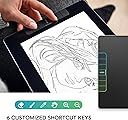
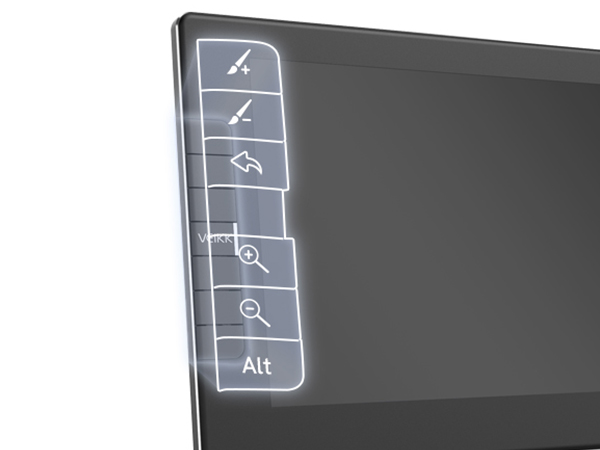
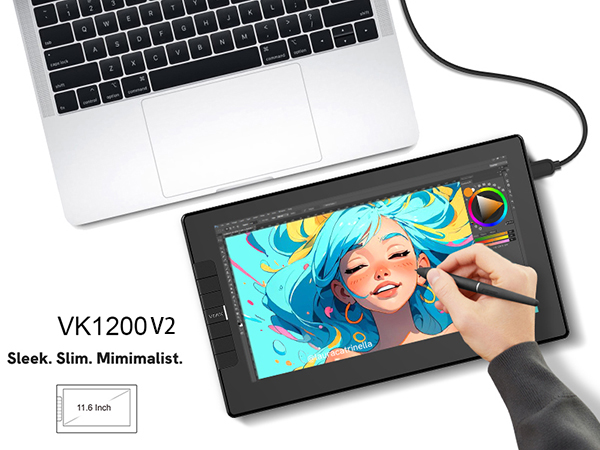
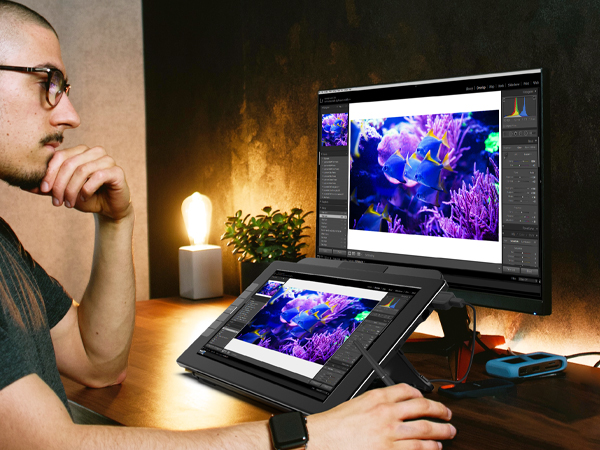
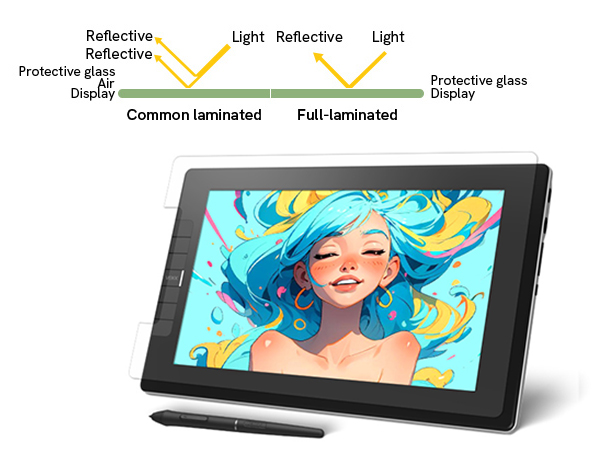
The VEIKK VK1200V2 is an 11.6-inch full-laminated drawing tablet featuring a 1920x1080 IPS display with 120% sRGB color gamut for vivid visuals. It offers 8192 levels of battery-free pen pressure sensitivity with 60° tilt support, 6 programmable shortcut keys, and compatibility across Windows, Mac, and Linux. Designed for portability and durability, it weighs only 1.78 pounds with an all-metal back shell, making it ideal for professional digital artists seeking precision and vibrant color in a compact form.


| ASIN | B098B6LKJS |
| Active Surface Area | 11.6 inches |
| Additional Features | 60° Tilt Support, Programmable Press Key |
| Best Sellers Rank | #155 in Computer Graphics Tablets |
| Brand | VEIKK |
| Built-In Media | 2 x P05 Battery-free Pen, 1 USB Cable, HDMI USB-C to Pen Case, Holder (8 Nibs Included), 20 Nibs, Nib Extractor, Quick Start Guide, Drawing Glove, Cleaning Cloth |
| Color | Black |
| Compatible Devices | Desktop, Laptop |
| Connectivity Technology | HDMI , USB |
| Customer Reviews | 4.3 out of 5 stars 445 Reviews |
| Display Type | LED |
| Global Trade Identification Number | 00601707037636 |
| Item Dimensions L x W | 12.56"L |
| Item Type Name | Drawing Tablet with Screen |
| Item Weight | 807 Grams |
| Manufacturer | VEIKK |
| Model Name | VK1200 V2 |
| Model Number | VK1200 |
| Native Resolution | 5080 |
| Operating System | Windows 7 or later,Mac OS 10.12 or later,Linux |
| Pressure Sensitivity | 8192 Levels |
| Screen Size | 11.6 Inches |
| Special Feature | 60° Tilt Support, Programmable Press Key |
| Specific Uses For Product | Drawing |
| Target Audience | Artist |
| Warranty Description | 1 year hardware warranty and lifetime technical support |
C**.
Perfect starter tablet
My husband got this Wacom tablet for our 12-year-old daughter, and it’s been a huge hit. She’s always loved drawing, and this has been the perfect way for her to start exploring digital art. She uses it with Medibang Paint Pro on a desktop computer, and everything works seamlessly. Setup was easy—just installed the driver from the Wacom site and plugged it in via USB. The pen doesn’t need batteries, which is great, and it feels natural in her hand. The drawing area is just the right size—not too big, not too small—and very responsive to pressure. We also picked up a stand and a drawing glove to make her setup more comfortable. The stand gives her a better angle for drawing sometimes, and the glove helps her hand glide more smoothly across the tablet. She’s been sketching nonstop since she got it. It’s been amazing to watch her creativity grow with the new tools. Highly recommend this if you have a budding artist in your life—it’s a great value and a wonderful way to support their passion.
E**Y
Good to use and amazing drawing tablet
It has great pressure sensitivity the size is amazing, it's great quality, the draw ability is awesome and really easy to use.
L**I
Pretty Good
It is definitely worth the amount paid. I have had issue trying to get the screen to display on my pc but it works wonders in connecting to my laptop so not too much wrong with it!
I**E
You need a computer when using this , for the most part.
It was for my niece The only thing I didn't understand is that you had to plug it in to a computer or some device like that.
G**N
You’re starting to animation
As a military member started a new company I love animation I love drawing for the star great product
J**O
Having issues after 3 months.
I bought this back in July, and I'm starting to have issues while drawing, the cursor is jumping around, making a bunch of lines both horizontally and vertically. I really like this product, it's been working fine but now I am having issues, and I really this to work well, it's my only real way of drawing and I can't tell what is causing the issues.
A**R
What I've always wanted
I'm not a professional artist, but I've always wanted something like this. Investing in pro level stuff was always outnof reach for me, so this was a great purchase for me. It does what I need it to do.
F**N
Lots of issues since opening this up
This product worked as intended for about 12 hours after I opened it up and plugged it in for the first time... I was very much looking forward to this, as this is my first display tablet, and when everything works as intended, it's a great device! But that happens very scarcely. First issue I ran into was with the display cord: this may well have just been a faulty cord, but it works for about an hour and a half or so and then starts to cut off and needs to be wriggled around for the display to start working again. Put up with this for a few months, and just ran into the other issue tonight. Second issue: Pen pressure stopped working a few days ago while I was drawing. I figured it would fix itself when I used it next (like, you know, every other tablet does with a few exceptions.) It did not- pressure was still gone. I restarted my PC to see if that would help since I couldn't find the driver process in task manager to reset it(if it was there & i didn't see it then that's on me! but i couldn't find it.) and it stopped being picked up as a tablet altogether. I unplugged it and restarted again, still no dice. Uninstalled & reinstalled the drivers, nothing. Absolutely nothing on their website about this issue(which seems to be common with these products?!). Also all of their CS is done through their subreddit? I just think this is kind of crazy. I'll update this if anything happens & I can get these issues figured out, but I think I am just going to save up for a display tab from another manufacturer & sell this one... The low price point should have been the red flag.
Trustpilot
1 month ago
3 weeks ago