Desertcart purchases this item on your behalf and handles shipping, customs, and support to Croatia.
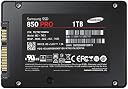
🚀 Upgrade your workflow with the Samsung 850 PRO – speed, power, and reliability in one sleek drive!
The Samsung 850 PRO 1TB SATA III SSD leverages cutting-edge 3D V-NAND flash technology to deliver up to twice the speed, density, and endurance of traditional SSDs. With a rapid 540 MB/s read speed, dynamic thermal guard protection, and a user-friendly installation suite, it’s engineered for professionals seeking a seamless, high-performance storage upgrade that boosts productivity and future-proofs their setup.


| ASIN | B00LF10KTE |
| Additional Features | Internal^Operating temperature range:0 - 70 °C^S.M.A.R.T support^TRIM support |
| Brand | Samsung |
| Built-In Media | 1 ssd drive |
| Cache Memory Installed Size | 1 |
| Color | Black |
| Compatible Devices | Desktop, Laptop |
| Connectivity Technology | SATA |
| Connectivity technology | SATA |
| Customer Package Type | Standard Packaging |
| Customer Reviews | 4.8 out of 5 stars 8,476 Reviews |
| Digital Storage Capacity | 1 TB |
| Digital storage capacity | 1 TB |
| EU Spare Part Availability Duration | 10 Years |
| Enclosure Material | Metal, Hard Plastic |
| Form Factor | 2.5-inch |
| Global Trade Identification Number | 00887276036304, 00887276057514, 08806086264679 |
| Hard Disk Description | Solid State Drive |
| Hard Disk Form Factor | 2.5 Inches |
| Hard Disk Interface | Serial ATA |
| Hard disk form factor | 2.5 Inches |
| Hard disk interface | Serial ATA |
| Hard-Drive Size | 1 TB |
| Hardware Connectivity | SATA 6.0 Gb/s |
| Hardware Platform | PC; Linux |
| Installation Type | Internal Hard Drive |
| Item Part Number | MZ7KE1T0BW |
| Item Type Name | Samsung 850 PRO - 1TB - 2.5-Inch SATA III Internal SSD |
| Item Weight | 0.05 Kilograms |
| Manufacturer | Samsung |
| Media Speed | 520 |
| Mfr Part Number | MZ-7KE1T0BW |
| Model Name | MZ-7KE1T0BW |
| Model Number | MZ-7KE1T0BW |
| Number of Items | 1 |
| Read Speed | 540 Megabytes Per Second |
| Special features | Internal^Operating temperature range:0 - 70 °C^S.M.A.R.T support^TRIM support |
| Specific Uses For Product | Gaming |
| UPC | 768451018707 887276057514 887276036304 782386510839 803983047631 803983041059 |
M**7
Excelente rendimiento. Pero ojo...
Excelente producto, si nunca han tenido un SDD (Disco de estado sólido), verán una inmensa diferencia en la carga de programas, de juegos e inicio de Windows, en mi caso cargo Win7 en 12 segundos (desde que ves el logotipo de Windows hasta el Escritorio). El software propietario Magician te ayuda a configurar diferentes escenarios como rendimiento, seguridad, balance; también configura parámetros de Windows automáticamente para optimizar la relación RAM/Espacio de disco, reduce el tamaño de 'memoria virtual' (espacio de disco usado) cuando tienes 4-8 o más Gb en RAM y utiliza una porción de la RAM que no se usa como cache intermedio que acelera aún más las cargas de lectura/escritura. AVISO Se han reportado ALGUNOS casos en donde después de actualizar el FIRMWARE a través de Magician, el SDD presenta problemas o baja de rendimiento. Mi recomendación es que ignoren dicha actualización hasta tener una versión más estable, por lo demás el software funciona bastante bien.
S**.
Well packed and delivered on time
Good upgrade for iMacs and Macbook Pro from HDD to SSD ... iMac mid 2011 reboots in less than 20 seconds with the SSD , against more than 75 seconds with HDD .
S**R
Super cool product with super fast response times !!!
Wow amazing - what a performance !!! My system configuration is as follows : Processor - Intel i7-2600K 3.4GHz RAM - 12 GB corsair vengeance dual slot (4+8) HDD1 - Western Digital 320 GB 7200 RPM HDD2- Seagate Barracuda 1TB 7200 RPMB I am using this configuration along with Win 8.1 Pro with Media Center for some time. The addition of Samsung 850 Pro 256 GB to the set gave my system the much awaited rebirth ;). I already had a spare SATA cable and along with that bought the CNCT SSD and HDD Mounting Kit (http://www.amazon.in/gp/product/B00RCMK2MU?psc=1&redirect=true&ref_=oh_aui_detailpage_o02_s00). as it supports adding one more SSD in future. The CD came along with the SSD had the Data Migrations software using which I cloned by OS installed partition to SSD. Everything went smooth and SSD was added as the boot device. With the first boot itself I got awestruck with the performance, the boot times improved from around 5 mins to 1/2 a minute _/\_ The applications opened up as soon as the icon is clicked (editing a photo with ACDSee Pro 8 used to take ages to open, now it is ready with the edit mode as soon as edit option is selected). Everything seems to be super fast with the SSD. Love the Samsung 10year warranty as well.
G**H
Excelente Disco SSD de Samsung, pagar con Banamex una decepcion!
Samsung, una buena marca para discos SSD Para ser un producto de importacion, la entrega fue rapida y sin complicaciones, el disco trabaja bien como esperaba, 0 problemas, en Amazon USA habria pagado un extra $650 pesos por la importacion y envio. el unico problema que tuve y ajeno a Amazon MX fue pagar con tarjeta banamex, si piensan pagar con ese banco, esten preparados a que el banco Banamex les retenga 10 dias el dinero, porque supuestamente aparece como doble recargo, hable a soporte banamex y nunca me dieron una explicacion satisfactoria, lean otras reseñas y otros ya han tenido el mismo problema con banamex.
M**R
Quick upgrade, great results
I purchased this to install as a boot drive and keep my original drive for storage. Note that this is the SSD only, you don't get any drive caddy, cables or screws to go with it, it's just the drive. Opening the box you'll find the Samsung 850 Pro (which is really light), some pictorial instructions and a software CD. The migration and management software can be downloaded directly from Samsung's website for the most up to date versions. There are two sets of instructions, one for a desktop installation and one for a laptop installation, and they are aimed at people looking to replace an existing drive, and not have this in addition to their existing drive. Setup was very simple, it just takes a little time due to the cloning process. The instructions show the Samsung 850 Pro being plugged in via a USB adapter to migrate data, but if you plan on using the SSD in addition to your existing drive you can go ahead and install it into your PC/laptop right away. In this case the Samsung 850 Pro was installed using a 2.5 to 3.5 caddy to fit it into a desktop, which happened to be in the 'frequently bought together' suggestion from Amazon and was ideal for the job. Once connected (either via a USB caddy or having been installed into your desktop) you fire up the Samsung Migration software which will automatically detect the size of the source drive and target drive and let you know if there is enough space. If your source drive contains too much data you'll need to either exclude or delete some of it, the perfect opportunity for a little spring cleaning. Remove the software and games you no longer play, transfer music, videos and photos to an external drive, and very quickly you'll have cleared a lot of space. The migration tool then gets to work, and this is the part that can take some time, it took just under 1 hour and 15 minutes to fully migrate. Once completed the drive boot order was changed so the Samsung 850 Pro was the boot drive rather than the secondary drive and that was it, drive installed! With a nice speedy new boot drive the original source drive was formatted for use as a secondary drive. The entire process from start to finish was really simple, the Samsung migration tool works really well. To give a general idea my PC originally took around a minute to boot up and be usable. With the Samsung 850 Pro t takes about 12 seconds! Checking out the Windows experience score my drive had gone from a score of 5.9 to 7.9 and the overall score had gone from 5.9 to 7.7. In use you don't just benefit from a faster boot speed, everything just feels quicker and more responsive and that makes this one of the best upgrades you can get if you've not got an SSD at the moment. As well as the migration software Samsung also provide the Samsung Magician software to optimise your PC and check the SSD is working correctly. It can tell if you've plugged this into a SATA 2 port rather than SATA 3 and can also run a benchmarking test to compare your new drive to your old. The Samsung 850 Pro Solid State Drive is a brilliant drive backed up by simple to use software that makes the installation process really simple. Wires used: 2 x Gigabyte High Quality Original Light Blue SATA 3 6GB/s Cable (46cm) 2.5 to 3.5 caddy: General 2.5" SSD to 3.5" SATA Hard Disk Drive HDD Adapter CADDY TRAY CAGE Hot Swap Plug
Trustpilot
1 month ago
3 weeks ago