Desertcart purchases this item on your behalf and handles shipping, customs, and support to Croatia.
🚀 Elevate your workspace with the ultimate 43" 4K powerhouse—because your productivity deserves no less!
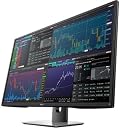
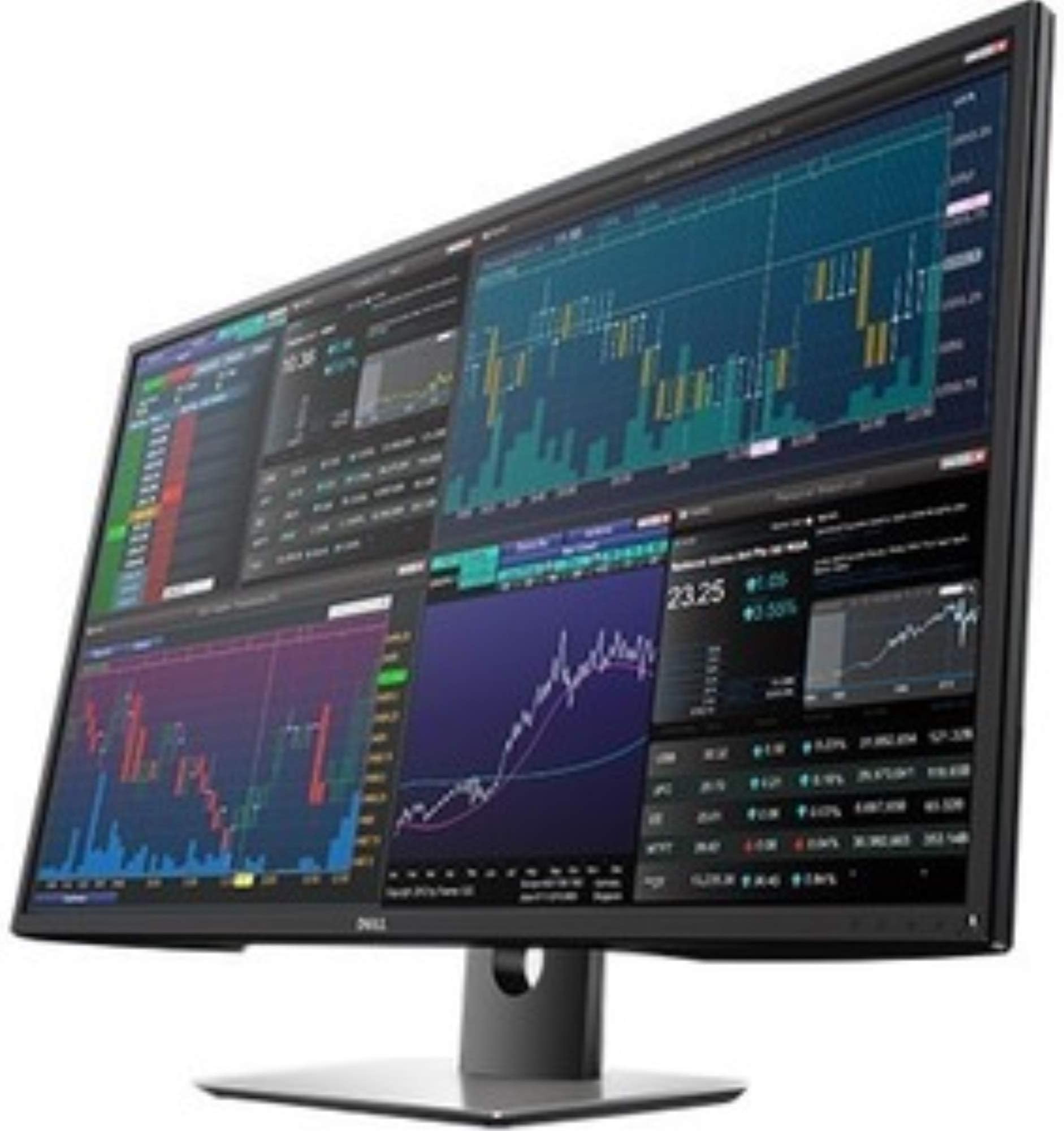
The Dell 43" P4317Q Ultra HD 4K Multi Client Monitor delivers a massive 3840x2160 resolution on a single expansive screen, replacing the need for multiple monitors. Featuring a matte anti-glare finish, 350 cd/m² brightness, and wide viewing angles, it ensures comfortable, consistent color viewing. With multiple USB 3.0 ports and HDMI connectivity, it simplifies your workspace while supporting complex multitasking setups. Ideal for professionals craving productivity without clutter, backed by a 3-year limited warranty.


| ASIN | B01F80FSKS |
| Aspect Ratio | 16:9 |
| Best Sellers Rank | #190,647 in Electronics ( See Top 100 in Electronics ) #3,913 in Computer Monitors |
| Brand | Dell |
| Brightness | 350 cd/m² |
| Color | Black |
| Color Gamut | 82 |
| Compatible Devices | [A wide range of devices with HDMI or VGA output] |
| Connectivity Technology | VGA |
| Customer Reviews | 4.3 out of 5 stars 121 Reviews |
| Display Resolution Maximum | 3840 x 2160 |
| Display Technology | LED |
| Display Type | LCD |
| Global Trade Identification Number | 05397063744404 |
| Hardware Connectivity | HDMI |
| Has Color Screen | No |
| Item Dimensions D x W x H | 9.84"D x 38.31"W x 25.9"H |
| Item Weight | 54 Pounds |
| Manufacturer | Dell Marketing USA, LP |
| Model Name | P4317Q |
| Model Number | Dell 43 Multi-Client Monitor P4317Q |
| Mounting Type | VESA Compatibility - Mountable: 100 x 100 mm, 200 x 200 mm |
| Native Resolution | 3840x2160 |
| Number of Component Outputs | 2 |
| Picture Quality Enhancement Technology | Matte screen, Monitor scalar |
| Pixel Pitch | 0.38 |
| Processor Count | 1 |
| Refresh Rate | 60 Hz |
| Resolution | 4K UHD 2160p |
| Response Time | 5 Milliseconds |
| Screen Finish | Matte |
| Screen Size | 43 Inches |
| Screen Surface Description | Matte |
| Shape | Rectangular |
| Specific Uses For Product | business, personal |
| Total Number of HDMI Ports | 1 |
| Total USB 2.0 Ports | 2 |
| Total USB 3.0 Ports | 2 |
| Total Usb Ports | 4 |
| UPC | 725638467444 725638467116 884116215813 |
| Unit Count | 1.0 Count |
| Voltage | 240 Volts |
| Warranty Description | 1 |
| Warranty Type | 3 Years Limited Warranty |
R**N
If you are an old developer like me you will appreciate this monitor
If you are an old developer like me you will appreciate this monitor!!!! I have Dell 32" 4k's as well and put this side by side, they are crisper... but my eyes instantly relax when I look at the 43. It is really nice... although I hope they come out with a curved version as I feel like I have to move my head a little for the last inch of the screen on both sides... If you are a graphics editor this is not for you, its just not that clear and the calibrations arent that granular. ( still playing with settings to get it dialed in ) If you need big screen space for charts, and code and whatever... this is for you! If your momma always told you not to sit right in front of the TV and you followed orders - this is probably not for you!... if you didn't listen to her and you LOVED the spectrum of dazzle - this is for you! btw: no dead pixels. yes there is a shadow from the bezel but you don't see it unless you go looking for it. However unlike most monitor screen edges that wind up having a gap between the view and bezel, the shadow gives it a nice gradient so you don't feel like something is missing or broken on the edge... but I can't even see it as I sit here typing this because I use a black background anyway. This is BIG Frickn monitor - the UPS guy said " weird big box for a Dell PC" .. I said, " its a monitor" he said, " WTF !! .. you don't need that".. I said.. " oh we'll see about that" ordering another!
J**9
The view is great. I have 6 separate windows opened at the ...
OK...this is one HUGE monitor. I run a home based business with huge volume and for years had this set up with 4 separate monitors, i have had to replace individual ones from time to time and the wiring and HDMI etc cables drove me batty. By chance, one of the monitors started blinking out on me and I started researching large monitors and came across this one. The view is great. I have 6 separate windows opened at the same time and am able to find each one without moving my head. One big one for Outlook, 3 smaller ones for my programs, 1 for the WEB, and 1 for spreadsheets. I can blow up a page or PDF file to a 41 x 28 size or whatever ...point being I no longer have to squint to see text. The speaker is OK - nothing great, but good enough. It arrived with a CD - you have to upload it to your PC as it contains a manual and a Monitor Manager which allows you to configure it to your needs. Major negative is it is not a curved screen - which would have made it near perfect. I have the stand that came with it - but may upgrade to a wall or desk mount.
K**J
Works great for multi-tasking
Works great for multi-tasking. Have brokerage app in one quadrant, video or websites in another, work communications in another, and last one's free for all the random stuff inevitably being opened throughout day. If I sat back further, I'd probably say it's good for gaming. I tried out Skyrim all modded up, looks incredible, but hurts my eyes & head, so I'll probably stick to 1080p gaming in one quadrant and enjoy not having to worry about missing updates on other stuff because now I have the screen space to keep everything opened. The darkened edge issue is mildly annoying, but on previous monitors, couldn't even see the scroll bar half the time, so this is a significant improvement, hard to ding it for. Dealing with audio sources is a bit of a bother. Would be nice if there were a way to always output all sound from all sources so I don't have to worry about which "sub-monitor" is serving audio after switching from 4k to 1080x4. I haven't used speakers in years, but do like the speakers on monitor particularly for low-quality audio which's otherwise very detectable and grating in headphones. Still use headphones for higher-quality audio, though. A swivel arm mount is probably a good investment for this just because the screen's so enormous and heavy (not nearly as heavy as I expected for this size after dealing with old plasma displays at work, but still heavy). The stand is adequate by itself, though... tilts up and down as needed, is sturdy. If you need an even more ludicrous amount of screen space, there are "vertical monitors" you can search for to go on the sides of this, which'd likely make a nice "surround screen" with more swiveling arm mounts... I can't imagine myself ever needing this, but can imagine situations where they could be useful. Fwiw, I didn't find any value in Dell's software for this monitor, but being unnecessary, and with OSD able to do what I need easily enough - no skin off my nose. The USB hub is also of no value to me, so couldn't say if it works well. Very pleased with purchase overall, glad to not see bezels between screens anymore, struggling to imagine why I'd bother upgrading.... augmented reality contacts or something, maybe. (If you run into issue with right half of screen being darker than left half, Dell has specific working solutions for Nvidia/Intel/AMD cards on their support site -- also recommend ensuring DPI scaling is disabled/100% in Windows)
R**6
Very happy with this monitor...
After retiring my 5 year old, 27” dual-monitor set up - I was a bit worried that this single screen would be too large. It’s not - and I appreciate the extra vertical real estate this screen affords. It takes up less room side-to-side than my old set up, which gives me extra appreciated desk space. I did notice the outer edge issue people have brought up in other reviews: Would I have noticed on my own had I not read the reviews here? Doubtful. Thanks to W. Patterson’s review, I can take the screen size down a tiny bit so this isn’t an issue. I’ve gone back and forth as to which looks better, so I think it’s a little ridiculous to consider this a deal breaker - especially since this isn’t a defect and is inherent in this type of screen. I do a lot of graphics (no computer gaming) and this monitor is perfect!
L**O
Ignore the positive reviews...this monitor has a major design flaw. Trust me...you will regret buying it.
I did not understand what other negative reviewers meant when they said that it had "image retention problems" so I ignored it. What this term means is that whenever there is an image on the screen for more than a 2 or 3 of minutes the monitor leaves a ghosted image behind after you move the window. So imagine trying to work in Photoshop...or even a web browser...and every time you move a window or load a new web page you see a ghosted image from the previous page. This burned in image stays behind even after powering the monitor completely off and back on. Dell was good about sending us a quick replacement. They acted as if they never heard about the image burn in problem and said that we must have received a defective one. When the second unit arrived we were quite shocked to see that it had the exact same problem. They insisted on sending us a third monitor but we were very skeptical that it would solve the problem. The third monitor arrived and "strike three", it had the exact same problem. We sent the Dell tech the link to the reviews on this page and he finally told us that it was a known issue. I for the life of me understand why they would waste anyone's time sending out replacements knowing that it is not going to fix the problem. We paid $979 for this monitor and it took Amazon more than 3 weeks to refund our purchase after shipping it back. (not cool Amazon). As of the writing of my review the price has dropped to $879 and I would expect it to go even lower. We ended up buying this LG monitor for $698 which has turned out to be much better and less expensive: LG 43UD79-B 43" 4K Ultra HD IPS LED Monitor w/ Accessories Bundle Includes, SurgePro 6-Outlet Surge Adapter w/ Night Light, 2x 6ft High Speed HDMI Cable & Universal Screen Cleaner for LED TVs
J**E
Hige and beautiful, but curve would help
I use this for hours daily. Essentially having 4 1080 screens in one that are also big enough to read from a couple of feet away has improved my productivity. Unfortunately, there are shadows on the left and right edges that obscure content when view from the center. They disappear when shifting your view left or right. At this size, some curvature would be a big plus.
D**L
Easy to assemble, works fine.
The product came with no real directions but I was able to put it together with a little thought and it came with the connector I needed. You apparently need to use the displayport to get 60 rather than 30 and full screen display but I hooked everything up and it just worked. Some people spoke of a shadow at the edge but I'm not seeing it. It is much large than the 30 inch Dell I had been using. That is jarring at first. You do need to immediately turn down the brightness a lot but this is true of all large screen monitors when you use it as a moitor.
Z**E
Quality monitor.
Works great out of the box. I am very pleased with the size and quality of the images. I do mostly CAD work on it and it is just awesome to be able to open 3 to 4 apps on one awesome screen. Worth the money.
S**H
Its heaven on earth
Everything is visible and so easy for the eyes. Setup was a baby's job and everything works. excellent resolution, crystal clear sharp images, good response
C**C
Guter 43" Monitor
Hatte schon zwei andere 43" Monitore ausprobiert (Yashi und LG). Yashi hatte ein spiegelndes Display und LG hatte ein Flimmern (PWM Flackern?). Ich war deshalb zögerlich beim Kauf dieses Dell Monitors, da teilweise ebenfalls in Bewertungen von PWM Flackern und ausgegrauten Pixeln im Randbereich die Rede ist. Nachdem der Monitor nun angekommen ist bin ich allerdings sehr zufrieden. Flackern kann ich nicht feststellen (habe Helligkeit aber auch auf 80% stehen) und alles in allem wirkt der Bildschirm einfach wie ein ganz normaler Flachbildschirm - nur eben in 43". Ohne irgendwelche Spiegel-Efffekte etc. Was die ausgegrauten Pixel im Randbereich angeht hatte ich nach den Rezensionen eine falsche Vorstellungen: ich dachte es gäbe immer am Rand 3 Pixel, die man nicht sieht. In Wirklichkeit ist es aber so, daß man immer alle Pixel sehen kann wenn man genau senkrecht drauf schaut. Wenn man also in der Mitte vor dem Monitor sitzt und z.b. an den linken Seitenrand sieht, sieht man in der Tat den Rand nicht. Wenn man den letzten Pixel unbedingt sehen möchte kann man aber den Kopf nach links bewegen, dann sieht man alles. In sofern also nicht störend.
J**O
Du Dell... en grand !
Énorme carton Dell 😋, grand écran au déballage et il pèse... lorsque l’on passe d’un 27’’ à celui ci en 43’’ il faut un peu plus de recul et quelques jours d’adaptation... mais ça vaux le coup ! : travailler sur Excel est un plaisir, voir un film est top, et immersion total sur un jeu en 4K... je ne reviendrai pas sur ma décision.
E**.
Perfecto cuando yo trabajo con 4 computadores
Es como en la foto... 100% recomendado
S**O
10 Stars !!!
Very recommended !
Trustpilot
1 day ago
3 weeks ago