Buy anything from 5,000+ international stores. One checkout price. No surprise fees. Join 2M+ shoppers on Desertcart.
Desertcart purchases this item on your behalf and handles shipping, customs, and support to Croatia.
💡 Light up your life, anytime, anywhere — the smart way!
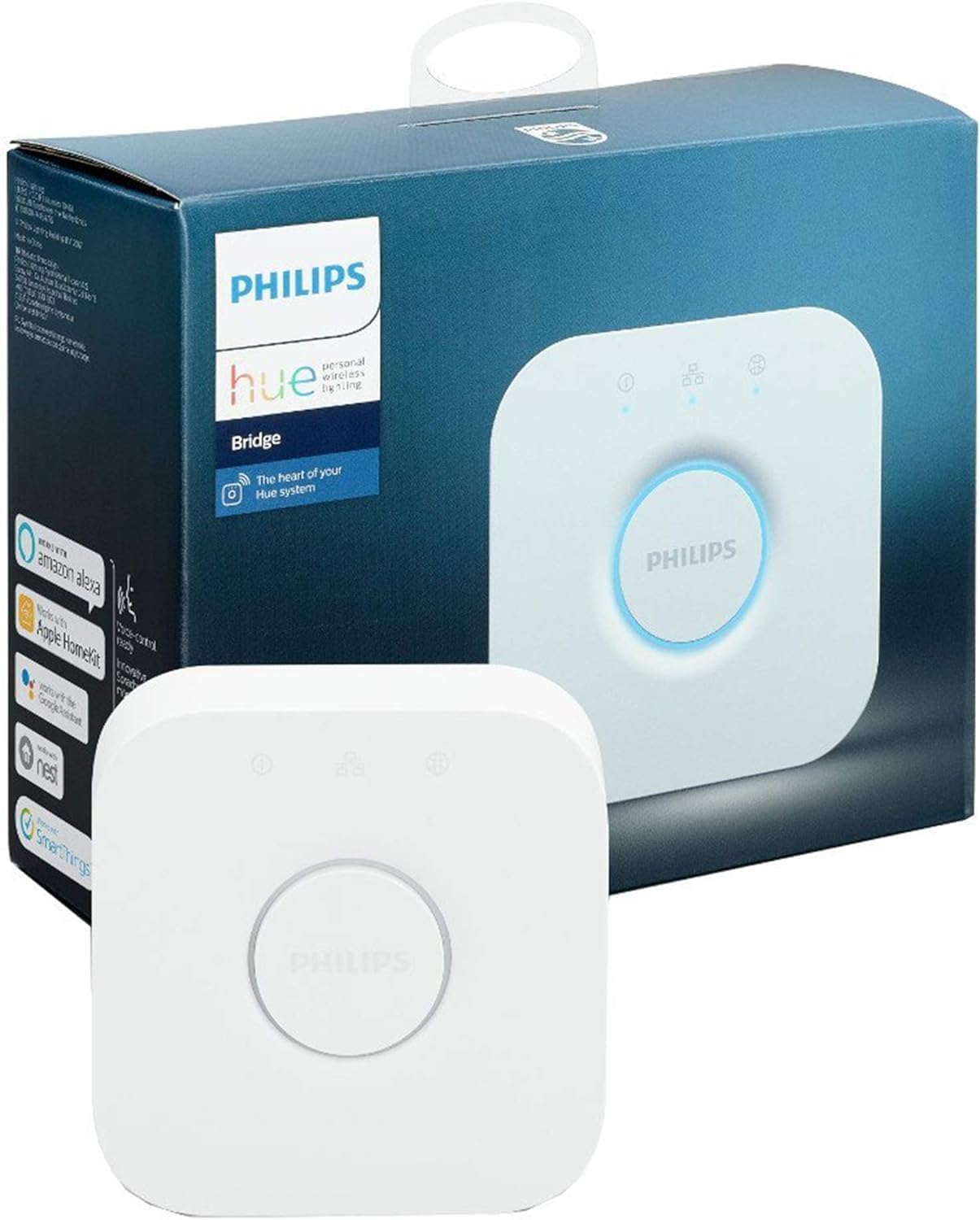
The Philips Hue Bridge is the central hub for your Philips Hue smart lighting system, enabling control of up to 50 lights via the Philips Hue app. Compatible with major smart home platforms like Alexa, Google Assistant, and Apple HomeKit, it uses Zigbee technology for reliable, low-power wireless communication. With remote access, energy efficiency, and continuous wireless updates, it transforms your home lighting into a fully customizable, future-ready smart experience.


| ASIN | B09F9H3DQD |
| Accepted Voltage Frequency | 100 to 120 Volts and 60 Hertz |
| Best Sellers Rank | 558 in DIY & Tools ( See Top 100 in DIY & Tools ) 1 in Home Automation Hubs & Controllers |
| Brand | Philips Hue |
| Brand Name | Philips Hue |
| Bulb Base | E26 |
| Bulb Shape Size | A19 |
| Bulb base | E26 |
| Bulb shape size | A19 |
| Colour | White |
| Connectivity Protocol | Zigbee |
| Connectivity Technology | ZigBee |
| Control Method | App |
| Controller Type | Google Assistant |
| Customer Reviews | 4.5 out of 5 stars 2,033 Reviews |
| EU Energy Efficiency Label | high |
| Incandescent Equivalent | 60 Watts |
| Incandescent equivalent wattage | 60 Watts |
| Included Components | Bridge |
| Indoor Outdoor Usage | Indoor |
| Item Shape | A19 light bulb shape |
| Item Type Name | Lighting Accessory |
| Item Weight | 0.3 Kilograms |
| Light Color | White |
| Light Source Wattage | 60 Watts |
| Light Type | LED |
| Light type | LED |
| Manufacturer | Signify |
| Manufacturer Part Number | 929001180640 |
| Manufacturer Warranty Description | 2 years manufacturer. |
| Model Name | 929001180640 |
| Model Number | 929001180640 |
| Number of Items | 1 |
| Package Quantity | 1 |
| Power Source | Corded Electric |
| Sensor Technology | ZigBee |
| Smart Home Compatibility | Smart Home Compatible |
| Special Features | Energy Efficient |
| Special feature | Energy Efficient |
| Specific Uses | Smart Home Automation |
| Style Name | Standard |
| Type of Bulb | Light Emitting Diode (LED) |
| Unit Count | 1.0 count |
| White Brightness | 800 Lumens |
D**S
A Game-Changer for Smart Lighting! Upgrade to V2 for Apple HomeKit Magic
I recently upgraded my smart home setup to the Philips Hue Bridge V2, and it has completely transformed the way I interact with my lights. The inclusion of Apple HomeKit integration is nothing short of magical. Here's why I'm thrilled with this product: Seamless Apple HomeKit Integration: The upgrade to V2 brought compatibility with Apple HomeKit, making it incredibly easy to control my lights using my iPhone or Siri. Just saying, "Hey Siri, turn off the lights," and watching it happen is a pure delight. Enhanced Reliability: The V2 Bridge offers a noticeable improvement in connectivity and responsiveness. I rarely experience any connectivity issues or lag when controlling my lights, ensuring a smooth and consistent experience. Expanded Compatibility: The bridge allows you to connect an impressive number of Hue bulbs and accessories. Whether you have just a few bulbs or want to create a comprehensive smart lighting system for your entire home, the Philips Hue Bridge can handle it effortlessly. Robust App: The Philips Hue app is user-friendly and feature-rich. It allows you to customize your lighting to suit your mood, set schedules, and even create dynamic lighting scenes. The level of control it provides is impressive. Reliable Updates: Philips has a history of supporting their products with regular firmware updates. This ensures that your investment in the Hue ecosystem will continue to improve over time. Voice Control: If you have other smart devices like Amazon Echo or Google Home, the Philips Hue Bridge seamlessly integrates with these platforms too, offering you various ways to control your lights. Energy Efficiency: With the ability to set schedules and control brightness, I've noticed a significant reduction in my energy consumption, which is great for both the environment and my utility bills. In conclusion, the Philips Hue Bridge V2 with Apple HomeKit integration is a game-changer for anyone looking to elevate their smart lighting game. It's reliable, user-friendly, and opens up a world of possibilities in creating the perfect lighting atmosphere in your home. The upgrade from V1 is well worth it, and I couldn't be happier with my purchase. Transform your living space and simplify your life – get the Philips Hue Bridge V2 today!
D**D
A Must Have!
If you have hue smart lights, this hub is a must! First up, this needs to be plugged into your router, it does not work directly over WiFi. Fortunately an ethernet cable is supplied! Easy to install and configure via the app, the instructions are straight forward. Despite having an Alexa with a built in app, the control you get with this bridge and app greatly exceeds what can be done via the Alexa App. The build quality is good, despite its small size. So can be discretely tucked away out of site. Once installed, it's great at picking up any lights (make sure they are on). The built in wizards will allow you to add groups which can then be controlled either via the app or Alexa. It just works. Great piece of kit. Just a shame more colours are not available to fit in with the decor.
R**.
Yes…..it works and easy setup to boot.
Works well even hidden in a sideboard as my wife doesn’t like ‘gadgets’ everywhere. Easy install and connection to other devices. Connected mine to an Ethernet hub/switch.
C**T
Eqsy to install logic could be better
Ive installed many hue devices in my house. This was an extra as once i got to around 50 devices (bulbs, buttons, sockets, motion sensors) and confirgured some of the routines it started to struggle and give me 'not enough memory' errors. For this reason I had to install a second bridge. I now have to switch between bridges to control different devices. Not so bad as i only use my phone to set up the system and very rarely use it to control devices. Hue is good. But they fail in some pretty basic logic that is annoying. But its not the end of the world. Example. I have a long lounge with a diner. Sometimes i want to walk through the lounge at night and see where im going. I have a hue dimmer that has 4 buttons. In the hue app there is no way off assigning logic for one of the buttons to start a timer and then turn a group of lights off after a time. I had to use a third party app to do this. All4hue. 2nd example. For hue buttons you cant just have an action the does 'press once and a light goes on, press again immediately and it goes off'. You have to define scenes or set multiple presses to do the same thing. You can get round this by using other apps like hue essentails. Ive tried them all. Ripped out all my hive stuff and by far the best is hue. Here is the main reason why. Most other smart bulbs wont report their status as on when they have been switched on by the wall switch (hive). This becomes a problem when you want do switch lights off after they have been on for a specific time. Hue light update their status.
A**I
Transforming your home into a smart
The Philips Hue Bridge is the essential hub for transforming your home into a smart, connected space. Its seamless integration with Alexa, Google Assistant, and Apple HomeKit allows for effortless voice control of your lighting and smart home devices. Setup is a breeze, and the intuitive app makes customization a breeze, from scheduling routines to adjusting brightness and colours. The bridge's compatibility with a wide range of Philips Hue bulbs I have at home and accessories expand its functionality, providing endless possibilities for creating the perfect ambience for any occasion. While the initial investment may seem steep, the convenience, versatility, and energy efficiency it offers make it a worthwhile addition to any smart home ecosystem. With the Philips Hue Bridge, the future of home automation is at your fingertips.
A**X
Essential addition for Hue bulbs
Although the more recent Hue bulbs support basic control via Bluetooth, if you plan to own more than a couple of bulbs and/or want an actual ‘smart’ setup the Bridge is an absolute necessity. The price both on Amazon and elsewhere fluctuates quite dramatically, I purchased one for £20 during a sale event, however I have seen it priced anywhere up to £50. It may prove more cost effective to purchase as part of a starter kit, but not always so check before you buy. Despite having a ‘WiFi certified’ logo on the underside, the Bridge has to be connected to your router with an ethernet cable (a short one is provided in the box). You shouldn’t worry if your Bridge is a long distance from your furthest bulb as Hue uses Zigbee to create a mesh network across supported devices, so each bulb is effectively a repeater. I know this to work as during setup my furthest bulbs outside were not found until some closer to the Bridge had been. Subsequently all bulbs have been connected with 100% reliability. Although Zigbee is a universal protocol the Hue Bridge does not simply support any and all Zigbee devices produced by other manufacturers. If you do a little Googling you will soon find some lists of non-Philips devices that will work with the Hue Bridge. This is useful as it enables you to add some devices Philips simply don’t make or perhaps save some money with a 3rd party bulb/lightstrip. Be aware though anything 3rd party cannot be added to an ‘Entertainment area’ and will not be exposed to Apple Homekit. If you want to really utilise the full potential of your Hue devices I highly recommend creating a Hue Developers account on the Philips Hue website. It’s free and provides simple guides on how to use the Hue API to access the Bridge via a web browser and create/upload much more complex rules beyond anything the Hue app or even paid for 3rd party apps can manage. Even with limited coding experience it is quite easy to get your head around. You will soon realise just how much more devices such as the Hue Dimmer are actually capable of, for instance buttons could do completely different things depending on the time of day, or the current state of a certain light/group, or automatically switch a light back off after a given time delay if switched on during a certain time period. So many more possibilities. I would not have been able to achieve my desired setup without using the API in conjunction with the Hue app, so might well have given a lower star rating without it. I did have to contact Philips support as the first unit I received was faulty. They were quick to respond and seemingly knowledgeable which is rare these days. If your Bridge refuses to connect to Apple Homekit giving the error “Unable to Add Accessory. The setup code is incorrect.” read this bit… The first Bridge I received would not connect to Homekit whatever I tried, so I contacted Philips support who within 24 hours got back to me asking for a photo of the underside of the Bridge, which I duly supplied. The following day I received a phone call from them confirming that this is a known issue and although they had issued a recall of all the faulty units from retailers a few were still out in the wild. They offered to either swap it out under warranty, or as I was within 30 days of purchase I could swap it with Amazon should I prefer. The second unit I received worked flawlessly.
D**G
Expensive but worth it
It's expensive and a bit fiddly to initially set up, but once set up it's brilliant. I like having the lights slowly come on in the morning gradually increasing the brightness, automatically switching on when I come home from work, and being able to flick all the lights off with my phone or the remote (sold separately) when i get in bed.
A**R
Misleading as to its functions
As with all technology things change but it’s never really made clear! I was advised I could use animation for my lights if I had a bridge - so purchased one! Guess what Phillips app doesn’t support animation on bridge so you have to purchase another app - in the end I sent it back - just could not be bothered
C**S
Incorrect plug
The plug come with the product cannot be used in australia
Trustpilot
1 month ago
3 weeks ago