

๐ Triple your screen, double your impact โ work smarter, anywhere!
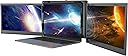
The Kwumsy P2 Pro is a portable triple 13.3-inch FHD IPS monitor setup designed to transform laptops (13.3''-16.5'') into powerful multi-screen workstations. Featuring plug-and-play Type-C connectivity with PD charging, it supports Mac M1 chipsets and Windows/Android systems. Its ergonomic clamp and adjustable stand ensure stable attachment and comfortable viewing, while independent display controls optimize your visual experience. Certified for quality and backed by a one-year warranty, itโs the ultimate productivity booster for mobile professionals.
| ASIN | B097PWHYTF |
| Adaptive Sync | FreeSync |
| Additional Features | Any issue please contact with our service team from shop introduction, Support Mac OS M1/M2 chipset, Support the laptops which only have 2 USB-A ports |
| Aspect Ratio | 16:9 |
| Aspect ratio | 16:9 |
| Brand | Kwumsy |
| Brightness | 220 Candela |
| Color | multi |
| Compatible Devices | Computer |
| Connectivity Technology | USB Type C |
| Contrast Ratio | 1000:1 |
| Customer Reviews | 4.0 out of 5 stars 44 Reviews |
| Display Resolution Maximum | 1920 x 1080 Pixels |
| Display Technology | LCD |
| Display Type | LCD |
| Hardware Connectivity | USB |
| Has Color Screen | Yes |
| Image contrast ratio | 1000:1 |
| Included Components | 2 x USB-A ports |
| Is Electric | No |
| Item Dimensions D x W x H | 4D x 33.8W x 21.7H centimeters |
| Item Weight | 3.63 Pounds |
| Manufacturer | SJMP |
| Model Name | P2 Pro |
| Model Number | Kwumsy P2 Pro |
| Mounting Type | PLUG & PLAY(Please install the driver first) |
| Native Resolution | 1920x1080 |
| Number of Component Outputs | 2 |
| Picture Quality Enhancement Technology | HDR, IPS |
| Pixel Pitch | 0.151 |
| Processor Count | 1 |
| Refresh Rate | 60 Hz |
| Resolution | FHD 1080p |
| Response Time | 25 Milliseconds |
| Screen Finish | Glossy |
| Screen Size | 13.3 Inches |
| Screen size | 13.3 Inches |
| Screen surface description | Glossy |
| Shape | Rectangular |
| Specific Uses For Product | Business, Design, Development, Multitasking |
| Total Number of HDMI Ports | 1 |
| Total Usb Ports | 2 |
| Viewing Angle | 178 Degrees |
| Voltage | 20 Volts |
Q**3
Increased productivity
These screens allow me to be just as productive at home as I am at the office with two extra screens attached to my laptop. They fold up and are easy to store when not in use. The screens are not as bright as my laptop screen but are more than sufficient for spreadsheets and other documents.
T**U
Very good idea for travel and save space for work!
Very good idea for travel and save space for work! Great product. Very conveniently fixed on my laptop and easy to install the driver with the guide. It just needs one USB-C cable to connect with my HP and powers dual monitors. Nice! Sometimes maybe we need extra power (support PD charge) to connect the PD interface of Kwumsy P2 Pro with the description.The stand is also useful and friendly. Also I find the buttons can adjust the brightness/contrast,etc. So far so good!
Q**M
The best Customer Service I have ever experienced
First off, I bought SideTrak Swivel 14โ Attachable Portable Monitor for my research work that requires multiple screens. After using it for a week I found it as a good product although highly overpriced. Being a student I was looking for an affordable product without compromising on quality. A few days later, I came across Kwumsy P2 Pro Triple Portable Monitor Laptop Screen Extender 13.3'' and decided to give it a try. Right from purchasing the product, all the way to opening the box, setting it up, and then using it, I felt so fancy and satisfied. Noticeable features: fewer wires to connect to the PC (I've been using a single USB C wire to connect both screens with my laptop Surface 4), reasonable screen size (13.3") and brightness, and on top of everything, such an affordable price. After two months of usage, one of the screens got loose from the hinge. Although the return window on Amazon was closed, the customer service representative Brant from Kwumsy sent me an email saying "we have already sent you another new product, and here is the tracking number". I was surprised by such an excellent customer service. I wish I could give more than 5 stars. Love this product and definitely recommend it.
J**N
Nomad Dream setup
I purchased the Kwumsy P2 Pro to address a need I have as a nomadic "work from home" person. I do a lot of presentations on Zoom every day and this set up allows me to have Zoom on one screen, share another monitor and still monitor chat on yet another. This is the ideal set up for a Nomadic worker. I travel a lot and being able to keep my full office set up in my laptop back pack, which means I never loose it or have it delayed meeting me at my location. It is super easy to setup and pack up. I have recommended Kwumsy Pro 2 to a number of co-workers who live the same way I do and they are now my best friends. Highly recommended!
J**R
Good for staying productive on the go
Been working in an office for years with multiple monitors and found working remotely difficult with using only one monitor screen. Looked at a lot of monitors and reviews before pulling the trigger. My two biggest concerns were portability and adaptability to expand to three screens with the MacBook M1 chip. The Kwumsy P2 satisfies both. First the positives on this unit: - It is very portable. When folded up, the size of the unit is about the same size as a laptop. Included in box is a carrying case for unit which help protect the screens and the input plugs. It is heavy, but very easy to fold and unfold and easy to include next your laptop in a backpack or briefcase. - Works seamlessly with both a PC and a MacBook. I have a MacBook Air w/ M1 and can project three different screens with no issue. - Great screen quality. Colors pop on the screen, videos project very good. - I like the fact that I can use one cord to power the unit and project on the screens. It will burn the laptop battery a little quicker. I do use a multi-port USB-C plug and it works like a charm. - Finally, customer support. Their C/S team has been very good and responsive to questions in resolving the kick stand issue discussed below. In using the unit for nearly 5 months, Iโve only had a few issues. - Resolution โ I tend to adjust resolution off default settings to see bigger text. These monitors only offer one resolution setting (1920 x 1080) and on the MacBook items can be a bit small. Iโve played around with settings on apps to compensate and would recommend these be reviewed on future releases. - Kick Stand wear and tear. The unit is heavy so most all the time I use the kick stand to keep the monitors at the right level and angle. It is adjusted by tightening and loosening a metal screw. The screw tightens against a metal plate and wears very quickly. The support team provided me new, longer screws but it ended up breaking the kickstand. I recommended the development/design teams review the kickstand and redesign or tighten against a piece of rubber or other material. In any case, I brought this to the C/S teams attention and they replaced the monitor. Thank you. Overall, I am happy with these monitors and recommend to anyone needs portability in their multiple screens.
Trustpilot
1 month ago
2 months ago